Decision comparison
BU vs mcptoon
For third-party app integrations, BU fits teams that need an autonomous agent to actually complete browser-based work across authenticated websites, including workflows that lack a clean API. mcptoon fits teams standardizing local agent access to existing MCP servers and skills, where schema compression, discovery, and shared configuration matter more than managed browser execution. BU stops being the right answer when you only need a lightweight local MCP control plane; mcptoon stops being the right answer when the workload requires a hosted browser agent to operate websites end to end.
Architecture choice. These take different approaches to the same problem. Read the table as a fit question rather than a feature race.
All 2 are agent tooling.
Quick Comparison
| Decision factor | BU | mcptoon |
|---|---|---|
| Best For | Autonomous browser-based workflows requiring agents to navigate websites, authenticate, run scripts, monitor pages, test applications, or scrape web data. | Sharing MCP tools and agent skills across local AI clients while minimizing tool-schema context usage and avoiding per-agent configuration duplication. |
| Architecture | Hosted agent platform combining remote browser infrastructure with persistent memory, file system, terminal access, hosted API, and browser automation capabilities. | Zero-dependency Python CLI acting as an MCP gateway, indexing tools, compressing results, discovering servers, and synchronizing agent configurations locally. |
| Pricing Model | Browser Use starts free and then bills prepaid credits with no subscription and no expiry, from $5. Browsers are $0.02 per hour. Traffic is billed separately: high-quality residential proxies at $5 per GB, or $0.20 per GB on a direct or bring-your-own proxy. Proxies are on by default. | Open source under the Apache-2.0 license; source code at https://github.com/activeing123/mcptoon. |
| Ease of Use | Single-prompt agent execution and hosted browser infrastructure reduce setup work, while custom workflows still require careful prompt and integration design. | Add tools and skills once for reuse by local agents; zero-dependency CLI reduces installation overhead but requires local MCP setup. |
| Scalability | Hosted remote browsers, API-based agents, configurable concurrency limits, and separately metered browser time and traffic support scaling web automation workloads. | Compact indexes, on-demand schema inspection, session deduplication, and lossless result compression reduce context overhead across multiple local agent clients. |
| Community/Support | MIT-licensed Python project with 120,415 GitHub stars; commercial cloud offers enterprise pricing alongside documentation, integrations, and hosted infrastructure. | Apache-2.0 Python repository with 427 GitHub stars and release v0.8.35; support is primarily through its open-source project ecosystem. |
BU
- Best For:
- Autonomous browser-based workflows requiring agents to navigate websites, authenticate, run scripts, monitor pages, test applications, or scrape web data.
- Architecture:
- Hosted agent platform combining remote browser infrastructure with persistent memory, file system, terminal access, hosted API, and browser automation capabilities.
- Pricing Model:
- Browser Use starts free and then bills prepaid credits with no subscription and no expiry, from $5. Browsers are $0.02 per hour. Traffic is billed separately: high-quality residential proxies at $5 per GB, or $0.20 per GB on a direct or bring-your-own proxy. Proxies are on by default.
- Ease of Use:
- Single-prompt agent execution and hosted browser infrastructure reduce setup work, while custom workflows still require careful prompt and integration design.
- Scalability:
- Hosted remote browsers, API-based agents, configurable concurrency limits, and separately metered browser time and traffic support scaling web automation workloads.
- Community/Support:
- MIT-licensed Python project with 120,415 GitHub stars; commercial cloud offers enterprise pricing alongside documentation, integrations, and hosted infrastructure.
mcptoon
- Best For:
- Sharing MCP tools and agent skills across local AI clients while minimizing tool-schema context usage and avoiding per-agent configuration duplication.
- Architecture:
- Zero-dependency Python CLI acting as an MCP gateway, indexing tools, compressing results, discovering servers, and synchronizing agent configurations locally.
- Pricing Model:
- Open source under the Apache-2.0 license; source code at https://github.com/activeing123/mcptoon.
- Ease of Use:
- Add tools and skills once for reuse by local agents; zero-dependency CLI reduces installation overhead but requires local MCP setup.
- Scalability:
- Compact indexes, on-demand schema inspection, session deduplication, and lossless result compression reduce context overhead across multiple local agent clients.
- Community/Support:
- Apache-2.0 Python repository with 427 GitHub stars and release v0.8.35; support is primarily through its open-source project ecosystem.
Public signals
Verified factual signals only. Bars appear only for like-for-like metrics with five weekly assessments for every tool; missing evidence stays explicit. These signals do not establish enterprise adoption, product quality, or total cost.
| Metric | BU | mcptoon |
|---|---|---|
| GitHub commits, 90d(Developer adoption) | 972 | Not available |
| GitHub stars(Developer adoption) | 121,000+ | Not available |
| Search interest(Market interest) | 0 | Not available |
| Product Hunt comments(Community interest) | 6 | Not available |
| Product Hunt rating(Community interest) | 5.0/5 | Not available |
| Product Hunt reviews(Community interest) | 16 | Not available |
| Product Hunt votes(Community interest) | 138 | Not available |
| PyPI weekly downloads(Developer adoption) | 1.3M | Not available |
| GitHub commits, 90d(Product adoption) | Not available | 506 |
| GitHub stars(Product adoption) | Not available | 435 |
| PyPI weekly downloads(Product adoption) | Not available | 1.3k |
As of November 16, 2026 — updated weekly.
Health & risk evidence
Observed public-source checks for mapped package versions and repositories.
BU
November 16, 2026Package vulnerabilities
PyPI · browser-use-sdk@3.12.1
0 vulnerabilities
across 1 package
Repository security score
Not available
mcptoon
November 16, 2026Package vulnerabilities
PyPI · mcptoon@0.8.40
0 vulnerabilities
across 1 package
Repository security score
Not available
Interface Preview
BU
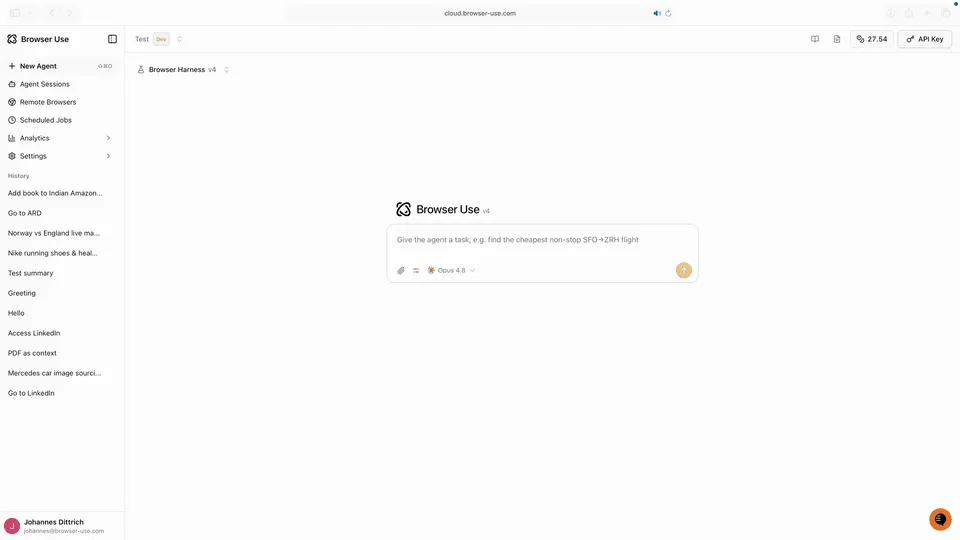
Feature Comparison
| Feature | BU | mcptoon |
|---|---|---|
| Agent execution environment | ||
| Browser automation | Hosted agents operate remote browsers on arbitrary websites | Routes MCP tools but provides no browser execution environment |
| Terminal and scripts | Agents receive terminal access for commands and scripts | Code sandbox execution is exposed through MCP gateway commands |
| Persistent state | Agents retain persistent memory and a file system | Session deduplication reduces repeated MCP session context |
| Third-party integration approach | ||
| Integration model | Agents interact directly with websites and hosted integrations | Gateway shares MCP tools and skills across local agents |
| Application connectors | Built-in integrations include Slack, Gmail, Linear, and others | Discovers MCP servers supplying third-party application tools |
| Authentication | Platform handles website authentication for autonomous agent workflows | Supports OAuth authentication for connected MCP services |
| Context and tool management | ||
| Tool discovery | Prompts agents to use browser and terminal capabilities | Searches and discovers available MCP tools and servers |
| Schema handling | Agent capabilities are provided through hosted execution infrastructure | Inspects tool schemas on demand instead of loading all schemas |
| Context compression | Uses persistent memory to retain agent workflow context | Compresses schemas from 71,929 to 581 measured tokens |
| Web and API access | ||
| Website interaction | Automates websites through browser agents with CAPTCHA solving | Relies on connected MCP servers for external service access |
| Network routing | Uses default proxies with residential or direct traffic billing | Does not publish managed browser proxy infrastructure |
| API interfaces | Offers a hosted API for prompt-to-workflow agent execution | Provides OpenAPI and GraphQL commands through its CLI |
| Deployment and governance | ||
| Deployment model | Runs managed cloud agents and remote browser infrastructure | Runs as a self-hosted zero-dependency local CLI gateway |
| Agent configuration reuse | Reuses prompts, memory, files, and hosted integrations per agent | Synchronizes MCP configurations across compatible local agents |
| License | Open-source Python library is distributed under the MIT license | Source code is distributed under the Apache-2.0 license |
Agent execution environment
Browser automation
Terminal and scripts
Persistent state
Third-party integration approach
Integration model
Application connectors
Authentication
Context and tool management
Tool discovery
Schema handling
Context compression
Web and API access
Website interaction
Network routing
API interfaces
Deployment and governance
Deployment model
Agent configuration reuse
License
Which approach fits
For third-party app integrations, BU fits teams that need an autonomous agent to actually complete browser-based work across authenticated websites, including workflows that lack a clean API. mcptoon fits teams standardizing local agent access to existing MCP servers and skills, where schema compression, discovery, and shared configuration matter more than managed browser execution. BU stops being the right answer when you only need a lightweight local MCP control plane; mcptoon stops being the right answer when the workload requires a hosted browser agent to operate websites end to end.
When each approach fits
Choose BU if:
Choose BU for production web workflows such as logging into SaaS applications, monitoring sites, browser testing, web scraping, or executing prompt-driven tasks through a managed remote browser.
Choose mcptoon if:
Choose mcptoon when several local agents need the same MCP tools and skills, and you want on-demand schemas, tool discovery, OAuth support, and reduced context consumption.
These scenarios reflect the available product evidence. Your requirements, existing stack, and team expertise should guide the final decision.
Frequently Asked Questions
What is the main difference between BU and mcptoon?
BU is an execution platform for autonomous agents: it supplies a remote browser, terminal access, persistent memory, files, and a hosted API so an agent can carry out work on websites. mcptoon is a local MCP gateway CLI: it organizes, discovers, compresses, and shares tools and skills that other agents call. For integrations, BU is suited to performing browser actions, while mcptoon is suited to making existing MCP integrations reusable across agents.
Which is better for small teams?
A small team automating browser-centric work should generally choose BU when it needs agents to sign in to websites, run workflows, scrape pages, or use applications without building MCP servers first. Its managed infrastructure removes much of the browser-hosting burden, though usage is metered. A small engineering team already using local MCP clients may prefer mcptoon because its Apache-2.0, zero-dependency CLI centralizes tools and skills without a published commercial usage charge.
Can I migrate from BU to mcptoon?
There is no direct like-for-like migration because the products solve different layers of an agent system. You can move integration definitions or workflow capabilities toward MCP servers and expose those through mcptoon, then share them across local agents. However, BU capabilities such as managed remote browsers, CAPTCHA solving, persistent agent memory, browser traffic handling, and hosted browser-agent execution would need separate replacements. A hybrid approach is possible when an MCP tool invokes a browser automation service.
What are the pricing differences?
BU uses prepaid consumption pricing rather than a subscription: credits start at $5 and do not expire. Browser infrastructure is billed at $0.02 per hour, while internet traffic is separate: high-quality residential proxies cost $5 per GB and direct or bring-your-own proxy traffic costs $0.20 per GB. Browser Use Agents add model cost plus 20%, browser time, and traffic. mcptoon is Apache-2.0 open source with code available on GitHub; no paid tier, usage rate, or managed-service price is published in the provided information.