Buying snapshot
Scroll sideways to see all columns. With a keyboard, focus this table and use the arrow keys.
| Decision point | What HashiCorp states |
|---|---|
Workload types | Containers (Docker, Podman), non-containerized applications (executables, Java) and virtual machines (QEMU), run through pluggable task drivers. |
Deployment | On-prem or in clouds. Runs as a single, self-contained binary on Linux, Windows and macOS, with no external services for storage or coordination. |
License | Nomad Community Edition is licensed under the Business Source License (BSL / BUSL). |
Editions | Community Edition, plus a commercial version, Nomad Enterprise. |
Getting started | Getting Started tutorials set up a local cluster for non-production use; Terraform manifests bring up a development cluster on a public cloud; a production reference architecture covers production deployments. The Nomad sandbox has preinstalled tools for experiments. |
Community Edition support | GitHub issues, the Nomad discussion forum, the documentation or the IBM Support portal. From 2.0.0, a 2-year base CE backport policy delivers important security and bug-fix changes. |
Release and support dates | Spring and Fall feature releases, with monthly updates as needed. Base support ends October 31, 2026 for 1.11.x, April 30, 2027 for 1.10.x (LTS) and April 30, 2028 for 2.0.x. Extended Support (2.0.x to April 30, 2029) and Ongoing Extended Support (to April 30, 2032) are optional, paid packages for Enterprise customers. |
Our take
Shortlist Nomad if you need one scheduler for containers, plain executables, Java applications and VMs across your own sites and clouds, and your team is willing to run it themselves. If every workload is already a container, compare it with your current orchestrator on that basis before you switch.
Evaluate Nomad
Where it stands out
One scheduler for mixed workloads. Containers, legacy applications and batch jobs can run together on the same infrastructure. That matters when part of the estate will not be containerized soon: it can still come under one orchestrator.
Small operating surface. Resource management and scheduling live in one binary. Nomad handles application, node and driver failures, and uses leader election and state replication for high availability.
Multi-region and multi-cloud. Federation works out of the box, so one Nomad deployment can place applications across several regions and clouds.
Hardware devices for AI and ML. Device plugins detect and use GPUs, FPGAs and TPUs. HashiCorp's featured tutorials include running a Granite LLM workload on a Nomad cluster on AWS.
Scale, per HashiCorp. The project says Nomad has been proven to scale to clusters of 10K+ nodes in real-world production environments.
Multi-team controls are documented. Tutorials cover ACL policies and tokens, encryption of gossip and API/RPC traffic, resource quotas with Sentinel integration, and placement through affinities and preemption.
Native HashiCorp integrations. Nomad integrates with Terraform, Consul and Vault for provisioning, service discovery and secrets management. Teams already on those tools can add Consul health checking and service mesh, and use the Nomad secrets engine in Vault to give workloads their secrets.
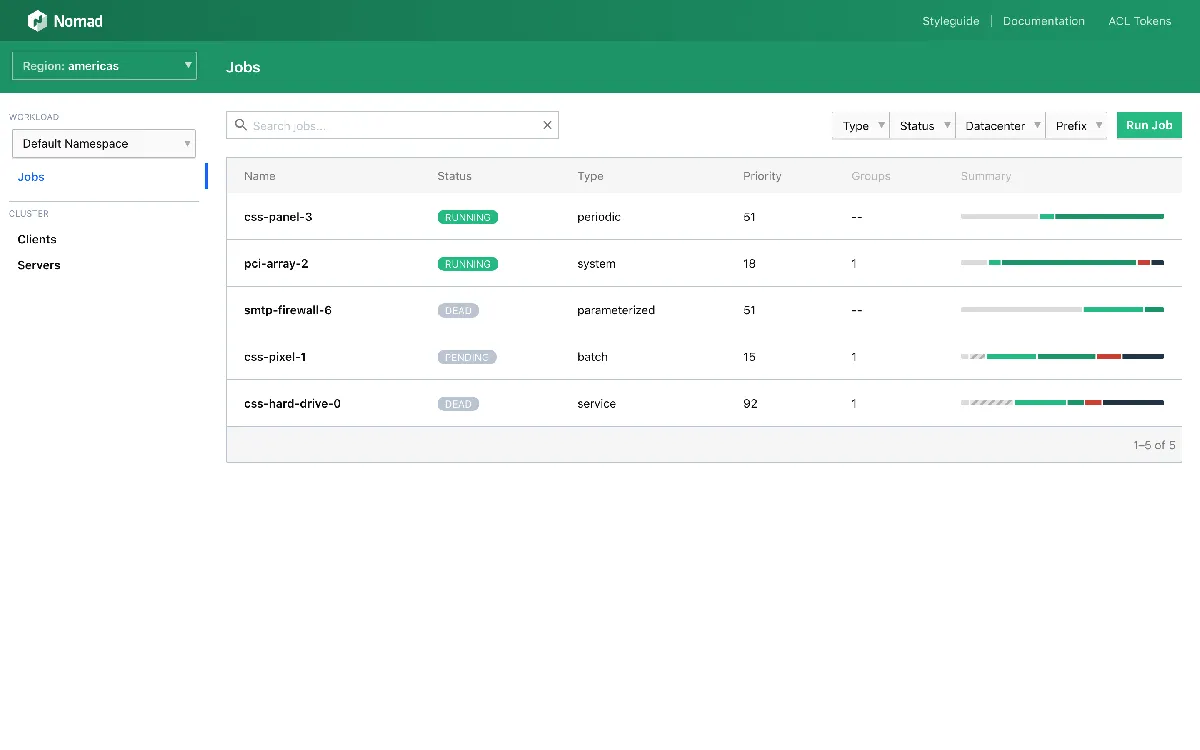
Product screenshot

Trade-offs to weigh
Check the license early. If your procurement rules name approved licenses, have legal review the BSL before you build on Community Edition.
Plan for regular upgrades. HashiCorp says v1.10.x is the last LTS release, and the longer support windows are paid Enterprise packages. A Community Edition team has to keep moving to supported releases; from 2.0.0 the version numbers also follow IBM's Version-Modification-Fix model.
Public signals
About these signals
Verified factual signals from public sources. They indicate observable activity or interest, not total adoption, product quality, or cost.
200 GitHub commits 90d17.1k GitHub stars
See all signals from 2 sources
Alternatives to Nomad
The reviewed substitutes for Nomad among the container platforms, and what would make each one the better answer.
Other approaches
A different approach to the same problem. Each substitutes only for the workload named beside it.
- Berth
- Nomad and Berth both run services, binaries and scheduled jobs on your own servers through a single agent binary. Nomad schedules them across a cluster from job files; Berth deploys code from a Mac app, a CLI or an MCP server.Applies to: Running services and scheduled jobs on your own servers without Kubernetes.
- Kubernetes
- Both schedule workloads across a cluster, and the fork is scope against ecosystem. Nomad is one binary with a Raft quorum that schedules containers alongside raw executables, JVM applications and batch jobs; Kubernetes brings operators, Helm, service meshes and a managed control plane from every major cloud, with the operational surface that implies. Conditional because the ecosystem is often the thing being adopted: where it is, Nomad's smaller surface does not compensate.Applies to: Scheduling workloads across several machines. Nomad stands in for Kubernetes when the estate is not container-only, when the platform team is small enough that a control plane would become its whole job, or where Consul and Vault are already in use; Kubernetes stands in when its ecosystem and hiring pool are what you are actually buying.