Decision comparison
Appsmith vs PHPRunner
Choose the operating model before comparing prices. Appsmith is the stronger shortlist when the application combines databases and APIs through a shared widget, query and JavaScript environment. PHPRunner deserves a trial when an existing database is the center of the application and your team wants to deploy generated PHP to its web server. Neither approach removes maintenance: one includes an application platform, while the other leaves you responsible for the generated application and hosting. Prove a permission-controlled write workflow and a subsequent schema change before choosing.
Architecture choice. These take different approaches to the same problem. Read the table as a fit question rather than a feature race.
All 2 are internal tool builders.
Quick Comparison
| Decision factor | Appsmith | PHPRunner |
|---|---|---|
| Best For | Teams building internal interfaces over databases and APIs with widgets, queries and JavaScript. | Teams turning existing database tables into forms, reports and permission-controlled web applications deployed to a compatible web server. |
| Development Model | Compose an interface in an application-building platform; connect widgets to queries and business logic. | Generate a PHP application from a database-oriented project, customize its pages and events, and deploy the generated application. |
| Deployment | Use Appsmith Cloud or operate an Appsmith instance on your infrastructure. Self-hosting means maintaining the platform as well as your applications. | Deploy to the customer's compatible PHP web server. Validate the target PHP environment, database driver and deployment process before choosing it. |
| Pricing | Community is the free, self-hosted open-source edition. Free is $0 for individual developers and small teams. Business is $15 per user per month. Enterprise is $2,500 per month for 100 users, with custom arrangements quote-based. | $599 per developer for Professional; $999 per developer for Enterprise. The $3,599 MultiDev package includes three Enterprise licenses and simultaneous work on the same project. Purchases include one year of email support and upgrades; renewal and upgrade charges are separate purchasing questions. A 21-day evaluation is available; the editions matrix limits the trial to 20 database objects and 200 builds per project. Evaluate hosting and ongoing application operations separately, including Xlinesoft's linked hosting option. Official purchase and documentation pages checked October 16, 2026. |
| Maintenance | Maintain queries, JavaScript, access rules and application changes; a self-hosted deployment also needs platform operations. | Maintain the source project, generated application, custom event code and server environment. Agree how changes are regenerated and released. |
| Evaluation | Build a real workflow with your database and API, then test the roles, Git workflow and hosting arrangement you expect to use. | Use the 21-day evaluation against a representative schema. Public demos illustrate forms, reports and permissions; demo writes are disabled, so they do not prove your write workflow. |
Appsmith
- Best For:
- Teams building internal interfaces over databases and APIs with widgets, queries and JavaScript.
- Development Model:
- Compose an interface in an application-building platform; connect widgets to queries and business logic.
- Deployment:
- Use Appsmith Cloud or operate an Appsmith instance on your infrastructure. Self-hosting means maintaining the platform as well as your applications.
- Pricing:
- Community is the free, self-hosted open-source edition. Free is $0 for individual developers and small teams. Business is $15 per user per month. Enterprise is $2,500 per month for 100 users, with custom arrangements quote-based.
- Maintenance:
- Maintain queries, JavaScript, access rules and application changes; a self-hosted deployment also needs platform operations.
- Evaluation:
- Build a real workflow with your database and API, then test the roles, Git workflow and hosting arrangement you expect to use.
PHPRunner
- Best For:
- Teams turning existing database tables into forms, reports and permission-controlled web applications deployed to a compatible web server.
- Development Model:
- Generate a PHP application from a database-oriented project, customize its pages and events, and deploy the generated application.
- Deployment:
- Deploy to the customer's compatible PHP web server. Validate the target PHP environment, database driver and deployment process before choosing it.
- Pricing:
- $599 per developer for Professional; $999 per developer for Enterprise. The $3,599 MultiDev package includes three Enterprise licenses and simultaneous work on the same project. Purchases include one year of email support and upgrades; renewal and upgrade charges are separate purchasing questions. A 21-day evaluation is available; the editions matrix limits the trial to 20 database objects and 200 builds per project. Evaluate hosting and ongoing application operations separately, including Xlinesoft's linked hosting option. Official purchase and documentation pages checked October 16, 2026.
- Maintenance:
- Maintain the source project, generated application, custom event code and server environment. Agree how changes are regenerated and released.
- Evaluation:
- Use the 21-day evaluation against a representative schema. Public demos illustrate forms, reports and permissions; demo writes are disabled, so they do not prove your write workflow.
Public signals
Verified factual signals only. Bars appear only for like-for-like metrics with five weekly assessments for every tool; missing evidence stays explicit. These signals do not establish enterprise adoption, product quality, or total cost.
| Metric | Appsmith | PHPRunner |
|---|---|---|
| Docker Hub pulls(Product adoption) | 20.4M | Not available |
| GitHub commits, 90d(Product adoption) | 230 | Not available |
| GitHub stars(Product adoption) | 41,000+ | Not available |
| Search interest(Market interest) | 0 | Unavailable |
| Product Hunt comments(Community interest) | 0 | Not available |
| Product Hunt rating(Community interest) | 4.9/5 | Not available |
| Product Hunt reviews(Community interest) | 32 | Not available |
| Product Hunt votes(Community interest) | 23 | Not available |
| Stack Overflow questions(Community interest) | 22 | 12 |
| Hacker News mentions, 90d(Community interest) | Not available | 0 |
As of November 9, 2026 — updated weekly.
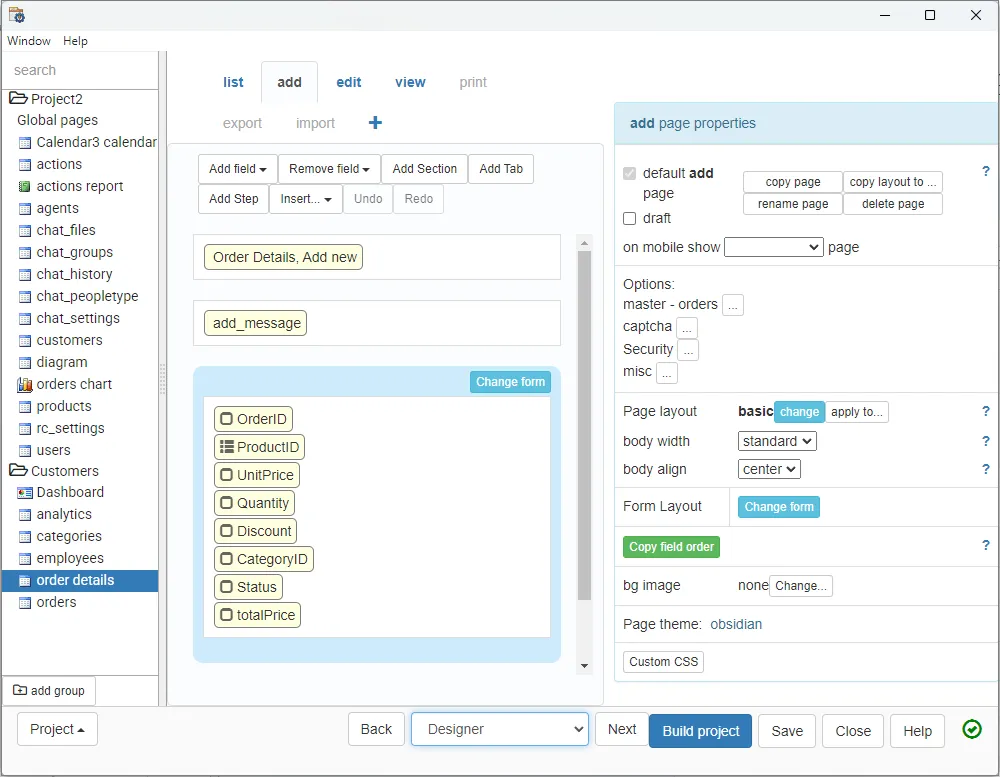
Interface Preview
Appsmith
PHPRunner
Feature Comparison
| Feature | Appsmith | PHPRunner |
|---|---|---|
| Starting point | Start with a page, widgets and queries against your data sources; shape the interface around an operational task. | Start with an existing database and select the tables, views and pages that should become the application. |
| Forms and editing | Connect form widgets and actions to queries or APIs; validate how multi-step writes behave for your specific workflow. | Generated add, edit, list and search pages suit database record workflows. Test validation and related-record behavior with your own schema. |
| Custom logic | Use JavaScript and queries to connect interface actions to application behavior. Consider who will maintain that code after the initial builder leaves. | Use the event model and custom code for behavior beyond the generated pages. Keep those changes in the maintained project and release process. |
| Reports and dashboards | Compose the interface and its queries for the metrics or operational views you need; assess the actual reporting requirements in a prototype. | Official demos show reports, charts, joined views and dashboards. Verify export, layout and permission requirements before committing to a reporting design. |
| Database interfaces | Database and API connections support interfaces that combine multiple systems. Test each required integration rather than relying on a connector count. | The documented database list includes PostgreSQL, MySQL, MariaDB and SQL Server, among others. Driver compatibility and schema behavior still need a trial. |
| Production runtime | Choose a hosted service or an Appsmith deployment. Your application operates within that platform's runtime and release model. | The deliverable is a generated PHP web application. Confirm the web server, database connectivity and deployment permissions with the team that will operate it. |
| Self-hosting work | Official setup documentation covers Docker Compose and Kubernetes. Include upgrades, backups and access controls in the operating plan. | Include the PHP environment, application deployment, database backups and security maintenance. Owning the hosting does not remove the need for operational support. |
| Permissions | Select the edition around the required access model: Business adds custom roles and audit logs; Enterprise adds capabilities such as SAML/OIDC and SCIM. | Test generated application permissions using separate user groups. Enterprise documents identity integrations including LDAP, SAML and OpenID; confirm the exact provider and edition. |
| Change management | Git integration supports branches and rollback. Include review and release practices in your prototype rather than treating a working editor session as production readiness. | Retain the generator project and custom code, and rehearse a database change followed by regeneration and deployment. Generated output still needs a reliable release process. |
| Commercial boundary | Paid editions meter workspace users, including builders and standard users. Model the people who need access as well as the features that determine the edition. | Published prices use developer licenses. Ask the vendor about license scope, upgrades and renewals; do not translate an unspecified billing period into a monthly equivalent. |
Starting point
Forms and editing
Custom logic
Reports and dashboards
Database interfaces
Production runtime
Self-hosting work
Permissions
Change management
Commercial boundary
Which approach fits
Choose the operating model before comparing prices. Appsmith is the stronger shortlist when the application combines databases and APIs through a shared widget, query and JavaScript environment. PHPRunner deserves a trial when an existing database is the center of the application and your team wants to deploy generated PHP to its web server. Neither approach removes maintenance: one includes an application platform, while the other leaves you responsible for the generated application and hosting. Prove a permission-controlled write workflow and a subsequent schema change before choosing.
When each approach fits
Choose Appsmith if:
Choose Appsmith when the team wants a shared platform for internal interfaces, can work with queries and JavaScript, and accepts its hosting and user-pricing model. Verify governance entitlements before treating the free edition as the production budget.
Choose PHPRunner if:
Choose PHPRunner when database forms and reports dominate, compatible PHP hosting is already available, and someone will maintain the generator project and deployed application. A familiar server environment is useful only if the team can also own upgrades and releases.
These scenarios reflect the available product evidence. Your requirements, existing stack, and team expertise should guide the final decision.
Frequently Asked Questions
Is PHPRunner a substitute for Appsmith?
For database forms, reports and internal record workflows, it can be. The overlap narrows when the application depends on a broader mix of APIs and custom interface behavior. Compare one complete workflow rather than assuming that two low-code products have the same development model.
Which is cheaper for a large internal audience?
The public units do not support a simple ranking. Appsmith offers free Community and paid user-based editions. PHPRunner lists developer license amounts, without a billing period established in the verified evidence. Request the applicable license terms and include hosting, maintenance and required governance before comparing budgets.
Can both run on infrastructure we control?
Yes, through different deployment models. Appsmith documents self-hosting its platform. PHPRunner generates an application for a compatible PHP web server. Ask your operations team to review both approaches; a requirement to keep hosting does not by itself select the product.
What should the trial prove?
Use the same representative task: authenticate two roles, read related records, validate an edit, produce the required report, then change the schema and deploy again. Record the manual steps and failure handling. PHPRunner's public demos help inspect capabilities, but disabled demo writes do not substitute for testing your own application.