Decision comparison
Cursor vs lcode-cli
For day-to-day AI-assisted editing, Cursor fits developers who want inline Tab autocomplete, hosted frontier and Grok models, and agents that also reach into GitHub PR review and Slack, and who will pay $30/month or more to get third-party models. lcode-cli fits developers whose code cannot leave the machine, or who want no recurring fees, and who own a capable NVIDIA GPU or Apple Silicon Mac to run open-weight models through Ollama. Cursor stops being the right answer under strict data-residency or no-cloud rules. lcode-cli stops being the right answer when you want IDE autocomplete, team collaboration features, or hosted-model quality without local hardware.
Architecture choice. These take different approaches to the same problem. Read the table as a fit question rather than a feature race.
All 2 are AI coding assistants.
Quick Comparison
| Decision factor | Cursor | lcode-cli |
|---|---|---|
| Best For | Developers who want an AI-first IDE with always-on Tab autocomplete, plus hosted agents that also review GitHub PRs and work inside Slack | Developers who need a private terminal coding agent that runs open-weight models entirely on their own NVIDIA GPU or Apple Silicon Mac |
| Architecture | AI code editor backed by hosted models, combining a specialized Tab next-edit model, codebase indexing and autonomous agents that run in parallel, including cloud agents | Python CLI agent driving open-weight models served locally by Ollama, with language-server code intelligence, local-embedding semantic search, subagents and an optional container sandbox |
| Pricing Model | Free; Plus $8/month (Grok models only); Premium $30/month; Super $100/month; Ultra $200/month; Teams from $30/user/month; Enterprise custom. The shared Cursor/Grok pool refreshes weekly. Third-party models require Premium or above and are billed separately at API list price, with no included allowance. Purchased top-offs, Grok API usage, taxes and fees are additional. Bugbot code reviews are included on Premium and above. Verified 2026-10-23 against https://cursor.com/pricing. | Open source under the MIT license; source code at https://github.com/nasser1941/lcode. |
| Ease of Use | Download the editor and start; autocomplete suggests multi-line edits as you type, and agents take plain-language tasks without any local model setup | Installs with a one-line curl script but needs Ollama and capable local hardware; terminal-only chat workflow with plan mode and approval before changes |
| Scalability | Shared usage pool refreshes weekly; Premium gives 4x and Super 15x the Plus usage; parallel cloud agents; third-party models are billed at API list price | Limited by local GPU or unified memory; picks a model and context size to fit the hardware, up to 256K tokens; subagents split work into fresh contexts |
| Community/Support | Commercial vendor whose GitHub repository has 33,329 stars; Teams and custom Enterprise plans available; often featured in roundups of AI coding tools and alternatives | Early-stage MIT project with 5 GitHub stars and frequent releases (v0.62.0 on 2026-11-07); support comes through its GitHub repository and documentation site |
Cursor
- Best For:
- Developers who want an AI-first IDE with always-on Tab autocomplete, plus hosted agents that also review GitHub PRs and work inside Slack
- Architecture:
- AI code editor backed by hosted models, combining a specialized Tab next-edit model, codebase indexing and autonomous agents that run in parallel, including cloud agents
- Pricing Model:
- Free; Plus $8/month (Grok models only); Premium $30/month; Super $100/month; Ultra $200/month; Teams from $30/user/month; Enterprise custom. The shared Cursor/Grok pool refreshes weekly. Third-party models require Premium or above and are billed separately at API list price, with no included allowance. Purchased top-offs, Grok API usage, taxes and fees are additional. Bugbot code reviews are included on Premium and above. Verified 2026-10-23 against https://cursor.com/pricing.
- Ease of Use:
- Download the editor and start; autocomplete suggests multi-line edits as you type, and agents take plain-language tasks without any local model setup
- Scalability:
- Shared usage pool refreshes weekly; Premium gives 4x and Super 15x the Plus usage; parallel cloud agents; third-party models are billed at API list price
- Community/Support:
- Commercial vendor whose GitHub repository has 33,329 stars; Teams and custom Enterprise plans available; often featured in roundups of AI coding tools and alternatives
lcode-cli
- Best For:
- Developers who need a private terminal coding agent that runs open-weight models entirely on their own NVIDIA GPU or Apple Silicon Mac
- Architecture:
- Python CLI agent driving open-weight models served locally by Ollama, with language-server code intelligence, local-embedding semantic search, subagents and an optional container sandbox
- Pricing Model:
- Open source under the MIT license; source code at https://github.com/nasser1941/lcode.
- Ease of Use:
- Installs with a one-line curl script but needs Ollama and capable local hardware; terminal-only chat workflow with plan mode and approval before changes
- Scalability:
- Limited by local GPU or unified memory; picks a model and context size to fit the hardware, up to 256K tokens; subagents split work into fresh contexts
- Community/Support:
- Early-stage MIT project with 5 GitHub stars and frequent releases (v0.62.0 on 2026-11-07); support comes through its GitHub repository and documentation site
Public signals
Verified factual signals only. Bars appear only for like-for-like metrics with five weekly assessments for every tool; missing evidence stays explicit. These signals do not establish enterprise adoption, product quality, or total cost.
| Metric | Cursor | lcode-cli |
|---|---|---|
| GitHub commits, 90d(Developer adoption) | 0 | Not available |
| GitHub stars(Developer adoption) | 33,000+ | Not available |
| Search interest(Market interest) | 0 | Not available |
| Hacker News mentions, 90d(Community interest) | 0 | Not available |
| npm weekly downloads(Developer adoption) | 1.6M | Not available |
| Product Hunt comments(Community interest) | 0 | Not available |
| Product Hunt reviews(Community interest) | 0 | Not available |
| Product Hunt votes(Community interest) | 23 | Not available |
| Stack Overflow questions(Community interest) | 59 | Not available |
| GitHub commits, 90d(Product adoption) | Not available | 196 |
| GitHub stars(Product adoption) | Not available | 5 |
| PyPI weekly downloads(Product adoption) | Not available | 84 |
As of November 23, 2026 — updated weekly.
Health & risk evidence
Observed public-source checks for mapped package versions and repositories.
Cursor
November 23, 2026Package vulnerabilities
npm · @cursor/sdk@1.4.2
0 vulnerabilities
across 1 package
Repository security score
Not available
lcode-cli
November 23, 2026Package vulnerabilities
PyPI · lcode-cli@0.63.1
0 vulnerabilities
across 1 package
Repository security score
Not available
Interface Preview
Cursor
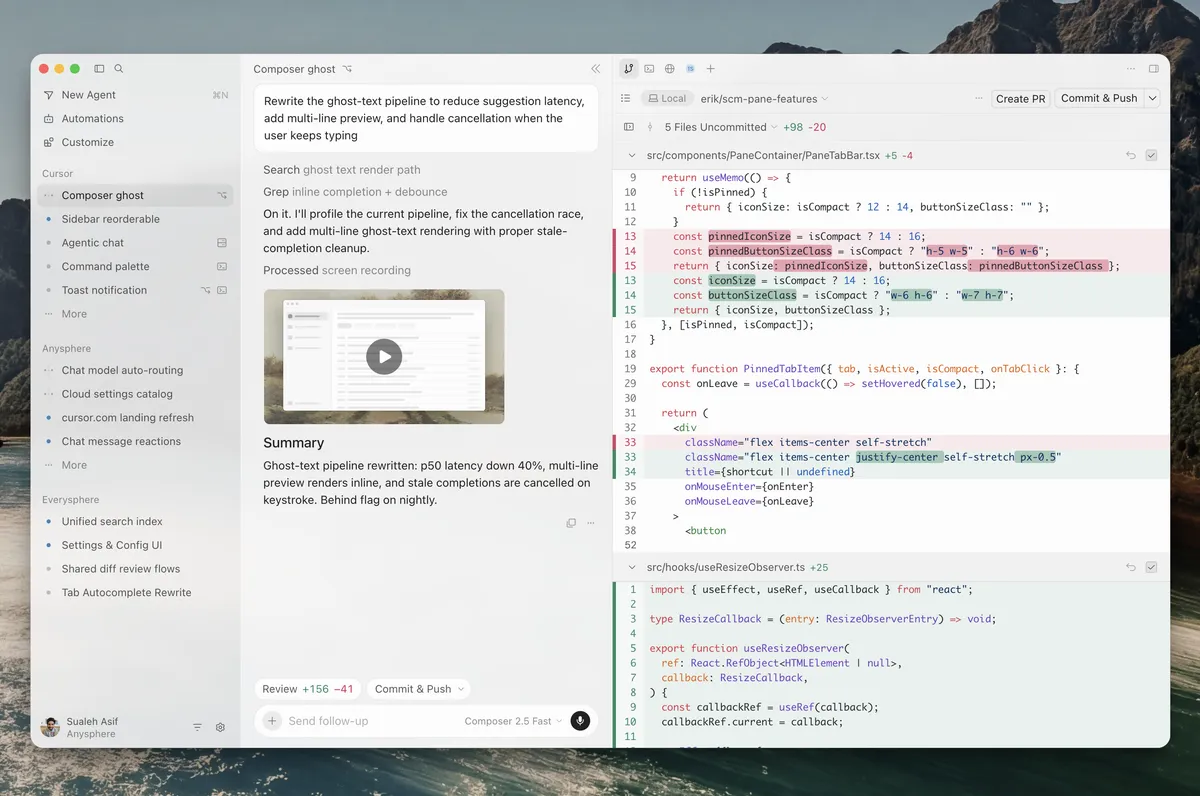
Feature Comparison
| Feature | Cursor | lcode-cli |
|---|---|---|
| Coding Interaction | ||
| Inline autocomplete | Specialized Tab model predicts the next multi-line edit and stays on once enabled | Not available; the site calls it 'a real agent, not autocomplete' |
| Agentic task execution | Hand tasks to agents that turn ideas into code while you make decisions | Reads, searches, edits files and runs scripts and tests until the task is done |
| Planning and approval | Agents generate plans and return finished work as 'Ready for Review' items | Plan mode explores read-only and asks for approval before changing anything |
| Models and Runtime | ||
| Model access | Shared Cursor/Grok pool; third-party models on Premium+ at API list price | Open-weight models pulled and served locally through Ollama |
| Inference location | Hosted models, with cloud agents and automations on Premium and above | Entirely on your own NVIDIA GPU or Apple Silicon Mac, up to 256K context |
| Data privacy | Prompts and code context go to hosted Cursor/Grok or third-party model providers | Never uploads files and sends no telemetry; optional web search can be turned off |
| Codebase Understanding | ||
| Code search and indexing | Indexes the codebase so agents and chat understand the whole project | Semantic code search using local embeddings that never leave the machine |
| Answering code questions | Chat and agent requests draw on the indexed repository context | Answers questions with file:line references, using language-server code intelligence |
| Parallel work | Multiple autonomous agents run in parallel, locally or as cloud agents | Subagents run with their own fresh context for delegated subtasks |
| Safety and Control | ||
| Reverting changes | Agent output comes back as reviewable work before you accept it | Undo and rewind cover both file edits and shell command changes |
| Command isolation | Cloud agents run off your machine on Premium and above | Optional container sandbox for the shell commands the agent runs |
| Rules and permissions | Cursor Rules set project-specific agent behaviour and conventions | Hooks and rules with explicit allow and deny lists |
| Workflow and Ecosystem | ||
| Git and PR review | Bugbot reviews GitHub PRs; code hosting and AI reviews on Premium+ | Built-in commit, review and PR commands run from the terminal |
| Surfaces | Desktop IDE, terminal, GitHub, Slack, and a mobile agent | Terminal CLI installed with a one-line curl script |
| Extensibility | Cloud automations on Premium; Grok API access included from Plus upward | One-command MCP servers, custom commands, Agent Skills, and ComfyUI image/video modes |
Coding Interaction
Inline autocomplete
Agentic task execution
Planning and approval
Models and Runtime
Model access
Inference location
Data privacy
Codebase Understanding
Code search and indexing
Answering code questions
Parallel work
Safety and Control
Reverting changes
Command isolation
Rules and permissions
Workflow and Ecosystem
Git and PR review
Surfaces
Extensibility
Which approach fits
For day-to-day AI-assisted editing, Cursor fits developers who want inline Tab autocomplete, hosted frontier and Grok models, and agents that also reach into GitHub PR review and Slack, and who will pay $30/month or more to get third-party models. lcode-cli fits developers whose code cannot leave the machine, or who want no recurring fees, and who own a capable NVIDIA GPU or Apple Silicon Mac to run open-weight models through Ollama. Cursor stops being the right answer under strict data-residency or no-cloud rules. lcode-cli stops being the right answer when you want IDE autocomplete, team collaboration features, or hosted-model quality without local hardware.
When each approach fits
Choose Cursor if:
Choose Cursor if you want an IDE with always-on multi-line Tab autocomplete, parallel and cloud agents, Bugbot PR reviews on GitHub and Slack collaboration. It also suits teams that want per-seat billing (Teams from $30/user/month) and access to third-party models at API list price on Premium and above. It is the better fit when you have no strong local GPU and are allowed to send code to hosted model providers.
Choose lcode-cli if:
Choose lcode-cli if code privacy is non-negotiable: it runs open-weight models locally through Ollama, never uploads files and sends no telemetry. It also suits you if you already own an NVIDIA GPU or Apple Silicon Mac and want a free MIT-licensed terminal agent with plan mode, undo/rewind of file and shell changes, a container sandbox, allow/deny rules, and MCP and Agent Skills support. Skip it if you rely on inline autocomplete or an IDE workflow.
These scenarios reflect the available product evidence. Your requirements, existing stack, and team expertise should guide the final decision.
Frequently Asked Questions
What is the main difference between Cursor and lcode-cli?
Cursor is a commercial AI code editor. Its specialized Tab model predicts your next multi-line edit, its agents run on hosted models (a shared Cursor/Grok pool, plus third-party models on Premium and above), and it reaches into GitHub for PR reviews, Slack, the terminal and a mobile agent. lcode-cli is an MIT-licensed Python terminal agent that runs open-weight models entirely on your own NVIDIA GPU or Apple Silicon Mac through Ollama, with up to 256K tokens of context. It never uploads files and sends no telemetry. It does not autocomplete: you talk to it in the terminal and it plans, edits and runs tests.
Which is better for small teams?
Cursor is built for teams. Teams plans start at $30/user/month, Bugbot code reviews are included on Premium and above, and agents collaborate in Slack and review PRs on GitHub, so a small team gets shared tooling without running any infrastructure. lcode-cli costs nothing in licences, but every developer needs their own capable GPU or Apple Silicon Mac with Ollama installed, and the data shows no shared administration or seat management. Small teams under strict confidentiality rules, or teams that already own suitable hardware, can standardise on lcode-cli and share its hooks, rules and custom commands through the repository.
Can I migrate from Cursor to lcode-cli?
Yes, with no lock-in, because lcode-cli works on any local git repository: point it at the project and start a terminal session. There is no automatic converter, though. Cursor Rules need to be rewritten as lcode hooks and allow/deny rules, and any MCP servers have to be re-added with lcode's one-command MCP setup. You give up Tab autocomplete, Slack and GitHub surfaces, and hosted models. In return you get local inference, undo/rewind and sandboxed shell commands. Many developers run both side by side: Cursor for inline editing and lcode-cli for private agent tasks.
What are the pricing differences?
Cursor is freemium. The Free tier has limited agent and chat requests. Plus costs $8/month (Grok models only), Premium $30/month (4x Plus usage), Super $100/month (15x Plus usage) and Ultra $200/month. Teams start at $30/user/month and Enterprise is custom. The shared usage pool refreshes weekly. Third-party models need Premium or above and are billed separately at API list price, with no included allowance. Top-offs, Grok API usage, taxes and fees cost extra. lcode-cli is free MIT-licensed open source with no subscription or metered usage; your costs are the local GPU or Mac and the power to run it.