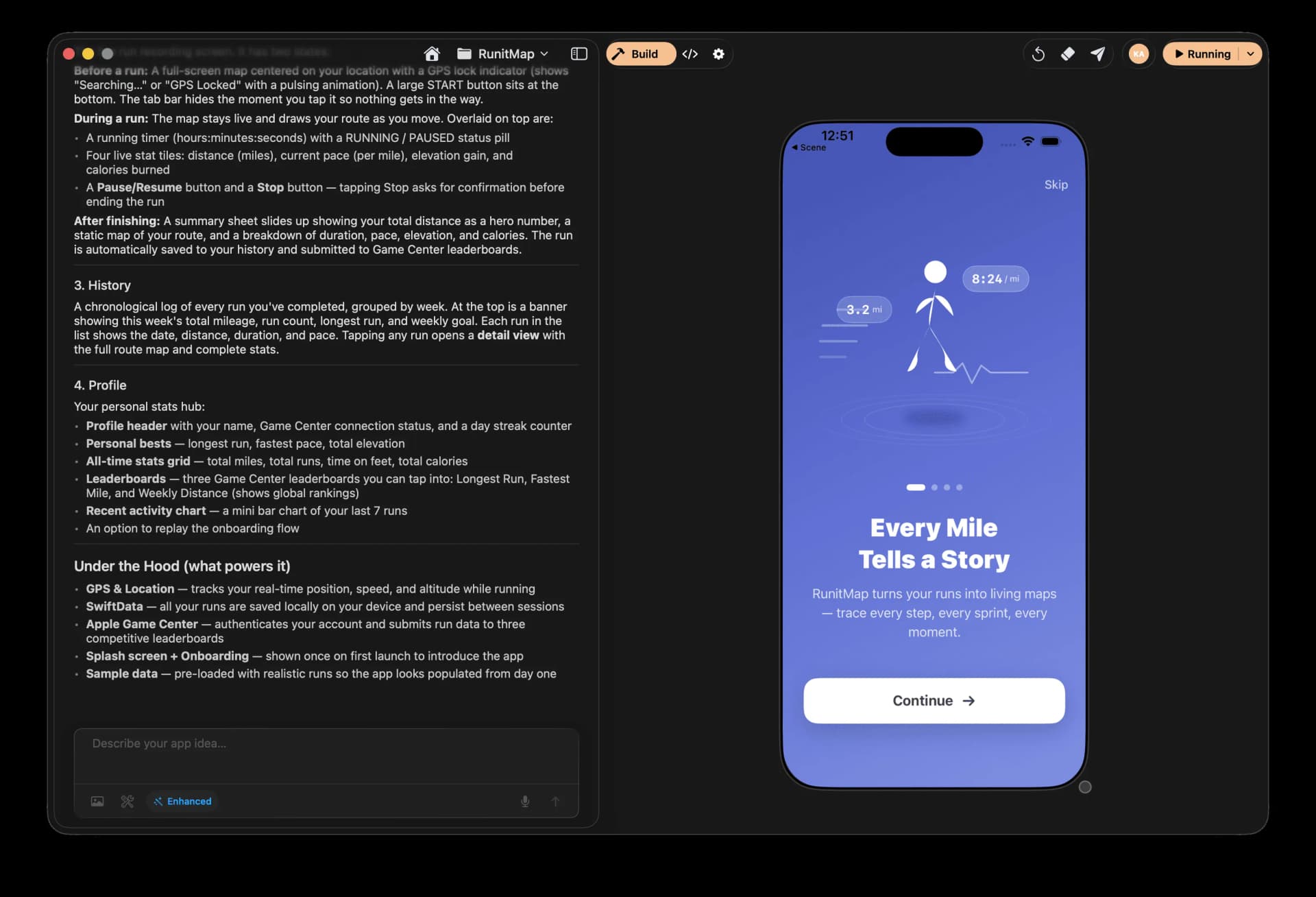
Nativeline AI + Cloud: product and architecture
Our verdict: Nativeline AI + Cloud is a focused, opinionated builder for teams that want to turn an app idea into a native Apple application without assembling a separate frontend, backend, database, and Xcode workflow. This Nativeline AI + Cloud review recommends it for product-minded builders and small teams committed to iPhone, iPad, and Mac delivery; avoid it if your immediate priority is a general-purpose internal-tool platform, a non-Apple target, or a conventional code-first engineering workflow.
Nativeline’s strongest claim is not merely that it uses AI to generate an application. It states that it creates actual SwiftUI rather than web wrappers, while pairing the generated application with Nativeline Cloud for database creation, authentication, storage, functions, and analytics. That all-in-one positioning is valuable because it reduces the number of products a team must configure, but it also concentrates more of the delivery workflow in one platform.
The public product material gives several useful adoption and output signals. Nativeline reports more than 4.1 million lines of Swift generated, 100% native Swift output, and an average time to first app of 2.6 minutes. Those are product-reported metrics, not independent evidence of production quality or enterprise deployment, but they support the central proposition: Nativeline is built to compress the distance between a natural-language app idea and an Apple-platform build.
Overview
Nativeline AI + Cloud is a developer tool for creating native iPhone, iPad, and Mac apps with AI. Its core workflow is conversational: describe an application, watch it build, and use the same platform to create the database and prepare the result for App Store delivery. The company positions the product as “one platform to App Store,” rather than a collection of services that require separate setup and integration.
The product is explicitly centered on Apple development. Nativeline says it builds native SwiftUI applications for iPhone, iPad, and Mac, and it names Apple capabilities including AR, Siri, Liquid Glass, menu bar apps, Apple Maps, and Apple frameworks. That scope makes its positioning clear: this is not a generic web-app generator with mobile packaging layered on top. It is intended for teams whose product requirement is native Apple software.
The cloud component is central to the evaluation. Nativeline Cloud is described as a built-in cloud database that can be created through a prompt, with authentication, storage, functions, and analytics available inside the same platform. The vendor’s wording—“No Supabase. No Firebase. No Xcode.”—signals a deliberate attempt to remove external setup work. For a small team, that can be a meaningful reduction in operational coordination; for a team with established backend standards, it can be a reason to scrutinize portability and workflow fit before committing.
We recommend Nativeline AI + Cloud for teams that value speed to a native Apple prototype or application more than they value choosing every layer of the stack independently. It is especially compelling when one person or a compact product team needs to cover app design, app generation, database creation, and TestFlight-oriented delivery from a single working environment. Its limitations are equally clear: the available material does not establish support for targets beyond iPhone, iPad, and Mac, nor does it document a conventional external-service architecture.
Nativeline’s “no credit card required” free-entry message lowers the barrier to evaluation. Still, a free trial or free tier should be treated as an opportunity to validate the generated SwiftUI, the cloud workflow, and the bits-based usage model against a real app requirement. The relevant decision is not whether AI can produce an initial screen quickly; it is whether Nativeline’s integrated workflow remains suitable once the app needs database changes, code inspection, testing, and release preparation.
Key Features and Architecture
Nativeline’s architecture joins AI-driven native application generation with an embedded cloud backend. The frontend side is described as real native SwiftUI, and the backend side is described as Nativeline Cloud. This removes the stated need to configure Supabase or Firebase separately, while also removing Xcode from the advertised initial workflow.
Key technical capabilities include:
-
Native SwiftUI app generation: Nativeline states that it generates 100% native Swift and actual SwiftUI rather than web wrappers. That matters for teams evaluating Apple-platform behavior, because the product is positioned around native iPhone, iPad, and Mac applications rather than browser-based UI packaged for distribution.
-
Conversational app creation: Users describe their app through a conversation, and Nativeline creates the application from that request. The product’s reported average time to first app is 2.6 minutes, which is a speed metric for initial creation rather than a guarantee of production readiness.
-
Prompt-based database creation: Nativeline Cloud is presented as a real cloud database built into the platform. The stated workflow is to ask for a database rather than provision and configure a separate database service, making backend creation part of the same conversational product flow.
-
Integrated authentication and storage: The cloud offering includes auth and storage. The value is architectural consolidation: a team does not need to start its Nativeline project by separately connecting the named alternatives, Supabase or Firebase, for these backend functions.
-
Functions and analytics: Nativeline Cloud also includes functions and analytics. The available material does not describe execution limits, analytics retention, function runtimes, or export capabilities, so teams with specific operational requirements should validate those details directly during evaluation.
-
Apple-specific application scope: The product names AR, Siri, Liquid Glass, menu bar apps, Apple Maps, and Apple frameworks. These are not generic categories in Nativeline’s positioning; they reinforce that the platform is intended to work within Apple’s native app environment.
-
Delivery-oriented workflow: The Builder plan includes automatic TestFlight upload, and Nativeline states that users own their code forever. The Pro plan adds a full code editor and real-time console logs, which makes the paid product ladder relevant to teams moving beyond pure conversational generation.
The architectural trade-off is simple. Nativeline reduces composition work by putting native app generation and cloud services together, but that same integration means evaluators should test the platform as a whole rather than assuming each layer can be replaced independently. The source material does not document external database integrations, deployment choices outside its own cloud offering, or interoperability with an existing backend estate. Do not infer those capabilities from the presence of authentication, storage, functions, or analytics.
The reported 4.1 million-plus lines of Swift generated is a useful public signal that Nativeline has generated substantial Swift output. It is not, by itself, evidence that every generated application has equivalent maintainability, test coverage, or App Store readiness. We would treat it as evidence of product activity and focus a technical evaluation on the specific generated code and cloud behavior required by the intended application.
For teams that need visible code-level control, the plan distinction matters. The official pricing text explicitly assigns a full code editor and real-time console logs to Pro, not Builder. That creates a practical boundary: Builder is designed for conversational app creation and database creation, while Pro is the more credible starting point for teams that expect to inspect and work directly with code and runtime logs.
Ideal Use Cases
Nativeline AI + Cloud fits best when the desired outcome is a native Apple application and the team benefits from collapsing several early delivery steps into one environment. It is not positioned as a broad data platform or a general cross-platform application framework. Its natural audience is a builder who has a specific Apple app concept and wants the application and its cloud database developed together.
A strong scenario is a one- to three-person product team building an iPhone, iPad, or Mac application that needs user access, stored data, application functions, and analytics. For example, a compact team can describe a workout-tracking application, create the supporting database through a prompt, and use the integrated workflow instead of separately standing up Firebase or Supabase. Nativeline’s own product material uses a workout-tracking request as an example, making this a directly aligned type of use case.
A second scenario is an Apple-first product validation effort where the primary requirement is rapid creation of a native prototype rather than building a custom platform foundation. The reported 2.6-minute average time to first app gives teams a concrete reason to test whether the tool can accelerate early product discovery. In this context, Nativeline’s value is not that it eliminates engineering judgment; it is that it can produce a starting native SwiftUI application quickly enough for product and engineering stakeholders to evaluate the concept together.
A third scenario is a small team preparing an app for Apple distribution and wanting a path that includes TestFlight support. The Builder plan includes automatic TestFlight upload, while the product describes an end-to-end path to the App Store. This is particularly relevant when the team does not want initial setup to depend on Xcode, a separately configured cloud database, or distinct services for authentication and storage.
Data and analytics leaders should view Nativeline through the backend implications, not only through the interface generation. The advertised cloud package includes database creation, auth, storage, functions, and analytics, so it can be attractive when a product team needs those elements aligned from the start. However, the available information does not specify data-volume limits, retention policies, governance controls, data export, or integration with an existing warehouse or analytics stack. Those omissions are material for organizations with formal data-platform requirements.
Don’t use this if your product must target platforms other than iPhone, iPad, and Mac and you need that support to be documented before selecting a tool. Also avoid it if your team requires a separately specified backend architecture, because Nativeline’s stated value proposition is an integrated Nativeline Cloud workflow rather than a documented bring-your-own-backend model. The product may still be worth evaluating, but the supplied evidence does not support treating it as a replacement for a pre-existing enterprise data architecture.
We recommend starting with Nativeline’s free entry point for a narrowly scoped Apple application with a real data requirement. Use the trial to generate the application, create a representative database, inspect the workflow available at the plan you expect to buy, and confirm that TestFlight delivery and code ownership meet the team’s release process. That is a more reliable evaluation than judging the product solely on the speed of the first generated screen.
Strengths & Trade-offs
Nativeline AI + Cloud has a coherent product thesis, and its benefits are strongest when a team wants that thesis rather than a modular stack. Its main strengths are specific to its Apple-native generation and integrated cloud approach, not generic claims about AI development tools. The constraints are equally specific and should shape the selection decision.
Pros
-
It is explicitly native Apple-focused. Nativeline states that it creates actual SwiftUI and 100% native Swift for iPhone, iPad, and Mac, rather than web wrappers. For an Apple-only product, that is a more direct fit than a workflow that begins with a generic web interface.
-
It combines app and backend creation in one platform. Nativeline Cloud includes a database, auth, storage, functions, and analytics. This can reduce initial integration work for teams that otherwise would need to configure separate backend services.
-
The product supports a fast first-build workflow. Nativeline reports a 2.6-minute average time to first app. That is useful for rapidly testing product concepts, provided the team separately validates the generated result for its actual requirements.
-
Builder includes automatic TestFlight upload. At $25/mo, Builder includes automatic TestFlight upload alongside conversational creation and database creation. This connects the generation workflow to a concrete Apple testing path rather than stopping at a local prototype.
-
Pro adds explicit technical-control features. The $50/mo Pro tier includes a full code editor and real-time console logs. Those named features make Pro more suitable than Builder for teams that need direct code access and runtime visibility.
-
The vendor states that users own their code forever. This is an important ownership claim for teams evaluating a generated-code workflow. It does not eliminate platform dependency around the integrated cloud workflow, but it addresses a major concern about generated application code.
Cons
-
The tool is narrowly scoped to Apple platforms. Nativeline’s documented targets are iPhone, iPad, and Mac. Teams needing another target should not assume coverage, because the supplied material does not establish it.
-
The backend is intentionally integrated, which can create architectural concentration. Nativeline promotes a built-in cloud database with auth, storage, functions, and analytics and explicitly says “No Supabase” and “No Firebase.” That simplifies setup, but the provided material does not document external backend integration or portability options.
-
Builder does not list a full code editor or real-time console logs. Those capabilities are named under Pro. A technical team that needs direct code work and runtime debugging should budget for the $50/mo tier rather than relying on Builder.
-
The usage unit is not operationally defined in the supplied pricing text. Plans offer 1,000, 2,250, or 4,800+ Bits of Usage, but the information does not explain how many Bits a typical app, database change, or iteration consumes. This makes forecasting usage cost harder before a hands-on trial.
-
Material data-platform details are absent. Nativeline lists analytics and a cloud database, but the provided information does not define data volumes, retention, governance, warehouse connectivity, or exports. Data leaders should treat these as evaluation questions, not assumed capabilities.
The clearest trade-off is between speed and architectural choice. Nativeline’s integrated design is a strength for a team that wants an application and backend created together, but it is weak for teams that need every infrastructure component independently specified from the beginning. We would not reject it for that reason alone; we would simply avoid selecting it before validating the constraints imposed by the integrated platform.