Decision comparison
Azure Synapse Analytics vs Exasol
Synapse and Exasol answer the same analytical requirement with different commitments. Synapse is an Azure service combining SQL pools, serverless SQL and Spark in one workspace with Power BI and Entra alongside. Exasol is an in-memory MPP database that tunes its own indexes, runs on your hardware or any cloud, and is bought as capacity.
Direct comparison. These are reviewed substitutes bought for the same job, so the differences below are the ones that decide between them.
All 2 are cloud data warehouses.
Quick Comparison
| Decision factor | Azure Synapse Analytics | Exasol |
|---|---|---|
| What it is | Microsoft's unified analytics service, combining dedicated SQL pools, serverless SQL over Data Lake Storage and Apache Spark in one Azure workspace | A high-performance in-memory MPP analytics database, deployable on your own hardware, in your own cloud account, or as a managed service |
| Where it runs | Azure only, operated by Microsoft | Your own hardware, your own cloud account, or as a managed service |
| Performance approach | Provisioned SQL pools, serverless SQL, and Spark for heavier processing | In-memory columnar processing with indexes the engine tunes itself |
| Pricing shape | Usage-based. USD prices for East US 2, the page default; rates vary by region. Serverless SQL pool: $5 per TB of data processed. Dedicated SQL pool: from $1.20 per hour for DW100c, pay as you go; 1- and 3-year reservations cost less. Apache Spark pool (memory optimized): $0.142 per vCore-hour. Data pipelines: $1 per 1,000 orchestration activity runs (Azure hosted), $1.50 (self hosted). Data warehouse storage: $23 per TB per month. Pre-purchase: 5,000 Synapse Commit Units for $4,700. Verified 2026-10-05 against https://azure.microsoft.com/en-us/pricing/details/synapse-analytics/. New Azure accounts get a $200 credit to use on Azure services, including Synapse, within 30 days. Verified 2026-10-05 against https://azure.microsoft.com/en-us/pricing/purchase-options/azure-account. | Contact for pricing |
| Tuning burden | Distribution and partitioning choices affect dedicated pool performance | Indexes and statistics maintained automatically by the engine |
| Ecosystem | Data Factory, Power BI, Azure Machine Learning and Entra in the same estate | Standard connectivity to BI and ETL tools, independent of any cloud |
| Best fit | Organisations on Azure wanting SQL and Spark in one workspace | Steady high-concurrency analytics where fixed cost and self-tuning matter |
Azure Synapse Analytics
- What it is:
- Microsoft's unified analytics service, combining dedicated SQL pools, serverless SQL over Data Lake Storage and Apache Spark in one Azure workspace
- Where it runs:
- Azure only, operated by Microsoft
- Performance approach:
- Provisioned SQL pools, serverless SQL, and Spark for heavier processing
- Pricing shape:
- Usage-based. USD prices for East US 2, the page default; rates vary by region. Serverless SQL pool: $5 per TB of data processed. Dedicated SQL pool: from $1.20 per hour for DW100c, pay as you go; 1- and 3-year reservations cost less. Apache Spark pool (memory optimized): $0.142 per vCore-hour. Data pipelines: $1 per 1,000 orchestration activity runs (Azure hosted), $1.50 (self hosted). Data warehouse storage: $23 per TB per month. Pre-purchase: 5,000 Synapse Commit Units for $4,700. Verified 2026-10-05 against https://azure.microsoft.com/en-us/pricing/details/synapse-analytics/. New Azure accounts get a $200 credit to use on Azure services, including Synapse, within 30 days. Verified 2026-10-05 against https://azure.microsoft.com/en-us/pricing/purchase-options/azure-account.
- Tuning burden:
- Distribution and partitioning choices affect dedicated pool performance
- Ecosystem:
- Data Factory, Power BI, Azure Machine Learning and Entra in the same estate
- Best fit:
- Organisations on Azure wanting SQL and Spark in one workspace
Exasol
- What it is:
- A high-performance in-memory MPP analytics database, deployable on your own hardware, in your own cloud account, or as a managed service
- Where it runs:
- Your own hardware, your own cloud account, or as a managed service
- Performance approach:
- In-memory columnar processing with indexes the engine tunes itself
- Pricing shape:
- Contact for pricing
- Tuning burden:
- Indexes and statistics maintained automatically by the engine
- Ecosystem:
- Standard connectivity to BI and ETL tools, independent of any cloud
- Best fit:
- Steady high-concurrency analytics where fixed cost and self-tuning matter
Public signals
Verified factual signals only. Bars appear only for like-for-like metrics with five weekly assessments for every tool; missing evidence stays explicit. These signals do not establish enterprise adoption, product quality, or total cost.
| Metric | Azure Synapse Analytics | Exasol |
|---|---|---|
| Search interest(Market interest) | 1 | 0 |
| Hacker News mentions, 90d(Community interest) | 0 | 2 |
| npm weekly downloads(Developer adoption) | 394 | 91 |
| PyPI weekly downloads(Developer adoption) | 804.1k | 120.9k |
| Stack Overflow questions(Community interest) | 3.0k | 89 |
| Docker Hub pulls(Product adoption) | Not available | 2.3M |
| GitHub commits, 90d(Developer adoption) | Not available | 35 |
| GitHub stars(Developer adoption) | Not available | 83 |
As of October 26, 2026 — updated weekly.
Health & risk evidence
Observed public-source checks for mapped package versions and repositories.
Azure Synapse Analytics
October 26, 2026Package vulnerabilities
npm · @azure/synapse-artifacts@1.0.0-beta.16 · PyPI · azure-synapse-artifacts@0.22.0
0 vulnerabilities
across 2 packages
Repository security score
Not available
Exasol
October 26, 2026Package vulnerabilities
npm · @exasol/exasol-driver-ts@0.8.1 · PyPI · pyexasol@3.0.1
0 vulnerabilities
across 2 packages
Repository security score
Not available
Interface Preview
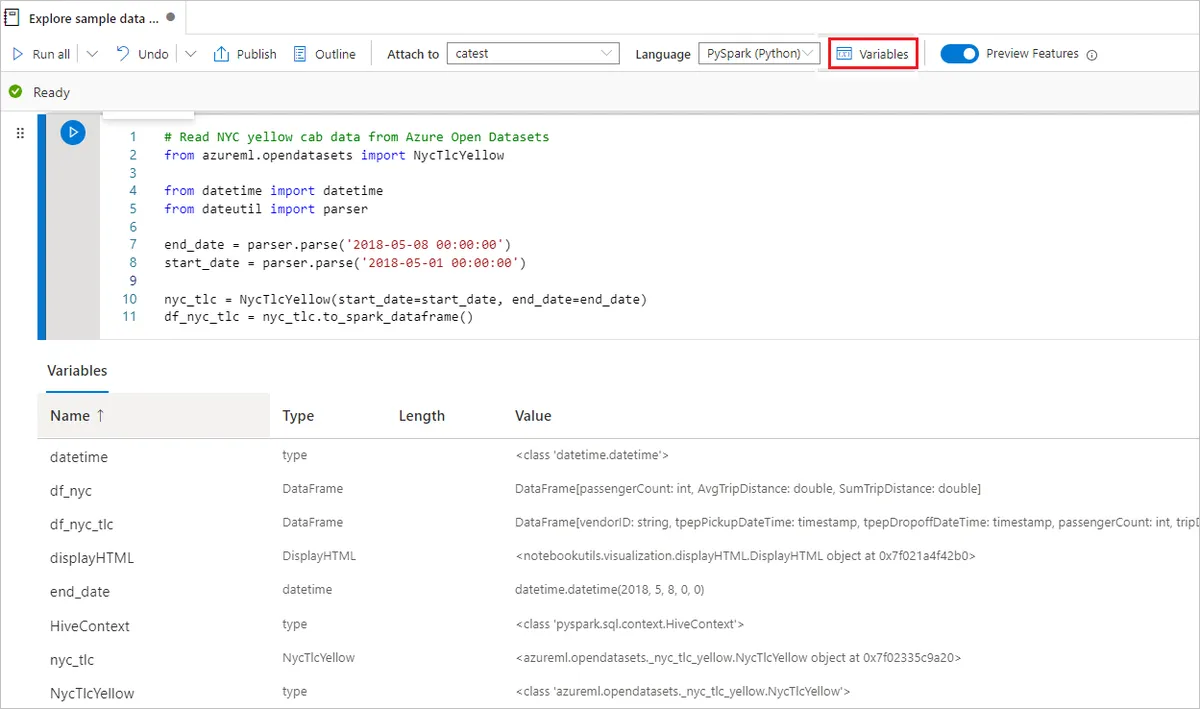
Azure Synapse Analytics
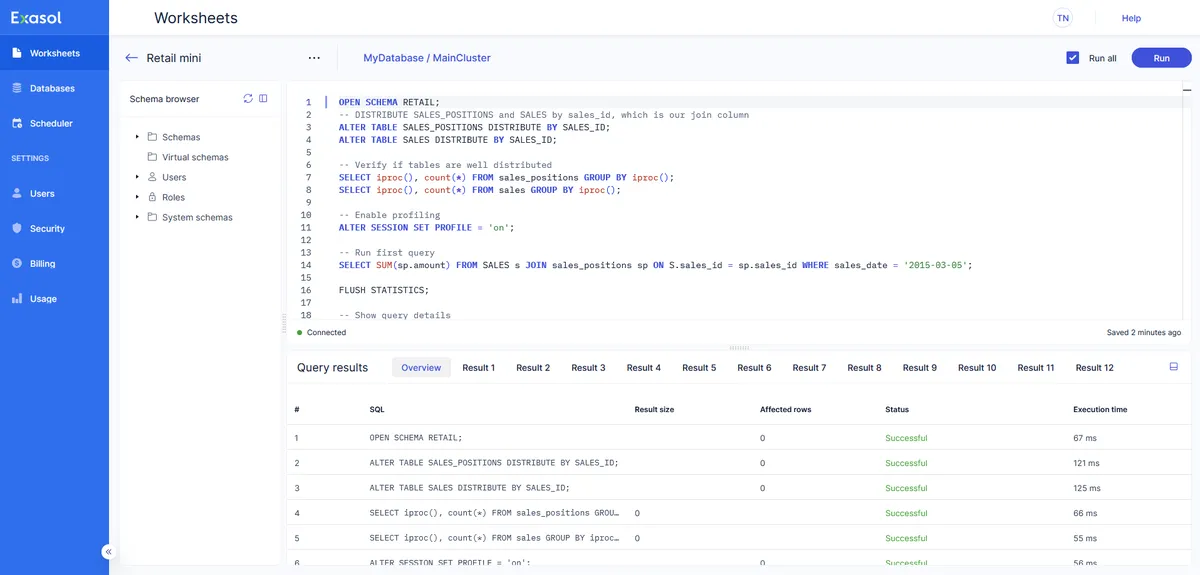
Exasol
Feature Comparison
| Feature | Azure Synapse Analytics | Exasol |
|---|---|---|
| Performance | ||
| In-memory processing | Partial support | Full support |
| Automatic index and statistics tuning | Partial support | Full support |
| Massively parallel execution | Full support | Full support |
| High concurrency on one cluster | Partial support | Full support |
| Deployment | ||
| Self-hosted on your own hardware | Not verified | Full support |
| Run in your own cloud account | Not verified | Full support |
| Available on more than one cloud | Not verified | Full support |
| Fully managed service | Full support | Full support |
| Platform | ||
| Built-in Spark | Full support | Not verified |
| Data integration in the same product | Full support | Not verified |
| Predictable fixed cost | Partial support | Full support |
| Pause compute when idle | Full support | Full support |
| Ecosystem | ||
| Standard SQL analytics | Full support | Full support |
| BI tool connectivity | Full support | Full support |
| dbt integration | Full support | Full support |
| REST API for automation | Full support | Full support |
Performance
In-memory processing
Automatic index and statistics tuning
Massively parallel execution
High concurrency on one cluster
Deployment
Self-hosted on your own hardware
Run in your own cloud account
Available on more than one cloud
Fully managed service
Platform
Built-in Spark
Data integration in the same product
Predictable fixed cost
Pause compute when idle
Ecosystem
Standard SQL analytics
BI tool connectivity
dbt integration
REST API for automation
Which to choose
Synapse and Exasol answer the same analytical requirement with different commitments. Synapse is an Azure service combining SQL pools, serverless SQL and Spark in one workspace with Power BI and Entra alongside. Exasol is an in-memory MPP database that tunes its own indexes, runs on your hardware or any cloud, and is bought as capacity.
Best-fit scenarios
Choose Azure Synapse Analytics if:
Choose Azure Synapse when the organisation is on Azure and SQL plus Spark in one workspace is worth something. Shared metadata and security between the two, Data Factory pipelines in the same product, and native Power BI and Entra integration remove work that would otherwise be yours.
Choose Exasol if:
Choose Exasol when utilisation is high, cost predictability matters, or the database must run outside one cloud. In-memory processing with self-tuning indexes targets concurrent interactive queries without a specialist maintaining distribution keys, and capacity pricing means the finance conversation happens once.
These scenarios reflect the available product evidence. Your requirements, existing stack, and team expertise should guide the final decision.
Frequently Asked Questions
How much tuning does each need?
Dedicated pool performance depends on distribution and partitioning choices, which reward somebody who understands them and punish a team without that knowledge. Exasol maintains indexes and statistics itself by design, so there is less to get wrong and less to tune when a query is slow. Count the people who would own warehouse performance before weighing this.
Does cloud portability matter in practice?
It matters when a real constraint exists: an on-premise requirement, a residency rule, a parent company on a different cloud, or a genuine multi-cloud strategy. It matters much less as insurance against a hypothetical migration, because the pipelines, BI tools and identity integrations around the warehouse are usually harder to move than the warehouse.
What actually controls the cost on each?
On Synapse: which engine answers the query, and whether the dedicated pool is paused when nobody is working. After that, distribution and partitioning on large tables, and file layout in the lake for serverless queries — compacted, partitioned Parquet costs a fraction of the same data spread across many small files. On Exasol the bill is the cluster you sized, so control is a planning decision revisited as data grows rather than a daily discipline. One rewards operational attention; the other rewards getting the estimate right and then leaving it alone.
How do they behave when many people query at once?
Exasol is built for concurrent interactive querying, and because capacity is provisioned the hundredth simultaneous user costs nothing extra. Synapse dedicated pools manage concurrency through workload management — resource classes and workload groups that decide who waits and who runs — which is real control and also a thing somebody has to configure and maintain. Under sustained heavy concurrency the dedicated pool's answer is to scale up, which is a deliberate act with a price attached. Test with your actual Monday morning refresh pattern rather than a single-query benchmark, because that is when the difference appears.
How hard is it to migrate between them?
Analytical SQL ports with modest editing, because both speak a standard dialect. The work is in everything around the tables: ingestion pipelines, orchestration schedules, the BI semantic layer, row-level security rules and the access model. Budget for those rather than for table definitions, and expect to run both in parallel for a period while you reconcile numbers against the old system.
How should we evaluate them?
Run your own workload rather than a vendor benchmark. Load a representative slice of your largest tables, run the ten queries your dashboards issue most often, and record wall-clock time and cost at the concurrency of a normal weekday morning. Both offer trial capacity, and a week of that measurement reflects your join patterns and data distribution in a way no published figure can.