Decision comparison
LocalAI vs Ollama
Both are MIT-licensed, self-hosted, free, and speak the OpenAI API, so either fills the model layer of a stack that must be open source end to end and keep prompts inside your network. The choice is not licence or privacy — it is scope against simplicity. Ollama does text on one machine with the shortest path from install to first answer: one binary, one pull command, a curated library, and almost nothing to decide. LocalAI covers six workload families behind one endpoint and speaks four API dialects including ElevenLabs, which lets one self-hosted service replace both a chat vendor and a speech vendor — but it fronts five inference engines, so you inherit the configuration surface of all of them. The other decisive difference is the hardware floor: LocalAI treats CPU-only execution as the primary path and supports Raspberry Pi and Jetson, where Ollama is built around Apple Silicon and consumer GPUs. Pick on whether your requirement is one thing done simply or many things done at once.
Direct comparison. These are reviewed substitutes bought for the same job, so the differences below are the ones that decide between them.
All 2 are model runtimes.
Quick Comparison
| Decision factor | LocalAI | Ollama |
|---|---|---|
| Best for | One self-hosted endpoint covering several modalities, or inference on hardware with no GPU at all. | Text on one machine — coding agents, local chat and RAG, with the shortest possible path from install to first answer. |
| Licence and commercials | MIT-licensed with no paid tier and no vendor. Nothing to negotiate, no seat count, no relicensing exposure — and no support contract either. | MIT-licensed runtime, free for local use, plus a metered hosted tier Ollama sells itself. Support is available through the paid plans. |
| Modalities | Six workload families: reasoning with tool calling, realtime voice with transcription and diarization, speech synthesis and voice cloning, vision with detection and depth, image, video and music generation, and agents with MCP and RAG. | Text-centred: chat, coding, vision, embedding and reasoning models, with tool calling, structured outputs and web search. No speech synthesis, no image or video generation. |
| Hardware floor | CPU only, no GPU required. Every feature ships a CPU path first, across x86_64, ARM64, CUDA, ROCm, SYCL, Metal and Vulkan, down to Jetson and Raspberry Pi. | Runs CPU-only but is built around Apple Silicon unified memory and consumer GPUs; model choice is bounded by what fits after quantisation. |
| Setup effort | Higher. Fronting llama.cpp, vLLM, MLX, whisper.cpp and stable-diffusion means inheriting the configuration surface of each. | Minutes. One binary on macOS, Windows, Linux or Docker, then pull a model by name from a curated library. |
| Pricing | Free and MIT-licensed, with no paid tier. Every feature ships a CPU path first, so it runs on hardware you already own — down to a Raspberry Pi or Jetson — and GPU acceleration is optional. The whole cost is infrastructure, which for CPU-only deployments can be nothing new. | The runtime is MIT-licensed and free; running models on your own hardware costs nothing beyond that hardware. Ollama's hosted cloud is metered in usage credits: Free ($0, starter credits, starter models, 1 concurrent request), Pro ($20/mo, or $200/yr which is $16.67/mo, $60 credits/mo, 3 concurrent), Max ($100/mo, $300 credits/mo, 10 concurrent), Team ($500/mo, $1,000 shared credits/mo, unlimited users, centralised billing) and Enterprise (custom, with model access controls and cost budgets). Verified against ollama.com/pricing on 2026-09-08. |
LocalAI
- Best for:
- One self-hosted endpoint covering several modalities, or inference on hardware with no GPU at all.
- Licence and commercials:
- MIT-licensed with no paid tier and no vendor. Nothing to negotiate, no seat count, no relicensing exposure — and no support contract either.
- Modalities:
- Six workload families: reasoning with tool calling, realtime voice with transcription and diarization, speech synthesis and voice cloning, vision with detection and depth, image, video and music generation, and agents with MCP and RAG.
- Hardware floor:
- CPU only, no GPU required. Every feature ships a CPU path first, across x86_64, ARM64, CUDA, ROCm, SYCL, Metal and Vulkan, down to Jetson and Raspberry Pi.
- Setup effort:
- Higher. Fronting llama.cpp, vLLM, MLX, whisper.cpp and stable-diffusion means inheriting the configuration surface of each.
- Pricing:
- Free and MIT-licensed, with no paid tier. Every feature ships a CPU path first, so it runs on hardware you already own — down to a Raspberry Pi or Jetson — and GPU acceleration is optional. The whole cost is infrastructure, which for CPU-only deployments can be nothing new.
Ollama
- Best for:
- Text on one machine — coding agents, local chat and RAG, with the shortest possible path from install to first answer.
- Licence and commercials:
- MIT-licensed runtime, free for local use, plus a metered hosted tier Ollama sells itself. Support is available through the paid plans.
- Modalities:
- Text-centred: chat, coding, vision, embedding and reasoning models, with tool calling, structured outputs and web search. No speech synthesis, no image or video generation.
- Hardware floor:
- Runs CPU-only but is built around Apple Silicon unified memory and consumer GPUs; model choice is bounded by what fits after quantisation.
- Setup effort:
- Minutes. One binary on macOS, Windows, Linux or Docker, then pull a model by name from a curated library.
- Pricing:
- The runtime is MIT-licensed and free; running models on your own hardware costs nothing beyond that hardware. Ollama's hosted cloud is metered in usage credits: Free ($0, starter credits, starter models, 1 concurrent request), Pro ($20/mo, or $200/yr which is $16.67/mo, $60 credits/mo, 3 concurrent), Max ($100/mo, $300 credits/mo, 10 concurrent), Team ($500/mo, $1,000 shared credits/mo, unlimited users, centralised billing) and Enterprise (custom, with model access controls and cost budgets). Verified against ollama.com/pricing on 2026-09-08.
Public signals
Verified factual signals only. Bars appear only for like-for-like metrics with five weekly assessments for every tool; missing evidence stays explicit. These signals do not establish enterprise adoption, product quality, or total cost.
| Metric | LocalAI | Ollama |
|---|---|---|
| Docker Hub pulls(Product adoption) | 9.6M | 192.1M |
| GitHub commits, 90d(Product adoption) | 1.5k | 366 |
| GitHub stars(Product adoption) | 49,000+ | 184,000+ |
| Search interest(Market interest) | 0 | 37 |
| Hacker News mentions, 90d(Community interest) | 3 | 93 |
| Stack Overflow questions(Community interest) | Not available | 256 |
As of October 26, 2026 — updated weekly.
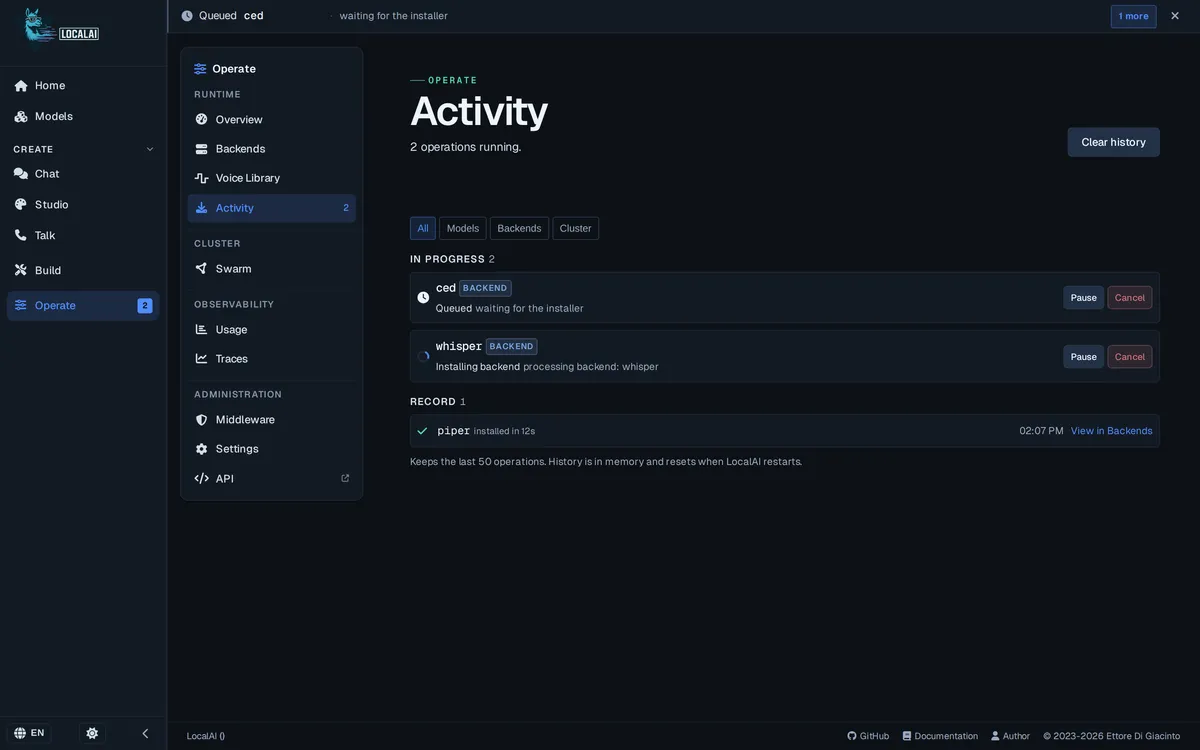
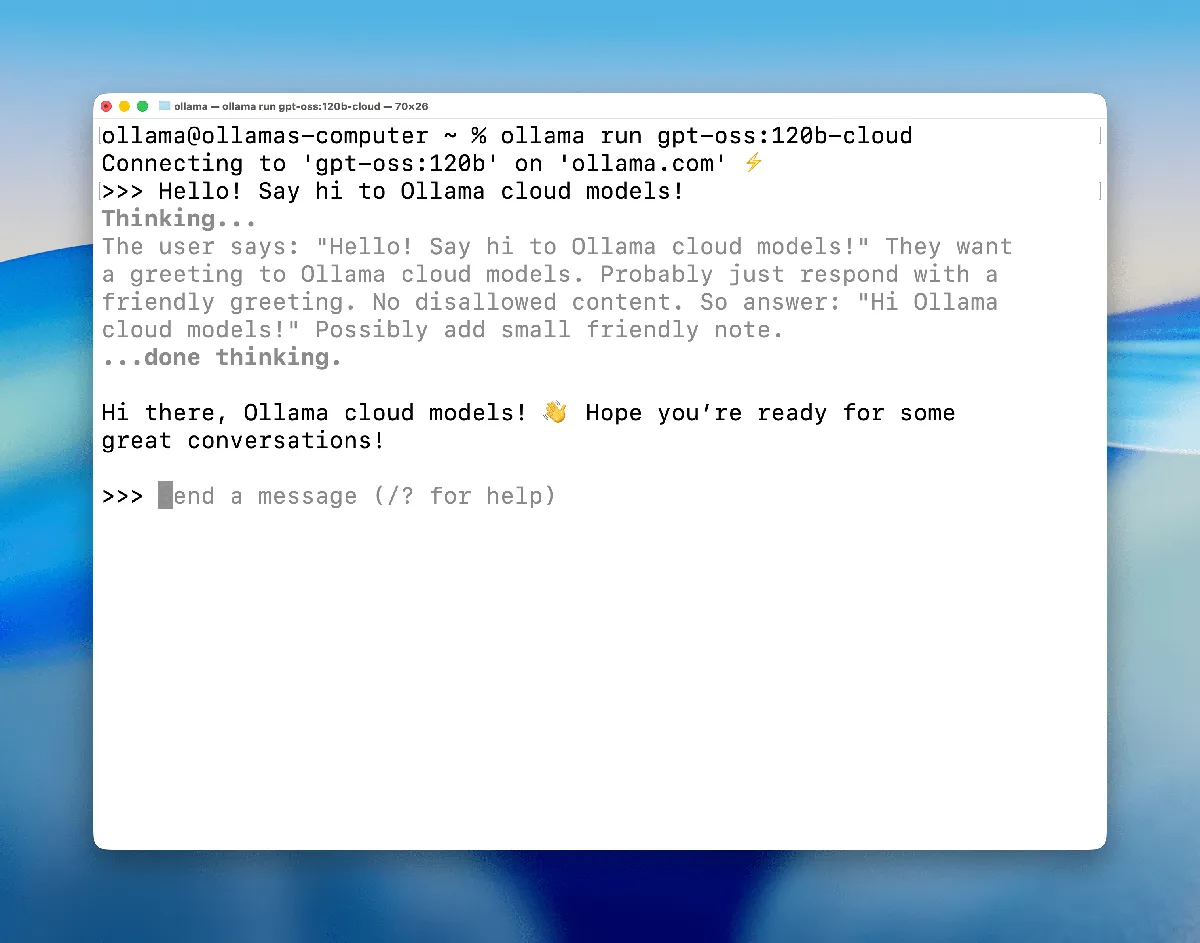
Interface Preview
LocalAI
Ollama
Feature Comparison
| Feature | LocalAI | Ollama |
|---|---|---|
| Licence and Commercials | ||
| Licence | MIT | MIT |
| Vendor paid tier | None; the project has no commercial tier | Hosted cloud, $20/mo to $500/mo plus custom Enterprise |
| Support contract | Not available; community only | Available through paid tiers |
| Open-source-only stacks | Eligible — MIT, self-hostable | Eligible — MIT runtime, self-hostable |
| Workload Coverage | ||
| Chat and reasoning | Language models with tool calling and structured output | Curated chat, coding and reasoning models |
| Speech to text | Realtime voice, transcription and diarization | No native support |
| Text to speech | Speech synthesis and voice cloning; speaks the ElevenLabs API | No native support |
| Image and video generation | Images, video, music and sound | No native support |
| Vision | Vision, detection, recognition, depth and 3D | Vision models for image understanding |
| Embeddings | Supported for semantic search and RAG | Documented for semantic search and RAG |
| Hardware and Scale | ||
| Runs without a GPU | Yes — every feature ships a CPU path first | Possible, but built around Apple Silicon and consumer GPUs |
| Edge devices | Jetson and Raspberry Pi are supported targets | Not a documented target |
| Accelerator backends | CUDA, ROCm, SYCL, Metal, Vulkan | Apple Metal and consumer NVIDIA GPUs |
| Multi-node operation | Distributed mode with VRAM-aware routing, autoscaling and libp2p peer-to-peer | Single node; concurrency capped by plan |
| Multi-user auth | Built into distributed mode | Team plan adds unlimited users and centralised billing |
| Integration and Architecture | ||
| API dialects spoken | OpenAI, Anthropic, Ollama and ElevenLabs, plus Realtime over WebRTC | OpenAI-compatible and Anthropic-compatible |
| Inference engine | Composable — delegates to llama.cpp, vLLM, MLX, whisper.cpp, stable-diffusion | Its own Go runtime with a curated quantised library |
| Model catalogue | Gallery of over 1,200 models, with APEX quantisation | Curated library, pull by name |
| Official SDKs | OpenAI-compatible clients work unchanged | Python and JavaScript |
Licence and Commercials
Licence
Vendor paid tier
Support contract
Open-source-only stacks
Workload Coverage
Chat and reasoning
Speech to text
Text to speech
Image and video generation
Vision
Embeddings
Hardware and Scale
Runs without a GPU
Edge devices
Accelerator backends
Multi-node operation
Multi-user auth
Integration and Architecture
API dialects spoken
Inference engine
Model catalogue
Official SDKs
Which to choose
Both are MIT-licensed, self-hosted, free, and speak the OpenAI API, so either fills the model layer of a stack that must be open source end to end and keep prompts inside your network. The choice is not licence or privacy — it is scope against simplicity. Ollama does text on one machine with the shortest path from install to first answer: one binary, one pull command, a curated library, and almost nothing to decide. LocalAI covers six workload families behind one endpoint and speaks four API dialects including ElevenLabs, which lets one self-hosted service replace both a chat vendor and a speech vendor — but it fronts five inference engines, so you inherit the configuration surface of all of them. The other decisive difference is the hardware floor: LocalAI treats CPU-only execution as the primary path and supports Raspberry Pi and Jetson, where Ollama is built around Apple Silicon and consumer GPUs. Pick on whether your requirement is one thing done simply or many things done at once.
Best-fit scenarios
Choose Ollama if:
Choose Ollama when the workload is text and the operator is one person. A developer running coding agents against a local model gets there in minutes, on hardware already bought, with a curated model library that removes the quantisation and backend decisions LocalAI exposes. It is also the better choice when you want a vendor relationship available: Ollama sells hosted tiers from $20/mo with support, and a route to models larger than local hardware holds, which LocalAI has no equivalent of. Do not choose Ollama if the endpoint must also transcribe audio, synthesise speech, or generate images — those are simply absent, and bolting on separate services for each gives back the simplicity that made Ollama attractive.
Choose LocalAI if:
Choose LocalAI when one endpoint has to cover more than text, or when there is no GPU to be had. A team calling one vendor for chat, another for transcription and a third for speech can serve all three from a single self-hosted service using its existing SDKs, because LocalAI speaks the OpenAI and ElevenLabs dialects alongside its own — that is a procurement and compliance simplification as much as a technical one. The CPU-first design is the other reason: every feature has a CPU path, so an existing server is enough and edge hardware like Jetson or Raspberry Pi is a supported target. Do not choose LocalAI for high-throughput text serving; it delegates to vLLM for that, and going direct removes a layer.
These scenarios reflect the available product evidence. Your requirements, existing stack, and team expertise should guide the final decision.
Frequently Asked Questions
What can LocalAI do that Ollama cannot?
Speech and image generation, and API dialects. LocalAI serves realtime voice, transcription, diarization, speech synthesis, voice cloning, image, video and music generation alongside text, and it speaks the ElevenLabs API as well as OpenAI and Anthropic. Ollama is text-centred — chat, coding, vision understanding and embeddings — with no native speech synthesis or image generation.
Which one is easier to set up?
Ollama, clearly. It is a single binary on macOS, Windows, Linux or Docker, and a model is running after one pull command from a curated library. LocalAI fronts llama.cpp, vLLM, MLX, whisper.cpp and stable-diffusion behind one API, which is what gives it breadth and also means inheriting the configuration surface of each backend.
Can either run without a GPU?
Both can, but only LocalAI is designed for it. Every LocalAI feature ships a CPU path first, with GPU acceleration optional, and Jetson and Raspberry Pi are supported targets. Ollama runs CPU-only models but is built around Apple Silicon unified memory and consumer GPUs, so the practical model choice is tighter without one.
Are both free?
Both are MIT-licensed and free to self-host. The difference is what sits beside that: LocalAI has no paid tier at all, while Ollama sells a metered hosted cloud from $20/mo (Pro) through $500/mo (Team) for models too large for local hardware. So "Ollama" can mean free local software or a paid service, and it is worth stating internally which one a team uses.
Which should I pick for a fully open-source AI stack?
Either satisfies the licence requirement — both are MIT and self-hostable, which no managed model API can match. Decide on workload instead: LocalAI if the stack needs speech or image generation from the same endpoint, or if the hardware has no GPU; Ollama if it is text only and you want the shortest setup. For high-concurrency text serving, neither is the right answer — that is vLLM.