Decision comparison
Ollama vs vLLM
These are two layers of the same job rather than two competing products, and the honest advice is to stop treating the choice as either-or. Both are open source, self-hosted, and speak the OpenAI API, so both satisfy a requirement that prompts never leave your network and that no proprietary licence enters the stack. What separates them is what they optimise: Ollama minimises the time between installing software and getting an answer, while vLLM maximises the work an accelerator does per hour under concurrent load. The practical test is to count expected concurrent requests. At one or two, Ollama's simplicity wins outright and vLLM's machinery earns nothing. Above roughly ten, vLLM is the only one of the two that holds up. Many teams run both — Ollama on developer machines, vLLM behind the product — and because both expose the same API, moving between them is a base URL change rather than a rewrite.
Architecture choice. These take different approaches to the same problem. Read the table as a fit question rather than a feature race.
All 2 are model runtimes.
Quick Comparison
| Decision factor | Ollama | vLLM |
|---|---|---|
| Best for | Inference as a developer tool — coding agents, local RAG, prototyping, and anything where requests arrive one at a time on hardware you already own. | Inference as a product feature — serving an open model to many simultaneous users on accelerators you operate. |
| Licence and commercials | MIT-licensed runtime, free forever for local use. Ollama also sells a metered hosted tier under the same name, so "we use Ollama" is ambiguous about cost and data locality unless you say which half. | Apache-2.0 with no paid tier at all, governed as a project rather than a company product. No vendor to negotiate with, no seat count, and no relicensing exposure — but also no support contract. |
| Concurrency handling | One concurrent request on the free plan, three on Pro, ten at Max and Team. No continuous batching, so a GPU sits idle between requests rather than interleaving them. | Continuous batching interleaves arriving requests into the running batch, with PagedAttention managing the KV cache in fixed-size blocks. This is the entire design goal. |
| Setup effort | Minutes. A single binary installs on macOS, Windows, Linux or Docker; `ollama run gemma4` pulls a quantised model and serves it with nothing to configure. | Real. A Python server to deploy, plus parallelism configuration, a quantisation choice, capacity planning and on-call ownership. |
| Hardware reach | Apple Silicon unified memory and consumer GPUs, which is why it suits laptops. Model choice is bounded by what fits after quantisation. | NVIDIA and AMD GPUs, x86/ARM/PowerPC CPUs, Google TPUs, Intel Gaudi, IBM Spyre, Huawei Ascend and Apple Silicon — one of very few engines that will use non-NVIDIA capacity. |
| Pricing | The runtime is MIT-licensed and free; running models on your own hardware costs nothing beyond that hardware. Ollama's hosted cloud is metered in usage credits: Free ($0, starter credits, starter models, 1 concurrent request), Pro ($20/mo, or $200/yr which is $16.67/mo, $60 credits/mo, 3 concurrent), Max ($100/mo, $300 credits/mo, 10 concurrent), Team ($500/mo, $1,000 shared credits/mo, unlimited users, centralised billing) and Enterprise (custom, with model access controls and cost budgets). Verified against ollama.com/pricing on 2026-09-08. | Free and Apache-2.0 licensed, with no paid tier: vLLM is a project rather than a vendor, so there is no licence fee, per-seat charge, or per-token bill. The whole cost is the infrastructure you serve on, which for production workloads means GPU capacity. |
Ollama
- Best for:
- Inference as a developer tool — coding agents, local RAG, prototyping, and anything where requests arrive one at a time on hardware you already own.
- Licence and commercials:
- MIT-licensed runtime, free forever for local use. Ollama also sells a metered hosted tier under the same name, so "we use Ollama" is ambiguous about cost and data locality unless you say which half.
- Concurrency handling:
- One concurrent request on the free plan, three on Pro, ten at Max and Team. No continuous batching, so a GPU sits idle between requests rather than interleaving them.
- Setup effort:
- Minutes. A single binary installs on macOS, Windows, Linux or Docker; `ollama run gemma4` pulls a quantised model and serves it with nothing to configure.
- Hardware reach:
- Apple Silicon unified memory and consumer GPUs, which is why it suits laptops. Model choice is bounded by what fits after quantisation.
- Pricing:
- The runtime is MIT-licensed and free; running models on your own hardware costs nothing beyond that hardware. Ollama's hosted cloud is metered in usage credits: Free ($0, starter credits, starter models, 1 concurrent request), Pro ($20/mo, or $200/yr which is $16.67/mo, $60 credits/mo, 3 concurrent), Max ($100/mo, $300 credits/mo, 10 concurrent), Team ($500/mo, $1,000 shared credits/mo, unlimited users, centralised billing) and Enterprise (custom, with model access controls and cost budgets). Verified against ollama.com/pricing on 2026-09-08.
vLLM
- Best for:
- Inference as a product feature — serving an open model to many simultaneous users on accelerators you operate.
- Licence and commercials:
- Apache-2.0 with no paid tier at all, governed as a project rather than a company product. No vendor to negotiate with, no seat count, and no relicensing exposure — but also no support contract.
- Concurrency handling:
- Continuous batching interleaves arriving requests into the running batch, with PagedAttention managing the KV cache in fixed-size blocks. This is the entire design goal.
- Setup effort:
- Real. A Python server to deploy, plus parallelism configuration, a quantisation choice, capacity planning and on-call ownership.
- Hardware reach:
- NVIDIA and AMD GPUs, x86/ARM/PowerPC CPUs, Google TPUs, Intel Gaudi, IBM Spyre, Huawei Ascend and Apple Silicon — one of very few engines that will use non-NVIDIA capacity.
- Pricing:
- Free and Apache-2.0 licensed, with no paid tier: vLLM is a project rather than a vendor, so there is no licence fee, per-seat charge, or per-token bill. The whole cost is the infrastructure you serve on, which for production workloads means GPU capacity.
Public signals
Verified factual signals only. Bars appear only for like-for-like metrics with five weekly assessments for every tool; missing evidence stays explicit. These signals do not establish enterprise adoption, product quality, or total cost.
| Metric | Ollama | vLLM |
|---|---|---|
| Docker Hub pulls(Product adoption) | 192.1M | Not available |
| GitHub commits, 90d(Product adoption) | 366 | 4.6k |
| GitHub stars(Product adoption) | 184,000+ | 95,000+ |
| Search interest(Market interest) | 37 | 11 |
| Hacker News mentions, 90d(Community interest) | 93 | 63 |
| Stack Overflow questions(Community interest) | 256 | 30 |
| PyPI weekly downloads(Product adoption) | Not available | 524.8k |
As of October 26, 2026 — updated weekly.
Health & risk evidence
Observed public-source checks for mapped package versions and repositories.
Ollama
Package vulnerabilities
Not available
Repository security score
Not available
vLLM
October 26, 2026Package vulnerabilities
PyPI · vllm@0.32.0
0 vulnerabilities
across 1 package
Repository security score
Not available
Interface Preview
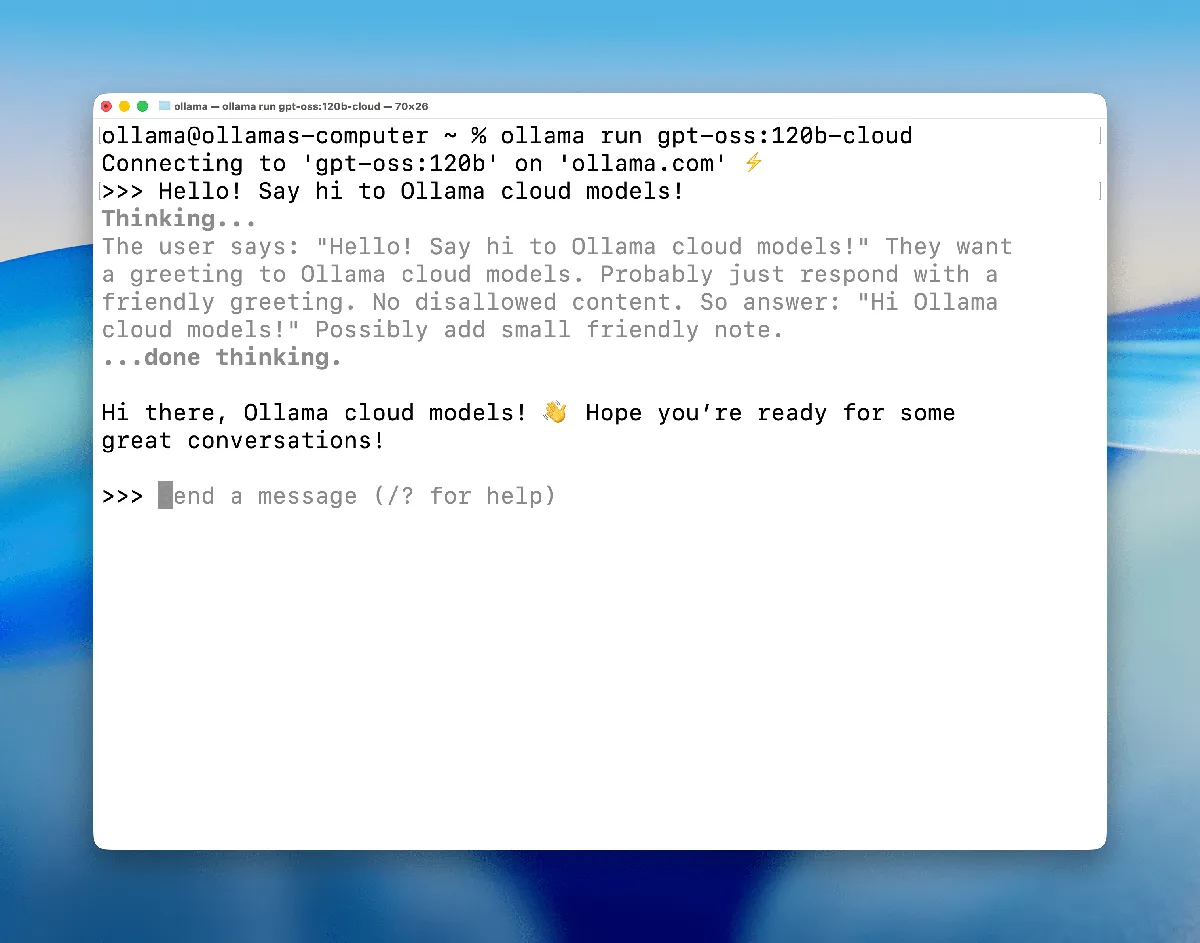
Ollama
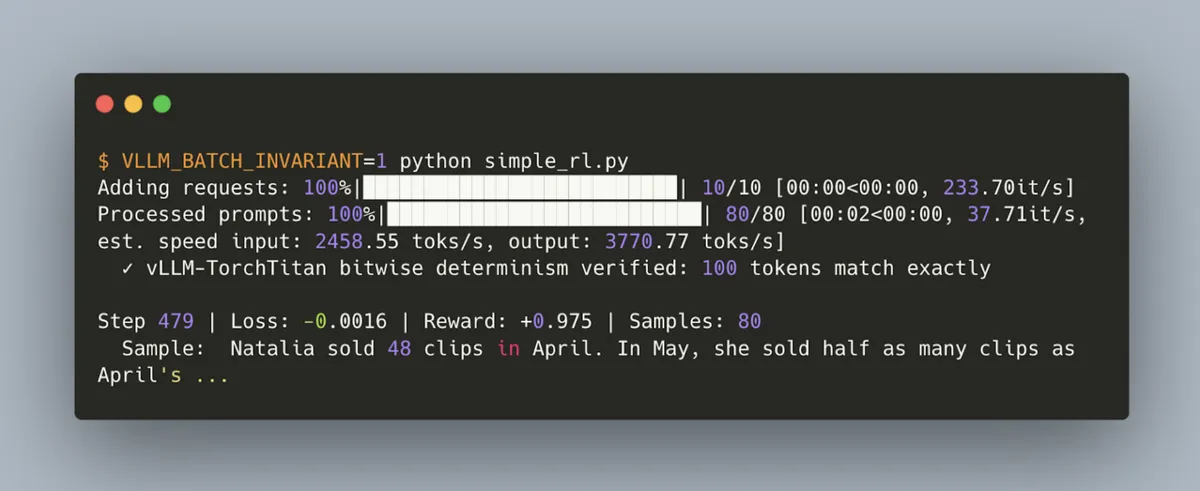
vLLM
Feature Comparison
| Feature | Ollama | vLLM |
|---|---|---|
| Licence and Commercials | ||
| Licence | MIT | Apache-2.0 |
| Vendor paid tier | Hosted cloud, $20/mo to $500/mo plus custom Enterprise | None; the project has no commercial tier |
| Support contract | Available through paid tiers, including a private Enterprise channel | Not available; community support only |
| Open-source-only stacks | Eligible — MIT runtime, self-hostable | Eligible — Apache-2.0, self-hostable |
| Serving and Throughput | ||
| Concurrent requests, free tier | 1 | Bounded only by your hardware |
| KV cache management | Standard per-request allocation | PagedAttention — fixed-size block paging, no fragmentation |
| Request batching | No continuous batching | Continuous batching, chunked prefill and prefix caching |
| Distributed inference | Not verified | Tensor, pipeline, data, expert and context parallelism |
| Split prefill and decode | Not verified | Disaggregated prefill and decode across different hardware |
| Models and Hardware | ||
| Model catalogue | Curated library — chat, coding, vision, embedding, reasoning | 200+ architectures including Mixture-of-Expert, Mamba hybrids and multi-modal |
| Quantisation formats | Curated quantised builds, chosen for you | FP8, MXFP8/MXFP4, NVFP4, INT8, INT4, GPTQ/AWQ, GGUF, compressed-tensors, ModelOpt, TorchAO |
| Non-NVIDIA accelerators | Apple Silicon; consumer GPUs | AMD, Google TPU, Intel Gaudi, IBM Spyre, Huawei Ascend, Apple Silicon |
| CPU execution | Runs, but model choice is tight | Supported on x86, ARM and PowerPC, though its strengths want a GPU |
| Integration and Operation | ||
| API compatibility | OpenAI-compatible and Anthropic-compatible | OpenAI-compatible server, Anthropic Messages API and gRPC |
| Official SDKs | Python and JavaScript | Python |
| Install method | Single binary — macOS, Windows, Linux, Docker | Python package run as a server process |
| Named tool integrations | Claude Code, Codex, OpenCode, VS Code, n8n | Any OpenAI-compatible client; commonly embedded in serving platforms |
| Vendor-hosted option | Yes — US, Europe and Singapore | No; third parties such as Modal host it for you |
Licence and Commercials
Licence
Vendor paid tier
Support contract
Open-source-only stacks
Serving and Throughput
Concurrent requests, free tier
KV cache management
Request batching
Distributed inference
Split prefill and decode
Models and Hardware
Model catalogue
Quantisation formats
Non-NVIDIA accelerators
CPU execution
Integration and Operation
API compatibility
Official SDKs
Install method
Named tool integrations
Vendor-hosted option
Which approach fits
These are two layers of the same job rather than two competing products, and the honest advice is to stop treating the choice as either-or. Both are open source, self-hosted, and speak the OpenAI API, so both satisfy a requirement that prompts never leave your network and that no proprietary licence enters the stack. What separates them is what they optimise: Ollama minimises the time between installing software and getting an answer, while vLLM maximises the work an accelerator does per hour under concurrent load. The practical test is to count expected concurrent requests. At one or two, Ollama's simplicity wins outright and vLLM's machinery earns nothing. Above roughly ten, vLLM is the only one of the two that holds up. Many teams run both — Ollama on developer machines, vLLM behind the product — and because both expose the same API, moving between them is a base URL change rather than a rewrite.
When each approach fits
Choose Ollama if:
Choose Ollama when the person using the model is the person running it. A developer pointing Claude Code or Codex at a local model removes a metered API bill entirely, on hardware that is usually already bought, and setup is minutes rather than an afternoon. It is equally right for privacy-driven work at small scale: for legal, health or internal HR documents, "prompts never leave the machine" is a compliance argument that is far easier to make than a data processing agreement. Local RAG and embedding workloads fit for a related reason — embedding a corpus is high-volume, low-value-per-call work that is expensive to meter and cheap to run locally. Do not choose it as the inference tier behind a multi-user product feature; one concurrent request on the free plan is the honest signal of what it is for.
Choose vLLM if:
Choose vLLM when concurrency is the binding constraint, which is the case it was built for and the case where a single-request runtime becomes an outage rather than an inconvenience. The second reason is cost crossover: once monthly token spend on a hosted API exceeds GPU capacity plus the engineering to run it, self-hosting is straightforwardly cheaper, and continuous batching is what makes that arithmetic work by filling the accelerator instead of leaving it idle. Third, choose it when your hardware is not NVIDIA — support for AMD, TPUs, Gaudi and Ascend makes it one of very few engines that will use capacity you may already hold, which can decide a procurement question outright. Do not choose vLLM if nobody will operate it: capacity, upgrades and incidents are yours, not a vendor's.
These scenarios reflect the available product evidence. Your requirements, existing stack, and team expertise should guide the final decision.
Frequently Asked Questions
Is vLLM faster than Ollama?
For concurrent requests, substantially — but the comparison only means something under load. vLLM's PagedAttention and continuous batching exist to keep a GPU busy across many simultaneous callers, which Ollama does not attempt. For a single developer sending one request at a time the difference is close to irrelevant, and Ollama's simplicity is worth more than throughput you will never use.
Can I use both Ollama and vLLM?
Yes, and many teams do. Both expose OpenAI-compatible endpoints, so the same application code works against either by changing a base URL. The common arrangement is Ollama on developer machines for fast local iteration and vLLM behind the deployed product, which keeps the development loop quick without compromising production throughput.
Which one satisfies an open-source-only requirement?
Both. Ollama's runtime is MIT and vLLM is Apache-2.0, and both are self-hostable, so either fills the model layer of a stack that must be open source end to end. No managed model API meets that bar, which is the main reason these two appear in that conversation at all. Note that Ollama's hosted cloud is a service rather than open-source software.
Do I need a GPU for either?
For useful work with vLLM, effectively yes — it supports x86, ARM and PowerPC CPUs, but the workloads it excels at want a discrete accelerator. Ollama runs acceptably on Apple Silicon unified memory and consumer GPUs, which is why it suits laptops. If you have no GPU at all, LocalAI is the runtime designed for that case.
Is Ollama's paid plan cheaper than a per-token API?
Not automatically. Pro bills $20 for $60 of credits and Max $100 for $300 — a flat three-to-one ratio at every tier, so it is not a volume discount curve. Against per-token providers, Ollama Cloud competes on keeping one vendor and one API across local and hosted rather than on unit price. Price the token equivalent before assuming the subscription wins.