Buying snapshot
Scroll sideways to see all columns. With a keyboard, focus this table and use the arrow keys.
| Decision point | What AWS states |
|---|---|
Engine and formats | Based on Trino and Presto, with ANSI SQL, large joins, window functions and arrays. Reads CSV, JSON, ORC, Avro and Parquet. |
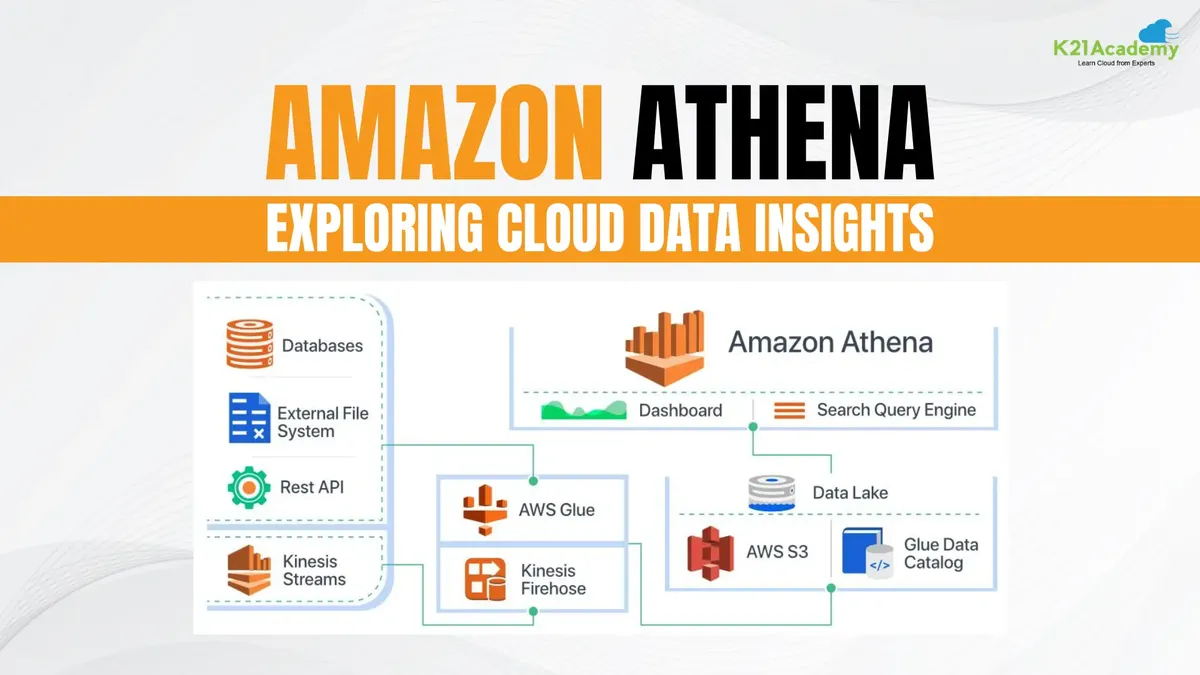
Metadata | Integrates with the AWS Glue Data Catalog; Glue crawlers can discover data and add table and partition definitions. |
Other data stores | 30 built-in connectors, including Amazon Redshift, Amazon DynamoDB, Google BigQuery, Snowflake and SAP HANA. Connectors run as AWS Lambda functions; an Apache-2.0 SDK builds custom ones. |
Access control | IAM policies, access control lists and S3 bucket policies. Queries encrypted S3 data and writes encrypted results, with server-side or client-side encryption. |
Cost controls | Workgroups separate users, teams, applications or workloads, set limits on the data each query or workgroup can process, and track costs. |
Where you use it | The Athena console, API, CLI and AWS SDK; business intelligence and SQL development applications through Athena's JDBC and ODBC drivers; and Amazon SageMaker Unified Studio in the next generation of Amazon SageMaker. |
Our take
Choose Athena when your data already sits in Amazon S3 and people with SQL skills need to query it, process logs or join it with other stores, without running clusters or loading the data into a warehouse first.
Evaluate Amazon Athena
Comparisons
Where it stands out
SQL on S3 without loading data. Define a schema and start querying in the built-in editor; results go to an S3 location you choose. AWS says no complex ETL jobs are needed to prepare the data.
One query across many stores. Federated connectors let one SQL query join S3 data with sources such as DynamoDB, Redshift, CloudWatch and on-premises databases without moving the data.
Machine learning inside SQL. A SQL query can call models deployed on Amazon SageMaker for tasks such as anomaly detection, customer cohort analysis and sales predictions.
Availability built in. Queries run on compute across multiple facilities and are rerouted if one is unreachable; the data stays in S3, which AWS designs for 99.999999999% object durability.
Product screenshot

Trade-offs to weigh
Data layout decides query cost. With per-query billing, what a query scans sets its price. AWS's example prices data scanned at $5 per TB: a query that reads one of four columns costs $15 on a 3 TB uncompressed text table (3 TB × $5), $5 after GZIP compression to 1 TB (1 TB × $5), and $1.25 once that 1 TB is also stored as Parquet, because only 0.25 TB is scanned (0.25 TB × $5). AWS points to Glue's managed ETL to transform data or convert it into columnar formats to reduce costs.
Connectors run in your account. Federated connectors are Lambda functions that you deploy, for example from the AWS Serverless Application Repository, with the IAM permissions they need; they are billed at standard Lambda rates.
Pricing and billing conditions
Athena has two pricing models for SQL. By default, queries are billed on the data each one scans, in terabytes. Capacity Reservations instead bill the compute you reserve, in DPU-hours, and let you control concurrency and prioritize workloads; both models can run in the same account. Apache Spark sessions are billed per DPU-hour. There is no extra Athena storage charge for querying data in S3.
Scroll sideways to see all columns. With a keyboard, focus this table and use the arrow keys.
| Billing model | Rate in AWS's example | How usage is measured |
|---|---|---|
SQL queries | $5 per TB scanned | Data scanned per query. Queries on federated sources are billed per TB scanned across sources, rounded up to the nearest megabyte with a 10 MB minimum per query, unless Provisioned Capacity is used. |
SQL with Capacity Reservations | $0.30 per DPU hour | Reserved DPUs × hours. AWS's example: 160 DPU for 15 minutes plus 16 DPU for 45 minutes costs $15.60 for the hour. |
Apache Spark | $0.35 per DPU-hour | Worker DPU-hours for each calculation plus driver DPU-hours for the session. |
Amazon S3: storage, requests and data transfer at standard S3 rates, including query and Spark results and the reads of both successful and unsuccessful queries.
AWS Glue Data Catalog: standard Data Catalog rates when used with Athena.
Public signals
About these signals
Verified factual signals from public sources. They indicate observable activity or interest, not total adoption, product quality, or cost.
51 GitHub commits 90d615 GitHub stars0 vulnerabilities across 1 package
See all signals from 6 sources
npm · @aws-sdk/client-athena@3.1156.0
Alternatives to Amazon Athena
The reviewed substitutes for Amazon Athena among the query engines, and what would make each one the better answer.
Other approaches
A different approach to the same problem. Each substitutes only for the workload named beside it.
- Snowflake
- Snowflake and Amazon Athena both answer analytical SQL questions. Snowflake loads data into a managed warehouse that handles storage, performance and governance; Athena is a serverless AWS service that queries files where they already sit in object storage, with no warehouse to load or run.Applies to: Whether analytical data is loaded into a warehouse or queried in object storage.
- Trino
- Its defining advantage over Amazon Athena is query federation: teams can join data across sources in a single query instead of limiting analysis to a serverless query workflow centered on S3. We recommend Trino for data engineering teams that need infrastructure control, multi-source SQL, and a consistent query engine across environments, while accepting responsibility for operating it.