Mixpanel: product and architecture
Mixpanel is the event-based product analytics platform that helps teams track user interactions, analyze conversion funnels, and measure retention to build better digital products. In this Mixpanel review, we examine how the platform competes with Amplitude and Google Analytics with its generous free tier and developer-friendly approach.
Overview
Mixpanel (mixpanel.com) was founded in 2009 by Suhail Doshi and Tim Trefren, making it one of the earliest product analytics platforms. The company has raised $277M in funding and serves thousands of customers including Uber, Yelp, BuzzFeed, Expedia, and DocuSign. Mixpanel processes billions of events monthly.
The platform tracks user events (actions users take in your product) rather than page views, enabling analysis of conversion funnels, retention cohorts, user flows, and engagement metrics. In 2023, Mixpanel introduced warehouse-native mode, allowing it to query data directly in Snowflake, BigQuery, or Databricks without requiring data to be sent to Mixpanel's servers — a significant architectural shift that addresses data warehouse-centric teams.
Key Features and Architecture
Event-Based Tracking
Mixpanel tracks discrete user actions (events) with associated properties. Events like "Signed Up", "Added to Cart", "Completed Purchase" with properties like plan type, item category, and revenue amount form the foundation for all analysis. SDKs are available for JavaScript, iOS, Android, Python, Ruby, Node.js, and more.
Funnels
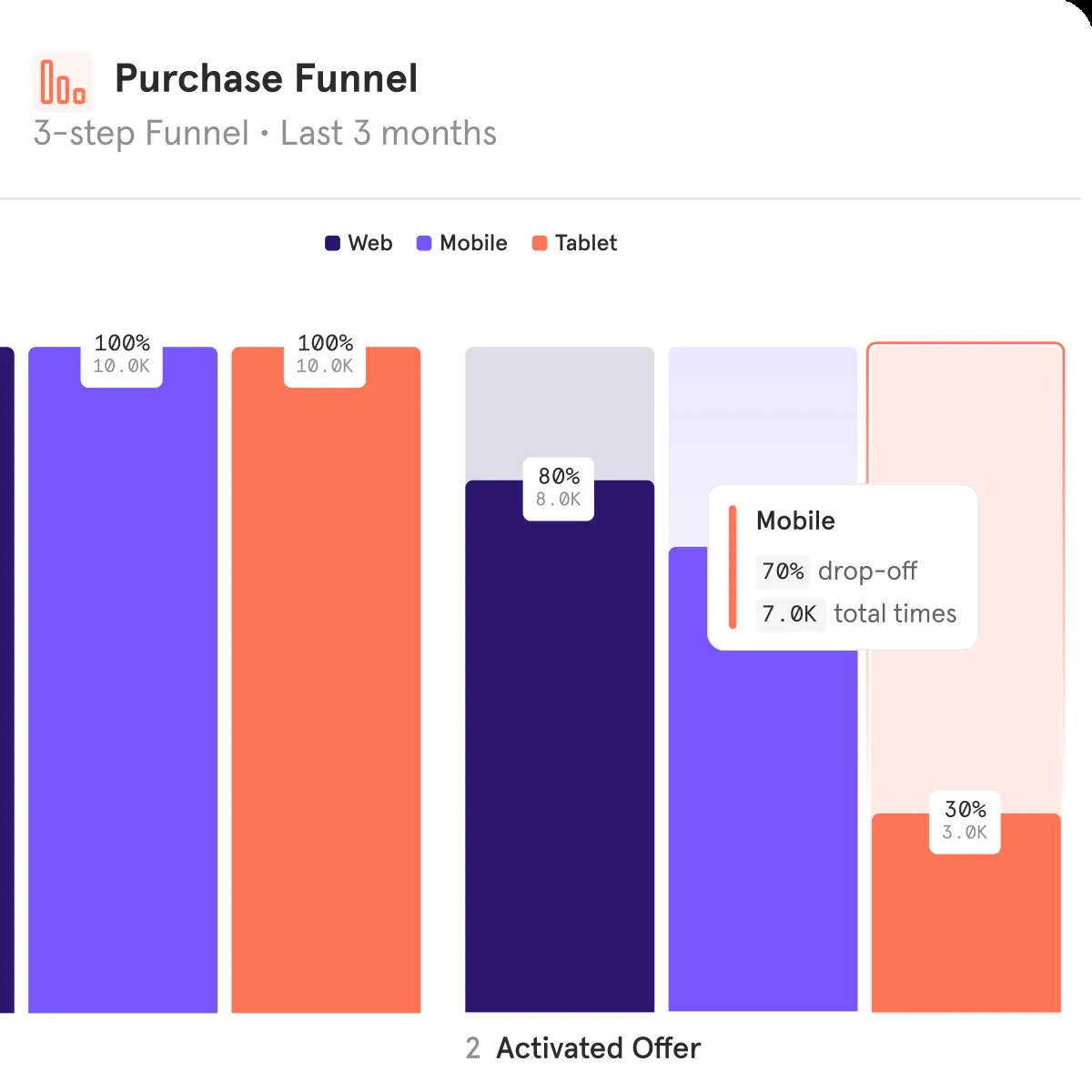
Conversion funnel analysis showing how users progress through multi-step flows — signup funnels, purchase funnels, onboarding flows. Funnels show conversion rates between steps, time to convert, and breakdowns by user properties. Mixpanel's funnel analysis supports custom ordering, exclusion steps, and holding properties constant.
Retention Analysis
Cohort-based retention charts showing what percentage of users return after their first action. Retention can be measured by any event (not just login), enabling feature-specific retention analysis — "of users who used feature X, what percentage used it again in week 2?"
Flows (User Journeys)
Visual path analysis showing the most common sequences of events users take. Flows reveal unexpected user behaviors, common drop-off points, and alternative paths through the product that funnel analysis might miss.
Warehouse-Native Mode
Mixpanel can query data directly in Snowflake, BigQuery, or Databricks without requiring event data to be sent to Mixpanel's servers. This means teams that already have event data in their warehouse can use Mixpanel's analysis UI without duplicating data or paying for event ingestion.
Signal (AI-Powered Insights)
An AI feature that automatically identifies correlations between user behaviors and outcomes. Signal can answer questions like "what behaviors predict conversion?" or "what do retained users do differently?" without manual analysis.
Ideal Use Cases
Product Analytics for Startups
Startups with limited budgets use Mixpanel's free tier (20M events/month) to track user behavior, measure product-market fit through retention analysis, and optimize conversion funnels — all without spending on analytics tooling.
Conversion Funnel Optimization
E-commerce and SaaS companies use Mixpanel's funnel analysis to identify where users drop off in purchase or signup flows, segment by user properties to find which segments convert best, and measure the impact of changes.
Feature Adoption Measurement
Product teams launching new features use Mixpanel to measure adoption rates, analyze which user segments adopt fastest, and track whether feature usage correlates with retention and revenue.
Warehouse-First Analytics
Data teams that have already centralized event data in Snowflake or BigQuery use Mixpanel's warehouse-native mode to provide product managers with self-serve analytics without building custom dashboards or duplicating data.
Strengths & Trade-offs
Pros
- Most generous free tier — 20M events/month free with unlimited seats; sufficient for most companies through significant scale
- Clean, intuitive interface — easier to learn than Amplitude for basic funnel, retention, and flow analysis
- Warehouse-native mode — query Snowflake/BigQuery directly without duplicating data; addresses the warehouse-centric architecture trend
- Developer-friendly SDKs — well-documented libraries for every major platform with clear event tracking patterns
- AI-powered Signal — automatically identifies behavioral correlations without manual hypothesis testing
- Pioneer credibility — one of the earliest product analytics platforms; battle-tested at scale
Cons
- Not as powerful as Amplitude for advanced analysis — behavioral cohorts, experimentation integration, and self-serve exploration are areas where Amplitude has an edge
- No built-in A/B testing — requires integration with external experimentation tools (LaunchDarkly, Optimizely) unlike Amplitude's integrated Experiment
- Event volume pricing can surprise — high-volume applications (gaming, media) can generate billions of events quickly, escalating costs
- Mixpanel offers Session Replay. — doesn't offer session recording; requires a separate tool (FullStory, Hotjar) for qualitative user research
- Limited marketing analytics — focused on product behavior; doesn't track traffic sources, campaigns, or SEO performance like Google Analytics
Getting Started
Getting started with Mixpanel is straightforward. Visit the official website to create a free account or download the application. The onboarding process typically takes under 5 minutes, and most users can be productive within their first session. For teams evaluating Mixpanel against alternatives, we recommend a 2-week trial period to assess whether the feature set and user experience align with your specific workflow requirements. Documentation and community resources are available to help with initial setup and configuration.