Decision comparison
Databricks vs Starburst
Choose Databricks when your organization needs a unified environment for Spark engineering, governed Delta Lake tables, collaborative development, and managed ML or generative-AI workflows. Choose Starburst when the priority is ANSI SQL federation across many existing data platforms, particularly when copying or consolidating all data first is undesirable.
Direct comparison. These are reviewed substitutes bought for the same job, so the differences below are the ones that decide between them.
All 2 are lakehouse platforms.
Quick Comparison
| Decision factor | Databricks | Starburst |
|---|---|---|
| Best For | Data engineering, collaborative Spark development, lakehouse analytics, and production machine-learning workloads managed on shared cloud object storage. | Federated SQL analytics across existing lakes, warehouses, and operational databases without centralizing every dataset into one platform. |
| Architecture | Multi-cloud lakehouse platform combining cloud object storage, Delta Lake tables, managed Apache Spark, SQL endpoints, notebooks, and ML services. | Enterprise analytics layer built on enhanced Trino, federating queries through 50+ connectors across distributed data sources. |
| Pricing Model | Consumption-based: billed per Databricks Unit (DBU) per second on top of your own cloud compute and storage charges, with no up-front cost and committed-use discounts available. Published per-DBU rates are not machine-readable from the vendor pricing page. Free Edition is available at no cost for non-commercial use only; a 14-day trial with free credits covers paid-platform evaluation. | Free tier (up to 3 clusters, standard cluster execution mode), Pro tier starting at $0.50/credit (flexible cluster execution modes, streaming ingest), Enterprise tier starting at $0.75/credit (advanced autoscaling, fine-grained access controls) |
| Ease of Use | Collaborative SQL, Python, Scala, and R notebooks simplify development, though user feedback notes the platform can be confusing initially. | ANSI SQL and a single access point reduce cross-source query friction, but effective use still requires understanding connected data systems. |
| Scalability | Managed Spark processes large-scale data engineering workloads, while Delta Lake supplies transactional tables on scalable cloud object storage. | Flexible cluster execution modes and Enterprise advanced autoscaling support concurrent federated analytics across diverse data locations. |
| Community/Support | Broad Spark-oriented ecosystem with collaborative workspaces; user rating is 8.8/10 from 109 reviews, with access control cited as a weakness. | Commercial enterprise platform built on Trino, with governed access capabilities and vendor-managed cloud or self-managed deployment options. |
Databricks
- Best For:
- Data engineering, collaborative Spark development, lakehouse analytics, and production machine-learning workloads managed on shared cloud object storage.
- Architecture:
- Multi-cloud lakehouse platform combining cloud object storage, Delta Lake tables, managed Apache Spark, SQL endpoints, notebooks, and ML services.
- Pricing Model:
- Consumption-based: billed per Databricks Unit (DBU) per second on top of your own cloud compute and storage charges, with no up-front cost and committed-use discounts available. Published per-DBU rates are not machine-readable from the vendor pricing page. Free Edition is available at no cost for non-commercial use only; a 14-day trial with free credits covers paid-platform evaluation.
- Ease of Use:
- Collaborative SQL, Python, Scala, and R notebooks simplify development, though user feedback notes the platform can be confusing initially.
- Scalability:
- Managed Spark processes large-scale data engineering workloads, while Delta Lake supplies transactional tables on scalable cloud object storage.
- Community/Support:
- Broad Spark-oriented ecosystem with collaborative workspaces; user rating is 8.8/10 from 109 reviews, with access control cited as a weakness.
Starburst
- Best For:
- Federated SQL analytics across existing lakes, warehouses, and operational databases without centralizing every dataset into one platform.
- Architecture:
- Enterprise analytics layer built on enhanced Trino, federating queries through 50+ connectors across distributed data sources.
- Pricing Model:
- Free tier (up to 3 clusters, standard cluster execution mode), Pro tier starting at $0.50/credit (flexible cluster execution modes, streaming ingest), Enterprise tier starting at $0.75/credit (advanced autoscaling, fine-grained access controls)
- Ease of Use:
- ANSI SQL and a single access point reduce cross-source query friction, but effective use still requires understanding connected data systems.
- Scalability:
- Flexible cluster execution modes and Enterprise advanced autoscaling support concurrent federated analytics across diverse data locations.
- Community/Support:
- Commercial enterprise platform built on Trino, with governed access capabilities and vendor-managed cloud or self-managed deployment options.
Public signals
Verified factual signals only. Bars appear only for like-for-like metrics with five weekly assessments for every tool; missing evidence stays explicit. These signals do not establish enterprise adoption, product quality, or total cost.
| Metric | Databricks | Starburst |
|---|---|---|
| GitHub commits, 90d(Ecosystem adoption) | 1.4k | 1.4k |
| GitHub stars(Ecosystem adoption) | 44,000+ | 13,000+ |
| Search interest(Market interest) | 33 | 0 |
| Hacker News mentions, 90d(Community interest) | 55 | Not available |
| npm weekly downloads(Developer adoption) | 495.6k | Not available |
| Product Hunt comments(Community interest) | 5 | Not available |
| Product Hunt rating(Community interest) | 5.0/5 | Not available |
| Product Hunt reviews(Community interest) | 5 | Not available |
| Product Hunt votes(Community interest) | 86 | Not available |
| PyPI weekly downloads(Developer adoption) | 20.4M | Not available |
| Stack Overflow questions(Community interest) | 8.4k | 28 |
| Docker Hub pulls(Product adoption) | Not available | 394.2k |
| PyPI weekly downloads(Ecosystem adoption) | Not available | 3.7M |
As of October 12, 2026 — updated weekly.
Health & risk evidence
Observed public-source checks for mapped package versions and repositories.
Databricks
October 12, 2026Package vulnerabilities
npm · @databricks/sql@2.2.0 · PyPI · databricks-sdk@0.151.0
0 vulnerabilities
across 2 packages
Repository security score
github.com/apache/spark
5.6/10
Starburst
October 12, 2026Package vulnerabilities
PyPI · trino@0.340.0
0 vulnerabilities
across 1 package
Repository security score
github.com/trinodb/trino
5.6/10
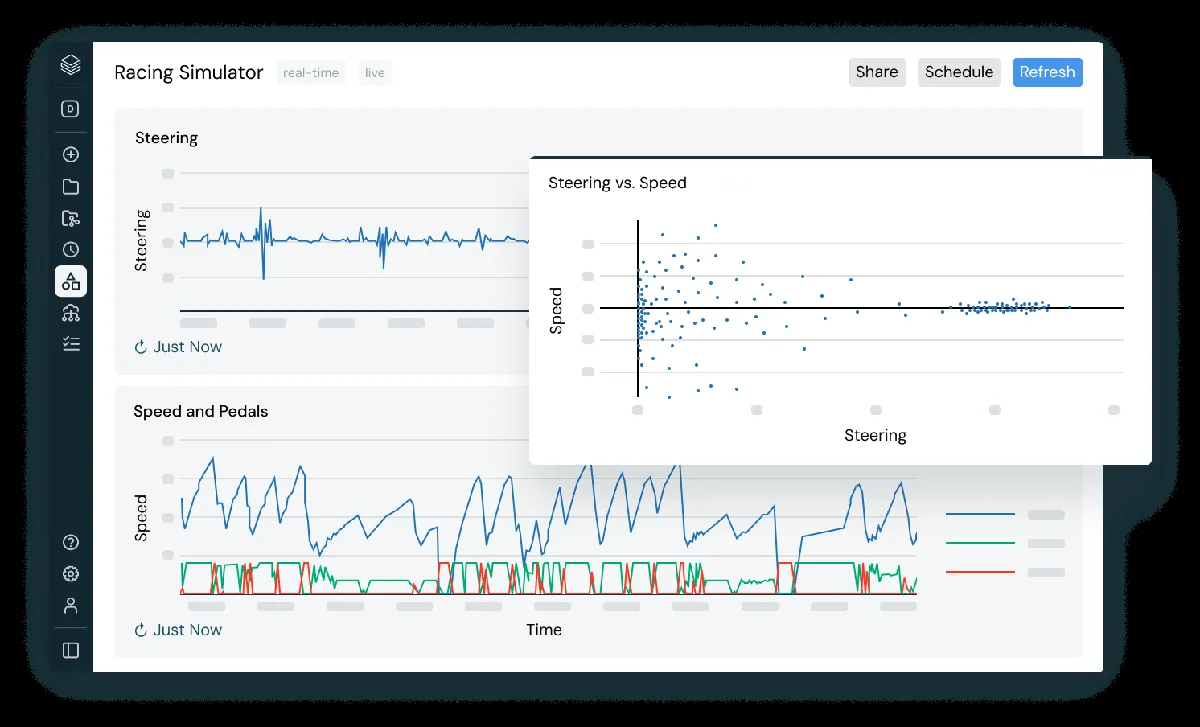
Interface Preview
Databricks
Starburst
Feature Comparison
| Feature | Databricks | Starburst |
|---|---|---|
| Data architecture and storage | ||
| Primary data pattern | Lakehouse platform unifying data lake and warehouse workloads | Federated analytics layer querying data where it already resides |
| Table format support | Delta Lake tables over Parquet files in cloud storage | Native querying for Iceberg, Delta Lake, Hudi, and Hive |
| Transaction capabilities | ACID transactions, schema evolution, and time travel in Delta Lake | Federated SQL engine; transaction behavior depends on connected source |
| Query and compute | ||
| Query engine | Managed Apache Spark for distributed batch and engineering workloads | Enhanced Trino engine executing ANSI SQL across connected systems |
| BI query serving | Databricks SQL endpoints with Delta Engine BI optimizations | Single SQL access layer for cross-source analytics queries |
| Source connectivity | Reads and writes lakehouse data on cloud object storage | Uses more than 50 connectors for distributed data access |
| Data engineering | ||
| Pipeline development | Delta Live Tables provides declarative ETL pipeline development | Streaming Ingest is offered in the Pro tier |
| Supported development languages | Notebooks and jobs support SQL, Python, Scala, and R | ANSI SQL provides the documented query interface |
| Collaborative development | Shared notebooks, repositories, dashboards, and role-based workspace access | Centralized platform access supports queries across existing data systems |
| AI and analytics | ||
| Machine learning lifecycle | Managed MLflow supports experiment tracking and model serving | No managed ML lifecycle tooling is described in the public documentation |
| Generative AI services | Mosaic AI services support generative AI application development | Governed data access supports analytics and AI data consumption |
| Analytics delivery | SQL endpoints and dashboards serve Delta Lake BI workloads | Federated SQL exposes trusted answers from distributed enterprise data |
| Governance and operations | ||
| Access control | Role-based access control within a collaborative workspace | Enterprise tier includes fine-grained ABAC and SCIM controls |
| Cloud deployment | Managed deployment across AWS, Azure, and Google Cloud | Available as managed cloud service or self-managed deployment |
| Cluster operations | Managed compute is integrated with Spark jobs and SQL endpoints | Pro adds flexible execution; Enterprise adds advanced autoscaling |
Data architecture and storage
Primary data pattern
Table format support
Transaction capabilities
Query and compute
Query engine
BI query serving
Source connectivity
Data engineering
Pipeline development
Supported development languages
Collaborative development
AI and analytics
Machine learning lifecycle
Generative AI services
Analytics delivery
Governance and operations
Access control
Cloud deployment
Cluster operations
Which to choose
Choose Databricks when your organization needs a unified environment for Spark engineering, governed Delta Lake tables, collaborative development, and managed ML or generative-AI workflows. Choose Starburst when the priority is ANSI SQL federation across many existing data platforms, particularly when copying or consolidating all data first is undesirable.
Best-fit scenarios
Choose Databricks if:
Choose Databricks for teams building ETL with Spark and Delta Live Tables, maintaining Delta Lake data products, collaborating in notebooks, or operationalizing models with MLflow, model serving, and Mosaic AI.
Choose Starburst if:
Choose Starburst for analysts and data teams needing one governed SQL interface across data lakes, warehouses, and databases through Trino connectors, with optional managed or self-managed operations.
These scenarios reflect the available product evidence. Your requirements, existing stack, and team expertise should guide the final decision.
Frequently Asked Questions
What is the main difference between Databricks and Starburst?
Databricks is a lakehouse platform that combines cloud object storage, Delta Lake, managed Apache Spark, SQL endpoints, notebooks, and machine-learning services. It is designed to build, transform, govern, analyze, and model data in one environment. Starburst is an enterprise analytics platform based on Trino that federates ANSI SQL queries across data lakes, warehouses, and databases. Its central value is accessing distributed data through more than 50 connectors without requiring every source to be moved into a single platform.
Which is better for small teams?
For a small team primarily exploring and querying data across several existing systems, Starburst can be the lower-risk starting point: its free tier allows up to three clusters using standard cluster execution mode, and Starburst Galaxy includes up to $500 in usage credits. A small team that needs Python or Scala engineering, managed Spark, Delta Lake transactions, collaborative notebooks, and ML experimentation may find Databricks more complete. Databricks does offer a free trial, but it publishes no fixed monthly plans, billing per Databricks Unit at per-second granularity.
Can I migrate from Databricks to Starburst?
A migration is feasible for SQL analytics workloads, but it is better understood as moving or redesigning the query and access layer rather than a one-for-one platform replacement. Starburst natively supports Delta Lake along with Iceberg, Hudi, and Hive, so it can query eligible Delta Lake data. However, Databricks-specific components such as managed Spark jobs, Delta Live Tables, shared notebooks, MLflow management, model serving, and Mosaic AI services need separate replacements or redesign. Validate SQL compatibility, connector behavior, governance policies, and workload performance before changing production workloads.
What are the pricing differences?
Databricks is billed pay-as-you-go per Databricks Unit at per-second granularity, with no fixed monthly plans, plus a free trial. Starburst publishes a freemium, usage-based model: the free plan permits up to three clusters in standard execution mode; Pro starts at $0.50 per credit and adds flexible execution modes, streaming ingest, and advanced cluster management; Enterprise starts at $0.75 per credit and adds advanced autoscaling, fine-grained controls such as ABAC and SCIM, and AWS PrivateLink for data sources.