Decision comparison
Looker vs Omni Analytics
Choose Looker when your priority is a mature Google Cloud-oriented semantic layer, explicit LookML governance, warehouse-direct querying, and API-heavy embedded analytics. Choose Omni Analytics when product and data teams want a query-evolving semantic model, SQL and Excel-style flexibility, customer-facing customization, and conversational AI analysis.
Direct comparison. These are reviewed substitutes bought for the same job, so the differences below are the ones that decide between them.
All 2 are BI platforms.
Quick Comparison
| Decision factor | Looker | Omni Analytics |
|---|---|---|
| Best For | Enterprise teams centralizing governed warehouse metrics, embedded analytics, and reusable business logic across many departments or products. | Teams needing customer-facing or internal analytics that combine governed metrics with SQL, spreadsheets, point-and-click analysis, and AI assistance. |
| Architecture | Cloud BI layer using Git-versioned LookML models, direct warehouse queries, Explores, dashboards, APIs, and enterprise security controls. | Warehouse-connected BI platform with a semantic model that grows from queries, unified workbooks, SQL, Excel calculations, and visual exploration. |
| Pricing Model | Looker (Google Cloud core) publishes no platform or per-user price. It offers three platform editions — Standard for organisations under 50 users, Enterprise, and Embed — each including one production instance, 10 Standard Users and 2 Developer Users, and each requiring a custom quote. Data-token overages beyond an instance's monthly allocation are published, at $3.00 per 1M input tokens and $20.00 per 1M output tokens. | Contact for pricing |
| Ease of Use | Business users can explore governed data, but LookML modeling and reported learning curves may require analytics engineering support. | Designed for mixed skill levels: users can ask AI questions, refine analyses, use a full UI, SQL, or Excel-style calculations. |
| Scalability | Scales through centrally governed LookML, warehouse-direct querying, row and column security, audit features, APIs, and Git workflows. | Version control, CI/CD, testing environments, reusable metric logic, smart caching, role controls, and audit logs support controlled growth. |
| Community/Support | Google Cloud product with APIs, SDKs, Marketplace content, and 8.4/10 user rating across 457 reviews. | Commercial enterprise platform with SOC 2, HIPAA, and GDPR claims; its Omni CLI repository has 66 GitHub stars and MIT license. |
Looker
- Best For:
- Enterprise teams centralizing governed warehouse metrics, embedded analytics, and reusable business logic across many departments or products.
- Architecture:
- Cloud BI layer using Git-versioned LookML models, direct warehouse queries, Explores, dashboards, APIs, and enterprise security controls.
- Pricing Model:
- Looker (Google Cloud core) publishes no platform or per-user price. It offers three platform editions — Standard for organisations under 50 users, Enterprise, and Embed — each including one production instance, 10 Standard Users and 2 Developer Users, and each requiring a custom quote. Data-token overages beyond an instance's monthly allocation are published, at $3.00 per 1M input tokens and $20.00 per 1M output tokens.
- Ease of Use:
- Business users can explore governed data, but LookML modeling and reported learning curves may require analytics engineering support.
- Scalability:
- Scales through centrally governed LookML, warehouse-direct querying, row and column security, audit features, APIs, and Git workflows.
- Community/Support:
- Google Cloud product with APIs, SDKs, Marketplace content, and 8.4/10 user rating across 457 reviews.
Omni Analytics
- Best For:
- Teams needing customer-facing or internal analytics that combine governed metrics with SQL, spreadsheets, point-and-click analysis, and AI assistance.
- Architecture:
- Warehouse-connected BI platform with a semantic model that grows from queries, unified workbooks, SQL, Excel calculations, and visual exploration.
- Pricing Model:
- Contact for pricing
- Ease of Use:
- Designed for mixed skill levels: users can ask AI questions, refine analyses, use a full UI, SQL, or Excel-style calculations.
- Scalability:
- Version control, CI/CD, testing environments, reusable metric logic, smart caching, role controls, and audit logs support controlled growth.
- Community/Support:
- Commercial enterprise platform with SOC 2, HIPAA, and GDPR claims; its Omni CLI repository has 66 GitHub stars and MIT license.
Public signals
Verified factual signals only. Bars appear only for like-for-like metrics with five weekly assessments for every tool; missing evidence stays explicit. These signals do not establish enterprise adoption, product quality, or total cost.
| Metric | Looker | Omni Analytics |
|---|---|---|
| Search interest(Market interest) | 2 | Unavailable |
| Hacker News mentions, 90d(Community interest) | 2 | Not available |
| npm weekly downloads(Developer adoption) | 104.6k | 9 |
| Product Hunt comments(Community interest) | 5 | Not available |
| Product Hunt reviews(Community interest) | 0 | Not available |
| Product Hunt votes(Community interest) | 83 | Not available |
| PyPI weekly downloads(Developer adoption) | 2.0M | 383 |
| Stack Overflow questions(Community interest) | 226 | Not available |
| GitHub commits, 90d(Developer adoption) | Not available | 31 |
| GitHub stars(Developer adoption) | Not available | 68 |
As of September 21, 2026 — updated weekly.
Health & risk evidence
Observed public-source checks for mapped package versions and repositories.
Looker
September 21, 2026Package vulnerabilities
npm · @looker/sdk@26.12.0 · PyPI · looker-sdk@26.12.0
0 vulnerabilities
across 2 packages
Repository security score
Not available
Omni Analytics
September 21, 2026Package vulnerabilities
npm · @omni-co/model-local-editor@0.2.0 · PyPI · omni-python-sdk@0.1.11
0 vulnerabilities
across 2 packages
Repository security score
Not available
Interface Preview
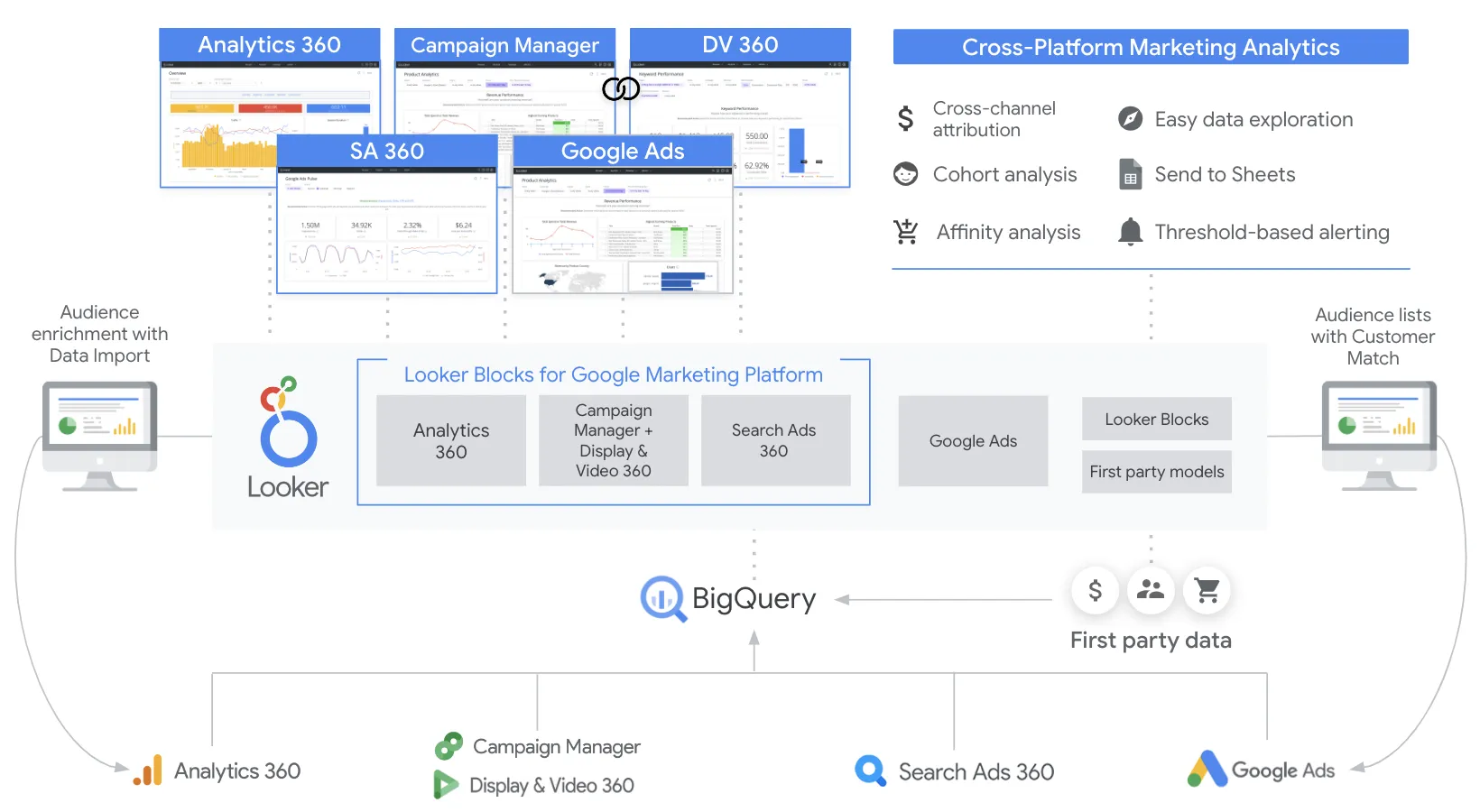
Looker
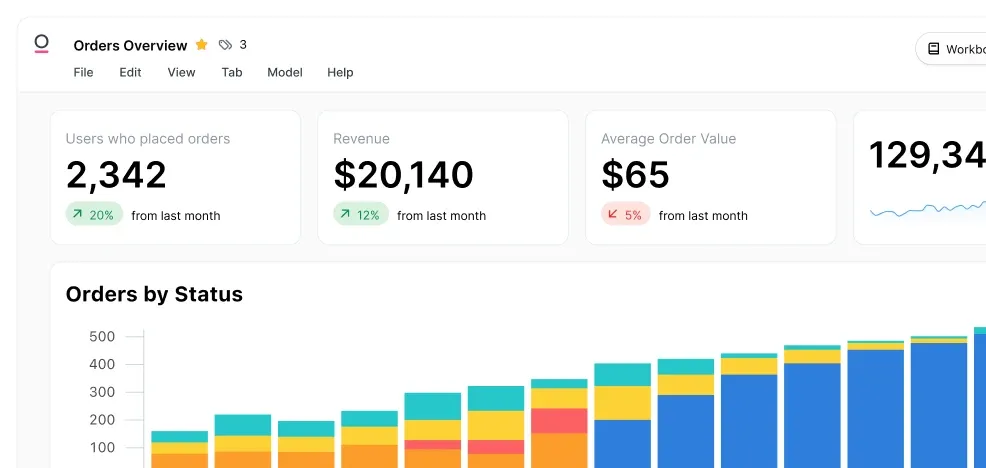
Omni Analytics
Feature Comparison
| Feature | Looker | Omni Analytics |
|---|---|---|
| Semantic Modeling | ||
| Metric definition | LookML defines reusable metrics and governed business logic | Semantic model defines metrics once for reuse everywhere |
| Model development | Developers author explicit LookML models and derived tables | Data model auto-builds as users create queries |
| Business context reuse | Explores expose modeled joins, dimensions, and measures | Reusable metric logic spans internal and external deployments |
| Analysis Experience | ||
| Self-service exploration | Explores let users query governed models without raw SQL | Point-and-click UI supports exploration across shared metrics |
| SQL and calculations | LookML-derived models govern warehouse queries and derived tables | Built-in SQL, Excel calculations, and visual analysis coexist |
| AI-assisted analysis | AI-powered applications use governed modeled data and APIs | Conversational AI preserves context across follow-up questions |
| Embedding and Customization | ||
| Embedded analytics | Robust embedding and white-labeling support SaaS analytics | Reusable analytics deploy across internal and external customer contexts |
| Brand customization | Marketplace supports custom visualizations and extensible BI content | CSS and markdown match analytics to product branding |
| Automation interfaces | REST APIs and SDKs automate content, permissions, and embeds | Unified platform streamlines shared analytics workflow delivery |
| Governance and Security | ||
| Access controls | Row-level and column-level security restricts governed data access | Role-based access controls limit user and customer access |
| Auditability | Enterprise audit features track governed analytics activity | Audit logs provide visibility into platform activity |
| Compliance | Google Cloud enterprise platform provides governed data-management capabilities | States SOC 2, HIPAA, and GDPR compliance support |
| Operations and Data Performance | ||
| Data-query pattern | Queries connected warehouses directly for fresh results | Modern processing and smart caching accelerate dashboard delivery |
| Change management | Git integration version-controls LookML model changes | Version control, CI/CD, and testing environments protect releases |
| Scaling analytics delivery | Central models, APIs, and permissions support broad enterprise distribution | Unified reusable logic supports faster internal and external shipping |
Semantic Modeling
Metric definition
Model development
Business context reuse
Analysis Experience
Self-service exploration
SQL and calculations
AI-assisted analysis
Embedding and Customization
Embedded analytics
Brand customization
Automation interfaces
Governance and Security
Access controls
Auditability
Compliance
Operations and Data Performance
Data-query pattern
Change management
Scaling analytics delivery
Which to choose
Choose Looker when your priority is a mature Google Cloud-oriented semantic layer, explicit LookML governance, warehouse-direct querying, and API-heavy embedded analytics. Choose Omni Analytics when product and data teams want a query-evolving semantic model, SQL and Excel-style flexibility, customer-facing customization, and conversational AI analysis.
Best-fit scenarios
Choose Looker if:
Choose Looker for organizations standardizing metrics across many teams, managing complex warehouse permissions, operating Git-managed LookML, or embedding white-labeled analytics through APIs.
Choose Omni Analytics if:
Choose Omni Analytics for teams building branded customer analytics, supporting both SQL users and business users, and wanting semantic governance with CI/CD, smart caching, and AI-driven investigation.
These scenarios reflect the available product evidence. Your requirements, existing stack, and team expertise should guide the final decision.
Frequently Asked Questions
What is the main difference between Looker and Omni Analytics?
The main difference is how each platform approaches governed analytics development. Looker uses explicitly authored LookML to define dimensions, measures, joins, permissions, and derived tables, then exposes those models through Explores and dashboards. Omni builds its semantic model as users query, while still making resulting metrics shareable. Omni also combines point-and-click exploration with SQL, Excel calculations, CSS/markdown customization, and conversational AI workflows.
Which is better for small teams?
Omni Analytics can be a stronger fit for a small mixed technical and business team when rapid analysis and customer-facing customization are priorities. Its interface supports SQL, Excel-style calculations, visual exploration, and AI follow-up questions without requiring every analysis to begin with a separately authored model. Looker can still fit small teams, especially those already using Google Cloud, but its LookML-centered governance model has a reported learning curve and typically benefits from dedicated modeling ownership.
Can I migrate from Looker to Omni Analytics?
Yes, but it should be treated as a semantic-layer migration rather than a dashboard-only move. Inventory LookML dimensions, measures, joins, derived tables, user attributes, row-level policies, and embedded content first. Recreate priority metric definitions and access controls in Omni's semantic model, validate outputs against the warehouse, then rebuild workbooks, dashboards, and branded external experiences. LookML is specific to Looker, so its model code will need translation rather than a direct import assumption.
What are the pricing differences?
The provided Looker data lists Standard at $99/month, Premium at $299/month, and Enterprise at custom pricing. Its official pricing signals annual commitments and sales-quoted contracts, with per-seat and usage-based pricing signals. Omni Analytics is sold as an enterprise product with pricing obtained from sales; the provided data does not disclose a public dollar amount, plan names, included seats, or a specific usage meter. Procurement teams should request an Omni quote matched to users, deployment scope, and support requirements.