Decision comparison
Looker vs Tableau vs Power BI
There is no single winner among Looker, Tableau, and Power BI. Looker dominates for teams that need a governed semantic layer and embedded analytics on Google Cloud. Tableau leads in visual analytics and interactive exploration for data analysts. Power BI delivers the best value for Microsoft-centric organizations with its low per-user pricing and deep M365 integration. The right choice depends on your existing technology stack, budget constraints, and how your organization consumes data.
Category comparison
Three approaches to enterprise BI: semantic layer, visual exploration, or Microsoft stack
Looker centers on a governed semantic model defined in code, Tableau on visual exploration and analyst-led discovery, and Power BI on reporting tightly integrated with the Microsoft ecosystem. The choice usually follows your governance posture and existing platform commitments. If you have narrowed to Looker and Tableau, the dedicated head-to-head covers that pair.
Pick Looker when
metric definitions must be centralized, version-controlled, and consistent across every consumer.
Pick Tableau when
analysts need open-ended visual exploration and rich chart-building over governed uniformity.
Pick Power BI when
the organization already runs on Microsoft 365 and Azure and wants reporting to follow that stack.
Direct comparison. These are reviewed substitutes bought for the same job, so the differences below are the ones that decide between them.
All 3 are BI platforms.
Quick Comparison
| Decision factor | Looker | Tableau | Power BI |
|---|---|---|---|
| Best For | Data teams needing governed semantic models, embedded analytics, and API-first workflows on Google Cloud | Analysts and business users who need best-in-class visual analytics and interactive drag-and-drop dashboards | Microsoft-centric organizations seeking cost-effective BI with deep integration into M365, Azure, and Teams |
| Architecture | Cloud-native SaaS on Google Cloud; queries run directly against your warehouse with no data extraction required | Hybrid deployment with Tableau Cloud (SaaS), Tableau Server (self-hosted), and Tableau Desktop for local authoring | Cloud-first with Power BI Service; free Power BI Desktop for local authoring; integrated into Microsoft Fabric |
| Pricing Model | Looker (Google Cloud core) publishes no platform or per-user price. It offers three platform editions — Standard for organisations under 50 users, Enterprise, and Embed — each including one production instance, 10 Standard Users and 2 Developer Users, and each requiring a custom quote. Data-token overages beyond an instance's monthly allocation are published, at $3.00 per 1M input tokens and $20.00 per 1M output tokens. | Tableau Cloud Standard Edition: Viewer $15/user/month, Explorer $42/user/month, Creator $75/user/month; Enterprise Edition: Viewer $35/user/month, Explorer $70/user/month, Creator $115/user/month; Tableau+ Bundle requires contact sales for pricing details. | A free account is available. Power BI Pro $14.00 per user per month and Power BI Premium Per User $24.00 per user per month, both paid yearly. Power BI Embedded is priced by capacity. |
| Ease of Use | Steeper initial learning curve due to LookML; once models are built, end-user exploration is straightforward | Intuitive drag-and-drop interface for visualization; steep learning curve for advanced calculated fields and data prep | Familiar interface for Excel users; drag-and-drop report builder with AI-generated reports and Copilot assistance |
| Scalability | Scales with your cloud data warehouse; no local compute bottlenecks since queries push down to BigQuery or similar | Handles large datasets well; extract-based model can create refresh bottlenecks at enterprise scale | Enterprise-grade via Microsoft Fabric; handles petabytes with semantic modeling across thousands of users |
| Community/Support | Google Cloud support tiers; 457 user reviews with 8.4/10 rating; active developer community and marketplace | 2,320 user reviews with 8.4/10 rating; massive DataFam community; Tableau Public for sharing; annual conference | Gartner Magic Quadrant Leader; extensive Microsoft Learn training; large global community of practitioners |
Looker
- Best For:
- Data teams needing governed semantic models, embedded analytics, and API-first workflows on Google Cloud
- Architecture:
- Cloud-native SaaS on Google Cloud; queries run directly against your warehouse with no data extraction required
- Pricing Model:
- Looker (Google Cloud core) publishes no platform or per-user price. It offers three platform editions — Standard for organisations under 50 users, Enterprise, and Embed — each including one production instance, 10 Standard Users and 2 Developer Users, and each requiring a custom quote. Data-token overages beyond an instance's monthly allocation are published, at $3.00 per 1M input tokens and $20.00 per 1M output tokens.
- Ease of Use:
- Steeper initial learning curve due to LookML; once models are built, end-user exploration is straightforward
- Scalability:
- Scales with your cloud data warehouse; no local compute bottlenecks since queries push down to BigQuery or similar
- Community/Support:
- Google Cloud support tiers; 457 user reviews with 8.4/10 rating; active developer community and marketplace
Tableau
- Best For:
- Analysts and business users who need best-in-class visual analytics and interactive drag-and-drop dashboards
- Architecture:
- Hybrid deployment with Tableau Cloud (SaaS), Tableau Server (self-hosted), and Tableau Desktop for local authoring
- Pricing Model:
- Tableau Cloud Standard Edition: Viewer $15/user/month, Explorer $42/user/month, Creator $75/user/month; Enterprise Edition: Viewer $35/user/month, Explorer $70/user/month, Creator $115/user/month; Tableau+ Bundle requires contact sales for pricing details.
- Ease of Use:
- Intuitive drag-and-drop interface for visualization; steep learning curve for advanced calculated fields and data prep
- Scalability:
- Handles large datasets well; extract-based model can create refresh bottlenecks at enterprise scale
- Community/Support:
- 2,320 user reviews with 8.4/10 rating; massive DataFam community; Tableau Public for sharing; annual conference
Power BI
- Best For:
- Microsoft-centric organizations seeking cost-effective BI with deep integration into M365, Azure, and Teams
- Architecture:
- Cloud-first with Power BI Service; free Power BI Desktop for local authoring; integrated into Microsoft Fabric
- Pricing Model:
- A free account is available. Power BI Pro $14.00 per user per month and Power BI Premium Per User $24.00 per user per month, both paid yearly. Power BI Embedded is priced by capacity.
- Ease of Use:
- Familiar interface for Excel users; drag-and-drop report builder with AI-generated reports and Copilot assistance
- Scalability:
- Enterprise-grade via Microsoft Fabric; handles petabytes with semantic modeling across thousands of users
- Community/Support:
- Gartner Magic Quadrant Leader; extensive Microsoft Learn training; large global community of practitioners
Public signals
Verified factual signals only. Bars appear only for like-for-like metrics with five weekly assessments for every tool; missing evidence stays explicit. These signals do not establish enterprise adoption, product quality, or total cost.
| Metric | Looker | Tableau | Power BI |
|---|---|---|---|
| Search interest(Market interest) | 2 | 85 | 62 |
| Hacker News mentions, 90d(Community interest) | 2 | 2 | 0 |
| npm weekly downloads(Developer adoption) | 104.6k | 32.2k | 241.2k |
| Product Hunt comments(Community interest) | 5 | 3 | 0 |
| Product Hunt rating(Community interest) | Unavailable | 4.2/5 | Unavailable |
| Product Hunt reviews(Community interest) | 0 | 5 | 0 |
| Product Hunt votes(Community interest) | 83 | 7 | 2 |
| PyPI weekly downloads(Developer adoption) | 2.0M | 965.7k | Not available |
| Stack Overflow questions(Community interest) | 226 | 5.4k | 20.5k |
| GitHub commits, 90d(Developer adoption) | Not available | 37 | 0 |
| GitHub stars(Developer adoption) | Not available | 716 | 1,000+ |
As of September 21, 2026 — updated weekly.
Health & risk evidence
Observed public-source checks for mapped package versions and repositories.
Looker
September 21, 2026Package vulnerabilities
npm · @looker/sdk@26.12.0 · PyPI · looker-sdk@26.12.0
0 vulnerabilities
across 2 packages
Repository security score
Not available
Tableau
September 21, 2026Package vulnerabilities
npm · @tableau/embedding-api@3.16.1 · PyPI · tableauserverclient@0.41
0 vulnerabilities
across 2 packages
Repository security score
github.com/tableau/server-client-python
5.5/10
Power BI
September 21, 2026Package vulnerabilities
npm · powerbi-client@2.24.1
0 vulnerabilities
across 1 package
Repository security score
github.com/microsoft/PowerBI-JavaScript
7.4/10
Interface Preview
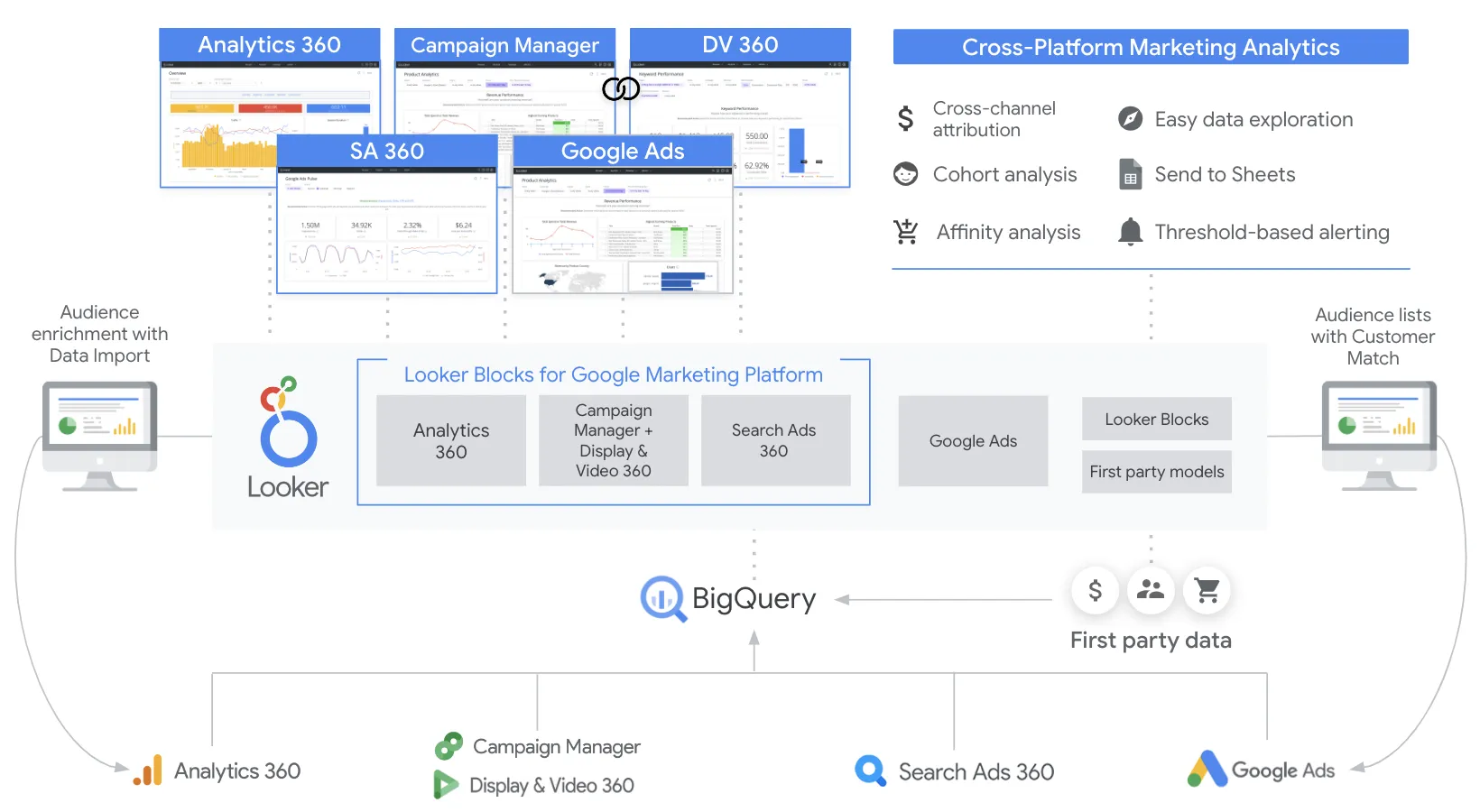
Looker
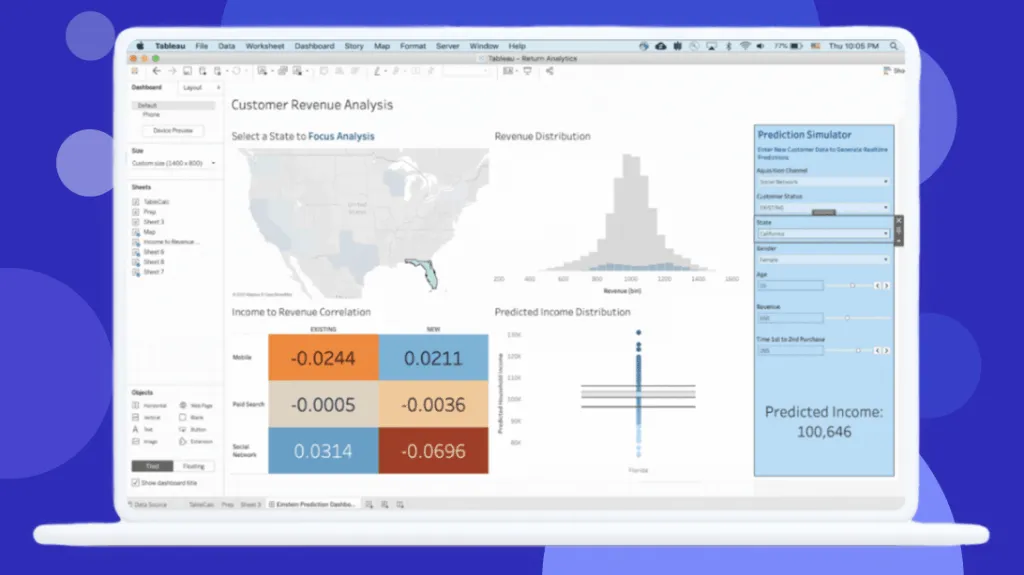
Tableau
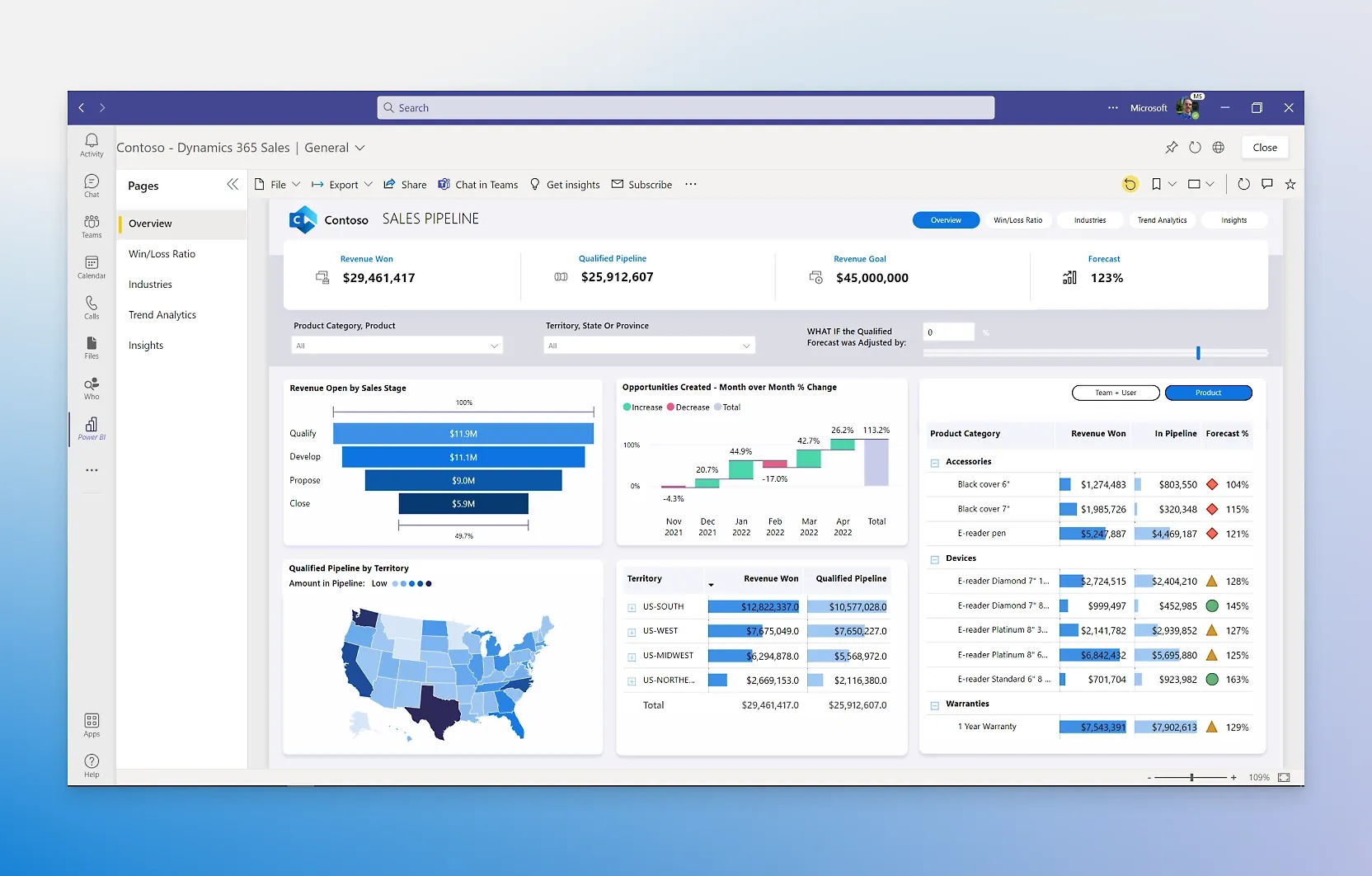
Power BI
Feature Comparison
| Feature | Looker | Tableau | Power BI |
|---|---|---|---|
| Data Modeling & Semantic Layer | |||
| Semantic Modeling Language | LookML with Git-versioned, reusable metric definitions and joins | Tableau Semantics with AI-assisted model creation via Data 360 | DAX and Power Query with tabular semantic models |
| Version Control for Models | Built-in Git integration for all LookML projects | Available through Tableau Server/Cloud revision history | Git integration via deployment pipelines in Fabric |
| Reusable Metrics Layer | Centralized LookML layer shared across all explores and dashboards | Tableau Semantics provides unified business data definitions | Shared datasets and semantic models in Power BI Service |
| Visualization & Exploration | |||
| Drag-and-Drop Dashboards | Dashboard builder with tile-based layout and explore functionality | Industry-leading drag-and-drop canvas with visual best practices built in | Drag-and-drop report canvas with hundreds of built-in and custom visuals |
| Self-Service Exploration | Explores allow end users to slice and drill into governed data models | Full ad-hoc exploration with drill-down across any published data source | Self-service BI with Q&A natural language queries and AI-powered insights |
| Real-Time Data Access | Direct query against live warehouse data with no extracts needed | Live connections available but extract-based model used for performance | DirectQuery mode for real-time; import mode for cached performance |
| AI & Automation | |||
| AI-Powered Analytics | Conversational Analytics powered by Gemini for natural language queries | Agentforce Tableau for proactive insights and agentic analytics | Copilot in Microsoft Fabric for report generation, DAX, and summaries |
| Natural Language Queries | Gemini-powered chat-with-your-data for non-technical users | Ask Data feature with Agentforce natural language integration in Slack | Q&A feature plus Copilot for conversational data exploration |
| Automated Report Generation | API-driven content automation through SDKs and REST APIs | AI-assisted semantic model creation and scheduled report delivery | AI-generated reports from data descriptions with Copilot assistance |
| Integration & Embedding | |||
| Embedded Analytics | Robust white-label embedding with full API coverage for SaaS products | Embedding available via Enterprise edition with additional licensing costs | Power BI Embedded for customer-facing reports with branding options |
| Ecosystem Integration | Deep Google Cloud and BigQuery integration; REST APIs and SDKs | Native Salesforce CRM integration; Slack integration; Agentforce platform | Deep integration with Microsoft 365, Teams, Excel, Azure, and Dynamics 365 |
| API & Developer Tools | Comprehensive REST API, SDKs, and Looker Marketplace for extensions | API-first composable architecture with Tableau Next platform | REST APIs, Power Platform integration, and Microsoft Fabric workloads |
| Governance & Security | |||
| Row-Level Security | Row-level and column-level security defined in LookML models | Row-level security through user filters and data source permissions | Row-level security with DAX filters on semantic models |
| Compliance & Audit | Google Cloud IAM, SSO, private networking, and audit logging | Enterprise-grade security on Salesforce Hyperforce with compliance features | Microsoft Purview integration for data cataloging and sensitivity labeling |
| Data Governance | Centralized governance through LookML with permissions and derived tables | Data 360 unified data layer with Tableau Semantics for trusted governance | OneLake data hub for centralized governance with endorsement and access control |
Data Modeling & Semantic Layer
Semantic Modeling Language
Version Control for Models
Reusable Metrics Layer
Visualization & Exploration
Drag-and-Drop Dashboards
Self-Service Exploration
Real-Time Data Access
AI & Automation
AI-Powered Analytics
Natural Language Queries
Automated Report Generation
Integration & Embedding
Embedded Analytics
Ecosystem Integration
API & Developer Tools
Governance & Security
Row-Level Security
Compliance & Audit
Data Governance
Which to choose
There is no single winner among Looker, Tableau, and Power BI. Looker dominates for teams that need a governed semantic layer and embedded analytics on Google Cloud. Tableau leads in visual analytics and interactive exploration for data analysts. Power BI delivers the best value for Microsoft-centric organizations with its low per-user pricing and deep M365 integration. The right choice depends on your existing technology stack, budget constraints, and how your organization consumes data.
Best-fit scenarios
Choose Looker if:
Choose Looker when your organization runs on Google Cloud and BigQuery, and your data team needs a centralized semantic layer to govern metrics and business logic. Looker is the strongest option for embedded analytics use cases where you need to white-label dashboards inside SaaS products. Its LookML modeling language ensures consistent metric definitions across the organization, and its direct-query architecture means dashboards always show fresh data without extract scheduling. Looker is ideal for companies with dedicated data engineering teams who can build and maintain LookML models.
Choose Tableau if:
Choose Tableau when your analysts need the most powerful visual analytics platform available and your organization values interactive exploration and sophisticated data storytelling. Tableau excels at ad-hoc analysis where analysts drag and drop dimensions to discover patterns, and its visualization engine handles complex chart types that other platforms struggle with. The Salesforce integration and Agentforce agentic analytics add workflow automation for CRM-heavy organizations. Tableau is the right pick for teams that prioritize visualization quality and have budget for per-user licensing at Creator and Explorer tiers.
Choose Power BI if:
Choose Power BI when your organization already uses Microsoft 365, Azure, or Teams and you need BI that integrates natively with your existing stack at a fraction of the cost. Power BI Pro at $14/user/month is dramatically cheaper than both Looker and Tableau, and the free Desktop app lets analysts author reports without any license cost. Copilot in Microsoft Fabric adds AI-powered report generation and DAX assistance. Power BI is the best choice for organizations that want broad BI adoption across hundreds or thousands of users without enterprise-level per-seat costs.
These scenarios reflect the available product evidence. Your requirements, existing stack, and team expertise should guide the final decision.
Frequently Asked Questions
Is Looker, Tableau, or Power BI better for large enterprise deployments?
All three platforms handle enterprise scale, but they approach it differently. Power BI scales through Microsoft Fabric with capacity-based licensing that supports thousands of users at low per-seat cost. Looker scales by pushing queries directly to your cloud warehouse, so performance depends on your BigQuery or Snowflake infrastructure. Tableau handles large datasets through its extract engine but requires careful license management since Creator licenses cost $75/user/month. For cost-sensitive enterprises with many dashboard viewers, Power BI typically wins on economics.
Which platform has the lowest total cost of ownership?
Power BI has the lowest total cost of ownership for most organizations. Power BI Pro costs $14/user/month compared to Tableau Viewer at $15/user/month for view-only access and Tableau Creator at $75/user/month for full authoring. Looker requires custom annual commitments through Google Cloud sales with per-seat and usage-based pricing components. Power BI Desktop is completely free for individual report authoring, giving it an unmatched entry point. When you factor in training costs and infrastructure, the gap widens further since Power BI integrates with Microsoft 365 licenses many organizations already own.
Can I use these BI platforms together or do I need to pick just one?
Many organizations run multiple BI platforms for different use cases. A common pattern pairs Looker as the governed semantic layer for data teams with Power BI for broad organizational consumption through Microsoft 365 integration. Tableau often coexists with Power BI where analyst teams prefer Tableau for advanced visualization while the rest of the company uses Power BI for standard reporting. The trade-off is increased licensing cost and governance complexity, so most organizations benefit from standardizing on one primary platform.
Which tool is best for embedded analytics in customer-facing applications?
Looker is the strongest choice for embedded analytics. Its API-first architecture, white-labeling capabilities, and robust SDK support make it purpose-built for embedding dashboards inside SaaS products. Looker lets you control every aspect of the embedded experience through its REST API. Power BI Embedded is a capable alternative with variable capacity-based pricing and branding options. Tableau requires Enterprise edition licensing for embedding, which adds significant cost, and the embedded experience is less customizable than Looker. For teams building data products, Looker provides the most flexibility.