Decision comparison
Amazon QuickSight vs Tableau
Tableau is the stronger choice for teams that need deep visualization and analyst authoring capabilities, especially in Salesforce-centric deployments. Amazon QuickSight is the better fit for AWS-first organizations that prioritize serverless operations, native AWS integration, and cost-efficient embedded or large-scale dashboard access.
Direct comparison. These are reviewed substitutes bought for the same job, so the differences below are the ones that decide between them.
All 2 are BI platforms.
Quick Comparison
| Decision factor | Amazon QuickSight | Tableau |
|---|---|---|
| Pricing | Per-user pricing: Reader $3 per user/month, Reader Pro $20 per user/month, Author $24 per user/month and Author Pro $40 per user/month. A $250/month per-account infrastructure fee applies to some configurations. Capacity pricing starts at $250/month for 500 sessions with additional sessions at $0.50, or $20,000/year for 50,000 sessions with additional sessions at $0.40. Enterprise pricing on request. The captured pricing page states no free tier. SPICE capacity costs $0.38 per GB per month, and every provisioned Author includes a 10 GB SPICE allocation. Alerts and anomaly detection cost $0.50 per 1,000 metrics evaluated for the first 1,000,000, then $0.25, $0.10 and, above 100,000,000, $0.05 per 1,000. Verified 2026-10-05 against https://aws.amazon.com/quick/quicksight/pricing/. | Tableau Cloud Standard Edition: Viewer $15/user/month, Explorer $42/user/month, Creator $75/user/month; Enterprise Edition: Viewer $35/user/month, Explorer $70/user/month, Creator $115/user/month; Tableau+ Bundle requires contact sales for pricing details. |
| Data Visualization | Interactive dashboards with SPICE engine for fast in-memory analysis across devices | Industry-leading drag-and-drop visual analytics with deep drill-down and storytelling capabilities |
| AI & Machine Learning | Built-in anomaly detection, forecasting, and agentic AI with research and automation agents | Agentforce integration with agentic analytics, AI-assisted semantic model creation via Tableau Next |
| Ease of Use | Rated 8.1/10 with 53 reviews; intuitive setup that requires no complex configuration | Rated 8.4/10 with 2,320 reviews; praised for drag-and-drop but has steep learning curve |
| Integrations | Native AWS integration with S3, RDS, Redshift plus 40+ application connectors | Salesforce CRM native integration, Slack analytics, Data 360 unified data layer, API-first design |
| Deployment Options | Fully serverless cloud-only SaaS with automatic scaling and no infrastructure management | Tableau Cloud SaaS, Tableau Server self-hosted, Tableau Desktop for offline, and Tableau Next |
Amazon QuickSight
- Pricing:
- Per-user pricing: Reader $3 per user/month, Reader Pro $20 per user/month, Author $24 per user/month and Author Pro $40 per user/month. A $250/month per-account infrastructure fee applies to some configurations. Capacity pricing starts at $250/month for 500 sessions with additional sessions at $0.50, or $20,000/year for 50,000 sessions with additional sessions at $0.40. Enterprise pricing on request. The captured pricing page states no free tier. SPICE capacity costs $0.38 per GB per month, and every provisioned Author includes a 10 GB SPICE allocation. Alerts and anomaly detection cost $0.50 per 1,000 metrics evaluated for the first 1,000,000, then $0.25, $0.10 and, above 100,000,000, $0.05 per 1,000. Verified 2026-10-05 against https://aws.amazon.com/quick/quicksight/pricing/.
- Data Visualization:
- Interactive dashboards with SPICE engine for fast in-memory analysis across devices
- AI & Machine Learning:
- Built-in anomaly detection, forecasting, and agentic AI with research and automation agents
- Ease of Use:
- Rated 8.1/10 with 53 reviews; intuitive setup that requires no complex configuration
- Integrations:
- Native AWS integration with S3, RDS, Redshift plus 40+ application connectors
- Deployment Options:
- Fully serverless cloud-only SaaS with automatic scaling and no infrastructure management
Tableau
- Pricing:
- Tableau Cloud Standard Edition: Viewer $15/user/month, Explorer $42/user/month, Creator $75/user/month; Enterprise Edition: Viewer $35/user/month, Explorer $70/user/month, Creator $115/user/month; Tableau+ Bundle requires contact sales for pricing details.
- Data Visualization:
- Industry-leading drag-and-drop visual analytics with deep drill-down and storytelling capabilities
- AI & Machine Learning:
- Agentforce integration with agentic analytics, AI-assisted semantic model creation via Tableau Next
- Ease of Use:
- Rated 8.4/10 with 2,320 reviews; praised for drag-and-drop but has steep learning curve
- Integrations:
- Salesforce CRM native integration, Slack analytics, Data 360 unified data layer, API-first design
- Deployment Options:
- Tableau Cloud SaaS, Tableau Server self-hosted, Tableau Desktop for offline, and Tableau Next
Public signals
Verified factual signals only. Bars appear only for like-for-like metrics with five weekly assessments for every tool; missing evidence stays explicit. These signals do not establish enterprise adoption, product quality, or total cost.
| Metric | Amazon QuickSight | Tableau |
|---|---|---|
| Search interest(Market interest) | 0 | 73 |
| npm weekly downloads(Developer adoption) | 85.4k | 23.4k |
| Product Hunt comments(Community interest) | 2 | 3 |
| Product Hunt rating(Community interest) | 5.0/5 | 4.2/5 |
| Product Hunt reviews(Community interest) | 1 | 5 |
| Product Hunt votes(Community interest) | 78 | 7 |
| Stack Overflow questions(Community interest) | 718 | 5.3k |
| GitHub commits, 90d(Developer adoption) | Not available | 39 |
| GitHub stars(Developer adoption) | Not available | 716 |
| Hacker News mentions, 90d(Community interest) | Not available | 1 |
| PyPI weekly downloads(Developer adoption) | Not available | 912.4k |
As of October 19, 2026 — updated weekly.
Health & risk evidence
Observed public-source checks for mapped package versions and repositories.
Amazon QuickSight
October 19, 2026Package vulnerabilities
npm · amazon-quicksight-embedding-sdk@2.12.1
0 vulnerabilities
across 1 package
Repository security score
Not available
Tableau
October 19, 2026Package vulnerabilities
npm · @tableau/embedding-api@3.16.1 · PyPI · tableauserverclient@0.42
0 vulnerabilities
across 2 packages
Repository security score
github.com/tableau/server-client-python
5.5/10
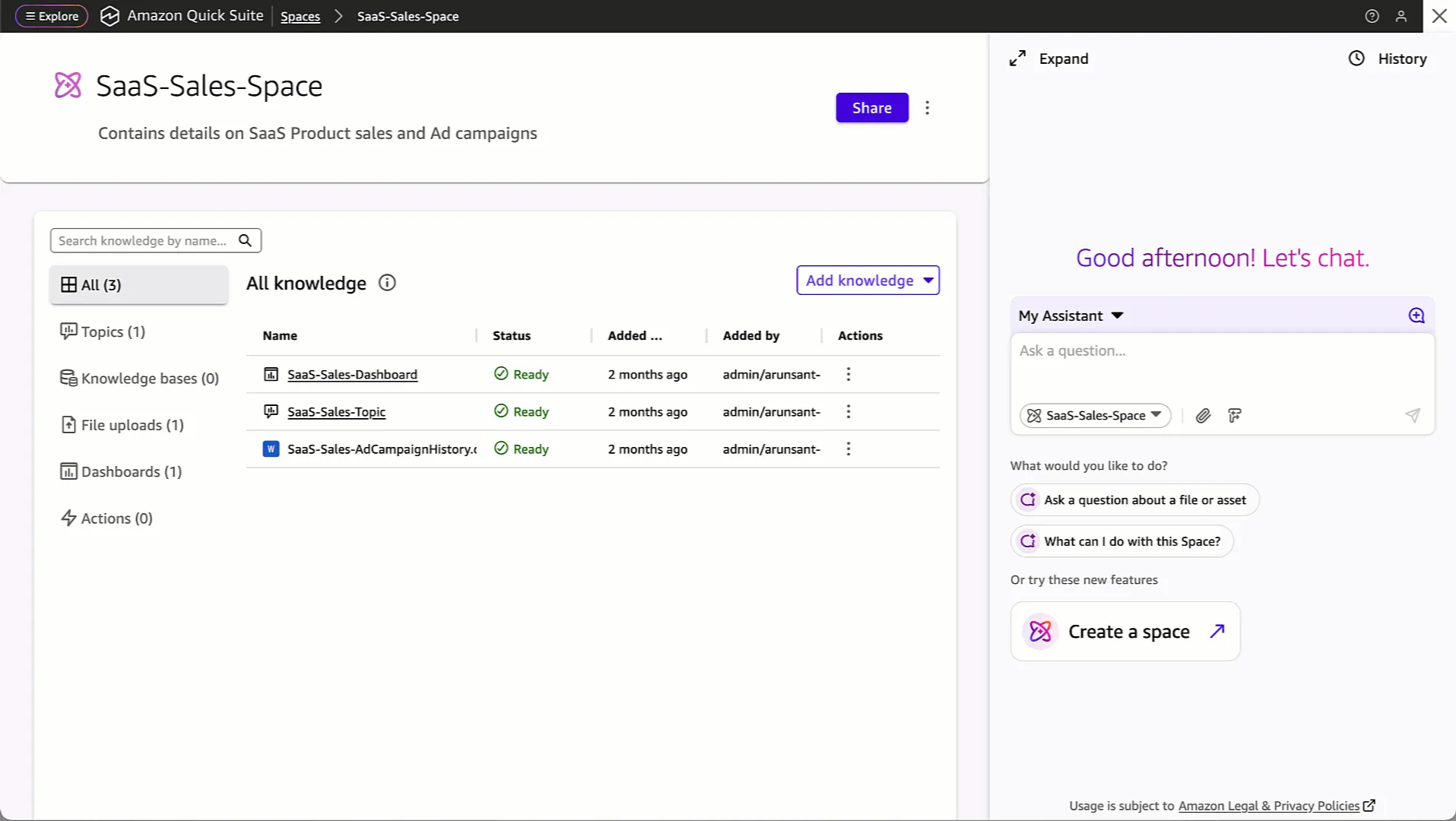
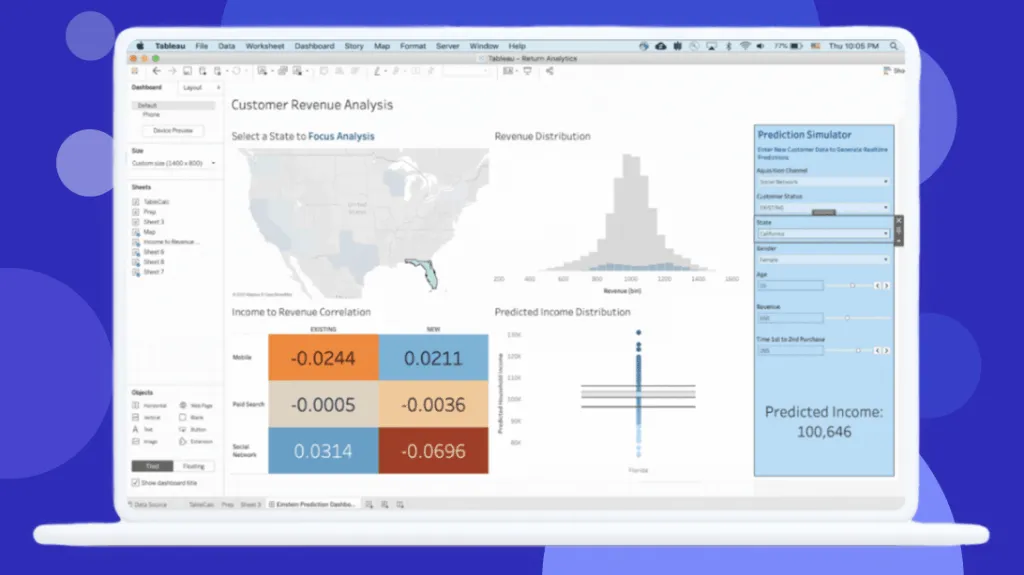
Interface Preview
Amazon QuickSight
Tableau
Feature Comparison
| Feature | Amazon QuickSight | Tableau |
|---|---|---|
| In-Memory Engine | SPICE engine provides super-fast parallel in-memory calculations for thousands of concurrent users | Hyper engine optimizes extract-based queries with columnar storage for large dataset performance |
| Real-Time Data Access | Connects live to AWS data sources including S3, RDS, and Redshift with scheduled SPICE refreshes | Supports live connections and scheduled extract refreshes with 10 daily refreshes on standard Cloud plans |
| Scalability | Serverless auto-scaling handles thousands of users without infrastructure provisioning or management | Scales through Tableau Cloud with Hyperforce infrastructure or self-managed Tableau Server deployments |
| Natural Language Queries | Amazon Q enables conversational data exploration with step-by-step guided analysis in plain English | Ask Data and Tableau Pulse deliver natural language querying with proactive metric alerts |
| Automated Insights | ML-powered anomaly detection and forecasting built into dashboards with no coding required | Agentforce Tableau provides 24/7 proactive insights and automated data preparation agents |
| AI Workflow Automation | Quick Flows and Quick Automate handle multi-step business process automation using natural language | Tableau Next integrates with Agentforce for autonomous action-taking directly from insight discovery |
| Dashboard Creation | Browser-based dashboard builder with customizable widgets and public or private sharing options | Desktop and web-based authoring with industry-leading chart variety and visual best practices |
| Embedded Analytics | Embeds interactive analytics directly into applications and business workflows via API | Enterprise edition embeds dashboards in external applications with additional licensing fees |
| Mobile Access | Responsive dashboards accessible from any device through browser-based delivery | Dedicated mobile app with offline viewing, alerts, subscriptions, and touch-optimized interactions |
| Security & Compliance | Supports FedRAMP, HIPAA, PCI DSS, ISO, and SOC with role-based access and single sign-on | Enterprise-grade security with Hyperforce, Data 360 governance, and Salesforce compliance frameworks |
| Semantic Layer | Quick Index serves as shared knowledge base unifying documents, data, and enterprise content | Tableau Semantics provides AI-infused semantic layer integrated with Data 360 for trusted definitions |
| Data Preparation | Connects to 40+ data sources with built-in data transforms and SPICE dataset management | Tableau Prep Builder included with Creator license for visual data cleaning and transformation workflows |
| Team Collaboration | Dashboard sharing with comment threads and Quick Spaces for team-specific customized experiences | Slack-integrated permission-aware analytics with shared dashboards and collaborative commenting |
| Ecosystem Integration | Deep AWS ecosystem with native S3, RDS, Redshift, SageMaker connections and 40+ app integrations | Native Salesforce CRM integration, API-first architecture, and broad third-party connector library |
| Community & Support | AWS documentation, dashboard gallery, webinars, and 1,908 companies using QuickSight globally | Millions-strong DataFam community, Tableau Public for sharing, annual Tableau Conference, and certifications |
In-Memory Engine
Real-Time Data Access
Scalability
Natural Language Queries
Automated Insights
AI Workflow Automation
Dashboard Creation
Embedded Analytics
Mobile Access
Security & Compliance
Semantic Layer
Data Preparation
Team Collaboration
Ecosystem Integration
Community & Support
Which to choose
Tableau is the stronger choice for teams that need deep visualization and analyst authoring capabilities, especially in Salesforce-centric deployments. Amazon QuickSight is the better fit for AWS-first organizations that prioritize serverless operations, native AWS integration, and cost-efficient embedded or large-scale dashboard access.
Best-fit scenarios
Choose Amazon QuickSight if:
We recommend Amazon QuickSight for organizations already invested in the AWS ecosystem that need cost-effective, scalable business intelligence without infrastructure management overhead. QuickSight's serverless architecture means zero provisioning, and its usage-based pricing, with Readers at $3 per user a month, makes it particularly attractive for large deployments where many users access dashboards infrequently. The SPICE in-memory engine handles thousands of concurrent users, and native integrations with S3, RDS, Redshift, and SageMaker eliminate data pipeline complexity. Choose QuickSight when your data lives in AWS and you want to minimize total cost of ownership.
Choose Tableau if:
Choose Tableau when advanced visual analysis, desktop-grade authoring, broad deployment options, or native Salesforce and Slack analytics are central to your BI strategy and you can support its higher licensing and training costs.
These scenarios reflect the available product evidence. Your requirements, existing stack, and team expertise should guide the final decision.
Frequently Asked Questions
Is Amazon QuickSight cheaper than Tableau for a typical team deployment?
Amazon QuickSight offers Reader pricing at $3 per user/month. Reader capacity pricing has a monthly plan with 500 sessions per month for $250 per month, with additional sessions at $0.50. Capacity pricing is ideal for embedded applications or large-scale BI deployments.
Which platform has better AI and machine learning capabilities in 2026?
Both platforms have invested heavily in AI, but they approach it differently. Amazon QuickSight evolved into Amazon Quick in 2025, adding Quick Research for cited insights from enterprise and public data, Quick Flows for natural language workflow automation, and Quick Automate for multi-step business process handling. Tableau countered with Tableau Next and Agentforce integration, delivering agentic analytics that turn insights into autonomous actions directly within Slack and Salesforce workflows. QuickSight's AI advantage lies in its native AWS ML integration including SageMaker for predictive dashboards, while Tableau's strength is its AI-infused semantic layer called Tableau Semantics that powers trusted business definitions across the analytics stack.
Can Amazon QuickSight match Tableau's data visualization capabilities?
Tableau maintains a clear edge in visualization depth and flexibility. Its drag-and-drop interface is widely considered the industry benchmark for creating complex, interactive visualizations with chart variety, drill-down capabilities, and visual storytelling that QuickSight cannot fully replicate. Tableau earned a 2025 Gartner Magic Quadrant Leader designation in analytics. However, QuickSight has closed the gap significantly with its browser-based dashboard builder, customizable widgets, and embedded analytics capabilities. For standard business dashboards, KPI tracking, and operational reporting, QuickSight delivers comparable results. The gap becomes apparent with advanced exploratory analysis, where Tableau Desktop offers dedicated authoring tools that power users prefer for deep data investigation.
Which tool integrates better with existing enterprise systems and data sources?
The answer depends entirely on your existing technology stack. Amazon QuickSight provides unmatched integration with AWS services including S3, RDS, Redshift, Athena, and SageMaker, plus 40+ application connectors. Organizations running data warehouses on Redshift or data lakes on S3 will find QuickSight's native connectivity eliminates most data pipeline complexity. Tableau offers broader platform-agnostic connectivity with connectors for virtually every major database, cloud platform, and enterprise application. Its native Salesforce CRM integration, Slack analytics embedding, and API-first architecture through Tableau Next make it the stronger choice for Salesforce-centric organizations. Tableau also supports on-premises deployment through Tableau Server, which QuickSight does not offer.