Decision comparison
Amazon QuickSight vs Looker
Amazon QuickSight and Looker serve distinct segments of the BI market. QuickSight excels for AWS-centric organizations seeking cost-effective, serverless BI with pay-per-session pricing and built-in ML capabilities. Looker dominates when teams need governed semantic modeling, embedded analytics for SaaS products, and an API-first architecture on Google Cloud. Neither tool is universally superior; the right choice depends on your cloud ecosystem, data governance requirements, and whether you prioritize cost efficiency or modeling flexibility.
Direct comparison. These are reviewed substitutes bought for the same job, so the differences below are the ones that decide between them.
All 2 are BI platforms.
Quick Comparison
| Decision factor | Amazon QuickSight | Looker |
|---|---|---|
| Best For | AWS-native organizations needing serverless BI with SPICE in-memory engine, pay-per-session pricing, and ML-powered anomaly detection across S3, Redshift, and RDS data sources | Data teams requiring governed semantic modeling with LookML, embedded analytics with white-labeling, and API-first architecture for custom data applications on Google Cloud |
| Architecture | Serverless, fully managed AWS service with SPICE in-memory calculation engine, CloudFormation infrastructure-as-code support for dashboards, datasets, and templates | Cloud-hosted platform with direct database querying, no data storage layer, LookML semantic modeling, Git-based version control, and Vertex AI integration |
| Ease of Use | Rated 8.1/10 across 53 reviews, praised for intuitive setup and basic reporting, users note limitations with complex reports and real-time data handling | Rated 8.4/10 across 457 reviews, praised for drag-and-drop interface and end-user friendliness, noted learning curve for LookML modeling and occasional slow load times |
| Scalability | Auto-scales to thousands of concurrent users without infrastructure management, SPICE engine handles large datasets with parallel in-memory processing | Scales through Google Cloud infrastructure with BigQuery integration, handles multicloud environments, processes queries directly against data warehouses for always-fresh results |
| Community/Support | AWS support tiers with documentation, dashboard gallery, webinars, and 1,908 companies actively using the platform across enterprise deployments | Google Cloud ecosystem with Looker Marketplace offering Blocks, Applications, and Plug-ins, plus 67,414 companies in the user base and Gartner Leader recognition |
Amazon QuickSight
- Best For:
- AWS-native organizations needing serverless BI with SPICE in-memory engine, pay-per-session pricing, and ML-powered anomaly detection across S3, Redshift, and RDS data sources
- Architecture:
- Serverless, fully managed AWS service with SPICE in-memory calculation engine, CloudFormation infrastructure-as-code support for dashboards, datasets, and templates
- Ease of Use:
- Rated 8.1/10 across 53 reviews, praised for intuitive setup and basic reporting, users note limitations with complex reports and real-time data handling
- Scalability:
- Auto-scales to thousands of concurrent users without infrastructure management, SPICE engine handles large datasets with parallel in-memory processing
- Community/Support:
- AWS support tiers with documentation, dashboard gallery, webinars, and 1,908 companies actively using the platform across enterprise deployments
Looker
- Best For:
- Data teams requiring governed semantic modeling with LookML, embedded analytics with white-labeling, and API-first architecture for custom data applications on Google Cloud
- Architecture:
- Cloud-hosted platform with direct database querying, no data storage layer, LookML semantic modeling, Git-based version control, and Vertex AI integration
- Ease of Use:
- Rated 8.4/10 across 457 reviews, praised for drag-and-drop interface and end-user friendliness, noted learning curve for LookML modeling and occasional slow load times
- Scalability:
- Scales through Google Cloud infrastructure with BigQuery integration, handles multicloud environments, processes queries directly against data warehouses for always-fresh results
- Community/Support:
- Google Cloud ecosystem with Looker Marketplace offering Blocks, Applications, and Plug-ins, plus 67,414 companies in the user base and Gartner Leader recognition
Public signals
Verified factual signals only. Bars appear only for like-for-like metrics with five weekly assessments for every tool; missing evidence stays explicit. These signals do not establish enterprise adoption, product quality, or total cost.
| Metric | Amazon QuickSight | Looker |
|---|---|---|
| Search interest(Market interest) | 0 | 1 |
| npm weekly downloads(Developer adoption) | 85.4k | 37.8k |
| Product Hunt comments(Community interest) | 2 | 5 |
| Product Hunt rating(Community interest) | 5.0/5 | Unavailable |
| Product Hunt reviews(Community interest) | 1 | 0 |
| Product Hunt votes(Community interest) | 78 | 83 |
| Stack Overflow questions(Community interest) | 718 | 226 |
| Hacker News mentions, 90d(Community interest) | Not available | 2 |
| PyPI weekly downloads(Developer adoption) | Not available | 1.9M |
As of October 19, 2026 — updated weekly.
Health & risk evidence
Observed public-source checks for mapped package versions and repositories.
Amazon QuickSight
October 19, 2026Package vulnerabilities
npm · amazon-quicksight-embedding-sdk@2.12.1
0 vulnerabilities
across 1 package
Repository security score
Not available
Looker
October 19, 2026Package vulnerabilities
npm · @looker/sdk@26.20.0 · PyPI · looker-sdk@26.20.0
0 vulnerabilities
across 2 packages
Repository security score
Not available
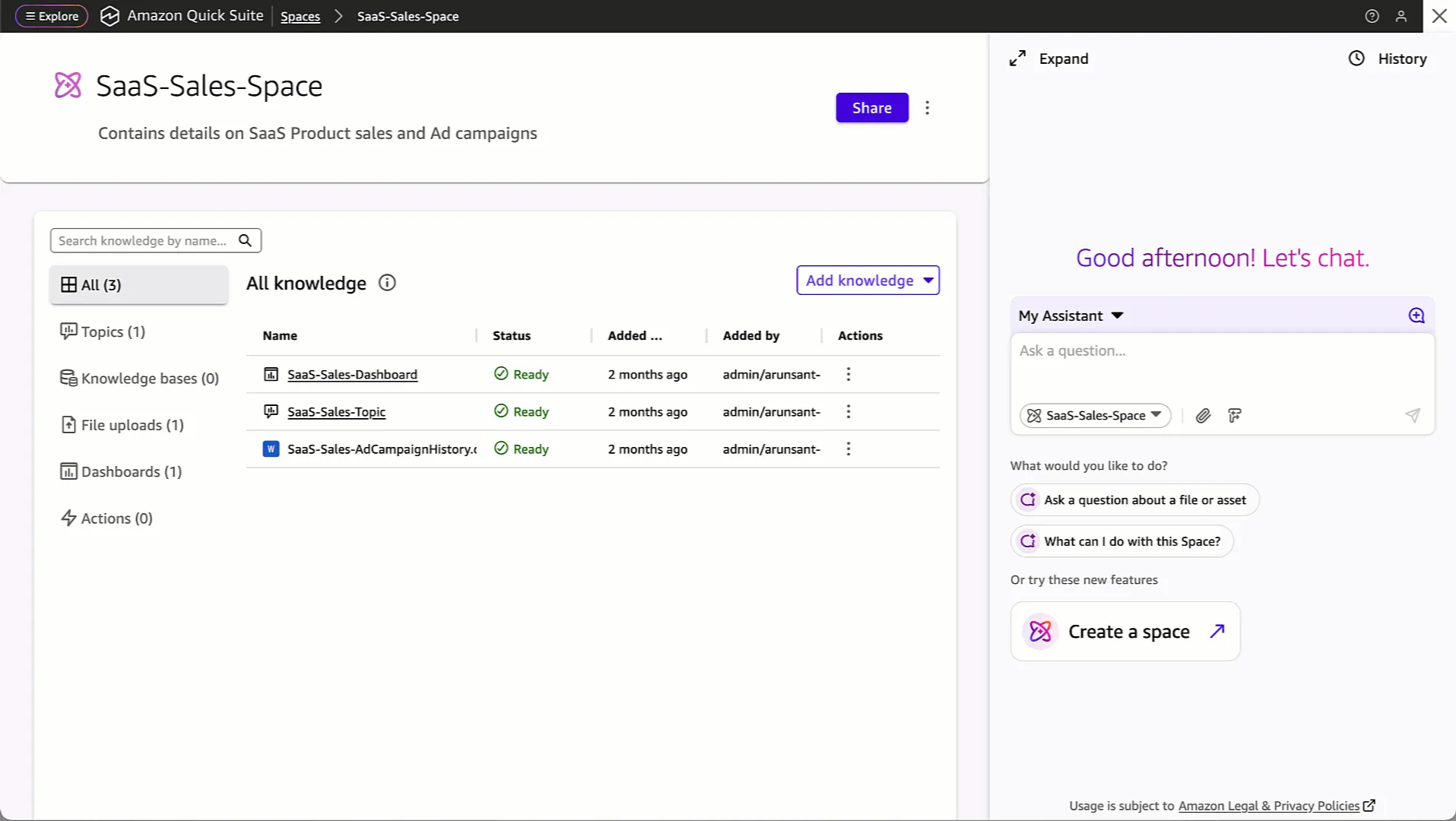
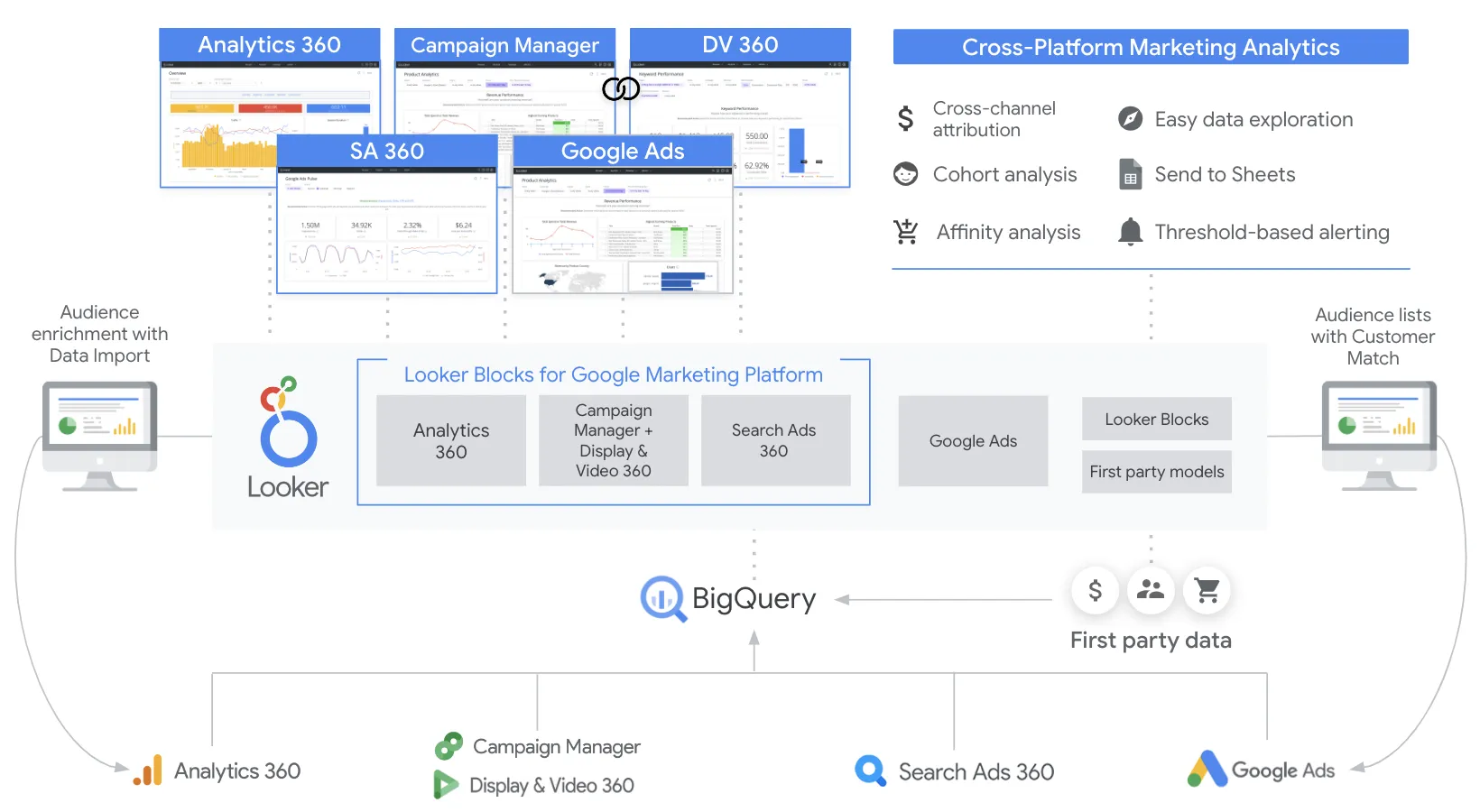
Interface Preview
Amazon QuickSight
Looker
Feature Comparison
| Feature | Amazon QuickSight | Looker |
|---|---|---|
| Data Modeling & Governance | ||
| Semantic Layer | Uses SPICE engine with dataset parameters and semantic model configuration for metrics | LookML defines reusable metrics, joins, permissions, and derived tables in version-controlled models |
| Data Access Security | Role-based access controls with row-level and column-level permission rules via CloudFormation | Row-level and column-level security with SSO through Google Cloud IAM and audit logging |
| Version Control | CloudFormation templates manage dashboard, dataset, and analysis definitions as infrastructure code | Git-integrated LookML models with full version history, branching, and collaborative development |
| Analytics & Visualization | ||
| Dashboard Creation | Interactive dashboards with public and private sharing, customizable publish options and themes | Enterprise dashboards with real-time data, drill-down to row-level detail, and Looker Studio integration |
| Natural Language Queries | Agentic AI with natural language data exploration and what-if scenario analysis capabilities | Gemini-powered Conversational Analytics for natural language questions with API access for custom apps |
| Self-Service Exploration | Guided analysis with step-by-step insights, designed for users without specialized data skills | Explores on governed models let business users filter, pivot, and drill into curated data independently |
| AI & Machine Learning | ||
| Anomaly Detection | Built-in ML-powered anomaly detection integrated directly into the dashboard user interface | Machine Learning Accelerator via Marketplace integration with Vertex AI for deeper ML insights |
| Forecasting | Native forecasting capabilities with SageMaker integration for predictive dashboards without coding | Leverages Google Cloud AI and BigQuery ML for predictive analytics within governed data models |
| AI Automation | Quick Flows and Quick Automate handle multi-step business processes via natural language commands | Looker extensions integrate with Vertex AI for custom AI workflows and gen AI-powered data apps |
| Integration & Extensibility | ||
| Cloud Ecosystem | Deep AWS integration with S3, RDS, Redshift, SageMaker, and 40+ application connectors | Google Cloud native with BigQuery, Workspace, Google Analytics, and Segment action integrations |
| Embedded Analytics | Embeddable dashboards with capacity pricing optimized for large-scale embedded BI deployments | Robust white-label embedding with full API coverage for custom data experiences and SaaS products |
| API & Developer Tools | AWS SDK access with CloudFormation for 12 resource types including dashboards, datasets, and VPC connections | API-first platform with REST APIs, SDKs, Looker Marketplace Blocks, and GitHub-hosted extensions |
| Compliance & Enterprise | ||
| Regulatory Compliance | Supports FedRAMP, HIPAA, PCI DSS, ISO, and SOC compliance within the AWS shared responsibility model | Google Cloud compliance framework with private networking, encryption, and enterprise governance controls |
| Multi-Tenancy | Folder-based organization with sharing models and VPC connections for tenant isolation | Row-level security and model-based access control enable multi-tenant data product deployments |
| Data Freshness | SPICE refresh schedules with configurable ingestion policies and data set refresh properties | Direct query architecture ensures always-fresh results by querying warehouses at request time |
Data Modeling & Governance
Semantic Layer
Data Access Security
Version Control
Analytics & Visualization
Dashboard Creation
Natural Language Queries
Self-Service Exploration
AI & Machine Learning
Anomaly Detection
Forecasting
AI Automation
Integration & Extensibility
Cloud Ecosystem
Embedded Analytics
API & Developer Tools
Compliance & Enterprise
Regulatory Compliance
Multi-Tenancy
Data Freshness
Which to choose
Amazon QuickSight and Looker serve distinct segments of the BI market. QuickSight excels for AWS-centric organizations seeking cost-effective, serverless BI with pay-per-session pricing and built-in ML capabilities. Looker dominates when teams need governed semantic modeling, embedded analytics for SaaS products, and an API-first architecture on Google Cloud. Neither tool is universally superior; the right choice depends on your cloud ecosystem, data governance requirements, and whether you prioritize cost efficiency or modeling flexibility.
Best-fit scenarios
Choose Amazon QuickSight if:
Choose Amazon QuickSight when BI workloads are primarily on AWS and the team wants managed dashboards or embedded analytics. Validate data-source support, refresh requirements, governance controls, and current session or capacity terms with a representative workload.
Choose Looker if:
Choose Looker when your data team requires a governed semantic layer with LookML to enforce consistent metric definitions across the organization. Looker's API-first architecture and robust embedded analytics capabilities make it the stronger choice for SaaS companies building data products or monetizing analytics within their applications. The direct query architecture against data warehouses ensures always-fresh results without managing a separate caching layer. With Gemini-powered Conversational Analytics and the Looker Marketplace ecosystem of Blocks and extensions, Looker provides a more extensible platform for teams that need deep customization. Its 8.4/10 rating across 457 reviews reflects strong user satisfaction, particularly among organizations with dedicated data engineering teams.
These scenarios reflect the available product evidence. Your requirements, existing stack, and team expertise should guide the final decision.
Frequently Asked Questions
How does Amazon QuickSight's SPICE engine compare to Looker's direct query approach?
Amazon QuickSight's SPICE (Super-fast, Parallel, In-memory Calculation Engine) imports and caches data in memory for fast interactive analysis, which means dashboards load quickly but data freshness depends on refresh schedules. Looker takes the opposite approach by querying data warehouses directly at request time, ensuring results are always current without maintaining a separate data store. SPICE works well for large datasets where speed matters more than real-time freshness, while Looker's direct query model suits organizations that need guaranteed data currency. The trade-off is that SPICE requires managing capacity and refresh policies, whereas Looker's performance depends entirely on the underlying warehouse's query speed.
Can Amazon QuickSight and Looker work with data sources outside their native cloud platforms?
Both tools support cross-cloud data connectivity, though each has natural strengths within its native ecosystem. Amazon QuickSight integrates deeply with AWS services like S3, RDS, and Redshift, and supports 40+ application connectors for external data sources. Looker connects to databases including Snowflake, Amazon Redshift, Google BigQuery, and other SQL-based warehouses through its direct query architecture. QuickSight also supports VPC connections for secure access to on-premises data sources. Looker's strength lies in its database-agnostic semantic layer that works consistently regardless of the underlying data platform, making it viable even outside the Google Cloud ecosystem.
What are the key differences in pricing between Amazon QuickSight and Looker?
Amazon QuickSight combines a small free tier with pay-per-session and capacity pricing, which can suit deployments with many occasional dashboard viewers. Looker uses annual commitments with per-seat and usage-based components, so costs scale more directly with active users.
Which platform offers better embedded analytics for building data products?
Looker has a stronger embedded analytics story for building customer-facing data products and SaaS applications. Its API-first architecture provides full API coverage that mirrors UI capabilities, enabling developers to build deeply customized data experiences with white-labeling support. Looker also integrates directly with Vertex AI for custom AI workflows within embedded applications. Amazon QuickSight supports embedded dashboards with capacity pricing optimized for large-scale deployments, and its pricing model can be more cost-effective for high-volume embedded scenarios. However, QuickSight's embedded capabilities are more focused on placing dashboards within applications, while Looker enables building entirely custom data applications through its REST APIs and SDKs.