Decision comparison
Count vs Looker
Count delivers a collaborative AI-powered canvas ideal for teams that want fast, exploratory analytics with transparent pricing starting at $0. Looker provides enterprise-grade semantic modeling with LookML and deep Google Cloud integration for organizations needing governed, scalable BI infrastructure.
Architecture choice. These take different approaches to the same problem. Read the table as a fit question rather than a feature race.
These are different kinds of product — Analytics Notebook and BI Platform.
Quick Comparison
| Decision factor | Count | Looker |
|---|---|---|
| Ease of Use | Collaborative canvas interface with AI agent that builds auditable analyses from natural language prompts in real-time | Structured explore interface with Conversational Analytics powered by Gemini; users note it is easy to use but has a learning curve |
| Data Modeling | Count Metrics semantic layer provides governed, performant metrics with drag-and-drop analysis and multi-level caching | LookML semantic modeling language defines reusable metrics, joins, permissions, and derived tables with Git version control |
| Collaboration | Real-time collaborative canvas where multiple users explore, extend, and present findings together alongside AI agents | Share dashboards, reports, and explores across teams with Slack integration, email scheduling, and embedded sharing capabilities |
| Pricing | Free $0 per month. Pro $49 per month. Scale $69 per month. Enterprise is quote-only. Count's Pro plan is $49 per editor per month and Scale is $69 per editor per month; viewer seats are included in every tier. Verified 2026-10-05 against https://count.co/pricing. | Looker (Google Cloud core) publishes no platform or per-user price. It offers three platform editions — Standard for organisations under 50 users, Enterprise, and Embed — each including one production instance, 10 Standard Users and 2 Developer Users, and each requiring a custom quote. Data-token overages beyond an instance's monthly allocation are published, at $3.00 per 1M input tokens and $20.00 per 1M output tokens. |
| Integration Ecosystem | Connects to BigQuery, Snowflake, Databricks, PostgreSQL, MySQL, ClickHouse, and supports MCP for tools like HubSpot and Salesforce | Deep Google Cloud integration with BigQuery, plus REST APIs, SDKs, Looker Marketplace blocks, and 1,000+ data source connectors via Looker Studio |
| Enterprise Governance | Fine-grain or group-wide permissions with auditable canvases where every query is visible and every step is traceable | Row-level and column-level security, audit features, Google Cloud IAM SSO, private networking, and role-based access control |
Count
- Ease of Use:
- Collaborative canvas interface with AI agent that builds auditable analyses from natural language prompts in real-time
- Data Modeling:
- Count Metrics semantic layer provides governed, performant metrics with drag-and-drop analysis and multi-level caching
- Collaboration:
- Real-time collaborative canvas where multiple users explore, extend, and present findings together alongside AI agents
- Pricing:
- Free $0 per month. Pro $49 per month. Scale $69 per month. Enterprise is quote-only. Count's Pro plan is $49 per editor per month and Scale is $69 per editor per month; viewer seats are included in every tier. Verified 2026-10-05 against https://count.co/pricing.
- Integration Ecosystem:
- Connects to BigQuery, Snowflake, Databricks, PostgreSQL, MySQL, ClickHouse, and supports MCP for tools like HubSpot and Salesforce
- Enterprise Governance:
- Fine-grain or group-wide permissions with auditable canvases where every query is visible and every step is traceable
Looker
- Ease of Use:
- Structured explore interface with Conversational Analytics powered by Gemini; users note it is easy to use but has a learning curve
- Data Modeling:
- LookML semantic modeling language defines reusable metrics, joins, permissions, and derived tables with Git version control
- Collaboration:
- Share dashboards, reports, and explores across teams with Slack integration, email scheduling, and embedded sharing capabilities
- Pricing:
- Looker (Google Cloud core) publishes no platform or per-user price. It offers three platform editions — Standard for organisations under 50 users, Enterprise, and Embed — each including one production instance, 10 Standard Users and 2 Developer Users, and each requiring a custom quote. Data-token overages beyond an instance's monthly allocation are published, at $3.00 per 1M input tokens and $20.00 per 1M output tokens.
- Integration Ecosystem:
- Deep Google Cloud integration with BigQuery, plus REST APIs, SDKs, Looker Marketplace blocks, and 1,000+ data source connectors via Looker Studio
- Enterprise Governance:
- Row-level and column-level security, audit features, Google Cloud IAM SSO, private networking, and role-based access control
Public signals
Verified factual signals only. Bars appear only for like-for-like metrics with five weekly assessments for every tool; missing evidence stays explicit. These signals do not establish enterprise adoption, product quality, or total cost.
| Metric | Count | Looker |
|---|---|---|
| Search interest(Market interest) | 1 | 1 |
| Hacker News mentions, 90d(Community interest) | 0 | 2 |
| Product Hunt comments(Community interest) | 6 | 5 |
| Product Hunt reviews(Community interest) | 0 | 0 |
| Product Hunt votes(Community interest) | 85 | 83 |
| npm weekly downloads(Developer adoption) | Not available | 37.8k |
| PyPI weekly downloads(Developer adoption) | Not available | 1.9M |
| Stack Overflow questions(Community interest) | Not available | 226 |
As of October 19, 2026 — updated weekly.
Health & risk evidence
Observed public-source checks for mapped package versions and repositories.
Count
Package vulnerabilities
Not available
Repository security score
Not available
Looker
October 19, 2026Package vulnerabilities
npm · @looker/sdk@26.20.0 · PyPI · looker-sdk@26.20.0
0 vulnerabilities
across 2 packages
Repository security score
Not available
Interface Preview
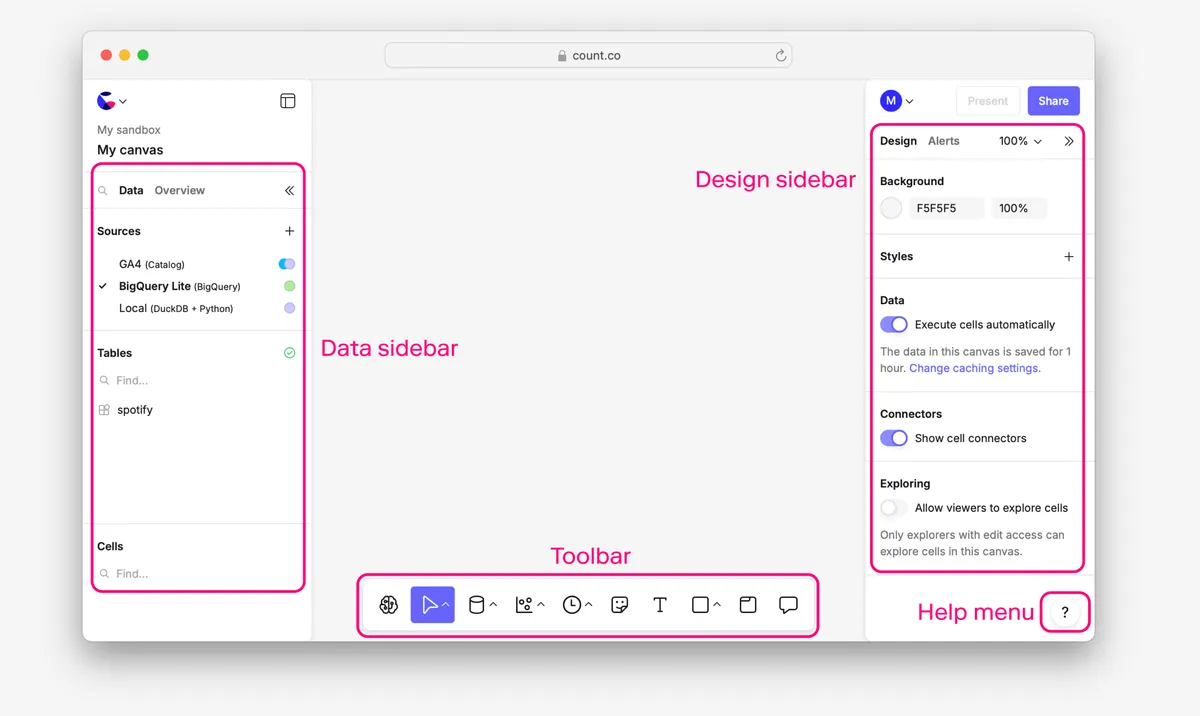
Count
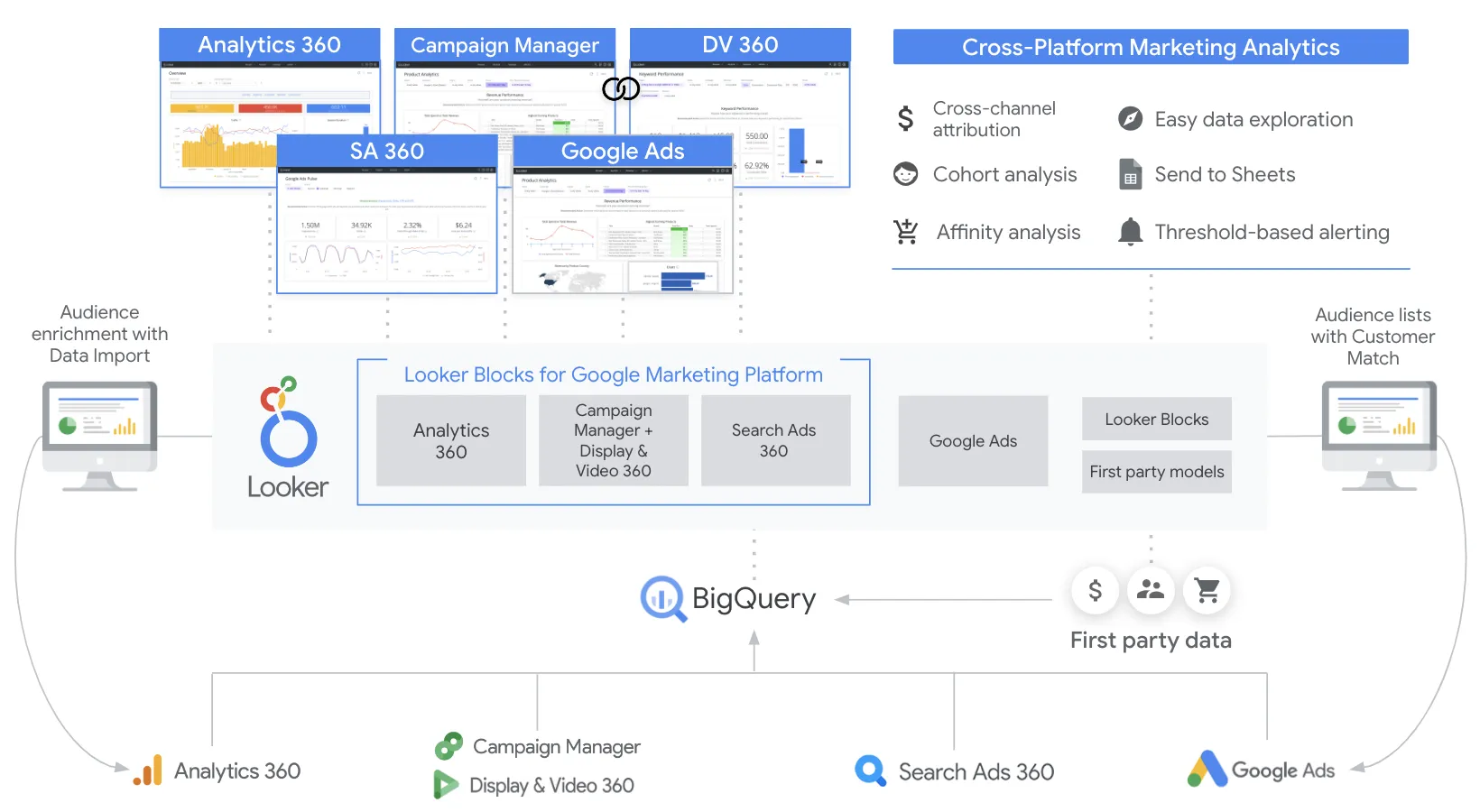
Looker
Feature Comparison
| Feature | Count | Looker |
|---|---|---|
| Data Analysis | ||
| AI-Powered Analysis | AI agent builds full auditable canvases from natural language, chains multiple operations, writes queries, and creates visualizations | Conversational Analytics powered by Gemini lets users ask data questions in natural language with API access for custom applications |
| SQL and Code Support | Supports SQL and Python analysis directly on the collaborative canvas with live data connections to warehouses | LookML abstraction layer translates user actions into optimized SQL queries sent directly to connected databases in real-time |
| Self-Service Exploration | Canvas-based exploration where users ask questions and get full analyses they can see, edit, share, and extend collaboratively | Explores and dashboards built on governed models allow business users to drill down to row-level detail and expand filters |
| Semantic Layer | ||
| Metric Definitions | Count Metrics semantic layer for governed, performant metrics with drag-and-drop analysis and semantic layer caching | LookML defines reusable metrics, joins, permissions, and derived tables in a centralized, version-controlled modeling layer |
| Data Governance | Enterprise-grade context and control layer defines guardrails, permissions, and maintains full visibility over AI data interactions | Universal semantic modeling layer provides single place to curate and govern metrics with consistent results across all consumption points |
| Third-Party Semantic Layer Support | Integrates with external semantic layers including dbt, LookML, Snowflake Cortex, Cube, and OSI alongside native Count Metrics | Opens LookML modeling layer to ecosystem partners ensuring governed information flows beyond the Looker platform itself |
| Collaboration and Sharing | ||
| Real-Time Collaboration | Multiple users work on the same canvas simultaneously with AI agents, exploring and extending analyses together in real-time | Team collaboration through shared dashboards, reports, and data explorations across departments with role-based access |
| Alerts and Reporting | Sends alerts, reports, and entire canvases to Slack and email with always-up-to-date presentations and scheduled delivery | Enterprise dashboards with real-time data, repeatable analysis, scheduled reports, and Slack integration for sharing insights |
| Embedded Analytics | Canvas-based sharing and presentation capabilities with collaborative editing and real-time data exploration | Robust embedded analytics with white-labeling, fully interactive dashboards in applications, and comprehensive API coverage for custom experiences |
| Platform and Infrastructure | ||
| Query Performance | Intelligent compute layer optimizes every query with query, canvas, and semantic layer caching for cost control at scale | Direct query against warehouses with no data storage ensures always-fresh results; in-database architecture optimizes performance per database |
| Security and Compliance | SOC 2 and GDPR compliant with guarantee that data is never used for model training; fine-grain permission controls | Row-level and column-level security, Google Cloud IAM SSO, private networking, encryption, and role-based access control |
| API and Extensibility | MCP protocol support connects to tools like Linear, HubSpot, Salesforce, Ahrefs, Zendesk, Google Ads, and Stripe | API-first platform with REST APIs, SDKs, Looker Marketplace with blocks, custom visualizations, plug-ins, and Vertex AI integration |
| Warehouse Connectivity | ||
| Cloud Data Warehouses | Connects to BigQuery, Snowflake, Databricks, Redshift, Athena, Azure Synapse, ClickHouse, and MotherDuck natively | Connects to Google BigQuery, Amazon Redshift, Snowflake, and other cloud warehouses with optimized queries per database environment |
| Database Support | Supports PostgreSQL, MySQL, MSSQL alongside cloud warehouses plus CSV, TSV, and Google Sheets file imports | Supports connections to relational databases and over 1,000 data sources through Looker Studio partner connectors |
| Data Freshness | Live connections to warehouses with intelligent caching at query, canvas, and semantic layer levels for performance optimization | Always-fresh results through direct warehouse queries with no intermediate data storage layer between users and source data |
Data Analysis
AI-Powered Analysis
SQL and Code Support
Self-Service Exploration
Semantic Layer
Metric Definitions
Data Governance
Third-Party Semantic Layer Support
Collaboration and Sharing
Real-Time Collaboration
Alerts and Reporting
Embedded Analytics
Platform and Infrastructure
Query Performance
Security and Compliance
API and Extensibility
Warehouse Connectivity
Cloud Data Warehouses
Database Support
Data Freshness
Which approach fits
Count delivers a collaborative AI-powered canvas ideal for teams that want fast, exploratory analytics with transparent pricing starting at $0. Looker provides enterprise-grade semantic modeling with LookML and deep Google Cloud integration for organizations needing governed, scalable BI infrastructure.
When each approach fits
Choose Count if:
Choose Count if your team values collaborative, AI-driven data exploration on a shared canvas. Count excels when analysts and business users need to ask ad-hoc questions and get full, auditable analyses without waiting for dashboard requests. The transparent pricing model starting with a free tier at $0, Pro at $49/month, and Scale at $69/month makes it accessible for teams of all sizes. Count's support for external semantic layers including dbt, LookML, and Snowflake Cortex means you can adopt it alongside existing tooling without replacing your data modeling investment.
Choose Looker if:
Choose Looker if your organization needs a centralized, governed semantic layer with LookML that enforces consistent metric definitions across all teams and applications. Looker is the stronger choice for enterprises requiring embedded analytics with white-labeling, extensive API coverage for custom data applications, and deep integration with the Google Cloud ecosystem including BigQuery, Vertex AI, and Google Workspace. The annual commitment pricing model with custom quotes suits large organizations that need row-level security, private networking, and compliance capabilities backed by Google Cloud infrastructure.
These scenarios reflect the available product evidence. Your requirements, existing stack, and team expertise should guide the final decision.
Frequently Asked Questions
How do Count and Looker differ in their approach to data modeling?
Count uses a collaborative canvas approach where analyses are built visually with SQL and Python, supported by the Count Metrics semantic layer for governed metrics and drag-and-drop analysis. Count also integrates with external semantic layers including dbt, LookML, Snowflake Cortex, and Cube. Looker centers its entire platform around LookML, a proprietary modeling language that defines reusable metrics, joins, permissions, and derived tables in version-controlled Git repositories. This means Looker requires upfront investment in LookML model development, while Count lets teams start exploring immediately and layer in governance progressively.
Can Count replace Looker for enterprise analytics?
Count and Looker serve different enterprise needs. Count provides SOC 2 and GDPR compliance, fine-grain permissions, and auditable canvases where every query is visible. It supports enterprise warehouse connections including BigQuery, Snowflake, Databricks, and Redshift. However, Looker offers deeper enterprise governance features like row-level and column-level security, Google Cloud IAM SSO, private networking, and a mature embedded analytics platform with white-labeling. Organizations heavily invested in Google Cloud infrastructure will find Looker's native integration particularly valuable, while teams prioritizing AI-driven exploration and transparent pricing will prefer Count.
What AI capabilities do Count and Looker offer?
Count's AI agent works directly on the collaborative canvas, building full auditable analyses from natural language prompts. The agent writes queries, creates visualizations, chains multiple operations together, and produces work that users can see, edit, and extend. Every step the AI takes is visible and auditable. Looker offers Conversational Analytics powered by Google's Gemini models, allowing users to ask data questions in natural language on top of governed data models. Looker also integrates with Vertex AI through extensions, enabling custom AI workflows within the Looker platform. Both approaches leverage AI but Count focuses on agent-driven canvas creation while Looker focuses on conversational exploration of existing governed models.
How does pricing compare between Count and Looker?
Count offers transparent, published pricing with a Free tier at $0 for getting started, Pro at $49/month per user, and Scale at $69/month per user, with no base fees and viewer seats included in every tier. Enterprise pricing requires contacting sales. Count also offers a 14-day trial with no credit card required. Looker uses an annual commitment model with custom pricing through Google Cloud sales. Looker publishes no platform or per-user price and quotes each edition; its only published rates are data-token overages of $3.00 per 1M input tokens and $20.00 per 1M output tokens. Organizations should contact Google Cloud directly for accurate Looker quotes based on their specific requirements.