Decision comparison
Domo vs Looker
Domo and Looker serve distinct segments of the BI market. Domo delivers an all-in-one platform with built-in ETL, 1,000+ connectors, and proprietary data storage that appeals to organizations wanting a single vendor for the entire data pipeline. Looker prioritizes governed, semantic-layer-driven analytics on top of existing cloud warehouses, making it the stronger choice for teams that already invest in modern data stacks and need version-controlled, reusable metrics. Budget-conscious mid-market teams that value data integration breadth will lean toward Domo, while data-mature organizations on Google Cloud that prize governance and embedded analytics will find more value in Looker.
Direct comparison. These are reviewed substitutes bought for the same job, so the differences below are the ones that decide between them.
All 2 are BI platforms.
Quick Comparison
| Decision factor | Domo | Looker |
|---|---|---|
| Best For | All-in-one BI with built-in ETL, connectors, and mobile-first dashboards | Governed analytics with LookML semantic modeling and embedded BI for SaaS products |
| Pricing Model | Hybrid model combining per-user license fees with consumption credits. Minimum viable deployment starts at $30,000/year ($2,500/month). Small teams (10-25 users): $1,200 to $3,000/user/year ($100 to $250/month). Mid-market (50-100 users): $1,000 to $2,000/user/year. Enterprise (200+ users): $750 to $1,500/user/year. Very large (500+ users): Custom pricing. Consumption-based credits included in enterprise tiers. | Looker (Google Cloud core) publishes no platform or per-user price. It offers three platform editions — Standard for organisations under 50 users, Enterprise, and Embed — each including one production instance, 10 Standard Users and 2 Developer Users, and each requiring a custom quote. Data-token overages beyond an instance's monthly allocation are published, at $3.00 per 1M input tokens and $20.00 per 1M output tokens. |
| Data Integration | 1,000+ pre-built cloud connectors, on-premises connectors, Magic ETL, SQL DataFlows | Direct query against cloud warehouses; no native ETL or data storage |
| Semantic Layer | Beast Modes for calculated fields; no dedicated modeling language | LookML modeling language with Git version control and reusable metrics |
| Deployment | Cloud-native SaaS with proprietary data storage and Adrenaline engine | Google Cloud Platform integration with SSO via Google Cloud IAM |
Domo
- Best For:
- All-in-one BI with built-in ETL, connectors, and mobile-first dashboards
- Pricing Model:
- Hybrid model combining per-user license fees with consumption credits. Minimum viable deployment starts at $30,000/year ($2,500/month). Small teams (10-25 users): $1,200 to $3,000/user/year ($100 to $250/month). Mid-market (50-100 users): $1,000 to $2,000/user/year. Enterprise (200+ users): $750 to $1,500/user/year. Very large (500+ users): Custom pricing. Consumption-based credits included in enterprise tiers.
- Data Integration:
- 1,000+ pre-built cloud connectors, on-premises connectors, Magic ETL, SQL DataFlows
- Semantic Layer:
- Beast Modes for calculated fields; no dedicated modeling language
- Deployment:
- Cloud-native SaaS with proprietary data storage and Adrenaline engine
Looker
- Best For:
- Governed analytics with LookML semantic modeling and embedded BI for SaaS products
- Pricing Model:
- Looker (Google Cloud core) publishes no platform or per-user price. It offers three platform editions — Standard for organisations under 50 users, Enterprise, and Embed — each including one production instance, 10 Standard Users and 2 Developer Users, and each requiring a custom quote. Data-token overages beyond an instance's monthly allocation are published, at $3.00 per 1M input tokens and $20.00 per 1M output tokens.
- Data Integration:
- Direct query against cloud warehouses; no native ETL or data storage
- Semantic Layer:
- LookML modeling language with Git version control and reusable metrics
- Deployment:
- Google Cloud Platform integration with SSO via Google Cloud IAM
Public signals
Verified factual signals only. Bars appear only for like-for-like metrics with five weekly assessments for every tool; missing evidence stays explicit. These signals do not establish enterprise adoption, product quality, or total cost.
| Metric | Domo | Looker |
|---|---|---|
| GitHub commits, 90d(Developer adoption) | 0 | Not available |
| GitHub stars(Developer adoption) | 125 | Not available |
| Search interest(Market interest) | 0 | 2 |
| Hacker News mentions, 90d(Community interest) | 0 | 2 |
| Product Hunt comments(Community interest) | 0 | 5 |
| Product Hunt rating(Community interest) | 5.0/5 | Unavailable |
| Product Hunt reviews(Community interest) | 10 | 0 |
| Product Hunt votes(Community interest) | 15 | 83 |
| PyPI weekly downloads(Developer adoption) | 56.3k | 2.0M |
| Stack Overflow questions(Community interest) | 76 | 226 |
| npm weekly downloads(Developer adoption) | Not available | 104.6k |
As of September 21, 2026 — updated weekly.
Health & risk evidence
Observed public-source checks for mapped package versions and repositories.
Domo
September 21, 2026Package vulnerabilities
PyPI · pydomo@0.3.0.16
0 vulnerabilities
across 1 package
Repository security score
github.com/domoinc/domo-python-sdk
2.1/10
Looker
September 21, 2026Package vulnerabilities
npm · @looker/sdk@26.12.0 · PyPI · looker-sdk@26.12.0
0 vulnerabilities
across 2 packages
Repository security score
Not available
Interface Preview
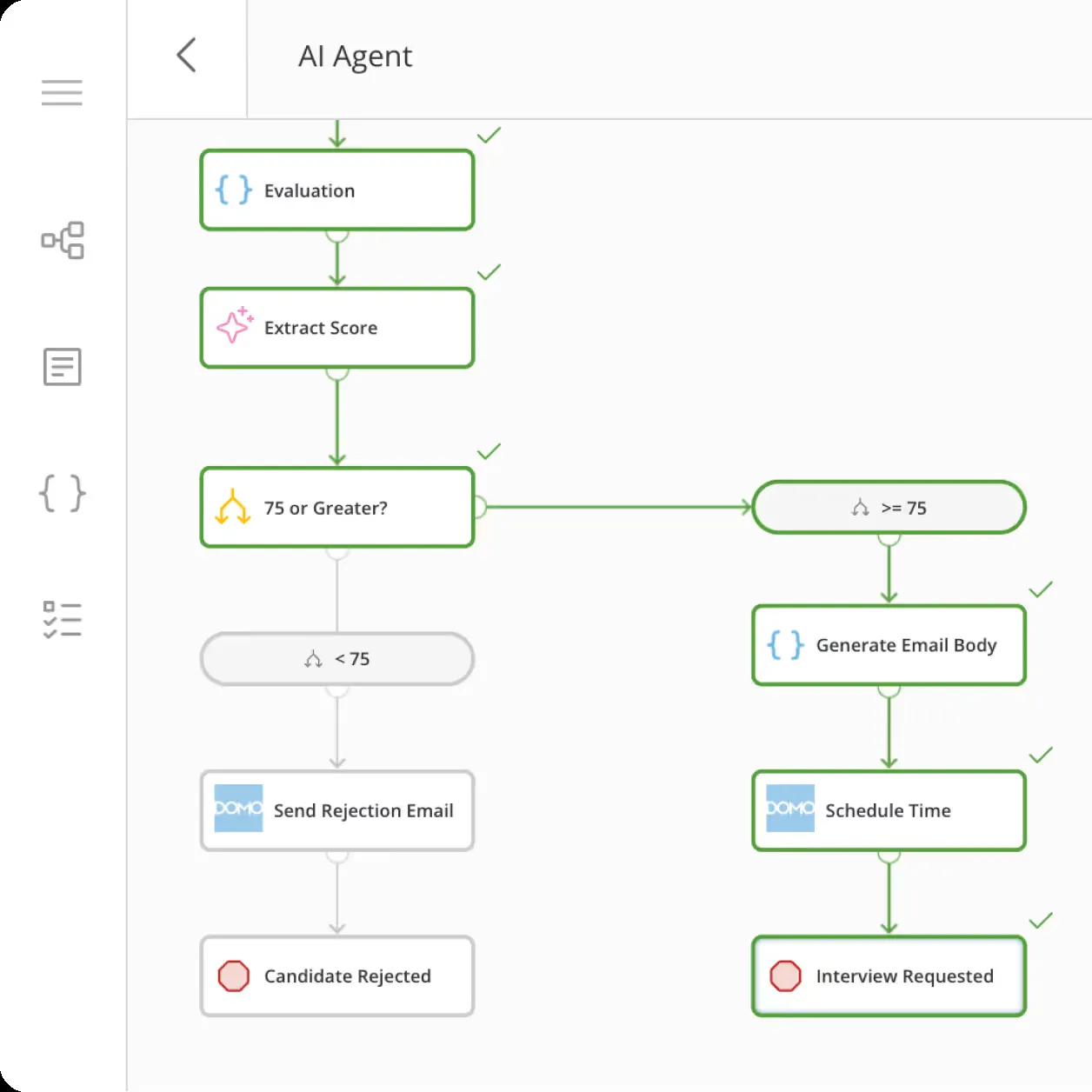
Domo
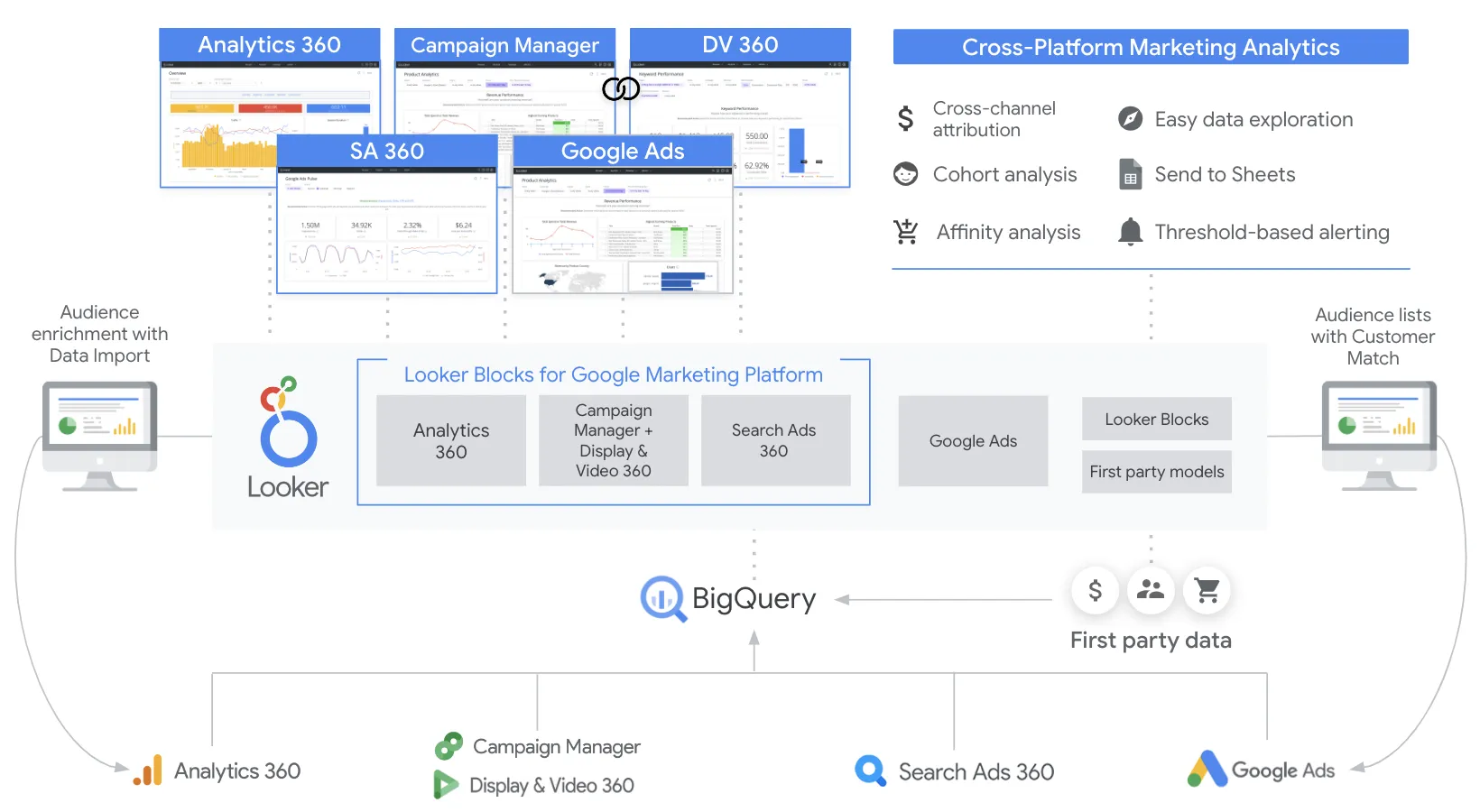
Looker
Feature Comparison
| Feature | Domo | Looker |
|---|---|---|
| Data Integration & ETL | ||
| Pre-built Data Connectors | 1,000+ cloud connectors plus on-premises connectors via Workbench | Connects to cloud warehouses (BigQuery, Snowflake, Redshift) via direct query |
| Built-in ETL Tools | Magic ETL (visual, no-code) and SQL DataFlows for custom transformations | No native ETL; relies on external tools like dbt or Dataform |
| Data Storage | Proprietary storage with Adrenaline engine for in-memory queries | No data storage; queries run directly against your warehouse for always-fresh results |
| Semantic Modeling & Governance | ||
| Semantic Layer | Beast Modes for ad hoc calculated fields; no centralized modeling language | LookML defines reusable metrics, joins, permissions, and derived tables in a governed layer |
| Version Control | No native Git integration for data models | Git-integrated version control for all LookML models |
| Row-Level Security | Personalized data permissions with trusted attributes and custom user roles | Row-level and column-level security with audit features for enterprise governance |
| Visualization & Dashboards | ||
| Chart Types | 150+ chart types with 7,000+ custom maps | Standard chart library with Looker Studio for interactive drag-and-drop reports |
| Self-Service Exploration | Drag-and-drop Analyzer with Beast Modes for business user exploration | Explores let users drill into governed data; Looker Studio offers ad hoc analysis |
| Mobile Experience | Dedicated mobile app with full dashboard and alert functionality | Mobile-responsive dashboards through web browser; no dedicated mobile app |
| Embedded Analytics & APIs | ||
| Embedded Analytics | Embedded analytics with branding toolkit, bi-directional filters, and mobile-optimized UI | Robust embedding and white-labeling options with full API coverage for SaaS products |
| API & SDK Access | APIs, SDKs, and webhooks for custom integrations and app development | API-first platform with REST APIs, SDKs, and Looker Extensions for custom workflows |
| AI & Advanced Analytics | ||
| AI Capabilities | Domo.AI with AI agents, conversational data exploration, and AutoML via SageMaker Autopilot | Gemini-powered Conversational Analytics for natural language queries and Vertex AI integration |
| Data Science Workspaces | Jupyter Workspaces integration with Python and R for in-platform model development | Machine Learning Accelerator via Looker Marketplace; relies on BigQuery ML or Vertex AI |
| Natural Language Queries | AI-powered conversational exploration through Domo.AI | Conversational Analytics powered by Gemini for chat-with-your-data workflows |
Data Integration & ETL
Pre-built Data Connectors
Built-in ETL Tools
Data Storage
Semantic Modeling & Governance
Semantic Layer
Version Control
Row-Level Security
Visualization & Dashboards
Chart Types
Self-Service Exploration
Mobile Experience
Embedded Analytics & APIs
Embedded Analytics
API & SDK Access
AI & Advanced Analytics
AI Capabilities
Data Science Workspaces
Natural Language Queries
Which to choose
Domo and Looker serve distinct segments of the BI market. Domo delivers an all-in-one platform with built-in ETL, 1,000+ connectors, and proprietary data storage that appeals to organizations wanting a single vendor for the entire data pipeline. Looker prioritizes governed, semantic-layer-driven analytics on top of existing cloud warehouses, making it the stronger choice for teams that already invest in modern data stacks and need version-controlled, reusable metrics. Budget-conscious mid-market teams that value data integration breadth will lean toward Domo, while data-mature organizations on Google Cloud that prize governance and embedded analytics will find more value in Looker.
Best-fit scenarios
Choose Domo if:
Mid-market to enterprise teams that need an all-in-one BI platform with built-in ETL, 1,000+ data connectors, and a mobile-first experience. Domo is particularly well-suited for organizations that lack a dedicated data engineering team and want a single platform covering data integration, transformation, visualization, and collaboration without assembling a multi-tool stack.
Choose Looker if:
Data-mature organizations already running cloud warehouses like BigQuery, Snowflake, or Redshift that need governed, version-controlled analytics through LookML. Looker is ideal for SaaS companies embedding analytics into their products, enterprises requiring row-level security and centralized metric definitions, and Google Cloud customers seeking tight platform integration with Gemini AI and IAM.
These scenarios reflect the available product evidence. Your requirements, existing stack, and team expertise should guide the final decision.
Frequently Asked Questions
What is the main difference between Domo and Looker?
Domo is an all-in-one BI platform with built-in ETL, 1,000+ data connectors, and proprietary data storage. Looker is a semantic-layer-driven analytics platform that queries your existing cloud warehouse directly using LookML, without storing data itself. Domo handles the entire data pipeline in one tool, while Looker focuses on governed analytics on top of an existing modern data stack.
How does pricing compare between Domo and Looker?
Domo uses a hybrid consumption-based model combining per-user license fees with credit-based usage charges. The minimum viable deployment starts at $30,000/year, with per-user costs ranging from $750 to $3,000/user/year depending on team size. Looker offers Standard ($99/mo), Premium ($299/mo), and Enterprise (custom) plans with annual commitments. Both platforms require contacting sales for accurate enterprise-level quotes.
Which platform is better for embedded analytics?
Both platforms offer strong embedded analytics, but they approach it differently. Looker provides an API-first platform with robust white-labeling and embedding options designed for SaaS companies building data products. Domo offers embedded analytics with a branding toolkit, bi-directional filters, and mobile-optimized UI. Looker is generally favored for deeply integrated product analytics, while Domo works well for customer-facing dashboards within its all-in-one ecosystem.
Do I need a data warehouse to use Domo or Looker?
Domo does not require a separate data warehouse because it includes proprietary data storage and an in-memory Adrenaline engine. You can connect to 1,000+ sources and store data directly in Domo. Looker requires an existing cloud data warehouse (such as BigQuery, Snowflake, or Redshift) because it queries data in place without storing it. This means Looker always returns fresh results but depends on your warehouse for performance and storage.
Which platform has better AI capabilities in 2026?
Both platforms have invested heavily in AI. Domo offers Domo.AI with customizable AI agents, AutoML via Amazon SageMaker Autopilot, Jupyter Workspaces for Python and R model development, and conversational data exploration. Looker integrates with Google Gemini for Conversational Analytics, Vertex AI for custom AI workflows, and BigQuery ML for in-warehouse machine learning. The choice depends on your cloud ecosystem: Domo provides a self-contained AI toolkit, while Looker leverages the extensive Google Cloud AI stack.