Decision comparison
Amazon QuickSight vs Metabase
Choose Amazon QuickSight for AWS-centered enterprise analytics where managed SPICE performance, AWS data connections, anomaly detection, forecasting, and agentic workflows matter most. Choose Metabase for teams that prioritize open-source self-hosting, SQL plus no-code exploration, and highly customizable embedded analytics in a product.
Direct comparison. These are reviewed substitutes bought for the same job, so the differences below are the ones that decide between them.
All 2 are BI platforms.
Quick Comparison
| Decision factor | Amazon QuickSight | Metabase |
|---|---|---|
| Best For | AWS-centric enterprises needing governed dashboards, embedded analytics, SPICE acceleration, and built-in anomaly detection or forecasting across enterprise data sources. | Teams wanting self-hosted or cloud BI, no-code exploration, native SQL, and customizable embedded analytics for applications or internal reporting. |
| Architecture | Fully managed AWS cloud BI service using SPICE in-memory calculations, connecting natively with S3, RDS, Redshift, and 40+ applications. | Open-source querying and visualization layer deployable self-hosted or in cloud, connecting to 20+ data sources with result and model caching. |
| Pricing Model | Per-user pricing: Reader $3 per user/month, Reader Pro $20 per user/month, Author $24 per user/month and Author Pro $40 per user/month. A $250/month per-account infrastructure fee applies to some configurations. Capacity pricing starts at $250/month for 500 sessions with additional sessions at $0.50, or $20,000/year for 50,000 sessions with additional sessions at $0.40. Enterprise pricing on request. The captured pricing page states no free tier. | Community Edition is free, open-source and self-hosted, with unlimited users. Paid Metabase Cloud plans start with Starter at $100/month, or $90/month billed annually, including the first 5 users, then $6 per user/month. Pro is $575/month, or $517.50/month annually, including the first 10 users, then $12 per user/month. Enterprise is custom pricing starting at $20,000/year. Both paid plans offer a 14 days free trial. |
| Ease of Use | Interactive dashboard creation is approachable, but user feedback notes missing features, complex reports, time-zone issues, and business-user challenges. | Visual query builder supports nontechnical users, while a SQL editor supports advanced analysis; users rate it 8.4/10 across 66 reviews. |
| Scalability | Managed cloud architecture and SPICE are designed to support high-concurrency analysis and thousands of users without managing database infrastructure. | Caching, staging environments, configuration exports, and cloud or self-hosted deployment support growth from production databases to data warehouses. |
| Community/Support | AWS ecosystem support suits enterprise teams; users rate it 8.1/10 across 53 reviews, praising power while noting feature gaps. | Open-source project with 49,117 GitHub stars; paid plans include Slack, Teams, and email support, with priority Enterprise support. |
Amazon QuickSight
- Best For:
- AWS-centric enterprises needing governed dashboards, embedded analytics, SPICE acceleration, and built-in anomaly detection or forecasting across enterprise data sources.
- Architecture:
- Fully managed AWS cloud BI service using SPICE in-memory calculations, connecting natively with S3, RDS, Redshift, and 40+ applications.
- Pricing Model:
- Per-user pricing: Reader $3 per user/month, Reader Pro $20 per user/month, Author $24 per user/month and Author Pro $40 per user/month. A $250/month per-account infrastructure fee applies to some configurations. Capacity pricing starts at $250/month for 500 sessions with additional sessions at $0.50, or $20,000/year for 50,000 sessions with additional sessions at $0.40. Enterprise pricing on request. The captured pricing page states no free tier.
- Ease of Use:
- Interactive dashboard creation is approachable, but user feedback notes missing features, complex reports, time-zone issues, and business-user challenges.
- Scalability:
- Managed cloud architecture and SPICE are designed to support high-concurrency analysis and thousands of users without managing database infrastructure.
- Community/Support:
- AWS ecosystem support suits enterprise teams; users rate it 8.1/10 across 53 reviews, praising power while noting feature gaps.
Metabase
- Best For:
- Teams wanting self-hosted or cloud BI, no-code exploration, native SQL, and customizable embedded analytics for applications or internal reporting.
- Architecture:
- Open-source querying and visualization layer deployable self-hosted or in cloud, connecting to 20+ data sources with result and model caching.
- Pricing Model:
- Community Edition is free, open-source and self-hosted, with unlimited users. Paid Metabase Cloud plans start with Starter at $100/month, or $90/month billed annually, including the first 5 users, then $6 per user/month. Pro is $575/month, or $517.50/month annually, including the first 10 users, then $12 per user/month. Enterprise is custom pricing starting at $20,000/year. Both paid plans offer a 14 days free trial.
- Ease of Use:
- Visual query builder supports nontechnical users, while a SQL editor supports advanced analysis; users rate it 8.4/10 across 66 reviews.
- Scalability:
- Caching, staging environments, configuration exports, and cloud or self-hosted deployment support growth from production databases to data warehouses.
- Community/Support:
- Open-source project with 49,117 GitHub stars; paid plans include Slack, Teams, and email support, with priority Enterprise support.
Public signals
Verified factual signals only. Bars appear only for like-for-like metrics with five weekly assessments for every tool; missing evidence stays explicit. These signals do not establish enterprise adoption, product quality, or total cost.
| Metric | Amazon QuickSight | Metabase |
|---|---|---|
| Search interest(Market interest) | 0 | Not available |
| npm weekly downloads(Developer adoption) | 140.3k | 36.8k |
| Product Hunt comments(Community interest) | 2 | 30 |
| Product Hunt rating(Community interest) | 5.0/5 | 4.9/5 |
| Product Hunt reviews(Community interest) | 1 | 24 |
| Product Hunt votes(Community interest) | 78 | 310 |
| Stack Overflow questions(Community interest) | 718 | 374 |
| Docker Hub pulls(Product adoption) | Not available | 272.7M |
| GitHub commits, 90d(Product adoption) | Not available | 2.0k |
| GitHub stars(Product adoption) | Not available | 49,000+ |
| Hacker News mentions, 90d(Community interest) | Not available | 12 |
As of September 21, 2026 — updated weekly.
Health & risk evidence
Observed public-source checks for mapped package versions and repositories.
Amazon QuickSight
September 21, 2026Package vulnerabilities
npm · amazon-quicksight-embedding-sdk@2.11.3
0 vulnerabilities
across 1 package
Repository security score
Not available
Metabase
September 21, 2026Package vulnerabilities
npm · @metabase/embedding-sdk-react@0.63.1
0 vulnerabilities
across 1 package
Repository security score
github.com/metabase/metabase
7.1/10
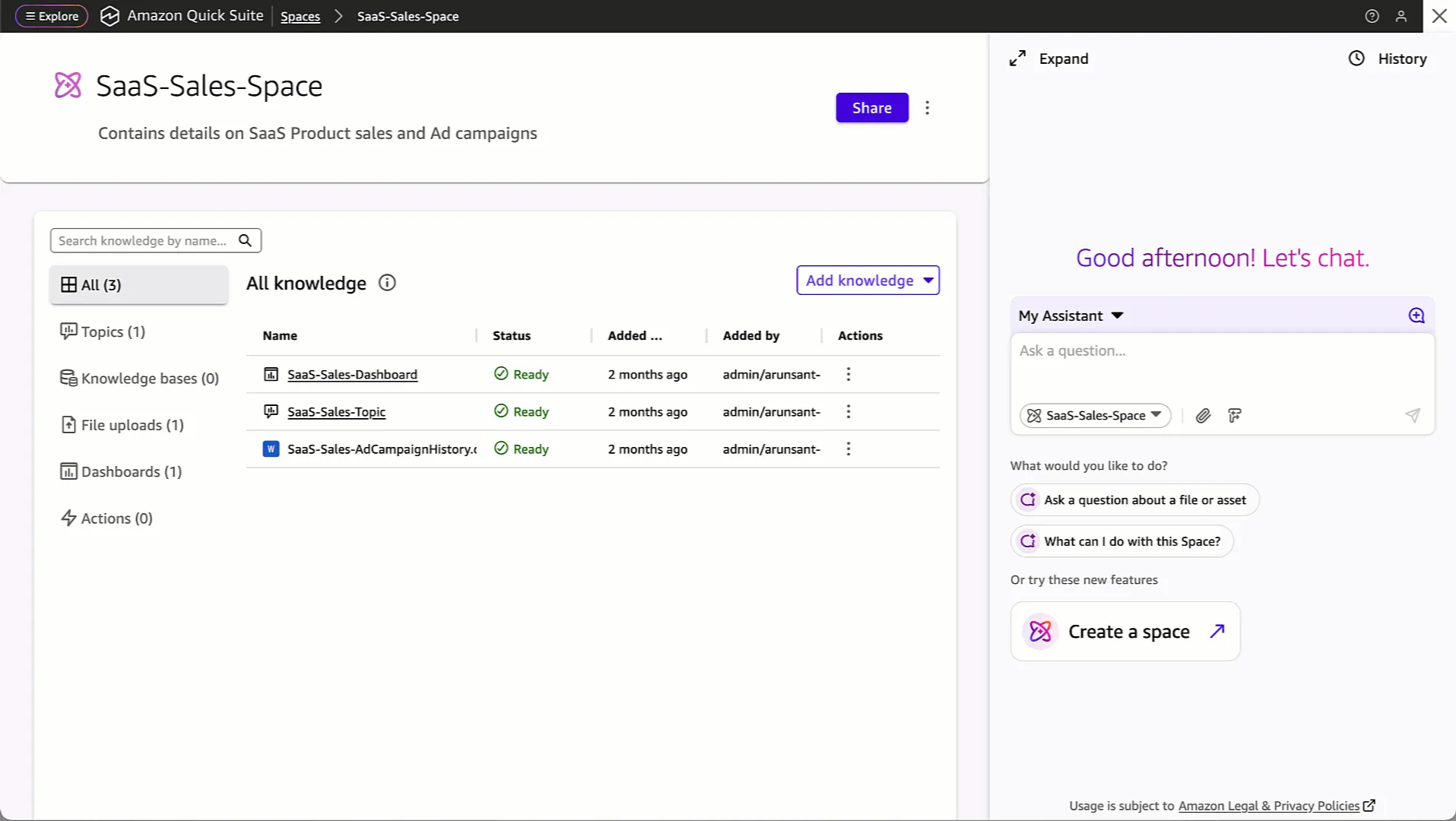
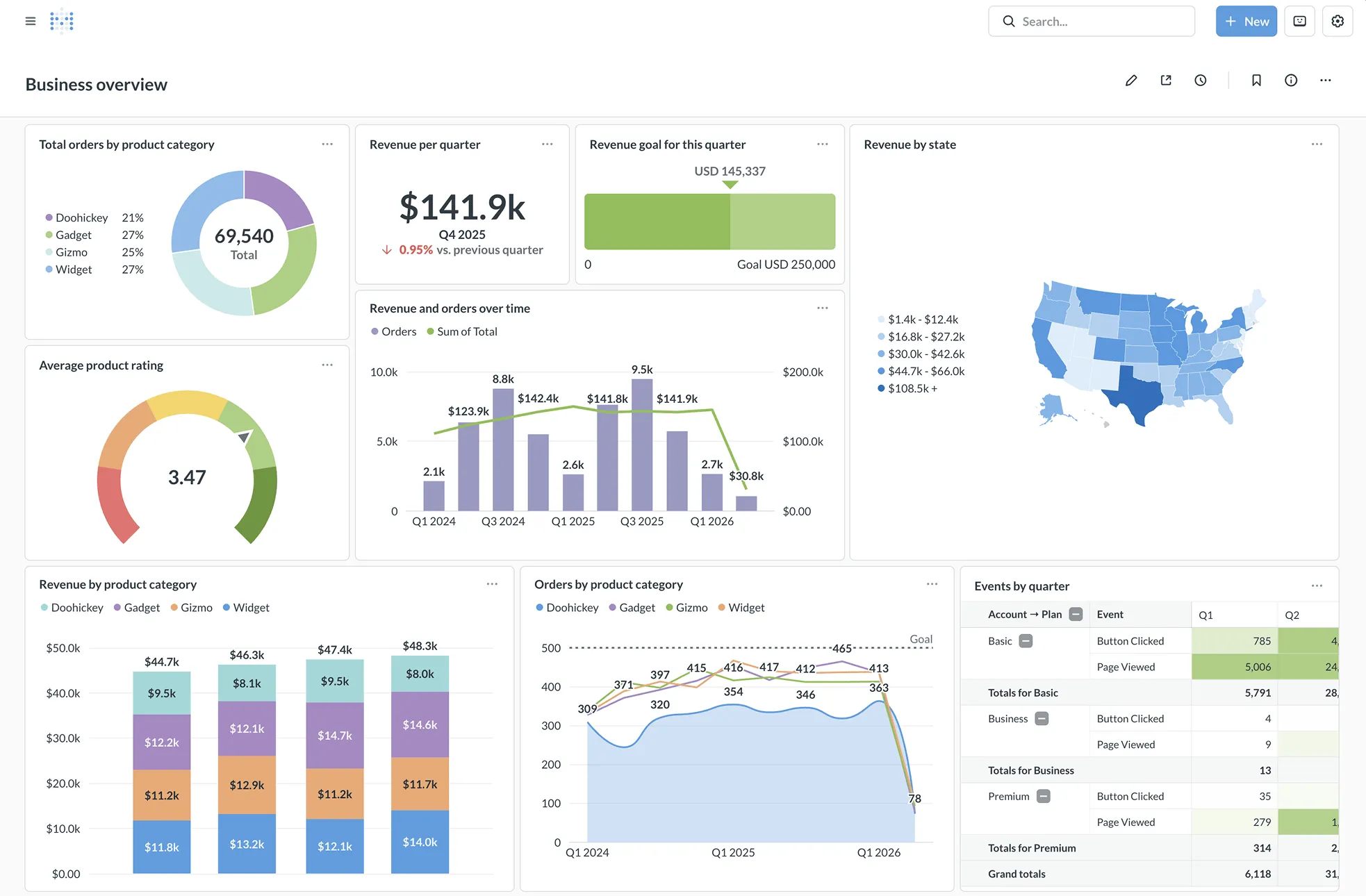
Interface Preview
Amazon QuickSight
Metabase
Feature Comparison
| Feature | Amazon QuickSight | Metabase |
|---|---|---|
| Deployment and architecture | ||
| Deployment model | Fully managed AWS cloud business-intelligence service | Cloud deployment or self-hosted open-source instance |
| Performance layer | SPICE parallel in-memory calculation engine accelerates analysis | Result and model caching keeps dashboards responsive |
| Data-source connectivity | Native AWS connections plus 40+ application integrations | Querying and visualization layer connecting 20+ data sources |
| Data exploration | ||
| No-code analysis | Interactive dashboards provide customized dynamic visual analysis | Visual query builder lets users run reports without SQL |
| Advanced querying | Unified intelligence analyzes connected enterprise data sources | SQL editor supports raw queries, joins, and custom logic |
| Reusable analytics content | Dashboards can be shared in public or private environments | Models, metrics, questions, and dashboards organize in collections |
| AI and automation | ||
| Machine learning | Built-in anomaly detection and forecasting within the interface | Metabot AI is available on listed paid plans |
| Conversational and agent workflows | Research and automation agents explore data and take dashboard actions | Natural-language capability is a reported user weakness |
| Proactive delivery | Capacity can purchase Amazon Q question usage in bulk | Alerts and scheduled reports send through Slack or email |
| Embedding and sharing | ||
| Dashboard sharing | Shares interactive dashboards publicly or privately | Embeds dashboards, visualizations, and self-serve reporting |
| Embedded analytics approach | Reader session capacity targets embedded and large-scale deployments | Uses iframes or React SDK for embedded analytics |
| Product customization | Interactive dashboards support public and private sharing environments | White-labeling, dynamic styling, and interactive embedding controls |
| Governance and operations | ||
| Access control | AWS-oriented enterprise access and managed cloud service model | Granular permissions and multi-tenant data segregation |
| Authentication | AWS-integrated service access for enterprise BI deployments | Supports SAML, LDAP, JWT, and Google SSO |
| Lifecycle management | Managed service removes database-infrastructure management for SPICE analysis | Staging environments and exported configurations support safer deployment |
Deployment and architecture
Deployment model
Performance layer
Data-source connectivity
Data exploration
No-code analysis
Advanced querying
Reusable analytics content
AI and automation
Machine learning
Conversational and agent workflows
Proactive delivery
Embedding and sharing
Dashboard sharing
Embedded analytics approach
Product customization
Governance and operations
Access control
Authentication
Lifecycle management
Which to choose
Choose Amazon QuickSight for AWS-centered enterprise analytics where managed SPICE performance, AWS data connections, anomaly detection, forecasting, and agentic workflows matter most. Choose Metabase for teams that prioritize open-source self-hosting, SQL plus no-code exploration, and highly customizable embedded analytics in a product.
Best-fit scenarios
Choose Amazon QuickSight if:
Choose it when your core data already resides in S3, RDS, or Redshift; you need a managed AWS BI service; or you expect large embedded-reader deployments using session capacity.
Choose Metabase if:
Choose it when deployment control, a free self-hosted starting point, visual querying plus SQL, or React SDK and white-label embedded analytics are primary requirements.
These scenarios reflect the available product evidence. Your requirements, existing stack, and team expertise should guide the final decision.
Frequently Asked Questions
What is the main difference between Amazon QuickSight and Metabase?
Amazon QuickSight is a fully managed AWS business-intelligence service centered on AWS integrations, the SPICE in-memory engine, interactive dashboards, and built-in machine-learning capabilities such as anomaly detection and forecasting. Metabase is an open-source querying and visualization layer that can run self-hosted or in the cloud. Its central workflow pairs a no-code visual query builder with native SQL, and it offers iframes or a React SDK for customizable embedded analytics.
Which is better for small teams?
Metabase is often the better fit for a small team that can operate a self-hosted instance, because its open-source version can be started with the published Docker image and it offers a visual query builder for nontechnical users. Its paid Starter plan is $100/month if managed cloud deployment and listed support channels are needed. QuickSight is compelling for a small team already standardized on AWS, especially because it starts at $3 per user a month for Readers and connects directly to S3, RDS, and Redshift.
Can I migrate from Amazon QuickSight to Metabase?
Yes, but this is a rebuild-oriented migration rather than a direct dashboard conversion described in the provided product information. First inventory QuickSight data sources, calculated fields, permissions, dashboards, SPICE refresh behavior, and any anomaly-detection or forecasting workflows. Then connect Metabase to the underlying databases or warehouses, recreate models, metrics, questions, SQL queries, dashboards, collections, permissions, alerts, and embedded integrations. SPICE-specific acceleration and QuickSight agent workflows require separate design decisions using Metabase caching, SQL, and operational processes.
What are the pricing differences?
QuickSight publishes no free tier; it prices per user by role, $3 a month for a Reader and $24 for an Author, with custom Enterprise pricing. It also supports capacity pricing for purchasing Reader sessions or Amazon Q question capacity in bulk, which is relevant for embedded applications and large BI deployments. Metabase offers a free self-hosted open-source instance, Starter at $100 per month, Pro at $575 per month, and an Enterprise tier priced custom from $20,000/year with sales contact required; the supplied data does not specify that Enterprise tier's billing unit.