Decision comparison
Metabase vs Apache Superset vs Grafana
Metabase, Apache Superset, and Grafana serve distinct scenarios despite overlapping dashboard capabilities. Metabase is suited to non-technical business teams and SaaS products needing self-service, embedded, white-labeled reporting with visual querying and optional SQL. Apache Superset fits data teams that need Apache 2.0-licensed self-hosted BI, SQL exploration, semantic metrics, and 40+ visualization types against large cloud databases. Grafana is the focused choice for DevOps observability, combining metrics, logs, traces, alerting, time-series sources, and cloud-monitoring integrations.
These are different kinds of product — BI Platform and Metrics & Dashboards. Teams do weigh them against each other, but they are not drop-in substitutes, so read the table as a fit question rather than a feature race.
Quick Comparison
| Decision factor | Metabase | Apache Superset | Grafana |
|---|---|---|---|
| Best For | Non-technical teams needing self-service analytics with a visual query builder and embedded analytics, including white-labeled dashboards and React SDK integrations. | Data teams needing a powerful open-source BI platform with advanced SQL exploration and 40+ chart types, interactive dashboards, and custom visualization extensibility. | DevOps and infrastructure teams needing real-time observability dashboards for metrics, logs, and traces, plus alert-driven incident response across operational data sources. |
| Architecture | Clojure-based application connecting to 20+ databases as a visualization layer, self-hosted or cloud, with result/model caching and staging-environment deployment workflows. | Python/Flask backend with React frontend; lightweight design leveraging existing data infrastructure without ingestion, connecting to SQL databases including cloud-native, petabyte-scale engines. | Go/TypeScript platform with pluggable data source model; supports time-series databases and cloud monitoring vendors, mixing multiple sources within one dashboard or graph. |
| Pricing Model | Community Edition is free, open-source and self-hosted, with unlimited users. Paid Metabase Cloud plans start with Starter at $100/month, or $90/month billed annually, including the first 5 users, then $6 per user/month. Pro is $575/month, or $517.50/month annually, including the first 10 users, then $12 per user/month. Enterprise is custom pricing starting at $20,000/year. Both paid plans offer a 14 days free trial. | Free and open-source under Apache License 2.0 | Grafana Cloud Free is $0/month and includes 10k active metrics series, 50 GB of logs, traces and profiles, and 3 active users. Pro is from $19/month plus usage: metrics at $6.50 per 1k series, logs, traces and profiles at $0.400/GB write and $0.100/GB retain, and Grafana visualization at $8 per active user. Enterprise starts at a $25,000/year minimum commit and is quote-based. |
| Ease of Use | Very approachable for non-technical users with no-code query builder and intuitive dashboard creation, while native SQL provides an escape hatch for advanced analysis. | Steeper learning curve than Metabase; SQL knowledge helpful but offers a no-code visualization builder alongside SQL Lab IDE for direct database exploration. | Template-driven dashboard creation with pre-defined templates; more technical focus oriented toward operations teams, with user feedback praising data-source integrations and alert delivery. |
| Scalability | Scales from startups to enterprises with model caching and staging environments for larger deployments; granular permissions, multi-tenant segregation, and usage tracking support growth. | Designed for petabyte-scale databases with caching layers; handles large datasets across cloud-native databases, leveraging existing infrastructure and supporting Apache Druid for responsive queries. | Highly scalable for observability workloads with Grafana Cloud handling metrics, logs, traces, and profiles at scale; free and Pro include defined monthly usage allowances. |
| Community/Support | 48,000+ GitHub stars; community forums; paid plans include Slack, Teams, and email support within 3 days. Repository release v0.63.16 was published September 2026. | 74,000+ GitHub stars; Apache Software Foundation community; Slack channel, mailing list, and meetups. Version 6.1.0 is the latest listed release, published May 2026. | 76,000+ GitHub stars; active plugin ecosystem; Grafana Labs blog, documentation, and enterprise support options. Repository release v13.2.1 was published September 2026. |
Metabase
- Best For:
- Non-technical teams needing self-service analytics with a visual query builder and embedded analytics, including white-labeled dashboards and React SDK integrations.
- Architecture:
- Clojure-based application connecting to 20+ databases as a visualization layer, self-hosted or cloud, with result/model caching and staging-environment deployment workflows.
- Pricing Model:
- Community Edition is free, open-source and self-hosted, with unlimited users. Paid Metabase Cloud plans start with Starter at $100/month, or $90/month billed annually, including the first 5 users, then $6 per user/month. Pro is $575/month, or $517.50/month annually, including the first 10 users, then $12 per user/month. Enterprise is custom pricing starting at $20,000/year. Both paid plans offer a 14 days free trial.
- Ease of Use:
- Very approachable for non-technical users with no-code query builder and intuitive dashboard creation, while native SQL provides an escape hatch for advanced analysis.
- Scalability:
- Scales from startups to enterprises with model caching and staging environments for larger deployments; granular permissions, multi-tenant segregation, and usage tracking support growth.
- Community/Support:
- 48,000+ GitHub stars; community forums; paid plans include Slack, Teams, and email support within 3 days. Repository release v0.63.16 was published September 2026.
Apache Superset
- Best For:
- Data teams needing a powerful open-source BI platform with advanced SQL exploration and 40+ chart types, interactive dashboards, and custom visualization extensibility.
- Architecture:
- Python/Flask backend with React frontend; lightweight design leveraging existing data infrastructure without ingestion, connecting to SQL databases including cloud-native, petabyte-scale engines.
- Pricing Model:
- Free and open-source under Apache License 2.0
- Ease of Use:
- Steeper learning curve than Metabase; SQL knowledge helpful but offers a no-code visualization builder alongside SQL Lab IDE for direct database exploration.
- Scalability:
- Designed for petabyte-scale databases with caching layers; handles large datasets across cloud-native databases, leveraging existing infrastructure and supporting Apache Druid for responsive queries.
- Community/Support:
- 74,000+ GitHub stars; Apache Software Foundation community; Slack channel, mailing list, and meetups. Version 6.1.0 is the latest listed release, published May 2026.
Grafana
- Best For:
- DevOps and infrastructure teams needing real-time observability dashboards for metrics, logs, and traces, plus alert-driven incident response across operational data sources.
- Architecture:
- Go/TypeScript platform with pluggable data source model; supports time-series databases and cloud monitoring vendors, mixing multiple sources within one dashboard or graph.
- Pricing Model:
- Grafana Cloud Free is $0/month and includes 10k active metrics series, 50 GB of logs, traces and profiles, and 3 active users. Pro is from $19/month plus usage: metrics at $6.50 per 1k series, logs, traces and profiles at $0.400/GB write and $0.100/GB retain, and Grafana visualization at $8 per active user. Enterprise starts at a $25,000/year minimum commit and is quote-based.
- Ease of Use:
- Template-driven dashboard creation with pre-defined templates; more technical focus oriented toward operations teams, with user feedback praising data-source integrations and alert delivery.
- Scalability:
- Highly scalable for observability workloads with Grafana Cloud handling metrics, logs, traces, and profiles at scale; free and Pro include defined monthly usage allowances.
- Community/Support:
- 76,000+ GitHub stars; active plugin ecosystem; Grafana Labs blog, documentation, and enterprise support options. Repository release v13.2.1 was published September 2026.
Public signals
Verified factual signals only. Bars appear only for like-for-like metrics with five weekly assessments for every tool; missing evidence stays explicit. These signals do not establish enterprise adoption, product quality, or total cost.
| Metric | Metabase | Apache Superset | Grafana |
|---|---|---|---|
| Docker Hub pulls(Product adoption) | 271.8M | 605.0M | 5.3B |
| GitHub commits, 90d(Product adoption) | 2.1k | 2.3k | 3.1k |
| GitHub stars(Product adoption) | 49,000+ | 74,000+ | 76,000+ |
| Search interest(Market interest) | Not available | 1 | 22 |
| Hacker News mentions, 90d(Community interest) | 12 | 0 | 31 |
| npm weekly downloads(Developer adoption) | 45.9k | 11.2k | 76.4k |
| Product Hunt comments(Community interest) | 30 | 0 | 0 |
| Product Hunt rating(Community interest) | 4.9/5 | Unavailable | 5.0/5 |
| Product Hunt reviews(Community interest) | 24 | 0 | 1 |
| Product Hunt votes(Community interest) | 308 | 69 | 5 |
| Stack Overflow questions(Community interest) | 374 | 1.3k | 5.8k |
| PyPI weekly downloads(Product adoption) | Not available | 90.9k | Not available |
| PyPI weekly downloads(Ecosystem adoption) | Not available | Not available | 48.7k |
As of September 14, 2026 — updated weekly.
Health & risk evidence
Observed public-source checks for mapped package versions and repositories.
Metabase
September 14, 2026Package vulnerabilities
npm · @metabase/embedding-sdk-react@0.63.1
0 vulnerabilities
across 1 package
Repository security score
github.com/metabase/metabase
5.8/10
Apache Superset
September 14, 2026Package vulnerabilities
npm · @superset-ui/core@0.20.4 · PyPI · apache-superset@6.1.0
0 vulnerabilities
across 2 packages
Repository security score
github.com/apache/superset
5.5/10
Grafana
September 14, 2026Package vulnerabilities
npm · @grafana/data@13.2.1 · PyPI · grafana-client@5.1.2
0 vulnerabilities
across 2 packages
Repository security score
github.com/grafana/grafana
6.9/10
Interface Preview
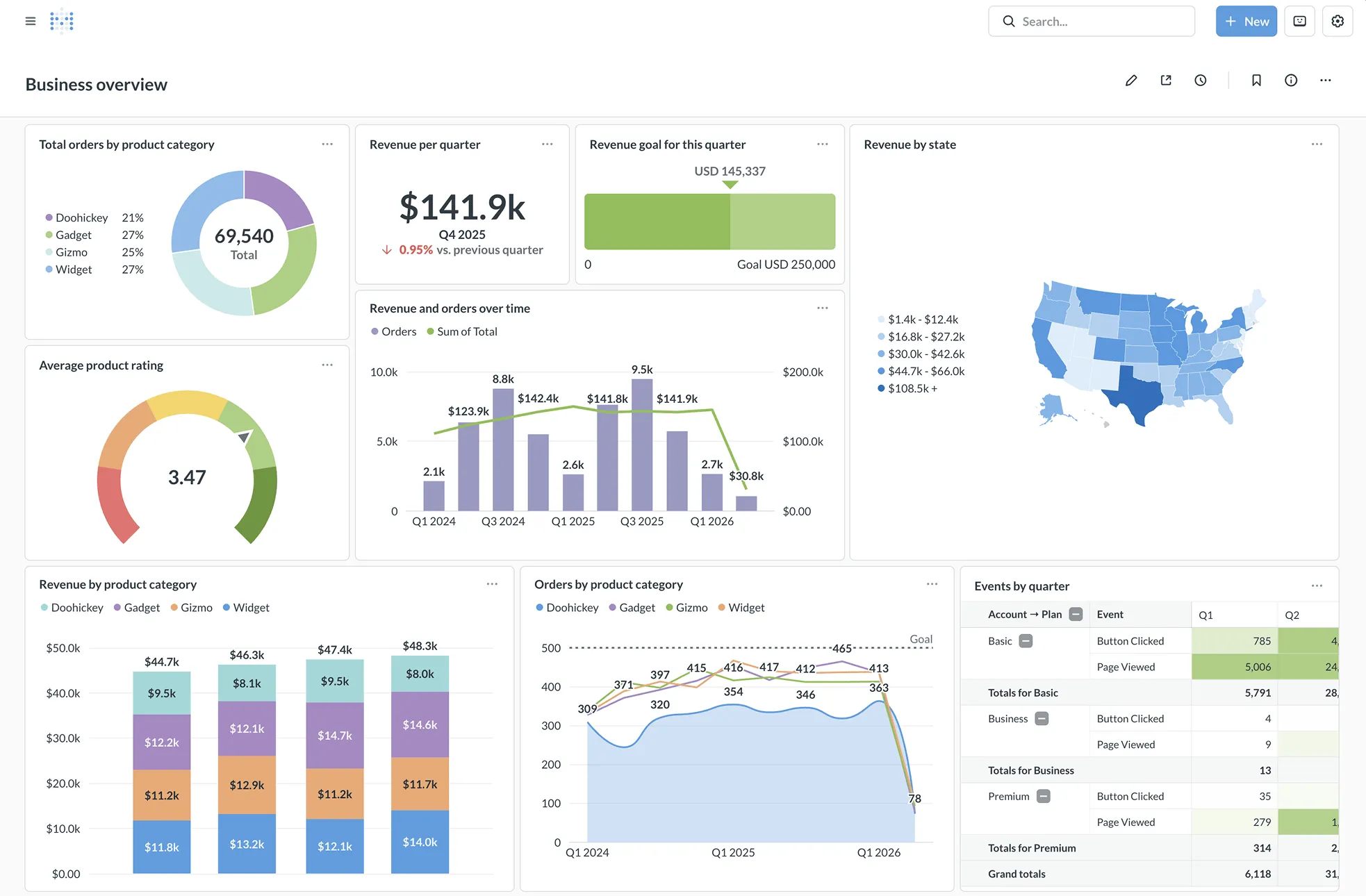
Metabase
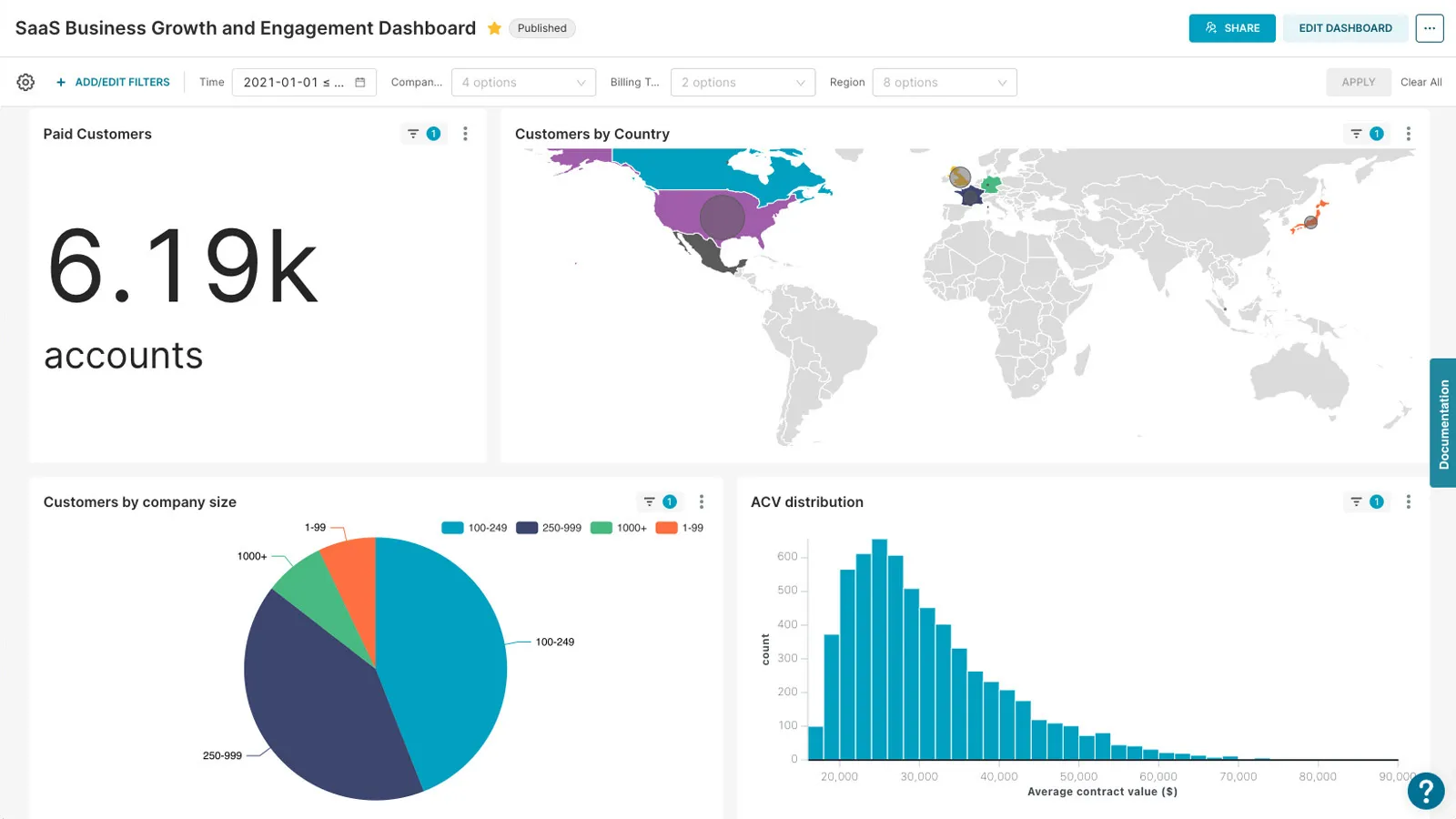
Apache Superset
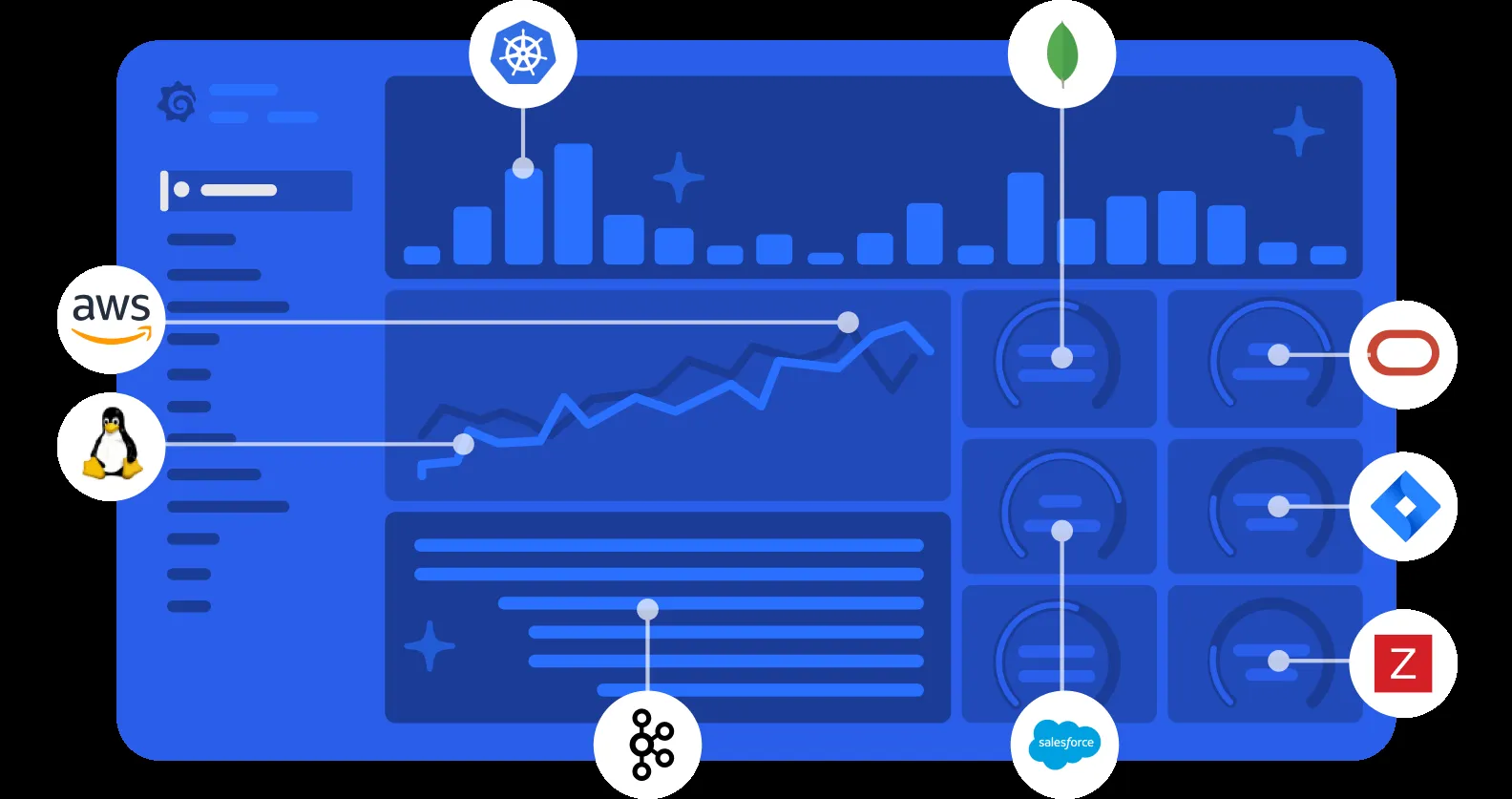
Grafana
Feature Comparison
| Feature | Metabase | Apache Superset | Grafana |
|---|---|---|---|
| Data Exploration & Querying | |||
| Visual Query Builder | No-code query builder for intuitive data exploration without SQL | Drag-and-drop chart builder with no-code visualization creation | Panel-based query editor with template variables for dynamic dashboards |
| SQL Editor | Built-in SQL editor for power users who need raw query access | SQL Lab IDE with database metadata browsing and Jinja templating | Query editor supports SQL for compatible data sources like MySQL and Postgres |
| Data Source Connectivity | Connects to 20+ databases including PostgreSQL, MySQL, and data warehouses | Supports any SQL-based database including BigQuery, Snowflake, and Redshift at petabyte scale | Pluggable data source model with Prometheus, InfluxDB, Elasticsearch, and cloud monitoring vendors |
| Semantic Layer | Models and metrics with Data Studio workbench for curating datasets | Built-in semantic layer with metrics, dimensions, and SQL data transformations | No traditional semantic layer; focused on metric queries and transformations at query time |
| Visualization & Dashboards | |||
| Chart Types | Standard chart types with automatic x-ray reports for quick insights | 40+ pre-installed visualization types with plugin architecture for custom charts | Flexible client-side graphs optimized for time-series data with heatmaps and gauges |
| Interactive Dashboards | Dashboard filters, cross-filters, and drill-through menus configured out of the box | Interactive dashboards with cross-filters, drill-to-detail, and drill-by features | Dynamic dashboards with template variables for switching contexts and data sets |
| Custom Visualizations | Limited to built-in chart types with customizable click behaviors | Extensible plugin architecture allows developers to build custom visualization types | Wide range of community and official plugins extending visualization capabilities |
| Dashboard Sharing | Public link sharing, scheduled delivery via email and Slack, PDF export | Dashboard embedding and sharing with role-based access controls | Dashboard snapshots, embedding, and public dashboards with link sharing |
| Security & Access Control | |||
| Authentication | SSO integration with SAML, LDAP, JWT, and Google authentication providers | Extensible security model with OAuth, OpenID, and LDAP authentication support | Built-in user authentication with support for various external authentication providers |
| Permissions Model | Row-level and column-level permissions with database-managed security and multi-tenant data segregation | Role-based access control with dataset-level and dashboard-level permissions | Organization-based access with team permissions and folder-level dashboard access |
| Compliance | SOC1, SOC2, GDPR, CCPA compliant with usage analytics and audit tracking | Community-managed security; compliance depends on deployment and configuration | Enterprise edition includes enhanced security features and governance controls |
| Deployment & Operations | |||
| Deployment Options | Self-hosted via Docker or JAR file, or fully managed Metabase Cloud | Self-hosted via Docker with Helm charts for Kubernetes; Preset offers managed cloud | Self-hosted open source, Grafana Cloud managed service, or enterprise on-premise edition |
| Caching | Result and model caching with granular duration settings, no external schedulers needed | Built-in caching layer for faster dashboard and chart load times | Query caching available in Grafana Cloud and enterprise deployments |
| Alerting | Scheduled alerts and subscriptions delivered via email, Slack, and HTTP | Alert features available for monitoring data thresholds and conditions | Flexible alerting engine with visual alert rule definitions and multi-channel notifications |
| Extensibility | API access, staging environments, and config export for multi-instance deployments | Highly extensible via Python with custom visualizations, plugins, and feature flags | Rich plugin ecosystem with community-contributed data sources, panels, and apps |
| Embedded Analytics | |||
| Embedding Support | iFrame embedding and React SDK for white-labeled customer-facing analytics | Dashboard embedding via iframes; limited native multi-tenancy for customer-facing use | Panel and dashboard embedding with iframe support for integration into applications |
| White Labeling | Full white-labeling with dynamic styling and custom branding on Pro and Enterprise plans | CSS templates for customizing charts and dashboards to match brand styling | White-labeling available in Grafana Enterprise edition for custom branding |
| Multi-Tenancy | Native multi-tenant data segregation with one-database-per-tenant support | Requires custom row-level security configuration per tenant, no native multi-tenancy | Organization-based multi-tenancy in Grafana Cloud and enterprise deployments |
Data Exploration & Querying
Visual Query Builder
SQL Editor
Data Source Connectivity
Semantic Layer
Visualization & Dashboards
Chart Types
Interactive Dashboards
Custom Visualizations
Dashboard Sharing
Security & Access Control
Authentication
Permissions Model
Compliance
Deployment & Operations
Deployment Options
Caching
Alerting
Extensibility
Embedded Analytics
Embedding Support
White Labeling
Multi-Tenancy
What each one does
Metabase, Apache Superset, and Grafana serve distinct scenarios despite overlapping dashboard capabilities. Metabase is suited to non-technical business teams and SaaS products needing self-service, embedded, white-labeled reporting with visual querying and optional SQL. Apache Superset fits data teams that need Apache 2.0-licensed self-hosted BI, SQL exploration, semantic metrics, and 40+ visualization types against large cloud databases. Grafana is the focused choice for DevOps observability, combining metrics, logs, traces, alerting, time-series sources, and cloud-monitoring integrations.
What each one is for
Choose Metabase if:
Choose Metabase when non-technical users need self-service analytics without learning SQL. It also fits SaaS teams embedding white-labeled dashboards through iframes or the React SDK, with Starter at $100/mo and Pro at $575/mo.
Choose Apache Superset if:
Choose Apache Superset when a SQL-capable data team needs 40+ chart types, a semantic layer, and exploration against petabyte-scale SQL databases. It is free to self-host under Apache License 2.0, but production operation remains your responsibility.
Choose Grafana if:
Choose Grafana when the primary need is real-time infrastructure observability across metrics, logs, traces, and time-series data. Grafana Cloud offers an always-free tier, while self-serve Pro starts at $19 per month plus usage.
These scenarios reflect the available product evidence. Your requirements, existing stack, and team expertise should guide the final decision.
Frequently Asked Questions
What is the main difference between Metabase and Apache Superset?
Metabase, Apache Superset, and Grafana each serve distinct use cases despite overlapping in data visualization. Metabase excels at making analytics accessible to non-technical teams with its polished UI and embedded analytics capabilities. Apache Superset offers the most powerful open-source BI platform for data teams comfortable with SQL who need advanced exploration at scale. Grafana dominates the observability space with real-time monitoring dashboards for metrics, logs, and traces.
When should I choose Metabase?
Choose Metabase when you need Your team includes non-technical users who need self-service analytics without learning SQL, You need embedded, white-labeled analytics integrated into your SaaS product with React SDK support.
When should I choose Apache Superset?
Choose Apache Superset when you need You have a data team comfortable with SQL and need 40+ visualization types with a semantic layer, You want a completely free, open-source BI solution with no per-user licensing costs.
How do Metabase and Apache Superset compare on pricing?
The supplied evidence supports Grafana Cloud pricing only, so it does not permit a reliable like-for-like price comparison with Metabase or Apache Superset. Grafana Cloud has an always-free tier; its self-serve Pro plan starts at $19 per month plus usage, with volume discounts; and Enterprise starts at a $25,000 annual spend commitment. Buyers should confirm the applicable usage charges, volume-discount terms, retention requirements, and whether an Enterprise commitment fits their deployment and support needs.