Decision comparison
Domo vs Metabase
Domo is the enterprise-grade all-in-one BI platform for organizations that need massive data integration, built-in ETL, AI agents, and a managed cloud experience, but it comes with opaque pricing starting at $30,000/year and significant implementation costs. Metabase is the developer-friendly, open-source BI tool that delivers fast time-to-value with transparent pricing starting at $100/month, self-hosted flexibility, and a clean interface that non-technical teams adopt quickly.
Direct comparison. These are reviewed substitutes bought for the same job, so the differences below are the ones that decide between them.
All 2 are BI platforms.
Quick Comparison
| Decision factor | Domo | Metabase |
|---|---|---|
| Best For | Enterprise teams needing an all-in-one BI platform with data integration and AI agents | Startups and mid-size teams wanting fast, accessible analytics on existing databases |
| Pricing Model | Hybrid model combining per-user license fees with consumption credits. Minimum viable deployment starts at $30,000/year ($2,500/month). Small teams (10-25 users): $1,200 to $3,000/user/year ($100 to $250/month). Mid-market (50-100 users): $1,000 to $2,000/user/year. Enterprise (200+ users): $750 to $1,500/user/year. Very large (500+ users): Custom pricing. Consumption-based credits included in enterprise tiers. | Community Edition is free, open-source and self-hosted, with unlimited users. Paid Metabase Cloud plans start with Starter at $100/month, or $90/month billed annually, including the first 5 users, then $6 per user/month. Pro is $575/month, or $517.50/month annually, including the first 10 users, then $12 per user/month. Enterprise is custom pricing starting at $20,000/year. Both paid plans offer a 14 days free trial. |
| Data Integration | 1,000+ pre-built cloud connectors with on-premises support and federated data queries | 20+ database connectors that query your database directly without data ingestion |
| Ease of Use | Drag-and-drop dashboard builder with a steeper learning curve for advanced features | Clean no-code query builder that non-technical users can learn in minutes |
| Deployment Options | Cloud-only SaaS platform with AWS Private Link for enterprise security needs | Self-hosted open-source, cloud-hosted, or air-gapped deployment with full flexibility |
| Open Source | Proprietary closed-source platform with no self-hosted or community edition available | Fully open-source core with 48,000+ GitHub stars and active community contributions |
Domo
- Best For:
- Enterprise teams needing an all-in-one BI platform with data integration and AI agents
- Pricing Model:
- Hybrid model combining per-user license fees with consumption credits. Minimum viable deployment starts at $30,000/year ($2,500/month). Small teams (10-25 users): $1,200 to $3,000/user/year ($100 to $250/month). Mid-market (50-100 users): $1,000 to $2,000/user/year. Enterprise (200+ users): $750 to $1,500/user/year. Very large (500+ users): Custom pricing. Consumption-based credits included in enterprise tiers.
- Data Integration:
- 1,000+ pre-built cloud connectors with on-premises support and federated data queries
- Ease of Use:
- Drag-and-drop dashboard builder with a steeper learning curve for advanced features
- Deployment Options:
- Cloud-only SaaS platform with AWS Private Link for enterprise security needs
- Open Source:
- Proprietary closed-source platform with no self-hosted or community edition available
Metabase
- Best For:
- Startups and mid-size teams wanting fast, accessible analytics on existing databases
- Pricing Model:
- Community Edition is free, open-source and self-hosted, with unlimited users. Paid Metabase Cloud plans start with Starter at $100/month, or $90/month billed annually, including the first 5 users, then $6 per user/month. Pro is $575/month, or $517.50/month annually, including the first 10 users, then $12 per user/month. Enterprise is custom pricing starting at $20,000/year. Both paid plans offer a 14 days free trial.
- Data Integration:
- 20+ database connectors that query your database directly without data ingestion
- Ease of Use:
- Clean no-code query builder that non-technical users can learn in minutes
- Deployment Options:
- Self-hosted open-source, cloud-hosted, or air-gapped deployment with full flexibility
- Open Source:
- Fully open-source core with 48,000+ GitHub stars and active community contributions
Public signals
Verified factual signals only. Bars appear only for like-for-like metrics with five weekly assessments for every tool; missing evidence stays explicit. These signals do not establish enterprise adoption, product quality, or total cost.
| Metric | Domo | Metabase |
|---|---|---|
| GitHub commits, 90d(Developer adoption) | 0 | Not available |
| GitHub stars(Developer adoption) | 125 | Not available |
| Search interest(Market interest) | 0 | Not available |
| Hacker News mentions, 90d(Community interest) | 0 | 12 |
| Product Hunt comments(Community interest) | 0 | 30 |
| Product Hunt rating(Community interest) | 5.0/5 | 4.9/5 |
| Product Hunt reviews(Community interest) | 10 | 24 |
| Product Hunt votes(Community interest) | 15 | 310 |
| PyPI weekly downloads(Developer adoption) | 56.3k | Not available |
| Stack Overflow questions(Community interest) | 76 | 374 |
| Docker Hub pulls(Product adoption) | Not available | 272.7M |
| GitHub commits, 90d(Product adoption) | Not available | 2.0k |
| GitHub stars(Product adoption) | Not available | 49,000+ |
| npm weekly downloads(Developer adoption) | Not available | 36.8k |
As of September 21, 2026 — updated weekly.
Health & risk evidence
Observed public-source checks for mapped package versions and repositories.
Domo
September 21, 2026Package vulnerabilities
PyPI · pydomo@0.3.0.16
0 vulnerabilities
across 1 package
Repository security score
github.com/domoinc/domo-python-sdk
2.1/10
Metabase
September 21, 2026Package vulnerabilities
npm · @metabase/embedding-sdk-react@0.63.1
0 vulnerabilities
across 1 package
Repository security score
github.com/metabase/metabase
7.1/10
Interface Preview
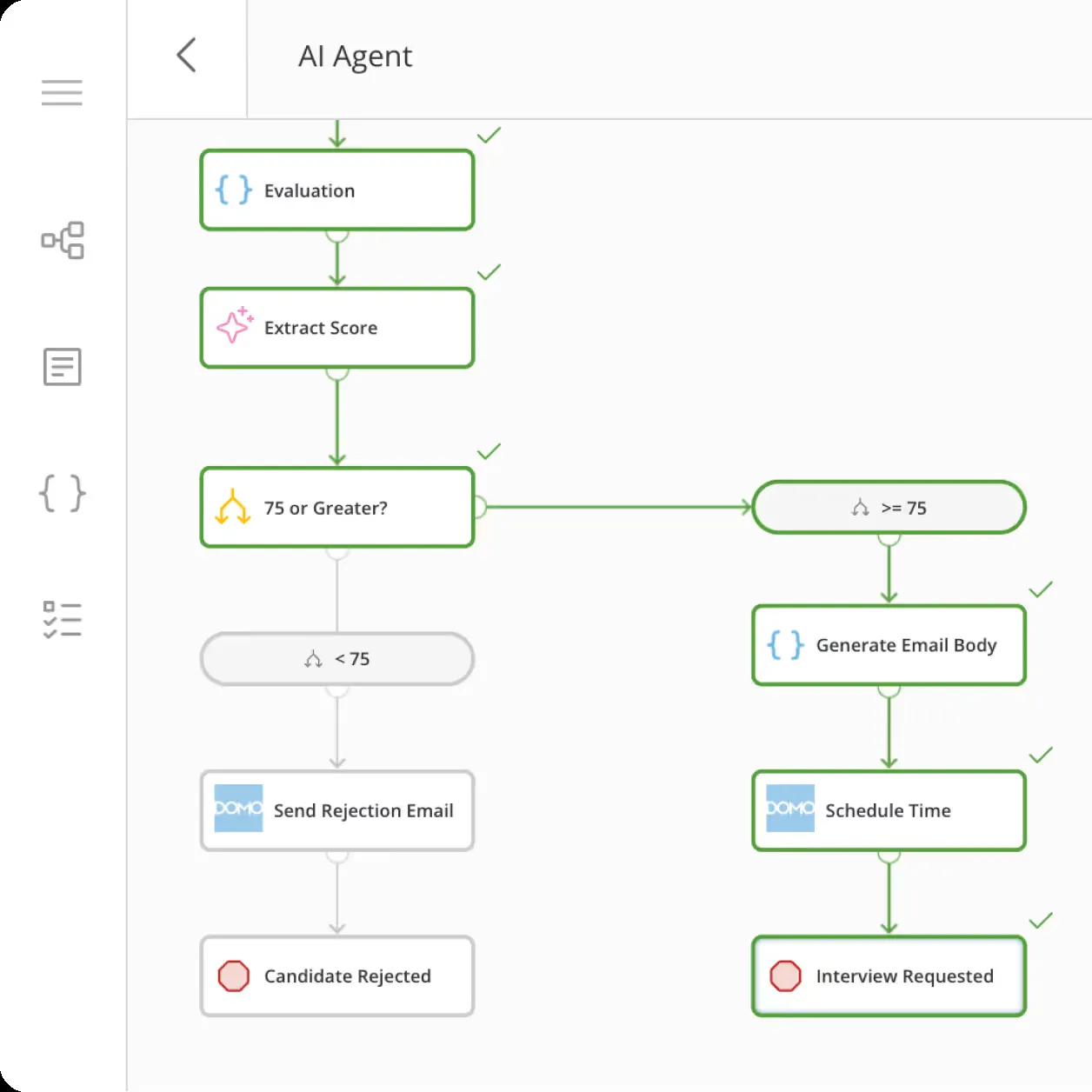
Domo
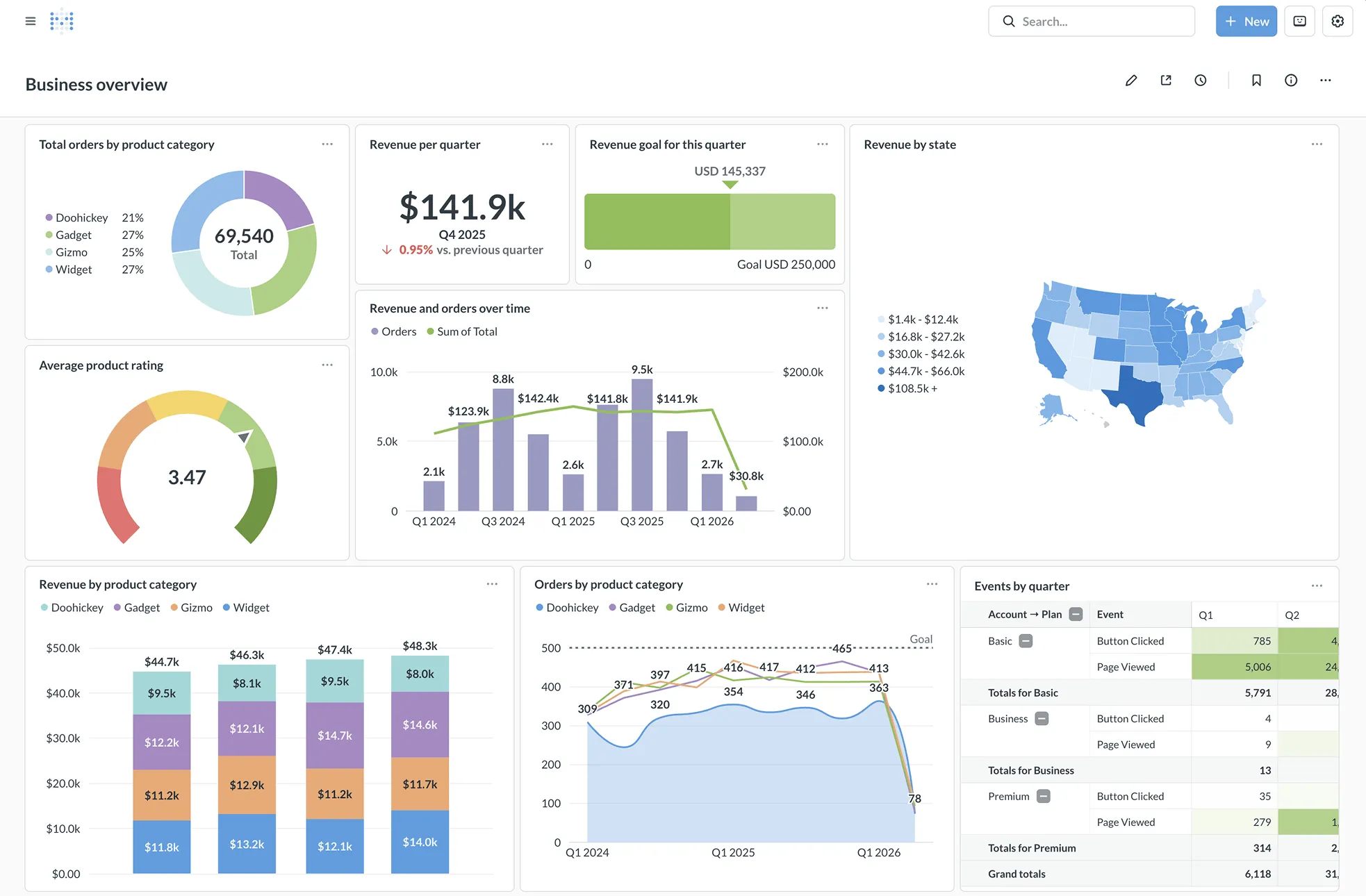
Metabase
Feature Comparison
| Feature | Domo | Metabase |
|---|---|---|
| Data Connectivity | ||
| Number of Data Connectors | 1,000+ pre-built cloud and on-premises connectors | 20+ database connectors |
| Federated Data Queries | Yes, query live data from Snowflake, BigQuery, Redshift without duplication | Yes, queries run directly against your database with no data ingestion |
| ETL / Data Transformation | Built-in Magic ETL (visual) and SQL DataFlows for pipeline building | SQL transforms and Python transforms available as add-ons in Data Studio |
| Visualization & Dashboards | ||
| Chart Types | 150+ chart types with 7,000+ custom maps | Standard chart library with drill-through and cross-filtering |
| Dashboard Builder | Drag-and-drop Analyzer with Beast Modes for custom calculations | No-code visual query builder with interactive drill-through menus |
| Mobile Access | Dedicated mobile app with full dashboard and alert functionality | Mobile-optimized responsive UI for browser-based access |
| AI & Advanced Analytics | ||
| AI Capabilities | Domo AI with automated ML, AI agents, and Jupyter Workspaces integration | Metabot AI for natural language SQL generation and AI code generation for transforms |
| Machine Learning | Automated ML via Amazon SageMaker Autopilot integration | No built-in ML; relies on external tools or database-level ML |
| Natural Language Queries | Conversational AI for data exploration through Domo AI suite | Metabot AI chat for querying databases in natural language |
| Embedded Analytics & Extensibility | ||
| Embedded Analytics | Full embedded analytics with white-labeling, iFrames, and JavaScript SDK | Embedded analytics with React SDK, iFrames, and white-label customization |
| API & Developer Tools | App Dev Framework with HTML/CSS/JS, SDKs for Java and Python | REST API, API keys, and open-source Clojure codebase for deep customization |
| App Marketplace | Appstore with hundreds of pre-built apps and community connectors | No marketplace; extensions come from the open-source community |
| Security & Governance | ||
| Access Control | Custom user roles, personalized row-level permissions, trusted attributes | Row-level and column-level permissions with database-managed access |
| SSO Integration | Enterprise SSO support with custom authentication options | SAML, LDAP, JWT, and Google SSO with group mapping |
| Compliance | HIPAA compliance, BYOK encryption, AWS Private Link on Business Critical tier | SOC1, SOC2, GDPR, CCPA compliance with self-hosted data residency control |
Data Connectivity
Number of Data Connectors
Federated Data Queries
ETL / Data Transformation
Visualization & Dashboards
Chart Types
Dashboard Builder
Mobile Access
AI & Advanced Analytics
AI Capabilities
Machine Learning
Natural Language Queries
Embedded Analytics & Extensibility
Embedded Analytics
API & Developer Tools
App Marketplace
Security & Governance
Access Control
SSO Integration
Compliance
Which to choose
Domo is the enterprise-grade all-in-one BI platform for organizations that need massive data integration, built-in ETL, AI agents, and a managed cloud experience, but it comes with opaque pricing starting at $30,000/year and significant implementation costs. Metabase is the developer-friendly, open-source BI tool that delivers fast time-to-value with transparent pricing starting at $100/month, self-hosted flexibility, and a clean interface that non-technical teams adopt quickly.
Best-fit scenarios
Choose Domo if:
Choose Domo if your organization needs to consolidate hundreds of data sources into a single platform with built-in ETL pipelines, AI-powered agents, and enterprise-grade governance. Domo makes sense for mid-market and enterprise teams with annual BI budgets above $100,000 that want a fully managed cloud solution handling everything from data ingestion through visualization and collaboration.
Choose Metabase if:
Choose Metabase if you want fast, accessible analytics on top of your existing database without moving or duplicating data. Metabase is the stronger choice for startups, small-to-mid-size teams, and SaaS companies embedding analytics into their products. The open-source option means you can self-host at zero license cost, and the paid cloud plans offer transparent pricing that scales predictably as your team grows.
These scenarios reflect the available product evidence. Your requirements, existing stack, and team expertise should guide the final decision.
Frequently Asked Questions
Is Metabase really free to use?
Metabase offers a fully open-source edition that you can self-host at no license cost. You download it, run a single Docker command, and start querying your database within minutes. The open-source version includes the query builder, SQL editor, dashboards, charts, and basic permissions. Paid plans add features like cloud hosting, embedded analytics white-labeling, priority support, advanced caching, and Data Studio tools. The Starter plan costs $100/month for cloud deployment, while the Pro plan at $575/month adds self-hosted support and additional features. Enterprise pricing requires contacting sales.
How much does Domo actually cost per year?
Domo does not publish pricing publicly and requires contacting sales for a custom quote. Mid-market deployments of 50 to 100 users run $100,000 to $150,000 annually. Enterprise contracts for 200+ users range from $200,000 to $500,000 or more. Domo uses a consumption-based credit model where data ingestion, ETL transformations, and dashboard refreshes all draw from a pre-purchased credit pool, making actual costs dependent on usage volume.
Can I embed Domo or Metabase dashboards in my own application?
Both platforms support embedded analytics, but they approach it differently. Domo provides embedded analytics with white-labeling, iFrames, and a JavaScript SDK for deeper control. You get personalized data access, branding customization, and mobile-optimized embeds. Metabase offers embedding through iFrames for quick setup and a React SDK for advanced customization. Metabase white-labeling removes Metabase branding on Pro and Enterprise plans. For SaaS companies embedding analytics for customers, Metabase is often the more cost-effective option given its transparent per-plan pricing versus Domo's negotiated enterprise contracts.
Which tool is easier for non-technical users to learn?
Metabase has a clear advantage for non-technical users. Its visual query builder lets people ask questions about data without writing SQL, and the interface is deliberately simple with minimal learning curve. Users frequently praise its clean UI and fast setup. Domo also offers drag-and-drop dashboard creation and visual ETL tools, but the platform's breadth creates a steeper learning curve. Domo combines data integration, transformation, visualization, collaboration, and app creation in one product, which means users need to learn more before becoming productive. User reviews consistently cite Domo's learning curve as a notable drawback.
What data sources does each tool connect to?
Domo connects to over 1,000 pre-built cloud and on-premises data sources including Salesforce, Google Analytics, Snowflake, and custom systems through APIs, SDKs, and webhooks. It also supports federated queries against data warehouses like Redshift and BigQuery without data duplication. Metabase connects to 20+ databases including PostgreSQL, MySQL, MongoDB, Snowflake, BigQuery, and Redshift. Metabase sits directly on top of your database as a visualization layer without ingesting or storing your data. If you need to connect hundreds of SaaS applications and file sources, Domo has significantly broader connector coverage.