Decision comparison
Metabase vs Apache Superset
Metabase and Apache Superset are both strong open-source business intelligence platforms, but they serve different audiences and use cases. Metabase is the polished, accessible option built for teams where non-technical users need to explore data independently and where SaaS companies need embedded analytics with white-labeling and multi-tenant support. Apache Superset is the powerful, extensible option built for SQL-proficient data teams that want maximum visualization flexibility, deep database connectivity, and zero licensing costs. Metabase wins on speed-to-value, embedded analytics, and user experience for mixed-skill teams. Superset wins on visualization breadth, SQL-first exploration, extensibility through custom plugins, and total cost of ownership for technical teams comfortable with self-hosting. Both tools are trusted by thousands of organizations, with Metabase reporting over 90,000 companies using the platform and Superset backed by the Apache Software Foundation with over 72,000 GitHub stars.
Direct comparison. These are reviewed substitutes bought for the same job, so the differences below are the ones that decide between them.
All 2 are BI platforms.
Quick Comparison
| Decision factor | Metabase | Apache Superset |
|---|---|---|
| Ease of Use | Designed for non-technical users; visual query builder requires zero SQL knowledge | More technical; no-code builder available but SQL knowledge unlocks the full platform |
| Visualization Library | Core chart types with clean defaults; fewer options than Superset but more polished out of the box | 40+ chart types with plug-in architecture for building custom visualizations |
| Query Approach | No-code query builder first with optional SQL editor for advanced analysis | SQL-first with SQL Lab IDE, Jinja templating, and virtual datasets |
| Deployment Options | Metabase Cloud (managed), self-hosted open-source, or self-hosted Pro/Enterprise | Self-hosted via Docker or Kubernetes; Preset.io for managed cloud hosting |
| Pricing Model | Community Edition is free, open-source and self-hosted, with unlimited users. Paid Metabase Cloud plans start with Starter at $100/month, or $90/month billed annually, including the first 5 users, then $6 per user/month. Pro is $575/month, or $517.50/month annually, including the first 10 users, then $12 per user/month. Enterprise is custom pricing starting at $20,000/year. Both paid plans offer a 14 days free trial. | Free and open-source under Apache License 2.0 |
| Best For | Non-technical teams, startups, and SaaS companies embedding analytics into their products | SQL-proficient data teams and analysts at organizations that want maximum flexibility at zero cost |
Metabase
- Ease of Use:
- Designed for non-technical users; visual query builder requires zero SQL knowledge
- Visualization Library:
- Core chart types with clean defaults; fewer options than Superset but more polished out of the box
- Query Approach:
- No-code query builder first with optional SQL editor for advanced analysis
- Deployment Options:
- Metabase Cloud (managed), self-hosted open-source, or self-hosted Pro/Enterprise
- Pricing Model:
- Community Edition is free, open-source and self-hosted, with unlimited users. Paid Metabase Cloud plans start with Starter at $100/month, or $90/month billed annually, including the first 5 users, then $6 per user/month. Pro is $575/month, or $517.50/month annually, including the first 10 users, then $12 per user/month. Enterprise is custom pricing starting at $20,000/year. Both paid plans offer a 14 days free trial.
- Best For:
- Non-technical teams, startups, and SaaS companies embedding analytics into their products
Apache Superset
- Ease of Use:
- More technical; no-code builder available but SQL knowledge unlocks the full platform
- Visualization Library:
- 40+ chart types with plug-in architecture for building custom visualizations
- Query Approach:
- SQL-first with SQL Lab IDE, Jinja templating, and virtual datasets
- Deployment Options:
- Self-hosted via Docker or Kubernetes; Preset.io for managed cloud hosting
- Pricing Model:
- Free and open-source under Apache License 2.0
- Best For:
- SQL-proficient data teams and analysts at organizations that want maximum flexibility at zero cost
Public signals
Verified factual signals only. Bars appear only for like-for-like metrics with five weekly assessments for every tool; missing evidence stays explicit. These signals do not establish enterprise adoption, product quality, or total cost.
| Metric | Metabase | Apache Superset |
|---|---|---|
| Docker Hub pulls(Product adoption) | 272.7M | 605.5M |
| GitHub commits, 90d(Product adoption) | 2.0k | 2.3k |
| GitHub stars(Product adoption) | 49,000+ | 74,000+ |
| Search interest(Market interest) | Not available | 0 |
| Hacker News mentions, 90d(Community interest) | 12 | 0 |
| npm weekly downloads(Developer adoption) | 36.8k | 13.8k |
| Product Hunt comments(Community interest) | 30 | 0 |
| Product Hunt rating(Community interest) | 4.9/5 | Unavailable |
| Product Hunt reviews(Community interest) | 24 | 0 |
| Product Hunt votes(Community interest) | 310 | 69 |
| Stack Overflow questions(Community interest) | 374 | 1.3k |
| PyPI weekly downloads(Product adoption) | Not available | 87.1k |
As of September 21, 2026 — updated weekly.
Health & risk evidence
Observed public-source checks for mapped package versions and repositories.
Metabase
September 21, 2026Package vulnerabilities
npm · @metabase/embedding-sdk-react@0.63.1
0 vulnerabilities
across 1 package
Repository security score
github.com/metabase/metabase
7.1/10
Apache Superset
September 21, 2026Package vulnerabilities
npm · @superset-ui/core@0.20.4 · PyPI · apache-superset@6.1.0
0 vulnerabilities
across 2 packages
Repository security score
github.com/apache/superset
5.4/10
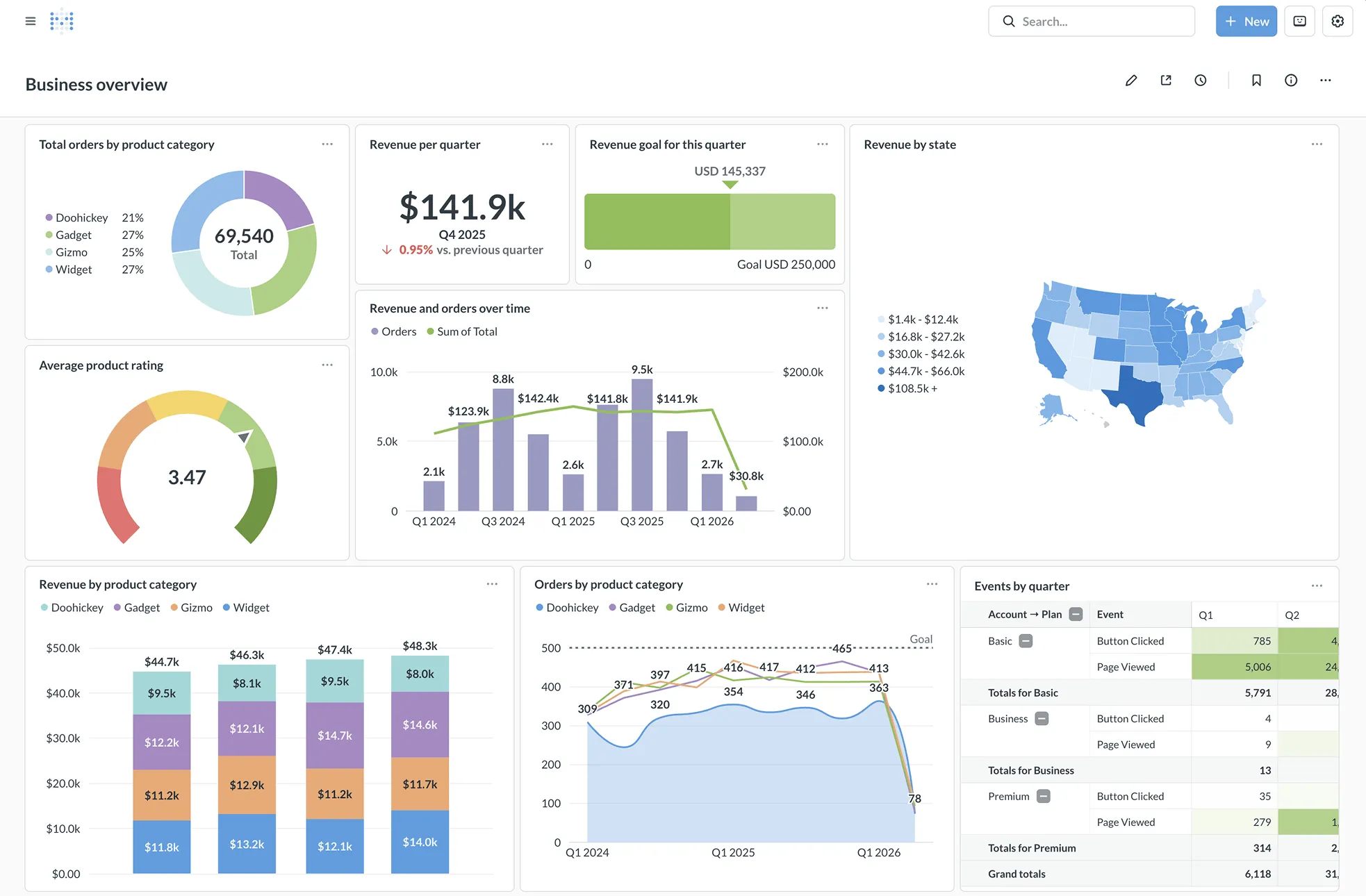
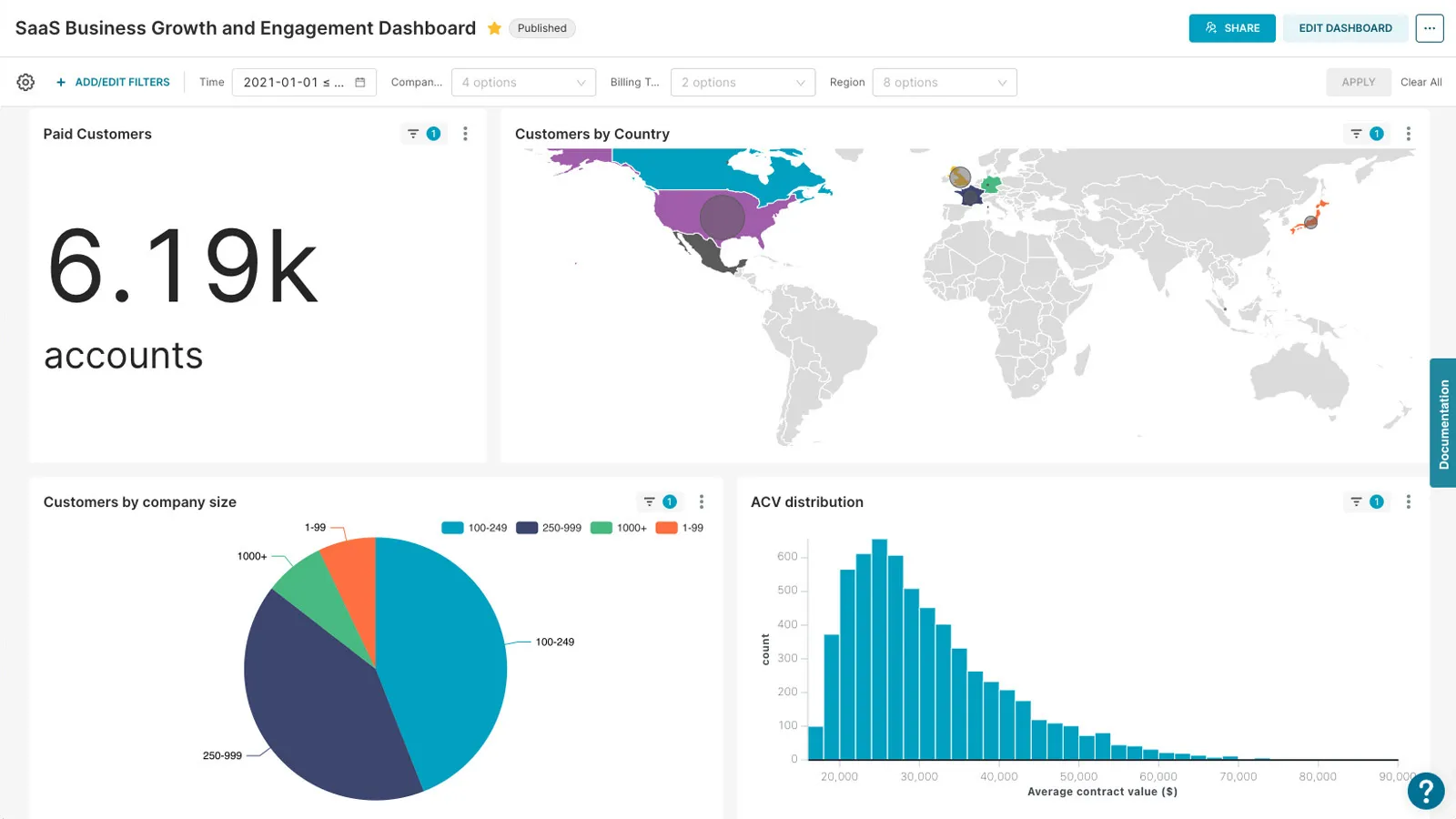
Interface Preview
Metabase
Apache Superset
Feature Comparison
| Feature | Metabase | Apache Superset |
|---|---|---|
| Data Exploration | ||
| Visual Query Builder | Full no-code query builder with intuitive drag-and-drop; templates for recurring questions | No-code chart builder available alongside SQL Lab for more advanced exploration |
| SQL Editor | Built-in SQL editor as an escape hatch for power users needing raw query control | Full-featured SQL Lab IDE with syntax highlighting, Jinja templating, and database metadata browsing |
| Drill-Through & Filtering | Interactive drill-through menus and cross-filters configured automatically out of the box | Cross-filters, drill-to-detail, and drill-by features for layered data analysis |
| Visualization & Dashboards | ||
| Chart Types | Core visualization types with clean, polished defaults optimized for readability | 40+ pre-installed chart types including geospatial charts with plug-in extensibility |
| Dashboard Interactivity | Interactive dashboards with filters, cross-filtering, custom click behaviors, and x-ray reports | Interactive dashboards with dashboard filters, CSS customization, and feature flags for new functionality |
| Scheduling & Alerts | Scheduled delivery via email and Slack with real-time alert triggers | Alert and reporting capabilities available through configuration |
| Embedded Analytics | ||
| Embedding Options | React SDK, iframe embedding, and white-label options with dynamic styling and interactive controls | Dashboard embedding primarily through iframes; less native SDK support |
| Multi-Tenant Support | Native one-database-per-tenant support with granular data segregation and row-level security | Requires custom row-level security configurations per tenant; no native multi-tenancy |
| White Labeling | Full white-labeling on Pro and Enterprise plans with custom branding and styling | CSS templates for custom branding; deeper white-labeling requires development effort |
| Security & Governance | ||
| Access Control | Collection, table, row, and column-level permissions with database-managed row-level security | Role-based access control with dataset-level permissions and row-level security policies |
| Authentication | SSO integration with SAML, LDAP, JWT, and Google with group mapping | OAuth, OpenID, and LDAP authentication provider integration |
| Usage Analytics | Built-in usage analytics to track dashboard and data access patterns and downloads | Limited built-in usage tracking; relies on external logging and monitoring tools |
| Architecture & Extensibility | ||
| Database Support | 20+ database connectors including PostgreSQL, MySQL, Snowflake, BigQuery, and Redshift | 30+ databases via SQLAlchemy including PostgreSQL, MySQL, Presto, Trino, BigQuery, Snowflake, and ClickHouse |
| Semantic Layer | Data Studio with models, metrics, segments, SQL and Python transforms, and glossary | Semantic layer with metrics, dimensions, virtual datasets, and SQL data transformations |
| Plugin Architecture | Extensible through API access; plugin architecture not as open as Superset | Open plug-in architecture for custom visualization types and feature extensions via feature flags |
Data Exploration
Visual Query Builder
SQL Editor
Drill-Through & Filtering
Visualization & Dashboards
Chart Types
Dashboard Interactivity
Scheduling & Alerts
Embedded Analytics
Embedding Options
Multi-Tenant Support
White Labeling
Security & Governance
Access Control
Authentication
Usage Analytics
Architecture & Extensibility
Database Support
Semantic Layer
Plugin Architecture
Which to choose
Metabase and Apache Superset are both strong open-source business intelligence platforms, but they serve different audiences and use cases. Metabase is the polished, accessible option built for teams where non-technical users need to explore data independently and where SaaS companies need embedded analytics with white-labeling and multi-tenant support. Apache Superset is the powerful, extensible option built for SQL-proficient data teams that want maximum visualization flexibility, deep database connectivity, and zero licensing costs. Metabase wins on speed-to-value, embedded analytics, and user experience for mixed-skill teams. Superset wins on visualization breadth, SQL-first exploration, extensibility through custom plugins, and total cost of ownership for technical teams comfortable with self-hosting. Both tools are trusted by thousands of organizations, with Metabase reporting over 90,000 companies using the platform and Superset backed by the Apache Software Foundation with over 72,000 GitHub stars.
Best-fit scenarios
Choose Metabase if:
Choose Metabase if your team includes non-technical users who need to build dashboards and explore data without SQL knowledge. It is also the clear winner for SaaS companies embedding customer-facing analytics, thanks to its React SDK, native multi-tenant data segregation, and full white-labeling capabilities. Metabase Cloud eliminates infrastructure overhead with managed hosting starting at $100/mo, while the free open-source edition lets startups get production analytics running with a single Docker command. Organizations that value fast onboarding, clean user experience, and minimal engineering investment in BI tooling will get the most from Metabase.
Choose Apache Superset if:
Choose Apache Superset if your data team is SQL-proficient and needs a visualization platform with maximum flexibility at zero licensing cost. Superset's 40+ chart types, SQL Lab IDE with Jinja templating, semantic layer, and plug-in architecture give technical analysts deeper control over their data exploration and presentation. Organizations with large data teams, complex database environments spanning 30+ supported engines, and the infrastructure expertise to self-host will benefit most from Superset's power and extensibility. Preset.io provides a managed alternative for teams that want Superset without the operational overhead.
These scenarios reflect the available product evidence. Your requirements, existing stack, and team expertise should guide the final decision.
Frequently Asked Questions
What is the main difference between Metabase and Apache Superset?
Metabase prioritizes ease of use and accessibility for non-technical users. Its visual query builder lets anyone explore data without writing SQL, and its embedded analytics SDK makes it straightforward to add analytics to SaaS products. Apache Superset prioritizes power and extensibility for SQL-proficient data teams. It offers 40+ chart types, a full SQL Lab IDE, and a plug-in architecture that lets developers build custom visualizations. Metabase gets teams to insights faster; Superset gives technical users deeper control.
Is Apache Superset really free compared to Metabase?
Apache Superset is completely free under the Apache License 2.0, and you can self-host it without paying any licensing fees. Metabase also offers a free open-source edition for self-hosting. The difference is in managed and premium options: Metabase Cloud starts at $100/mo for Starter and $575/mo for Pro, while Preset.io, the managed Superset cloud built by Superset's original creators, starts from $20/user/mo. Both free editions require you to handle your own infrastructure, security, and upgrades.
Which tool is better for embedded analytics in a SaaS product?
Metabase is the stronger choice for embedded analytics. It offers a React SDK for native web component embedding, iframe embedding, full white-labeling on paid plans, and native multi-tenant data segregation with one-database-per-tenant support. Superset supports dashboard embedding through iframes but lacks a native SDK and requires manual row-level security configurations for each tenant. SaaS companies that need customer-facing analytics with branded, responsive layouts will find Metabase significantly easier to integrate.
Which platform has a steeper learning curve?
Apache Superset has a steeper learning curve. While it offers a no-code chart builder, its full power requires SQL knowledge, familiarity with Jinja templating, and understanding of its configuration syntax. Installation via Docker or Kubernetes also requires more technical expertise. Metabase is designed for quick setup and immediate use. You can have it running with a single Docker command, and non-technical teammates can start building dashboards within minutes using the visual query builder.
Can Metabase and Apache Superset connect to the same databases?
Both tools support major databases including PostgreSQL, MySQL, BigQuery, Snowflake, and Redshift. Superset has broader database coverage with 30+ connections via SQLAlchemy, including Presto, Trino, ClickHouse, Apache Druid, and Google Sheets. Metabase supports 20+ connectors. For most standard data warehouse setups, both tools will connect without issues. If you rely on a less common database engine, check Superset's SQLAlchemy compatibility first, as it covers more niche databases.