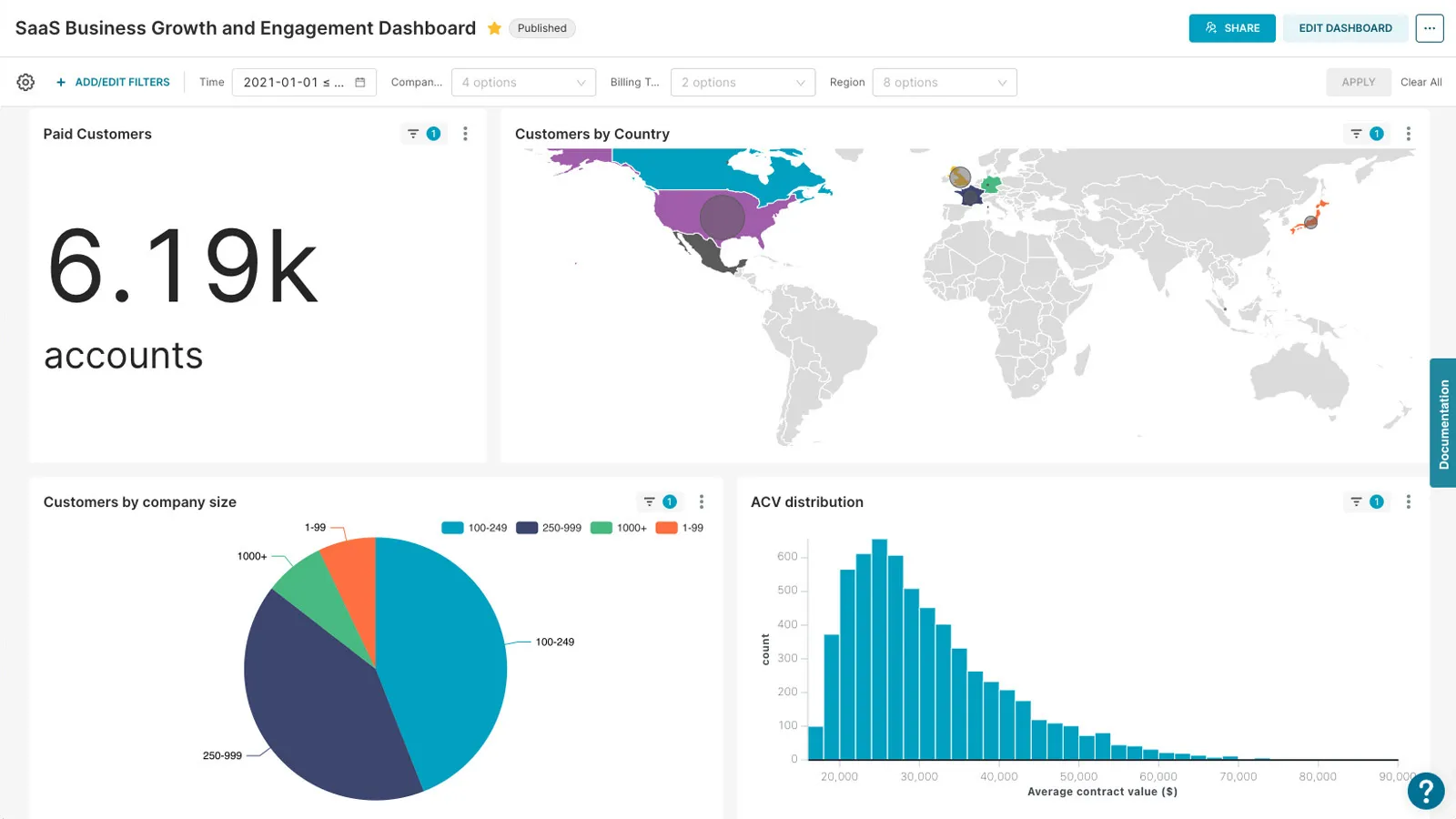
Apache Superset: product and architecture
"Apache superset review" must begin with a clear evaluation of its role in the modern data stack. Apache Superset is an open-source business intelligence platform that has gained traction for its ability to handle complex data visualization and exploration tasks. With over 72,492 GitHub stars and a recent release in December 2025 (version 6.0.0), the project demonstrates active development and a strong community presence. Its Apache License 2.0 ensures that users can deploy it freely without licensing costs, but this also means the tool lacks the managed infrastructure and support found in proprietary solutions. For data engineers and analytics leaders, Superset presents a compelling but nuanced option: it excels in flexibility and customization but requires significant technical expertise to scale. We recommend it for teams that value open-source freedom and are willing to invest in infrastructure, while cautioning against it for organizations needing enterprise-grade support or multi-tenant capabilities.
Overview
Apache Superset is a modern, open-source BI platform designed to simplify data exploration and visualization for both technical and non-technical users. Its core value proposition lies in its dual approach to data interaction: a no-code visualization builder for analysts and a powerful SQL IDE for engineers. This duality makes it a versatile tool for organizations with mixed user bases. The platform supports a wide range of databases, including cloud-native systems like Google BigQuery and Amazon Redshift, which aligns with the growing trend of data infrastructure moving to the cloud. Superset’s architecture is built to be lightweight and scalable, leveraging existing data warehouses without requiring additional ingestion layers, which reduces operational overhead. However, this reliance on external infrastructure also means that performance bottlenecks can arise if the underlying databases are not properly optimized. For teams evaluating BI tools, Superset’s open-source nature is a double-edged sword: it offers freedom from vendor lock-in but shifts the burden of maintenance and security to the user. We recommend it for organizations that prioritize cost control and customization but must weigh this against the need for enterprise-grade support.
Key Features and Architecture
Apache Superset’s architecture is designed with scalability and extensibility in mind, making it a strong candidate for organizations with complex data environments. The platform’s core features include a robust SQL editor, which supports multiple SQL dialects and allows users to execute ad-hoc queries directly within the interface. This feature is particularly valuable for data engineers who need to troubleshoot or refine queries without leaving the BI tool. Another key feature is its integration with Apache Druid, which enables real-time analytics and high-performance querying. This integration is critical for use cases requiring low-latency responses, such as monitoring live dashboards or handling large-scale time-series data. Superset also supports a plug-in architecture for visualizations, allowing teams to extend the platform with custom dashboards or charts tailored to specific business needs. For example, organizations in the healthcare sector might develop a visualization plugin to display patient cohort data in a unique format. The platform’s extensible security model is another technical strength, as it integrates with authentication providers like OAuth, OpenID, and LDAP, enabling seamless user management in enterprise environments. Finally, Superset’s ability to work with petabyte-scale databases, including cloud-native systems like Snowflake and BigQuery, ensures it can handle the data volumes typical of modern analytics workloads. These features collectively position Superset as a tool that balances flexibility with the need for high-performance analytics.
Ideal Use Cases
Apache Superset is well-suited for organizations that require a customizable BI platform without the cost of proprietary solutions. One ideal use case is mid-sized enterprises with a data team of 5–15 engineers and analysts who need to build dashboards for multiple departments. For example, a retail company might use Superset to create sales dashboards for marketing, inventory, and finance teams, each with tailored visualizations and data sources. The platform’s SQL editor allows engineers to write and test queries against their data warehouse, while the no-code builder enables business users to create visualizations without technical expertise. Another scenario is a data engineering team managing a hybrid cloud environment, where Superset’s ability to integrate with both on-premises databases (like Oracle) and cloud platforms (such as Google BigQuery) is a key advantage. This flexibility is particularly valuable for companies in regulated industries, such as finance, where compliance with data governance policies is critical. However, Superset is not ideal for organizations requiring native multi-tenancy. Teams with over 50 users or those managing multiple client workspaces would face challenges in implementing row-level security and custom configurations for each tenant, as this requires manual setup and increases development overhead. In such cases, managed BI platforms with built-in multi-tenancy features may be a more scalable option.
Strengths & Trade-offs
Pros 1. SQL Editor for Advanced Querying: Superset’s SQL editor supports multiple SQL dialects and allows users to execute ad-hoc queries directly within the platform. This feature is particularly valuable for data engineers who need to refine queries without leaving the BI interface, reducing the need for external tools. 2. Extensive Visualization Options: With 40+ pre-installed visualization types and a plug-in architecture, Superset enables teams to create highly customized dashboards. This flexibility is ideal for industries like healthcare, where unique data representations (e.g., patient cohort analysis) may be required. 3. Active Community and GitHub Activity: The project has over 72,492 GitHub stars and a recent update in April 2026, indicating strong community engagement and ongoing development. This activity ensures that new features and bug fixes are regularly introduced. 4. Integration with Apache Druid: Superset’s compatibility with Druid allows for real-time analytics and high-performance querying, which is critical for applications like live monitoring dashboards or time-series analysis.
Cons 1. No Native Multi-Tenancy Support: Teams managing multiple client workspaces must manually configure row-level security and custom settings for each tenant, increasing development overhead and complexity. This limitation makes it unsuitable for SaaS providers or organizations with over 50 users. 2. Performance Bottlenecks with Large Datasets: While Superset can handle petabyte-scale data, performance issues may arise if the underlying databases are not optimized. For example, querying large datasets in Druid can lead to latency if caching layers are not properly configured. 3. Lack of Enterprise Support: The absence of a paid tier means users must manage all infrastructure, security, and updates themselves. This can be a significant drawback for organizations requiring 24/7 support or SLAs.