Decision comparison
Apache Superset vs Redash
Apache Superset and Redash both serve the open-source BI space, but they target different team profiles. Superset is a full-featured BI platform with a semantic layer, 40+ chart types, and enterprise-grade access controls — we recommend it for organizations that need scalable, production-grade analytics. Redash is a focused SQL query and visualization tool that prioritizes simplicity and speed of setup — we recommend it for data teams that want to get dashboards running quickly without managing a heavyweight platform.
Redash is maintained by volunteers, not by its owner
Databricks acquired Redash in June 2020 and shut the hosted Redash Cloud service down on 30 November 2021. Databricks-funded development on the open-source project wound down afterwards, and since late 2023 it has been maintained by a small group of volunteers. It still ships: v26.3.0 was released on 2 March 2026, at roughly one release a year. Redash remains free, Apache-2.0 and self-hostable; what changed is who decides its direction and how fast it follows the databases it connects to.
Direct comparison. These are reviewed substitutes bought for the same job, so the differences below are the ones that decide between them.
All 2 are BI platforms.
Quick Comparison
| Decision factor | Apache Superset | Redash |
|---|---|---|
| Best For | Enterprise teams needing advanced BI with a semantic layer and 40+ chart types | Data teams wanting a lightweight, SQL-first query and dashboard tool |
| Pricing | Free and open-source under Apache License 2.0 | Self-hosted free (BSD-2-Clause license) |
| Learning Curve | Moderate — no-code builder available, but full power requires SQL and configuration knowledge | Low — straightforward SQL editor with drag-and-drop dashboards |
| Data Source Support | Any SQL-based database including cloud-native engines at petabyte scale | SQL, NoSQL, Big Data, and API data sources with broad integration support |
| Visualization Options | 40+ pre-installed chart types with plug-in architecture for custom visualizations | Charts, cohorts, pivot tables, boxplots, maps, counters, sankey, sunburst, word cloud, funnel |
| Community & Development | 74,000+ GitHub stars, active Apache project, latest release 6.0.0 (Dec 2025) | 28,500+ GitHub stars, owned by Databricks since 2020, latest release v26.3.0 (Mar 2026) |
Apache Superset
- Best For:
- Enterprise teams needing advanced BI with a semantic layer and 40+ chart types
- Pricing:
- Free and open-source under Apache License 2.0
- Learning Curve:
- Moderate — no-code builder available, but full power requires SQL and configuration knowledge
- Data Source Support:
- Any SQL-based database including cloud-native engines at petabyte scale
- Visualization Options:
- 40+ pre-installed chart types with plug-in architecture for custom visualizations
- Community & Development:
- 74,000+ GitHub stars, active Apache project, latest release 6.0.0 (Dec 2025)
Redash
- Best For:
- Data teams wanting a lightweight, SQL-first query and dashboard tool
- Pricing:
- Self-hosted free (BSD-2-Clause license)
- Learning Curve:
- Low — straightforward SQL editor with drag-and-drop dashboards
- Data Source Support:
- SQL, NoSQL, Big Data, and API data sources with broad integration support
- Visualization Options:
- Charts, cohorts, pivot tables, boxplots, maps, counters, sankey, sunburst, word cloud, funnel
- Community & Development:
- 28,500+ GitHub stars, owned by Databricks since 2020, latest release v26.3.0 (Mar 2026)
Public signals
Verified factual signals only. Bars appear only for like-for-like metrics with five weekly assessments for every tool; missing evidence stays explicit. These signals do not establish enterprise adoption, product quality, or total cost.
| Metric | Apache Superset | Redash |
|---|---|---|
| Docker Hub pulls(Product adoption) | 605.5M | 100.1M |
| GitHub commits, 90d(Product adoption) | 2.3k | 14 |
| GitHub stars(Product adoption) | 74,000+ | 28,000+ |
| Search interest(Market interest) | 0 | 0 |
| Hacker News mentions, 90d(Community interest) | 0 | 2 |
| npm weekly downloads(Developer adoption) | 13.8k | Not available |
| Product Hunt comments(Community interest) | 0 | 1 |
| Product Hunt reviews(Community interest) | 0 | 0 |
| Product Hunt votes(Community interest) | 69 | 9 |
| PyPI weekly downloads(Product adoption) | 87.1k | Not available |
| Stack Overflow questions(Community interest) | 1.3k | 133 |
| PyPI weekly downloads(Developer adoption) | Not available | 6.9k |
As of September 21, 2026 — updated weekly.
Health & risk evidence
Observed public-source checks for mapped package versions and repositories.
Apache Superset
September 21, 2026Package vulnerabilities
npm · @superset-ui/core@0.20.4 · PyPI · apache-superset@6.1.0
0 vulnerabilities
across 2 packages
Repository security score
github.com/apache/superset
5.4/10
Redash
September 21, 2026Package vulnerabilities
PyPI · redash-toolbelt@0.1.9
0 vulnerabilities
across 1 package
Repository security score
github.com/getredash/redash
6.1/10
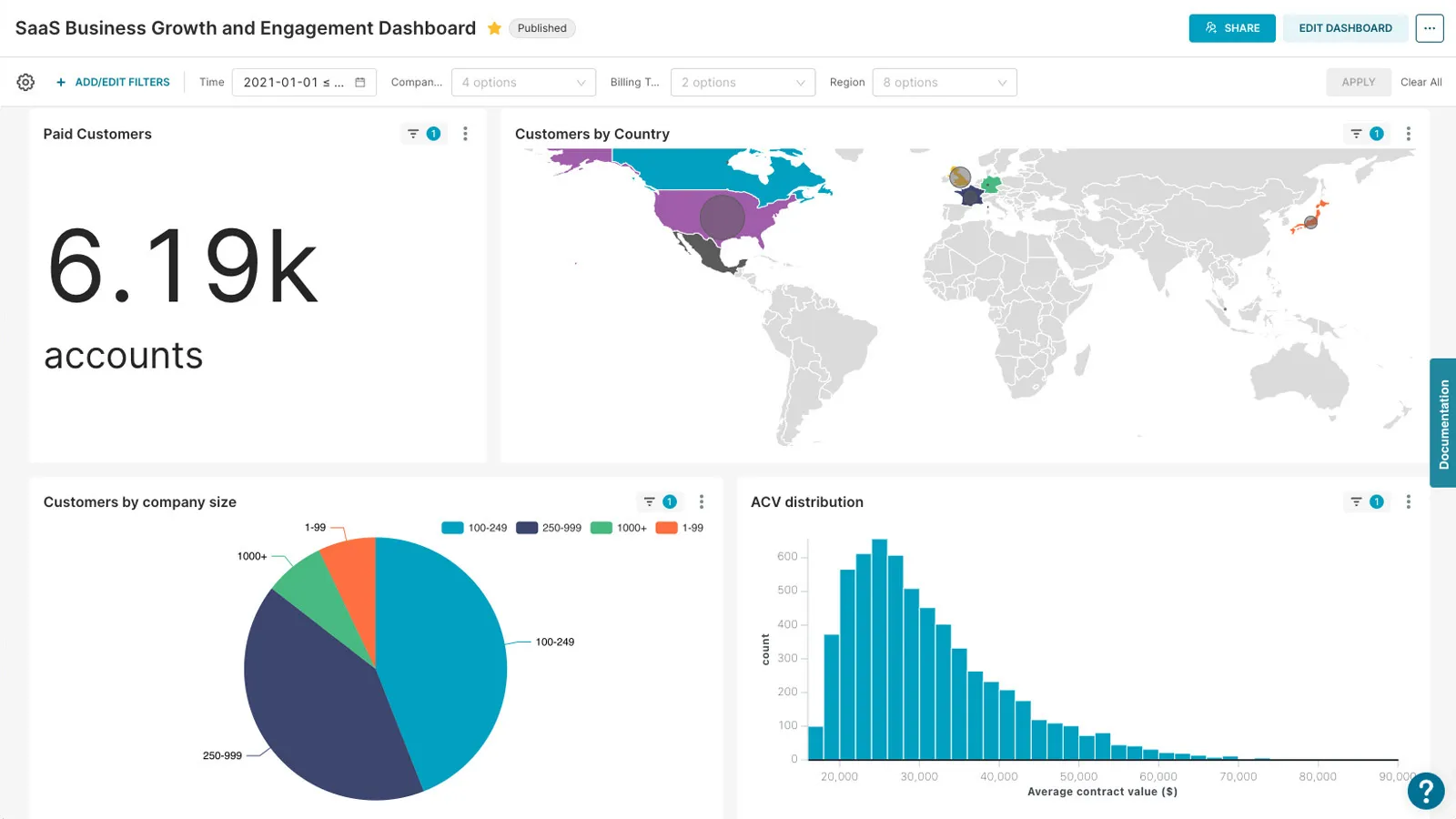
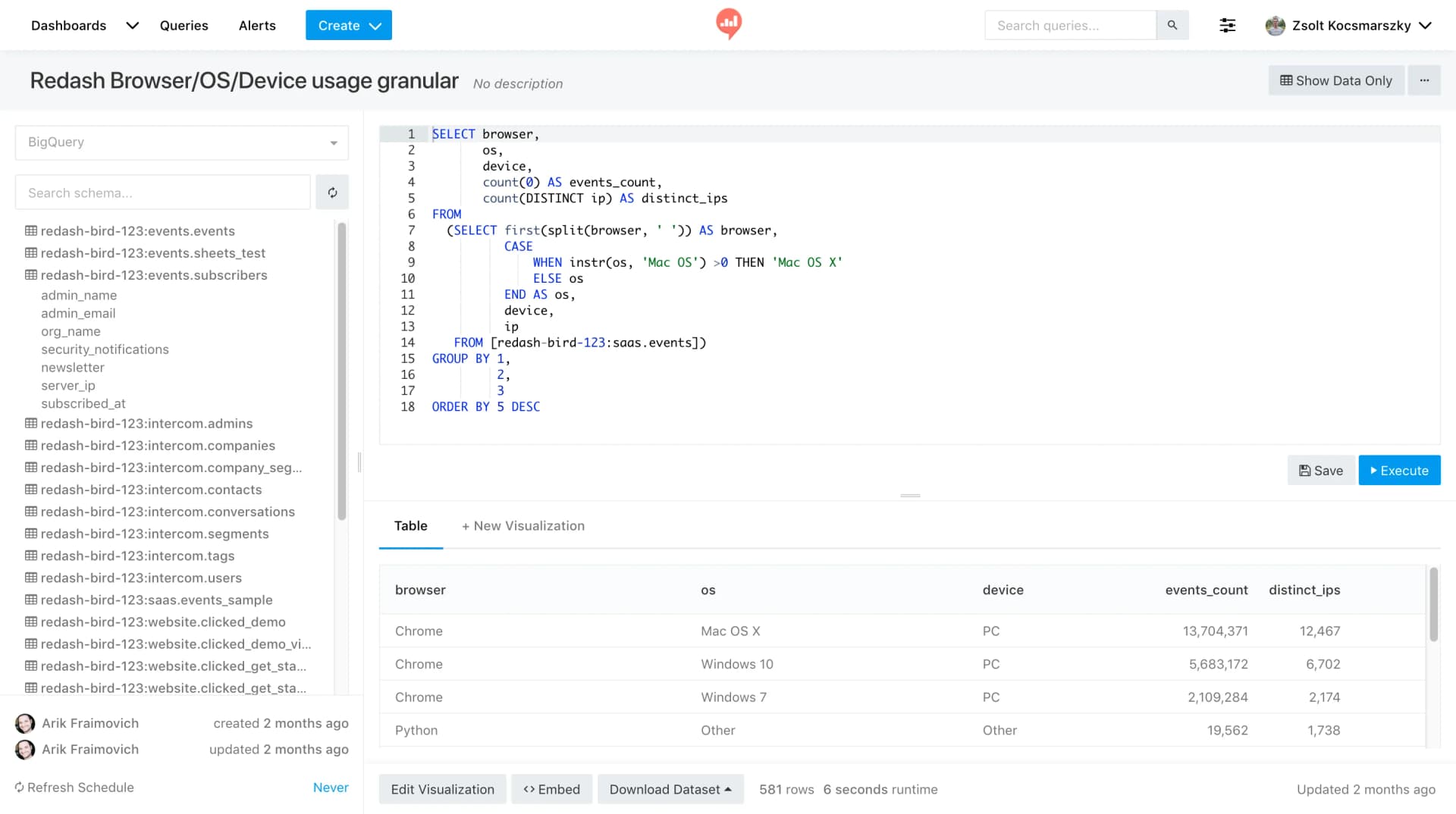
Interface Preview
Apache Superset
Redash
Feature Comparison
| Feature | Apache Superset | Redash |
|---|---|---|
| Query & Data Exploration | ||
| SQL Editor | SQL Lab IDE with auto-complete, syntax highlighting, and query history | Browser-based SQL editor with schema browsing, snippets, and auto-complete |
| No-Code Exploration | Visual chart builder with drag-and-drop metric/dimension selection | Limited — primarily SQL-driven with drag-and-drop for dashboard layout only |
| Query Caching | Built-in caching layer for query results and dashboard performance | Results cached with configurable auto-refresh schedules |
| Visualization & Dashboards | ||
| Chart Types | 40+ pre-installed types including geospatial charts | 12+ types including charts, cohorts, pivot tables, maps, sankey, and funnel |
| Custom Visualizations | Plug-in architecture for building and installing custom viz types | Community-contributed visualization extensions |
| Dashboard Sharing | Dashboard embedding with role-based access controls | One-click sharing via secret URL or public embedding |
| Data Architecture | ||
| Semantic Layer | Built-in semantic layer with reusable metrics and dimensions | No semantic layer — relies on raw SQL queries |
| Database Support | Any SQL-based database including Druid, Presto, Trino, and cloud-native engines | SQL and NoSQL databases plus API data sources including BigQuery, Redshift, and MongoDB |
| Architecture | Modern TypeScript/Python stack with React frontend and Flask backend | Python backend with JavaScript frontend, lightweight and self-contained |
| Security & Administration | ||
| Access Control | Role-based access control with row-level security | User management with SSO and access control features |
| Authentication | OAuth, OpenID, LDAP, and custom authentication providers | SSO integration with enterprise authentication providers |
| API Access | Full REST API for programmatic access and integrations | REST API for query creation, management, and data retrieval |
| Operations & Workflow | ||
| Alerts & Scheduling | Dashboard refresh scheduling with configurable intervals | Query-based alerts with threshold triggers and scheduled refresh |
| Collaboration | Shared dashboards with annotation layers and comment support | Query sharing with team visibility and collaborative dashboard editing |
| Deployment | Docker, Kubernetes, or bare-metal; managed options from Preset (commercial fork) | Docker-based self-hosted deployment; previously offered hosted version |
Query & Data Exploration
SQL Editor
No-Code Exploration
Query Caching
Visualization & Dashboards
Chart Types
Custom Visualizations
Dashboard Sharing
Data Architecture
Semantic Layer
Database Support
Architecture
Security & Administration
Access Control
Authentication
API Access
Operations & Workflow
Alerts & Scheduling
Collaboration
Deployment
Which to choose
Apache Superset and Redash both serve the open-source BI space, but they target different team profiles. Superset is a full-featured BI platform with a semantic layer, 40+ chart types, and enterprise-grade access controls — we recommend it for organizations that need scalable, production-grade analytics. Redash is a focused SQL query and visualization tool that prioritizes simplicity and speed of setup — we recommend it for data teams that want to get dashboards running quickly without managing a heavyweight platform.
Best-fit scenarios
Choose Apache Superset if:
Choose Apache Superset if your organization needs a comprehensive BI platform with advanced visualization capabilities. Superset excels when you have a dedicated data team that can leverage the semantic layer to create reusable metrics, when you need 40+ chart types including geospatial visualizations, and when enterprise security with row-level access control is a requirement. The sizable community (72,400+ GitHub stars) and active Apache Foundation governance ensure long-term project stability. Superset is also the stronger choice if you plan to embed dashboards into customer-facing products or need to connect to modern cloud-native data engines at petabyte scale.
Choose Redash if:
Choose Redash if your team values simplicity and fast time-to-insight over feature breadth. Redash stands out for its clean SQL-first workflow where analysts can write queries, visualize results, and build dashboards within minutes of deployment. The tool supports both SQL and NoSQL data sources plus API endpoints, giving it broader protocol-level connectivity despite fewer visualization types. Redash is the better fit for teams that work primarily in SQL, want lightweight alerting on query results, and prefer a tool that stays out of the way. With Databricks ownership since 2020 and consistent releases through v26.3.0, Redash maintains active development while keeping its focused scope.
These scenarios reflect the available product evidence. Your requirements, existing stack, and team expertise should guide the final decision.
Frequently Asked Questions
Is Apache Superset truly free for enterprise use?
Yes. Apache Superset is released under the Apache License 2.0, which permits commercial and enterprise use without licensing fees. You are responsible for hosting infrastructure, configuration, and maintenance. Preset offers a managed commercial version for teams that want Superset without the operational overhead.
Can Redash connect to the same databases as Apache Superset?
Both tools support a wide range of data sources, but their approaches differ. Superset focuses on SQL-based databases and modern cloud-native engines like Druid, Presto, and Trino. Redash supports SQL databases alongside NoSQL stores like MongoDB and API-based data sources, giving it broader protocol-level connectivity even if its visualization layer is simpler.
Which tool is easier to set up for a small data team?
Redash is generally faster to deploy and learn. Its Docker-based setup gets a working instance running in minutes, and the SQL-first interface means analysts can start querying immediately. Superset has more components to configure (caching, metadata database, authentication) and a steeper initial setup curve, though Docker Compose makes it manageable.
What happened to Redash after the Databricks acquisition?
Databricks acquired Redash in June 2020. The open-source project continues to receive updates, with the latest release being v26.3.0 in March 2026. The previously offered hosted Redash service was retired, so teams now self-host or use the Databricks SQL Analytics product that incorporates Redash technology.