Decision comparison
Looker vs Redash
Looker and Redash serve fundamentally different segments of the BI market. Looker is the right choice for enterprises that need a governed semantic layer, embedded analytics, and tight Google Cloud integration. Redash is ideal for data teams that want a free, open-source tool for SQL-based querying and quick dashboard creation without the overhead of a managed platform.
Redash is maintained by volunteers, not by its owner
Databricks acquired Redash in June 2020 and shut the hosted Redash Cloud service down on 30 November 2021. Databricks-funded development on the open-source project wound down afterwards, and since late 2023 it has been maintained by a small group of volunteers. It still ships: v26.3.0 was released on 2 March 2026, at roughly one release a year. Redash remains free, Apache-2.0 and self-hostable; what changed is who decides its direction and how fast it follows the databases it connects to.
Direct comparison. These are reviewed substitutes bought for the same job, so the differences below are the ones that decide between them.
All 2 are BI platforms.
Quick Comparison
| Decision factor | Looker | Redash |
|---|---|---|
| Pricing Model | Looker (Google Cloud core) publishes no platform or per-user price. It offers three platform editions — Standard for organisations under 50 users, Enterprise, and Embed — each including one production instance, 10 Standard Users and 2 Developer Users, and each requiring a custom quote. Data-token overages beyond an instance's monthly allocation are published, at $3.00 per 1M input tokens and $20.00 per 1M output tokens. | Self-hosted free (BSD-2-Clause license) |
| Best For | Enterprise teams needing governed semantic modeling and embedded analytics | Data teams wanting a lightweight, SQL-first query and visualization tool |
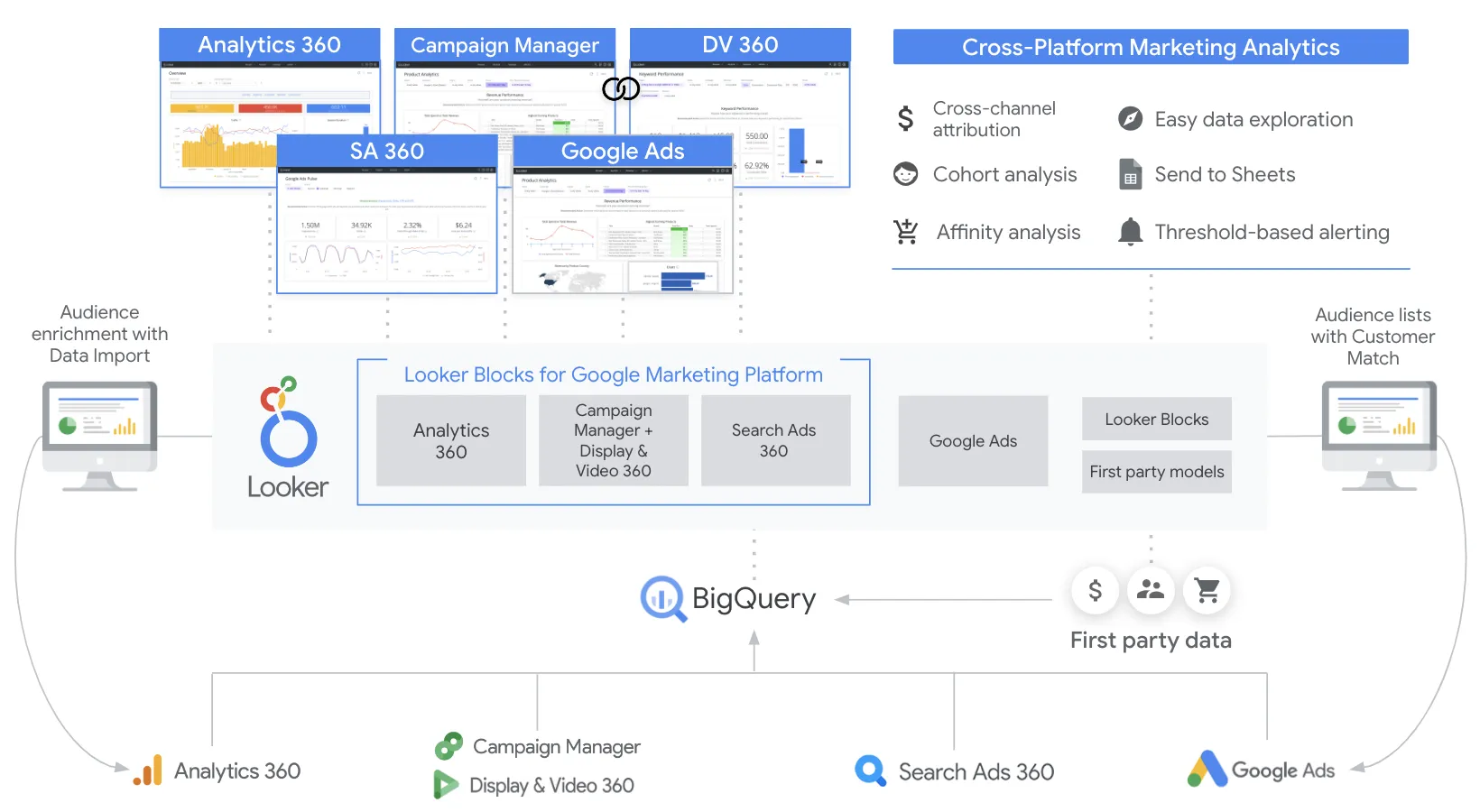
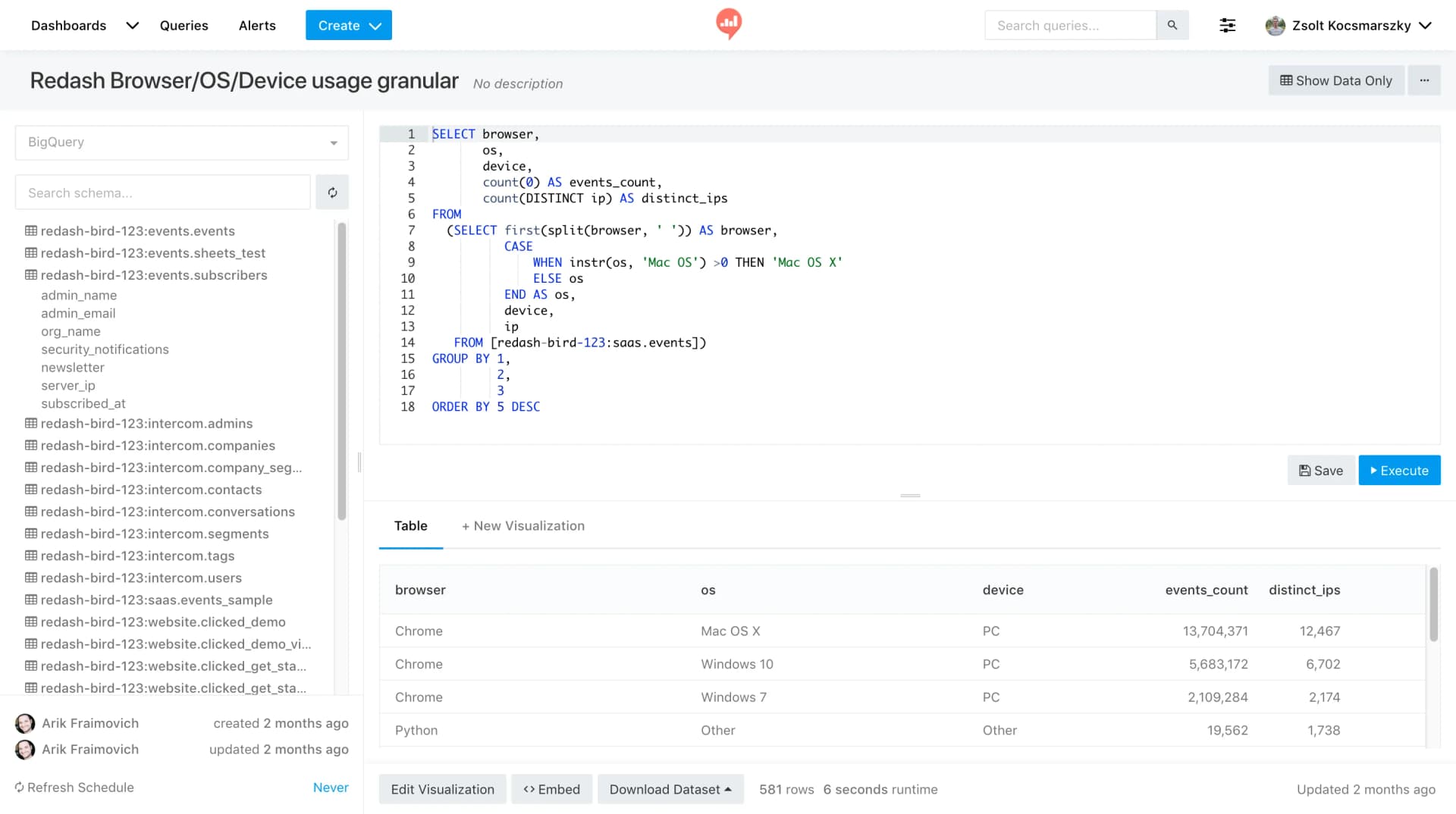
| Data Modeling | LookML semantic layer with version-controlled, reusable data models | No built-in semantic layer; relies on direct SQL queries |
| Deployment | Cloud-hosted SaaS on Google Cloud Platform | Self-hosted (Docker) or community-managed instances |
| User Rating | 8.4/10 based on 457 reviews | 8.1/10 based on 17 reviews |
| Learning Curve | Steeper learning curve due to LookML; powerful once mastered | Low barrier to entry for SQL-proficient users |
Looker
- Pricing Model:
- Looker (Google Cloud core) publishes no platform or per-user price. It offers three platform editions — Standard for organisations under 50 users, Enterprise, and Embed — each including one production instance, 10 Standard Users and 2 Developer Users, and each requiring a custom quote. Data-token overages beyond an instance's monthly allocation are published, at $3.00 per 1M input tokens and $20.00 per 1M output tokens.
- Best For:
- Enterprise teams needing governed semantic modeling and embedded analytics
- Data Modeling:
- LookML semantic layer with version-controlled, reusable data models
- Deployment:
- Cloud-hosted SaaS on Google Cloud Platform
- User Rating:
- 8.4/10 based on 457 reviews
- Learning Curve:
- Steeper learning curve due to LookML; powerful once mastered
Redash
- Pricing Model:
- Self-hosted free (BSD-2-Clause license)
- Best For:
- Data teams wanting a lightweight, SQL-first query and visualization tool
- Data Modeling:
- No built-in semantic layer; relies on direct SQL queries
- Deployment:
- Self-hosted (Docker) or community-managed instances
- User Rating:
- 8.1/10 based on 17 reviews
- Learning Curve:
- Low barrier to entry for SQL-proficient users
Public signals
Verified factual signals only. Bars appear only for like-for-like metrics with five weekly assessments for every tool; missing evidence stays explicit. These signals do not establish enterprise adoption, product quality, or total cost.
| Metric | Looker | Redash |
|---|---|---|
| Search interest(Market interest) | 2 | 0 |
| Hacker News mentions, 90d(Community interest) | 2 | 2 |
| npm weekly downloads(Developer adoption) | 104.6k | Not available |
| Product Hunt comments(Community interest) | 5 | 1 |
| Product Hunt reviews(Community interest) | 0 | 0 |
| Product Hunt votes(Community interest) | 83 | 9 |
| PyPI weekly downloads(Developer adoption) | 2.0M | 6.9k |
| Stack Overflow questions(Community interest) | 226 | 133 |
| Docker Hub pulls(Product adoption) | Not available | 100.1M |
| GitHub commits, 90d(Product adoption) | Not available | 14 |
| GitHub stars(Product adoption) | Not available | 28,000+ |
As of September 21, 2026 — updated weekly.
Health & risk evidence
Observed public-source checks for mapped package versions and repositories.
Looker
September 21, 2026Package vulnerabilities
npm · @looker/sdk@26.12.0 · PyPI · looker-sdk@26.12.0
0 vulnerabilities
across 2 packages
Repository security score
Not available
Redash
September 21, 2026Package vulnerabilities
PyPI · redash-toolbelt@0.1.9
0 vulnerabilities
across 1 package
Repository security score
github.com/getredash/redash
6.1/10
Interface Preview
Looker
Redash
Feature Comparison
| Feature | Looker | Redash |
|---|---|---|
| Data Connectivity | ||
| SQL Database Support | Connects to major warehouses including BigQuery, Redshift, Snowflake, and others | Supports PostgreSQL, MySQL, Redshift, BigQuery, Snowflake, and 40+ SQL sources |
| NoSQL & API Sources | Primarily focused on SQL-based warehouses; limited native NoSQL support | Supports MongoDB, DynamoDB, Elasticsearch, and REST API data sources |
| Live Query Execution | Queries warehouses directly with no intermediate data storage for always-fresh results | Runs queries directly against connected databases with cached results for performance |
| Data Modeling & Governance | ||
| Semantic Modeling Layer | LookML defines reusable metrics, joins, permissions, and derived tables centrally | No semantic layer; users write and manage SQL queries individually |
| Version Control | Built-in Git integration for LookML model version control | No native version control; queries managed in the application database |
| Row-Level Security | Row-level and column-level security with enterprise audit features | Basic user management and access control; no row-level security |
| Visualization & Dashboards | ||
| Dashboard Builder | Enterprise dashboards with real-time data, drill-down capabilities, and governed metrics | Drag-and-drop dashboard builder with resizable visualizations and scheduled refreshes |
| Chart Types | Wide range of visualizations plus Looker Studio for ad hoc reporting and 1,000+ connectors | Line, bar, area, pie, scatter, boxplot, cohort, sunburst, word cloud, sankey, map, funnel, pivot table |
| Scheduled Refreshes | Supports scheduled data deliveries and alerts through the platform | Built-in query scheduling and automatic dashboard refresh from data sources |
| Collaboration & Sharing | ||
| Dashboard Sharing | Share within organization with role-based access; embed in external applications | Share dashboards via secret URLs with peers, clients, or the public |
| Embedded Analytics | Robust embedding and white-labeling options with API support for SaaS products | Basic iframe embedding; limited white-labeling capabilities |
| API Access | Comprehensive REST APIs, SDKs, and integrations for automation and embedding workflows | REST API for querying, creating queries, and managing data sources programmatically |
| Platform & Ecosystem | ||
| AI & Advanced Analytics | Conversational Analytics powered by Gemini; Vertex AI integration for custom AI workflows | No native AI features; focused on SQL querying and visualization |
| Marketplace & Extensions | Looker Marketplace with pre-built blocks, applications, and custom visualizations | Open-source community with plugins and custom visualizations via contributions |
| Alerts & Notifications | Supports alerts and data delivery through scheduled sends and integrations like Slack | Built-in alert system that triggers notifications when query results meet defined conditions |
Data Connectivity
SQL Database Support
NoSQL & API Sources
Live Query Execution
Data Modeling & Governance
Semantic Modeling Layer
Version Control
Row-Level Security
Visualization & Dashboards
Dashboard Builder
Chart Types
Scheduled Refreshes
Collaboration & Sharing
Dashboard Sharing
Embedded Analytics
API Access
Platform & Ecosystem
AI & Advanced Analytics
Marketplace & Extensions
Alerts & Notifications
Which to choose
Looker and Redash serve fundamentally different segments of the BI market. Looker is the right choice for enterprises that need a governed semantic layer, embedded analytics, and tight Google Cloud integration. Redash is ideal for data teams that want a free, open-source tool for SQL-based querying and quick dashboard creation without the overhead of a managed platform.
Best-fit scenarios
Choose Looker if:
Choose Looker when your organization needs centralized data governance through LookML, embedded analytics for customer-facing products, or deep Google Cloud Platform integration. Looker makes sense for mid-to-large enterprises with dedicated data teams who can build and maintain semantic models that the entire organization relies on for consistent, trustworthy metrics.
Choose Redash if:
Choose Redash when you need a lightweight, cost-effective query and visualization tool that your data team can deploy and manage independently. Redash is the better fit for startups and small-to-mid-size companies where SQL-proficient analysts need fast access to data across diverse sources including NoSQL and APIs, without the complexity or cost of an enterprise BI platform.
These scenarios reflect the available product evidence. Your requirements, existing stack, and team expertise should guide the final decision.
Frequently Asked Questions
Is Redash still actively maintained after the Databricks acquisition?
Yes, Redash remains actively maintained as an open-source project. Databricks acquired Redash in June 2020, and the project continues to receive updates, with the latest release being v26.3.0 in March 2026. The GitHub repository has over 28,500 stars and ongoing community contributions.
Can Looker connect to data sources outside Google Cloud?
Yes, Looker connects to a wide range of SQL-based data warehouses beyond Google BigQuery, including Amazon Redshift, Snowflake, PostgreSQL, MySQL, and others. Looker queries these warehouses directly without storing data locally, ensuring results are always fresh regardless of which cloud provider hosts the data.
What is the main technical difference between Looker and Redash?
The core technical difference is Looker's LookML semantic modeling layer versus Redash's direct SQL approach. Looker requires teams to define reusable data models, metrics, and relationships in LookML, creating a governed layer that ensures consistent definitions across the organization. Redash lets analysts write SQL queries directly against connected databases with no intermediate modeling layer.
How do Looker and Redash compare on cost?
Redash is open source under the BSD-2-Clause license and free to self-host, making it the clear winner on direct software cost. Looker uses an annual commitment pricing model that requires contacting sales for a quote, with pricing signals indicating per-seat and usage-based components. The total cost of ownership for Redash includes infrastructure and maintenance for self-hosting, while Looker is a fully managed SaaS platform.