Decision comparison
Qlik Sense vs Tableau
Tableau and Qlik Sense are both Gartner Magic Quadrant Leaders in analytics and business intelligence, and both deliver enterprise-grade visualization and data exploration. Tableau wins on visual polish, community ecosystem, and transparent pricing, while Qlik Sense wins on associative data exploration and built-in data management capabilities. The right choice depends on whether your organization prioritizes intuitive visual dashboard creation or deep, freeform data discovery across complex data relationships.
Direct comparison. These are reviewed substitutes bought for the same job, so the differences below are the ones that decide between them.
All 2 are BI platforms.
Quick Comparison
| Decision factor | Qlik Sense | Tableau |
|---|---|---|
| Best For | Organizations needing associative data exploration and governed self-service BI | Teams prioritizing visual analytics and interactive dashboard publishing |
| Pricing Model | Contact for pricing | Tableau Cloud Standard Edition: Viewer $15/user/month, Explorer $42/user/month, Creator $75/user/month; Enterprise Edition: Viewer $35/user/month, Explorer $70/user/month, Creator $115/user/month; Tableau+ Bundle requires contact sales for pricing details. |
| Ease of Use | Moderate — powerful but requires training investment | High — drag-and-drop interface praised for intuitive design |
| Data Exploration | Associative Engine for freeform, non-linear data discovery | Query-based with strong visual drill-down and filtering |
| Deployment Options | On-premises (Qlik Sense) and cloud (Qlik Cloud Analytics) | Cloud (Tableau Cloud), on-premises (Tableau Server), desktop, and Tableau Next |
Qlik Sense
- Best For:
- Organizations needing associative data exploration and governed self-service BI
- Pricing Model:
- Contact for pricing
- Ease of Use:
- Moderate — powerful but requires training investment
- Data Exploration:
- Associative Engine for freeform, non-linear data discovery
- Deployment Options:
- On-premises (Qlik Sense) and cloud (Qlik Cloud Analytics)
Tableau
- Best For:
- Teams prioritizing visual analytics and interactive dashboard publishing
- Pricing Model:
- Tableau Cloud Standard Edition: Viewer $15/user/month, Explorer $42/user/month, Creator $75/user/month; Enterprise Edition: Viewer $35/user/month, Explorer $70/user/month, Creator $115/user/month; Tableau+ Bundle requires contact sales for pricing details.
- Ease of Use:
- High — drag-and-drop interface praised for intuitive design
- Data Exploration:
- Query-based with strong visual drill-down and filtering
- Deployment Options:
- Cloud (Tableau Cloud), on-premises (Tableau Server), desktop, and Tableau Next
Public signals
Verified factual signals only. Bars appear only for like-for-like metrics with five weekly assessments for every tool; missing evidence stays explicit. These signals do not establish enterprise adoption, product quality, or total cost.
| Metric | Qlik Sense | Tableau |
|---|---|---|
| GitHub commits, 90d(Developer adoption) | 0 | 37 |
| GitHub stars(Developer adoption) | 48 | 716 |
| Search interest(Market interest) | 1 | 85 |
| Hacker News mentions, 90d(Community interest) | 0 | 2 |
| npm weekly downloads(Developer adoption) | 9.4k | 32.2k |
| Stack Overflow questions(Community interest) | 806 | 5.4k |
| Product Hunt comments(Community interest) | Not available | 3 |
| Product Hunt rating(Community interest) | Not available | 4.2/5 |
| Product Hunt reviews(Community interest) | Not available | 5 |
| Product Hunt votes(Community interest) | Not available | 7 |
| PyPI weekly downloads(Developer adoption) | Not available | 965.7k |
As of September 21, 2026 — updated weekly.
Health & risk evidence
Observed public-source checks for mapped package versions and repositories.
Qlik Sense
September 21, 2026Package vulnerabilities
npm · @qlik/api@2.16.0
0 vulnerabilities
across 1 package
Repository security score
Not available
Tableau
September 21, 2026Package vulnerabilities
npm · @tableau/embedding-api@3.16.1 · PyPI · tableauserverclient@0.41
0 vulnerabilities
across 2 packages
Repository security score
github.com/tableau/server-client-python
5.5/10
Interface Preview
Tableau
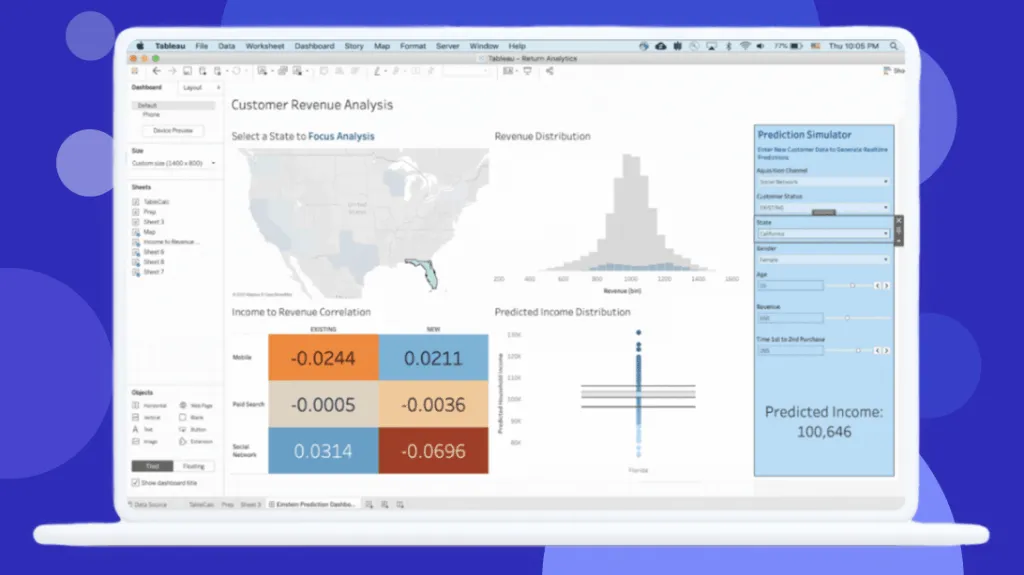
Feature Comparison
| Feature | Qlik Sense | Tableau |
|---|---|---|
| Data Visualization | ||
| Interactive Dashboards | Full interactivity with associative selections across all objects | Drag-and-drop dashboard builder with rich visual drill-down |
| Chart Types and Visualizations | Broad chart library with custom extensions via open APIs | Industry-leading visualization variety with built-in best practices |
| Mobile Analytics | Responsive design with offline analysis and push notifications | Mobile access for Viewers and above with responsive layouts |
| AI and Analytics | ||
| Augmented Analytics | AI-assisted insight generation, NLP search, and AutoML predictions | Agentforce integration for agentic analytics with autonomous insights |
| Natural Language Querying | Insight Advisor with NLP-powered search and conversational analytics | Ask Data and Agentforce for natural language data exploration |
| Predictive Analytics | Qlik AutoML with key-driver analysis and what-if scenarios | Advanced analytics integration with external data science platforms |
| Data Management | ||
| Data Preparation | Built-in data prep and connectivity for combining diverse data sources | Tableau Prep Builder included with Creator license for data cleaning |
| Data Governance | Self-service data catalog with lineage tracking and origin visibility | Semantic layer with AI-assisted model creation via Tableau Semantics |
| Data Source Connectivity | Hundreds of data source connectors for big and small data | Broad connector ecosystem including native Salesforce CRM integration |
| Collaboration and Deployment | ||
| Team Collaboration | Discussion threads, notes, and narrative context on analytics | Slack integration with permission-aware dashboards and Agentforce |
| Embedded Analytics | Complete open APIs for custom apps and embedded analytics | Embedded analytics available in Enterprise edition with additional licensing |
| Automation and Alerting | Data-driven alerting plus low-code application automation workflows | Enterprise workflow solution with action triggers at point of insight |
| Reporting and Publishing | ||
| Report Generation | Pixel-perfect reporting in Microsoft Office and PDF formats | Dashboard publishing with scheduled distribution and subscriptions |
| Self-Service Publishing | Self-service BI with governed app development and sharing | Web authoring for Explorers and full publishing for Creators |
| Custom Extensions | Open API framework for custom visualizations and mashups | API-first composable architecture with Tableau Next platform |
Data Visualization
Interactive Dashboards
Chart Types and Visualizations
Mobile Analytics
AI and Analytics
Augmented Analytics
Natural Language Querying
Predictive Analytics
Data Management
Data Preparation
Data Governance
Data Source Connectivity
Collaboration and Deployment
Team Collaboration
Embedded Analytics
Automation and Alerting
Reporting and Publishing
Report Generation
Self-Service Publishing
Custom Extensions
Which to choose
Tableau and Qlik Sense are both Gartner Magic Quadrant Leaders in analytics and business intelligence, and both deliver enterprise-grade visualization and data exploration. Tableau wins on visual polish, community ecosystem, and transparent pricing, while Qlik Sense wins on associative data exploration and built-in data management capabilities. The right choice depends on whether your organization prioritizes intuitive visual dashboard creation or deep, freeform data discovery across complex data relationships.
Best-fit scenarios
Choose Tableau if:
Choose Tableau if your team prioritizes intuitive visual analytics, needs transparent per-user pricing, values a large community ecosystem, or wants deep Salesforce and Slack integration for agentic analytics workflows.
Choose Qlik Sense if:
Choose Qlik Sense if your organization needs associative data exploration for discovering unexpected data relationships, requires strong on-premises deployment for regulated industries, or wants built-in data preparation and governance without separate tooling.
These scenarios reflect the available product evidence. Your requirements, existing stack, and team expertise should guide the final decision.
Frequently Asked Questions
What is the main technical difference between Qlik Sense and Tableau?
Qlik Sense uses a proprietary Associative Engine that indexes all data relationships, allowing users to explore data freely in any direction without predefined query paths. Tableau uses a query-based approach with strong visual analytics, where users build visualizations through drag-and-drop and explore data via filters and drill-downs. The associative model excels at discovering unexpected connections, while Tableau's approach prioritizes visual clarity and dashboard design speed.
How does Tableau's pricing compare to Qlik Sense's pricing?
Tableau publishes transparent per-user pricing: Viewer at $15/user/month, Explorer at $42/user/month, and Creator at $75/user/month for Cloud Standard Edition. Enterprise Edition costs Viewer $35, Explorer $70, and Creator $115 per user/month. Qlik Sense uses a contact-sales enterprise pricing model, making direct cost comparison difficult without engaging their sales team for a custom quote.
Which platform is better for non-technical business users?
Tableau is generally considered more accessible for non-technical users thanks to its intuitive drag-and-drop interface and visual-first design philosophy. Users consistently praise Tableau's ease of use in reviews, with an 8.4/10 rating across 2,320 reviews. Qlik Sense offers self-service capabilities and AI-assisted insights through Insight Advisor, but users report a steeper initial learning curve. Both platforms are investing in natural language querying to lower the technical barrier.
Can both Qlik Sense and Tableau be deployed on-premises?
Yes. Qlik Sense was originally designed as an on-premises platform for highly regulated industries and customers who prefer client-managed deployments. Qlik Cloud Analytics is the SaaS alternative. Tableau offers both Tableau Server for self-hosted deployments and Tableau Cloud as a fully hosted SaaS option. Both vendors also provide cloud-based options for teams that prefer managed infrastructure without on-premises overhead.
How do Qlik Sense and Tableau handle AI-powered analytics?
Qlik Sense integrates AI at the foundational level with Insight Advisor for automated insight generation, natural language interaction, and Qlik AutoML for predictive analytics and what-if scenarios. Tableau is pursuing agentic analytics through its Agentforce integration (via the Salesforce ecosystem), delivering autonomous AI agents that provide proactive insights and answer data questions in natural language directly within Slack and other workflows. Both platforms were named Gartner Magic Quadrant Leaders.