Decision comparison
Sigma Computing vs Tableau
Sigma Computing and Tableau represent two distinct philosophies in business intelligence. Sigma is built warehouse-native from the ground up, treating the cloud data warehouse as the single source of truth and giving business users a spreadsheet interface to explore live data without SQL. Tableau is an established provider in visual analytics, offering extensive visualization depth, broad data connectivity, and a mature ecosystem that includes desktop authoring, a sizable community, and close Salesforce integration. Sigma excels when the goal is enabling non-technical users to self-serve on warehouse data with familiar spreadsheet patterns, complete with writeback, AI Apps, and embedded analytics. Tableau excels when the priority is building polished, interactive dashboards with advanced visualizations across diverse data sources and deploying them at enterprise scale with governance controls.
Direct comparison. These are reviewed substitutes bought for the same job, so the differences below are the ones that decide between them.
All 2 are BI platforms.
Quick Comparison
| Decision factor | Sigma Computing | Tableau |
|---|---|---|
| Architecture | Warehouse-native with live query execution; all data stays in and is governed by the cloud warehouse | Extract and live connection modes; supports data extracts for performance and live connections for freshness |
| User Interface | Spreadsheet-style UI that compiles actions into SQL; familiar to Excel and Google Sheets users | Drag-and-drop visual canvas optimized for building interactive dashboards and complex visualizations |
| AI Capabilities | AI Apps platform for building governed AI applications; AI Builder for automating workflows on warehouse data | Agentic analytics via Tableau Next with Agentforce; Tableau Semantics for AI-infused semantic modeling |
| Deployment Model | Cloud-only SaaS connecting to Snowflake, Databricks, BigQuery, and Redshift | Tableau Cloud (SaaS), Tableau Server (self-hosted), Tableau Desktop (local), and Tableau Next |
| Pricing Model | Free tier (5 users), Pro $25/mo, Enterprise custom | Tableau Cloud Standard Edition: Viewer $15/user/month, Explorer $42/user/month, Creator $75/user/month; Enterprise Edition: Viewer $35/user/month, Explorer $70/user/month, Creator $115/user/month; Tableau+ Bundle requires contact sales for pricing details. |
| Best For | Business users who want spreadsheet-style exploration on live warehouse data without SQL | Analytics teams that need advanced data visualization, broad data connectivity, and Salesforce ecosystem integration |
Sigma Computing
- Architecture:
- Warehouse-native with live query execution; all data stays in and is governed by the cloud warehouse
- User Interface:
- Spreadsheet-style UI that compiles actions into SQL; familiar to Excel and Google Sheets users
- AI Capabilities:
- AI Apps platform for building governed AI applications; AI Builder for automating workflows on warehouse data
- Deployment Model:
- Cloud-only SaaS connecting to Snowflake, Databricks, BigQuery, and Redshift
- Pricing Model:
- Free tier (5 users), Pro $25/mo, Enterprise custom
- Best For:
- Business users who want spreadsheet-style exploration on live warehouse data without SQL
Tableau
- Architecture:
- Extract and live connection modes; supports data extracts for performance and live connections for freshness
- User Interface:
- Drag-and-drop visual canvas optimized for building interactive dashboards and complex visualizations
- AI Capabilities:
- Agentic analytics via Tableau Next with Agentforce; Tableau Semantics for AI-infused semantic modeling
- Deployment Model:
- Tableau Cloud (SaaS), Tableau Server (self-hosted), Tableau Desktop (local), and Tableau Next
- Pricing Model:
- Tableau Cloud Standard Edition: Viewer $15/user/month, Explorer $42/user/month, Creator $75/user/month; Enterprise Edition: Viewer $35/user/month, Explorer $70/user/month, Creator $115/user/month; Tableau+ Bundle requires contact sales for pricing details.
- Best For:
- Analytics teams that need advanced data visualization, broad data connectivity, and Salesforce ecosystem integration
Public signals
Verified factual signals only. Bars appear only for like-for-like metrics with five weekly assessments for every tool; missing evidence stays explicit. These signals do not establish enterprise adoption, product quality, or total cost.
| Metric | Sigma Computing | Tableau |
|---|---|---|
| GitHub commits, 90d(Developer adoption) | 0 | 37 |
| GitHub stars(Developer adoption) | 6 | 716 |
| Search interest(Market interest) | 1 | 85 |
| Hacker News mentions, 90d(Community interest) | 0 | 2 |
| npm weekly downloads(Developer adoption) | 16.1k | 32.2k |
| Product Hunt comments(Community interest) | 1 | 3 |
| Product Hunt rating(Community interest) | Unavailable | 4.2/5 |
| Product Hunt reviews(Community interest) | 0 | 5 |
| Product Hunt votes(Community interest) | 6 | 7 |
| PyPI weekly downloads(Developer adoption) | Not available | 965.7k |
| Stack Overflow questions(Community interest) | Not available | 5.4k |
As of September 21, 2026 — updated weekly.
Health & risk evidence
Observed public-source checks for mapped package versions and repositories.
Sigma Computing
September 21, 2026Package vulnerabilities
npm · @sigmacomputing/embed-sdk@0.7.1
0 vulnerabilities
across 1 package
Repository security score
Not available
Tableau
September 21, 2026Package vulnerabilities
npm · @tableau/embedding-api@3.16.1 · PyPI · tableauserverclient@0.41
0 vulnerabilities
across 2 packages
Repository security score
github.com/tableau/server-client-python
5.5/10
Interface Preview
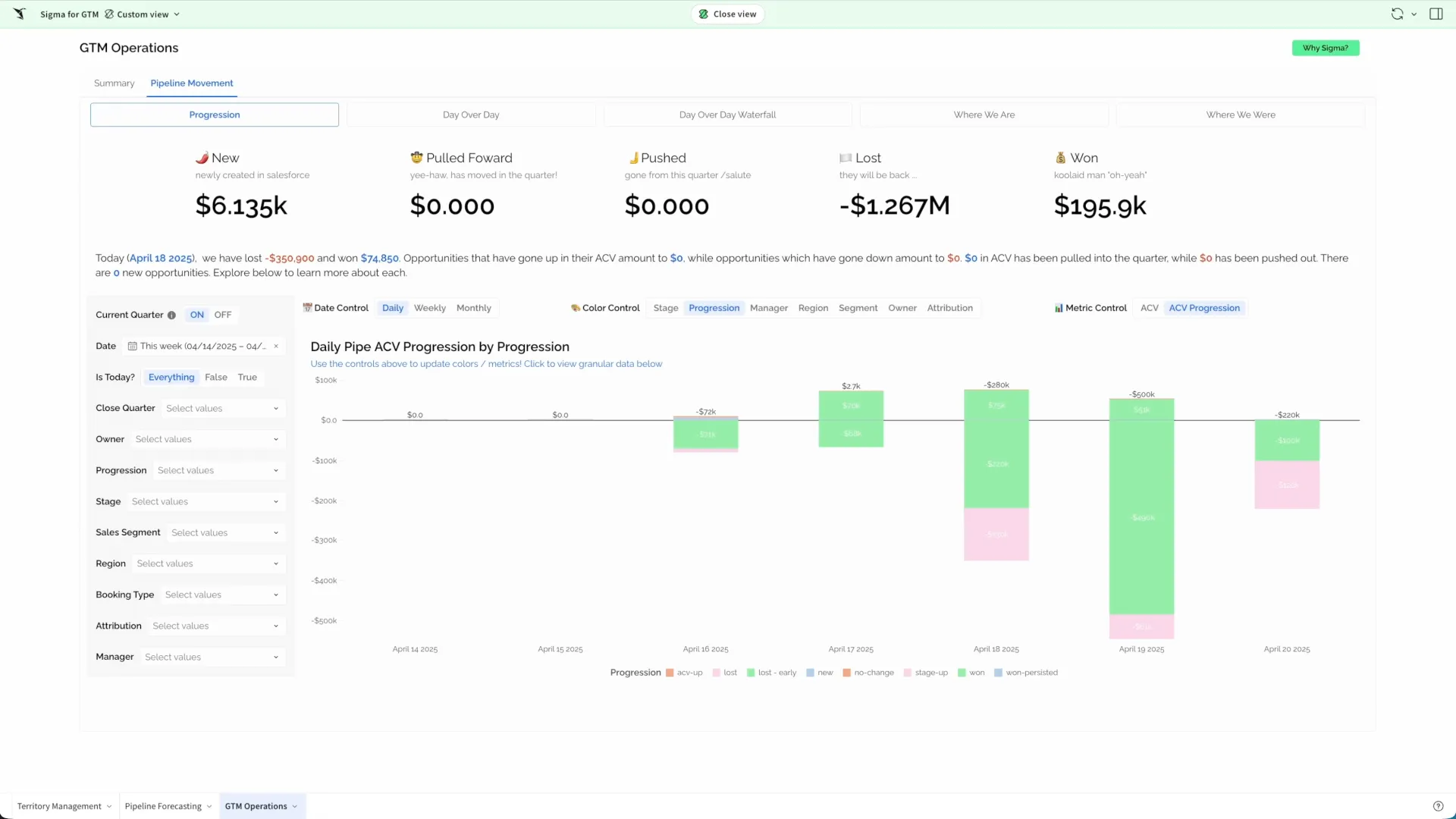
Sigma Computing
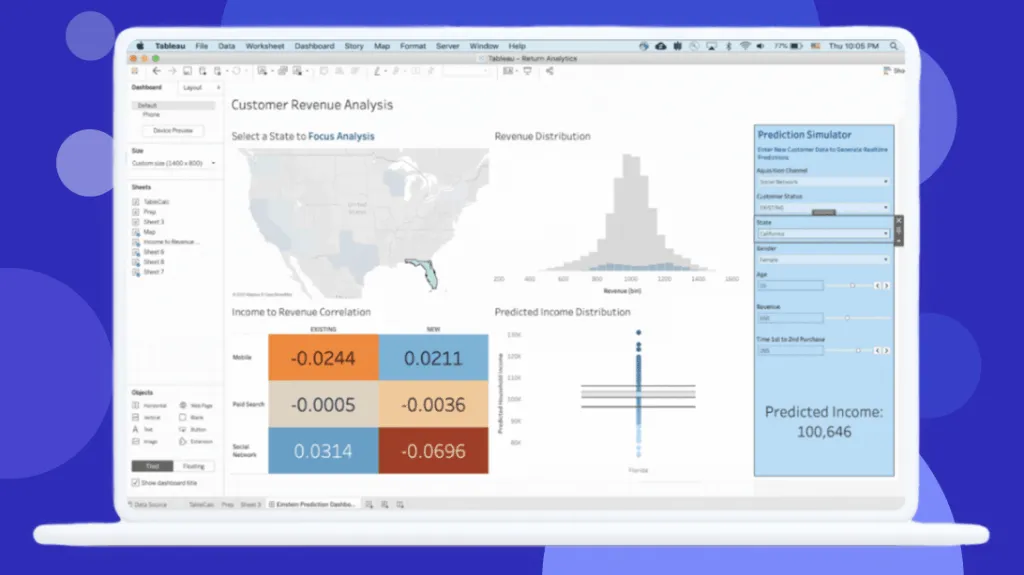
Tableau
Feature Comparison
| Feature | Sigma Computing | Tableau |
|---|---|---|
| Data Architecture | ||
| Warehouse Connectivity | Direct live query to Snowflake, Databricks, BigQuery, and Redshift with zero-copy execution | Connects to hundreds of data sources including warehouses, databases, files, and cloud applications |
| Query Execution Model | All queries compile to SQL and run inside the warehouse; hybrid caching reduces unnecessary compute | Supports both live connections and Hyper extract engine; extracts enable quick performance on sizable datasets |
| Data Governance | Governance enforced at warehouse boundary with OAuth, service accounts, and role-aware access control | Governed through Tableau Server or Cloud permissions, with enterprise-grade SSO and row-level security |
| Analytics & Visualization | ||
| Dashboard Building | Spreadsheet-based workbooks that support tables, charts, pivots, and drill-downs on live data | Drag-and-drop visual canvas with extensive chart types, calculated fields, and interactive filtering |
| Self-Service Analytics | Business users explore data using spreadsheet skills; no SQL required; formulas compile to SQL automatically | Explorer and Creator licenses enable web-based and desktop authoring with guided analytics |
| Embedded Analytics | React SDK with white-label embedding, SSO, and rapid deployment via Sigma Tenants | Embedded analytics available in Enterprise edition with additional licensing for external users |
| AI & Automation | ||
| AI-Powered Features | AI Apps platform for building governed AI applications; AI Builder for workflow automation on warehouse data | Agentic analytics via Tableau Next with Agentforce for proactive insights and natural language queries |
| Natural Language Queries | Chat with AI to build dashboards, reports, and apps using plain language on trusted data | Ask Data and Agentforce Tableau enable natural language questions with permission-aware responses |
| Data Writeback | Input Tables for editing data in Sigma and writing changes back to the warehouse via INSERT, UPDATE, DELETE | Read-focused platform; writeback requires external tools or custom extensions |
| Reporting & Collaboration | ||
| Pixel-Perfect Reports | Paginated, PDF-exportable reports with bursting to deliver audit-ready documents to thousands of recipients | Dashboard export to PDF and image formats; paginated reports available through Tableau Server |
| Collaboration Tools | Workbook-level collaboration with version history and team-based sharing directly on live data | Sharing via Tableau Cloud or Server with comments, subscriptions, and Slack integration for team discussions |
| Community & Ecosystem | Growing community with Snowflake and Databricks Partner of the Year recognition; Gartner Magic Quadrant recognized | Massive DataFam community with millions of members, Tableau Public gallery, annual conference, and certification programs |
| Enterprise Readiness | ||
| Security & Compliance | SOC 2 Type II, ISO 27001, GDPR/CCPA posture; private connectivity on AWS, Azure, and GCP | Enterprise-grade security with SSO, encryption, advanced data management, and Salesforce Hyperforce infrastructure |
| Scalability | Scales with warehouse compute; used by 2,000+ enterprises including JPMorgan Chase, Blackstone, and DoorDash | Proven at enterprise scale with deployments of 10,000+ users; adopted across Fortune 500 organizations |
| Integration Ecosystem | Integrates with dbt Semantic Layer, cloud warehouses, and supports transformation, catalog, monitoring, and activation partners | Broad connector library, deep Salesforce CRM integration, and extensive partner ecosystem across the data stack |
Data Architecture
Warehouse Connectivity
Query Execution Model
Data Governance
Analytics & Visualization
Dashboard Building
Self-Service Analytics
Embedded Analytics
AI & Automation
AI-Powered Features
Natural Language Queries
Data Writeback
Reporting & Collaboration
Pixel-Perfect Reports
Collaboration Tools
Community & Ecosystem
Enterprise Readiness
Security & Compliance
Scalability
Integration Ecosystem
Which to choose
Sigma Computing and Tableau represent two distinct philosophies in business intelligence. Sigma is built warehouse-native from the ground up, treating the cloud data warehouse as the single source of truth and giving business users a spreadsheet interface to explore live data without SQL. Tableau is an established provider in visual analytics, offering extensive visualization depth, broad data connectivity, and a mature ecosystem that includes desktop authoring, a sizable community, and close Salesforce integration. Sigma excels when the goal is enabling non-technical users to self-serve on warehouse data with familiar spreadsheet patterns, complete with writeback, AI Apps, and embedded analytics. Tableau excels when the priority is building polished, interactive dashboards with advanced visualizations across diverse data sources and deploying them at enterprise scale with governance controls.
Best-fit scenarios
Choose Sigma Computing if:
Choose Sigma Computing if your organization runs on a cloud data warehouse like Snowflake, Databricks, BigQuery, or Redshift and you want business users to explore that data without depending on SQL-skilled analysts. Sigma's spreadsheet interface eliminates the training barrier that holds back self-service adoption in many BI deployments. Its warehouse-native architecture means governance stays at the warehouse boundary, all queries execute where the data lives, and the hybrid caching engine keeps compute costs under control. The AI Apps platform and writeback capabilities make Sigma particularly strong for teams that need to go beyond dashboards into operational workflows like financial planning, demand forecasting, and sales pipeline management. A Forrester TEI study found 321% ROI and payback in under six months for Sigma customers. Organizations like JPMorgan Chase, Blackstone, DoorDash, and Duolingo use Sigma to put data directly into the hands of business teams.
Choose Tableau if:
Choose Tableau if your team needs extensive visualization capabilities on the market, broad data connectivity beyond cloud warehouses, and access to a sizable BI community and ecosystem. Tableau's drag-and-drop canvas, extensive chart library, and Tableau Desktop give analysts and data teams unmatched flexibility in how they build and present data stories. The addition of Tableau Next with agentic analytics and Agentforce integration positions Tableau for organizations already invested in the Salesforce ecosystem or those that want AI-driven autonomous insights. Tableau's per-user pricing model works well for organizations that can tightly manage their license mix, and its Enterprise edition delivers advanced security, data management, and embedded analytics for large deployments. Recognized as a 2025 Gartner Magic Quadrant Leader, Tableau is trusted by organizations like Box, KeyBank, and JLR for enterprise-scale analytics with proven governance and a certification program that ensures analyst proficiency.
These scenarios reflect the available product evidence. Your requirements, existing stack, and team expertise should guide the final decision.
Frequently Asked Questions
What is the main difference between Sigma Computing and Tableau?
Sigma Computing is a warehouse-native BI platform that uses a spreadsheet-style interface to let business users explore live data without SQL. All queries compile to SQL and execute directly inside the cloud warehouse. Tableau is a visual analytics platform centered on drag-and-drop dashboard building with support for both live connections and data extracts. Sigma focuses on making warehouse data accessible through familiar spreadsheet paradigms, while Tableau focuses on producing rich, interactive visualizations and has an extensive ecosystem of deployment options and community resources.
Which platform is easier for business users to learn?
Sigma Computing is generally easier for business users who already know spreadsheets. Its interface mirrors Excel and Google Sheets, so users can apply familiar formulas, pivot tables, and filtering patterns without learning a new paradigm. Sigma holds an 8.2/10 rating with users frequently citing ease of use and accessibility for non-technical teams. Tableau has a steeper learning curve for complex calculations and data prep, though its drag-and-drop approach is intuitive for basic dashboard creation. Tableau holds an 8.4/10 rating with users praising its visualization capabilities but noting the learning investment required for advanced features.
How do Sigma Computing and Tableau compare on pricing?
Sigma Computing starts at $300/month for Essentials with unlimited users, with Professional and Enterprise tiers available through sales. Tableau uses per-user, role-based pricing: Viewer at $15/user/month, Explorer at $42/user/month, and Creator at $75/user/month for Cloud Standard, billed annually. Enterprise edition pricing ranges from $35 to $115 per user per month. For organizations with many consumers, Sigma's unlimited user model on Essentials can be more cost-effective. For smaller teams with few dashboard builders, Tableau's Viewer tier offers a lower per-person entry point.
Can Sigma Computing replace Tableau?
Sigma Computing can replace Tableau for teams whose primary use case is exploring and analyzing warehouse data through self-service analytics. Sigma's spreadsheet interface, writeback capabilities, and AI Apps platform cover most BI workflows. However, Tableau offers extensive visualization options, a wide connector library beyond just cloud warehouses, and a mature ecosystem with desktop authoring, Tableau Public, and a sizable community. Organizations heavily invested in the Salesforce ecosystem will also find Tableau's native Agentforce integration difficult to replicate. We recommend evaluating both against your team's specific workflows before committing to a migration.
Which platform is better for embedded analytics?
Sigma Computing offers embedded analytics with a React SDK, white-label support, SSO, and rapid deployment through Sigma Tenants across all tiers. Tableau provides embedded analytics through its Enterprise edition, which requires additional licensing for external users and typically adds $10,000 to $50,000 or more per year depending on user count. For organizations that need to embed analytics into customer-facing products, Sigma's approach is more straightforward and potentially more cost-effective, while Tableau's embedded offering leverages its visualization depth for more complex dashboard requirements.