Decision comparison
KNIME vs Kramata
KNIME and Kramata overlap only at the start of KNIME's range. Both let someone without code build a repeatable data workflow on their own computer, but KNIME is a data-science platform that also cleans data, while Kramata is a data cleaner and nothing more. The decision is about where the work is going: if a cleanup is the whole job, Kramata gets a non-technical user there faster and cheaper; if the cleanup is the first step of analysis, modelling or a deployed pipeline, KNIME is the tool you will end up in. We compared them on each vendor's published product and pricing information, checked on 27 September 2026: scope, platforms, pricing, learning curve and data access.
Architecture choice. These take different approaches to the same problem. Read the table as a fit question rather than a feature race.
All 2 are data preparation tools.
Quick Comparison
| Decision factor | KNIME | Kramata |
|---|---|---|
| Best For | Data teams and analysts building repeatable analytical workflows that go beyond cleanup: blending many sources, modelling, AI methods and deploying the result for others. It fits organisations growing citizen data scientists alongside engineering governance. | Operations, finance and small-business staff on Windows who clean the same CSV or Excel export every week or month, and want a non-technical colleague to re-run the cleanup without training or a platform to maintain. |
| Scope | A full visual data-science platform. Workflows are built from nodes, each performing one action on data, connected together and run when you decide. Reusable components carry a pattern into other workflows, and the vendor describes deploying and monitoring workflows through a standard process, with cloud-native architecture for enterprise-scale use. | A focused spreadsheet cleaner. A recipe is an ordered list of plain-language steps — remove duplicates, fix dates, merge by key, split or merge columns, pivot and unpivot, flag bad rows — saved as a portable .json file and re-run on the next file in one click. Analytics, modelling and deployment are outside its job. |
| Platforms | KNIME Analytics Platform is open-source desktop software for Windows, macOS and Linux. Paid offerings add collaboration, governance and scale for teams. | Windows 10 and 11 (x64) desktop app from the Microsoft Store or a direct installer, with an in-process DuckDB database for large files. No account and no cloud service; files never leave the machine. Current version 1.0.3, first released in June 2026. |
| Pricing | KNIME Analytics Platform is free and open source for personal use. KNIME Hub (online) has two paid plans: Pro starts at $19 per month, and Team starts at $99 per month with 3 team members included and additional members at $49 per month each. KNIME Business Hub (Basic, Standard and Enterprise) is priced on request. Verified 2026-10-09 against https://www.knime.com/knime-hub-pricing. | Free costs $0 and includes all cleaning rules, saving and re-running recipes, single-file cleaning, and CSV and Excel export. Pro is $29 one-time, listed on kramata.com as $29/lifetime and marked Early Access, and adds batch processing: clean whole folders, unlimited files. Pro is a one-time purchase, not a subscription; the licence key is sold through Gumroad, checked once with Gumroad on activation, then stored on the user's machine. |
| Learning Curve | Low-code but broad: node configuration, component reuse and the sheer number of nodes take time to learn. KNIME's own customer story describes engineers going from beginners to analytics practitioners within a few months of a training programme. | Short: each step is written in plain language and the table updates live, so the result can be checked before saving. There is no query language or node configuration to learn. |
| Data Sources | The vendor states access to any data type from any source through more than 300 connectors, so a workflow can read databases and services as well as files. | Files only: CSV, .xlsx, .xlsm and legacy .xls, including files with messy multi-row headers. Output is CSV or Excel. |
KNIME
- Best For:
- Data teams and analysts building repeatable analytical workflows that go beyond cleanup: blending many sources, modelling, AI methods and deploying the result for others. It fits organisations growing citizen data scientists alongside engineering governance.
- Scope:
- A full visual data-science platform. Workflows are built from nodes, each performing one action on data, connected together and run when you decide. Reusable components carry a pattern into other workflows, and the vendor describes deploying and monitoring workflows through a standard process, with cloud-native architecture for enterprise-scale use.
- Platforms:
- KNIME Analytics Platform is open-source desktop software for Windows, macOS and Linux. Paid offerings add collaboration, governance and scale for teams.
- Pricing:
- KNIME Analytics Platform is free and open source for personal use. KNIME Hub (online) has two paid plans: Pro starts at $19 per month, and Team starts at $99 per month with 3 team members included and additional members at $49 per month each. KNIME Business Hub (Basic, Standard and Enterprise) is priced on request. Verified 2026-10-09 against https://www.knime.com/knime-hub-pricing.
- Learning Curve:
- Low-code but broad: node configuration, component reuse and the sheer number of nodes take time to learn. KNIME's own customer story describes engineers going from beginners to analytics practitioners within a few months of a training programme.
- Data Sources:
- The vendor states access to any data type from any source through more than 300 connectors, so a workflow can read databases and services as well as files.
Kramata
- Best For:
- Operations, finance and small-business staff on Windows who clean the same CSV or Excel export every week or month, and want a non-technical colleague to re-run the cleanup without training or a platform to maintain.
- Scope:
- A focused spreadsheet cleaner. A recipe is an ordered list of plain-language steps — remove duplicates, fix dates, merge by key, split or merge columns, pivot and unpivot, flag bad rows — saved as a portable .json file and re-run on the next file in one click. Analytics, modelling and deployment are outside its job.
- Platforms:
- Windows 10 and 11 (x64) desktop app from the Microsoft Store or a direct installer, with an in-process DuckDB database for large files. No account and no cloud service; files never leave the machine. Current version 1.0.3, first released in June 2026.
- Pricing:
- Free costs $0 and includes all cleaning rules, saving and re-running recipes, single-file cleaning, and CSV and Excel export. Pro is $29 one-time, listed on kramata.com as $29/lifetime and marked Early Access, and adds batch processing: clean whole folders, unlimited files. Pro is a one-time purchase, not a subscription; the licence key is sold through Gumroad, checked once with Gumroad on activation, then stored on the user's machine.
- Learning Curve:
- Short: each step is written in plain language and the table updates live, so the result can be checked before saving. There is no query language or node configuration to learn.
- Data Sources:
- Files only: CSV, .xlsx, .xlsm and legacy .xls, including files with messy multi-row headers. Output is CSV or Excel.
Public signals
Verified factual signals only. Bars appear only for like-for-like metrics with five weekly assessments for every tool; missing evidence stays explicit. These signals do not establish enterprise adoption, product quality, or total cost.
| Metric | KNIME | Kramata |
|---|---|---|
| Docker Hub pulls(Product adoption) | 16.1k | Not available |
| GitHub commits, 90d(Developer adoption) | 0 | Not available |
| GitHub stars(Developer adoption) | 0 | Not available |
| Search interest(Market interest) | 1 | Unavailable |
| Product Hunt comments(Community interest) | 1 | Not available |
| Product Hunt reviews(Community interest) | 0 | Not available |
| Product Hunt votes(Community interest) | 1 | Not available |
| PyPI weekly downloads(Product adoption) | 64 | Not available |
| Stack Overflow questions(Community interest) | 301 | Not available |
| Hacker News mentions, 90d(Community interest) | Not available | 0 |
As of October 12, 2026 — updated weekly.
Health & risk evidence
Observed public-source checks for mapped package versions and repositories.
KNIME
October 12, 2026Package vulnerabilities
PyPI · knime@0.11.6
0 vulnerabilities
across 1 package
Repository security score
Not available
Kramata
Package vulnerabilities
Not available
Repository security score
Not available
Interface Preview
KNIME
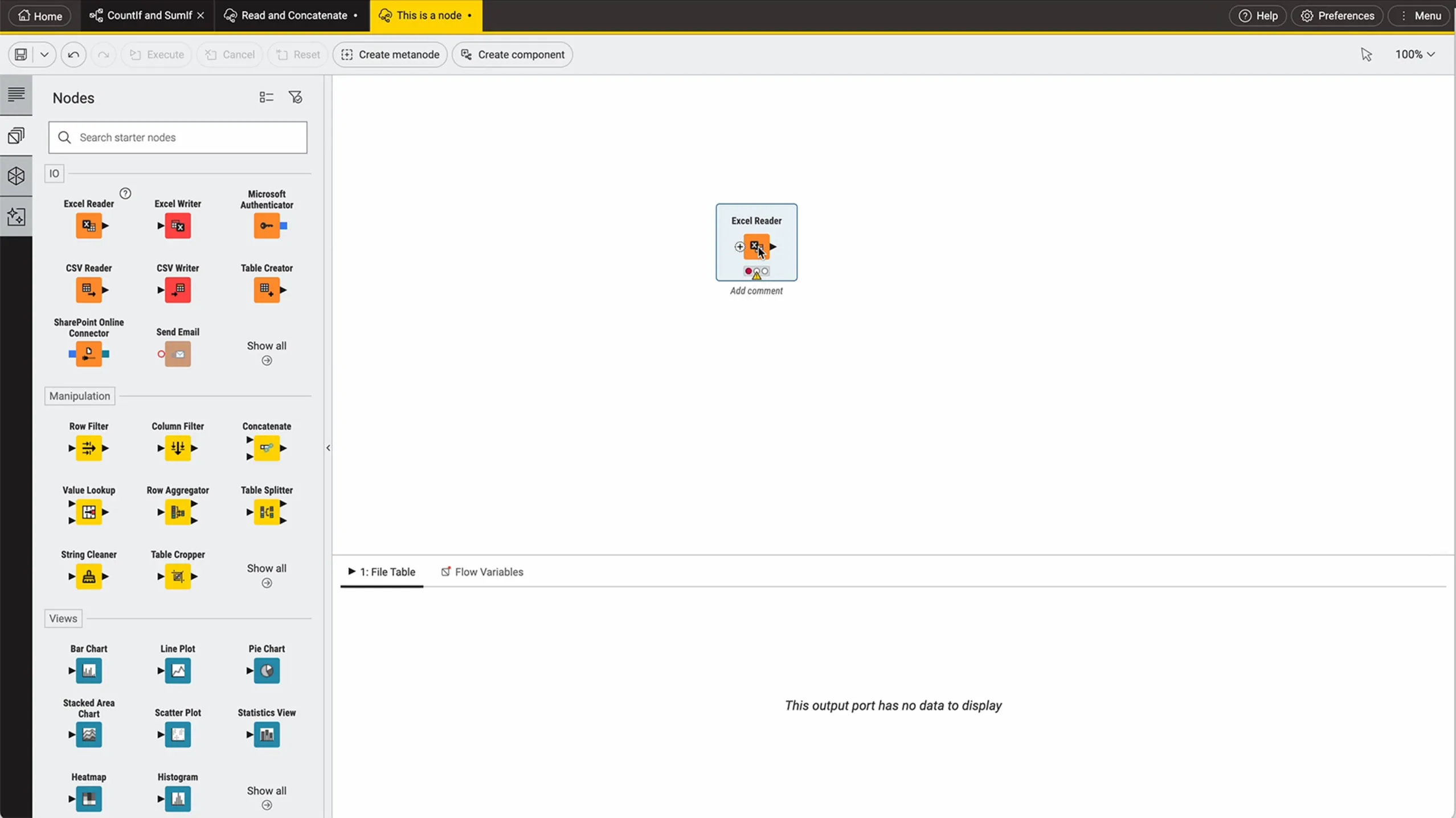
Feature Comparison
| Feature | KNIME | Kramata |
|---|---|---|
| Building Workflows | ||
| Authoring model | Nodes connected into a visual workflow | An ordered list of plain-language steps |
| Reuse | Reusable components shared across workflows | A recipe saved as a portable .json file |
| Checking results | Run the workflow when you decide and inspect node output | The table updates live as each step is added |
| Coding | Low-code, with scripting integrations for advanced users | No code or formulas |
| Data Preparation | ||
| Clean and filter | Cleaning and filtering nodes within a general workflow | Duplicates, dates (day-first or month-first), trim, case, fill blanks, find and replace, filter |
| Combine files | Blend data from many sources in one workflow | Merge a second file by key, first match per key |
| Reshape | Transformation nodes for reshaping | Pivot and group, unpivot, split and merge columns |
| Rows that fail a check | Built as workflow logic by the author | Sent to a separate Flagged list to review and export |
| Data Access | ||
| Sources | More than 300 connectors, per the vendor | CSV and Excel files |
| Output | Files, databases and deployed applications | CSV and Excel files |
| Analytics and Deployment | ||
| Analytics and AI | A range of analytic and AI methods and models | Calculated columns and pivot summaries |
| Deploy and monitor | Deploy and monitor workflows through a standard process | Runs on the user's PC |
| Team collaboration and governance | Paid offerings from $19/mo | Share the .json recipe file |
| Batch over a folder | Built as a workflow loop | Pro ($29 one-time): each file cleaned, or all merged into one |
| Platform and Licence | ||
| Operating systems | Windows, macOS and Linux | Windows 10 and 11 (x64) |
| Licence | Open-source Analytics Platform, free for personal use | Closed source; free edition and a one-time Pro key |
Building Workflows
Authoring model
Reuse
Checking results
Coding
Data Preparation
Clean and filter
Combine files
Reshape
Rows that fail a check
Data Access
Sources
Output
Analytics and Deployment
Analytics and AI
Deploy and monitor
Team collaboration and governance
Batch over a folder
Platform and Licence
Operating systems
Licence
Which approach fits
KNIME and Kramata overlap only at the start of KNIME's range. Both let someone without code build a repeatable data workflow on their own computer, but KNIME is a data-science platform that also cleans data, while Kramata is a data cleaner and nothing more. The decision is about where the work is going: if a cleanup is the whole job, Kramata gets a non-technical user there faster and cheaper; if the cleanup is the first step of analysis, modelling or a deployed pipeline, KNIME is the tool you will end up in. We compared them on each vendor's published product and pricing information, checked on 27 September 2026: scope, platforms, pricing, learning curve and data access.
When each approach fits
Choose KNIME if:
Choose KNIME when the cleanup feeds something larger. Its node workflows blend data from more than 300 connectors, not just files, carry on into analytic and AI methods, and can be deployed and monitored for other people to use, with paid team offerings at $19, $49 and $99 a month for collaboration and governance. It runs on Windows, macOS and Linux, and its open-source Analytics Platform is free for personal use. The cost is learning: node configuration and reusable components take weeks, not an afternoon, and a finance clerk who only needs next month's export cleaned will find KNIME far more than the job requires. Choose it for an analyst or data team, not for a one-file chore.
Choose Kramata if:
Choose Kramata when the job is one recurring spreadsheet cleanup and the person running it is not technical. A recipe reads as plain steps, the table updates while you build it, and a colleague can re-run the .json recipe on next month's file with one click. Rows that fail a check go to a Flagged list instead of disappearing, and a merge keeps the main file's row count by taking the first match per key. Everything except folder batch processing is free, and batch is $29 once. It loses whenever the work grows: Windows only, CSV and Excel only, no database connectors, no analytics beyond pivots and calculated columns, and no way to deploy a workflow for others. It is also new — first released in June 2026, with Pro still marked Early Access.
These scenarios reflect the available product evidence. Your requirements, existing stack, and team expertise should guide the final decision.
Frequently Asked Questions
Is Kramata a simpler alternative to KNIME?
For spreadsheet cleaning, yes. Kramata covers duplicates, dates, merging by key, pivot and unpivot and flagged rows in plain-language steps. It does not replace KNIME's data connectors, analytics, AI methods or deployment.
Which is cheaper, KNIME or Kramata?
Both have a free option. KNIME Analytics Platform is free for personal use, with KNIME Hub plans from $19/mo (Pro) and $99/mo (Team). Kramata's free edition includes every cleaning rule for one file at a time, and Pro is $29 one-time for batch processing of folders.
Can KNIME and Kramata run on a Mac?
KNIME Analytics Platform runs on Windows, macOS and Linux. Kramata runs on Windows 10 and 11 (x64).