Decision comparison
Easy Data Transform vs KNIME
Choose Easy Data Transform when the job is fast, repeatable preparation of local Excel, CSV, JSON, or similar files by non-programmers, with predictable one-time licensing. Choose KNIME when workflows must connect broadly across data sources and extend into analytics, AI/ML, deployment, governance, and cloud-native enterprise use.
Direct comparison. These are reviewed substitutes bought for the same job, so the differences below are the ones that decide between them.
All 2 are data preparation tools.
Quick Comparison
| Decision factor | Easy Data Transform | KNIME |
|---|---|---|
| Best For | Individual analysts and small teams preparing, cleaning, merging, and exporting file-based data locally without writing code. | Data science teams needing broad data connectivity, visual analytics, AI and ML workflows, deployment, and enterprise-scale collaboration. |
| Architecture | Downloadable Windows and macOS desktop application that processes source files locally, without requiring uploads to a hosted service. | Open-source analytics platform using visual workflows, 300+ connectors, reusable components, and cloud-native enterprise deployment capabilities. |
| Pricing Model | Core costs $99 as a one-time perpetual license and includes unlimited transform files, inputs, transforms, outputs, batch processing, command-line use, and support. Advanced costs $198 one time and adds unlimited charts. Standard licenses cover one named, non-transferable user on up to three PCs or Macs and include all version 2 updates. Organizational licenses with transferable seats and volume discounts are available from the vendor on request. | KNIME Analytics Platform is free and open source for personal use. KNIME Hub (online) has two paid plans: Pro starts at $19 per month, and Team starts at $99 per month with 3 team members included and additional members at $49 per month each. KNIME Business Hub (Basic, Standard and Enterprise) is priced on request. Verified 2026-10-09 against https://www.knime.com/knime-hub-pricing. |
| Ease of Use | Very approachable drag-and-drop workflow builder with immediate step results, no coding, and reusable transformation templates. | Visual workflow design makes advanced analytics accessible, though its broad modeling, AI, and deployment scope creates a larger learning surface. |
| Scalability | Optimized for local processing of thousands or millions of rows, plus repeatable folder batch processing and command-line execution. | Designed to scale from local analytics workflows to governed enterprise deployments and cloud-native consumption of data science solutions. |
| Community/Support | Standard named-user licenses include vendor support and all version 2 updates; organizational transferable licenses are available on request. | Open-source platform with paid offerings for collaboration, governance, and scale; commercial sales engagement supports enterprise adoption. |
Easy Data Transform
- Best For:
- Individual analysts and small teams preparing, cleaning, merging, and exporting file-based data locally without writing code.
- Architecture:
- Downloadable Windows and macOS desktop application that processes source files locally, without requiring uploads to a hosted service.
- Pricing Model:
- Core costs $99 as a one-time perpetual license and includes unlimited transform files, inputs, transforms, outputs, batch processing, command-line use, and support. Advanced costs $198 one time and adds unlimited charts. Standard licenses cover one named, non-transferable user on up to three PCs or Macs and include all version 2 updates. Organizational licenses with transferable seats and volume discounts are available from the vendor on request.
- Ease of Use:
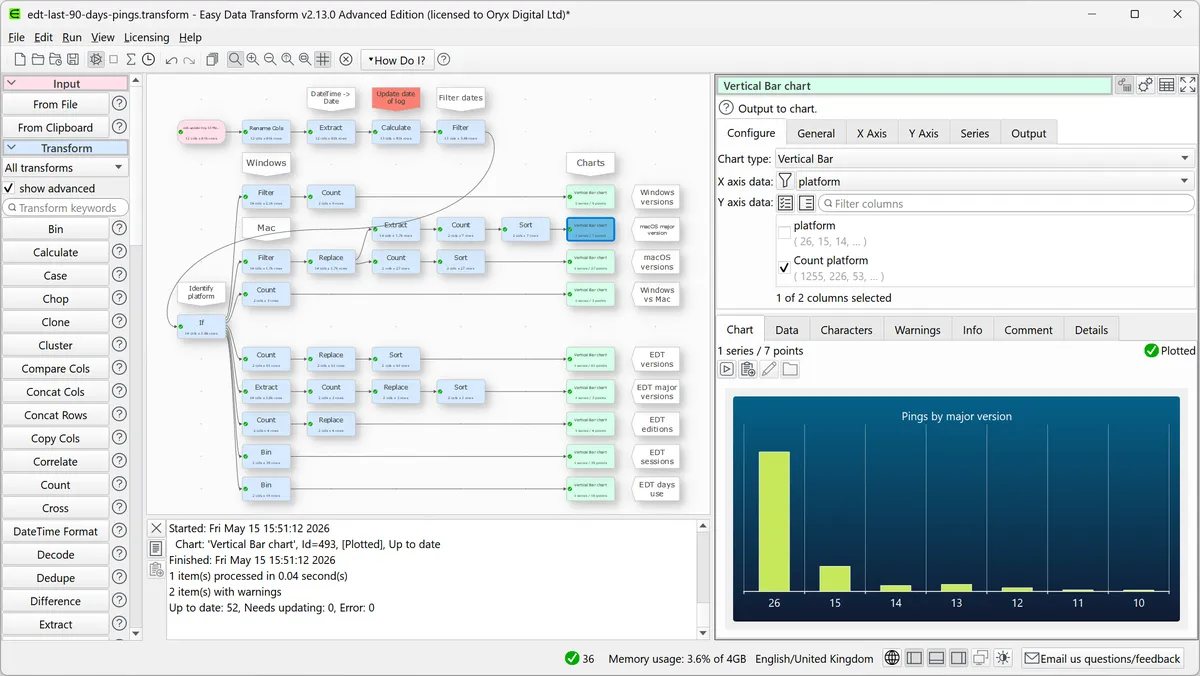
- Very approachable drag-and-drop workflow builder with immediate step results, no coding, and reusable transformation templates.
- Scalability:
- Optimized for local processing of thousands or millions of rows, plus repeatable folder batch processing and command-line execution.
- Community/Support:
- Standard named-user licenses include vendor support and all version 2 updates; organizational transferable licenses are available on request.
KNIME
- Best For:
- Data science teams needing broad data connectivity, visual analytics, AI and ML workflows, deployment, and enterprise-scale collaboration.
- Architecture:
- Open-source analytics platform using visual workflows, 300+ connectors, reusable components, and cloud-native enterprise deployment capabilities.
- Pricing Model:
- KNIME Analytics Platform is free and open source for personal use. KNIME Hub (online) has two paid plans: Pro starts at $19 per month, and Team starts at $99 per month with 3 team members included and additional members at $49 per month each. KNIME Business Hub (Basic, Standard and Enterprise) is priced on request. Verified 2026-10-09 against https://www.knime.com/knime-hub-pricing.
- Ease of Use:
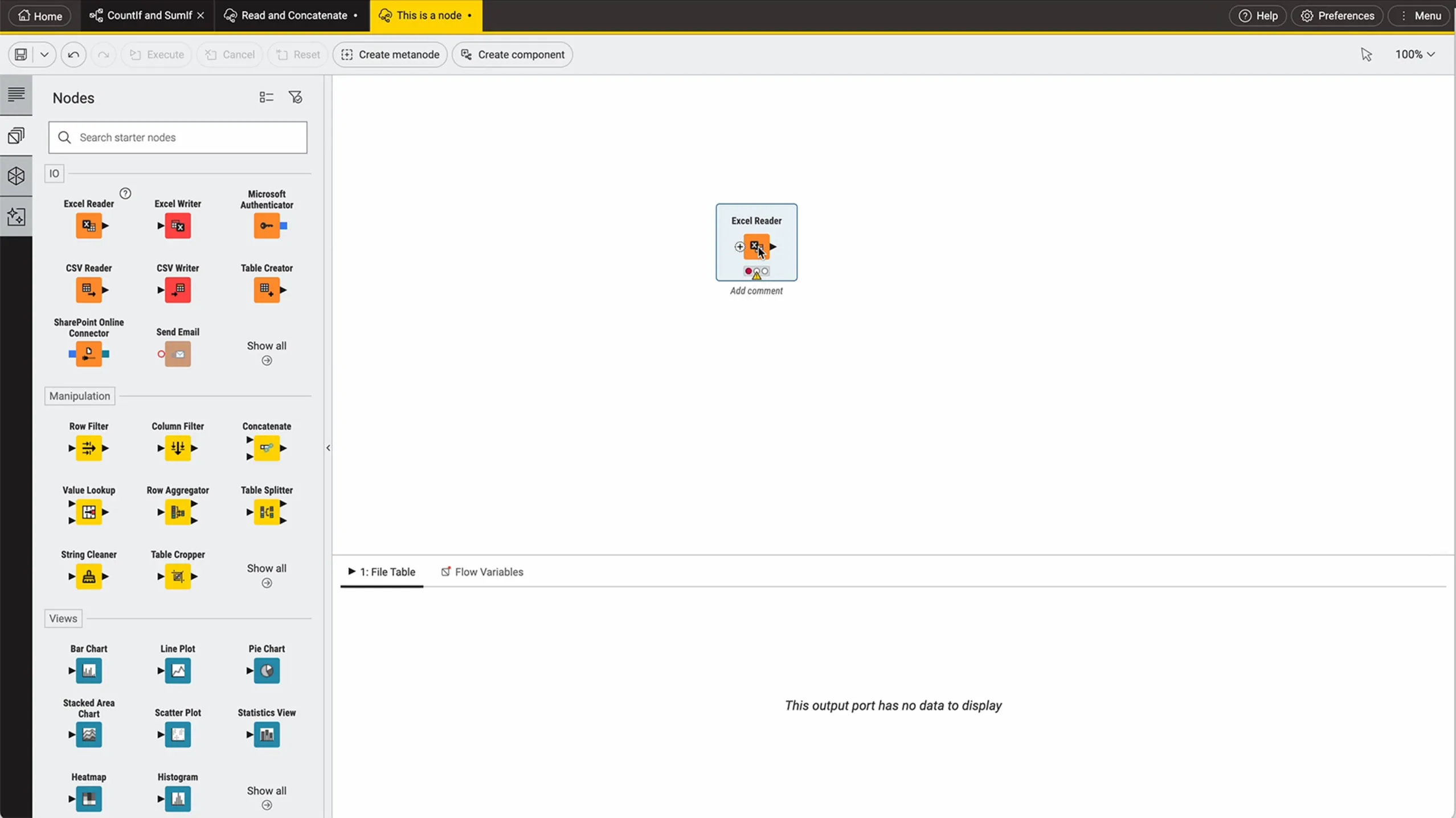
- Visual workflow design makes advanced analytics accessible, though its broad modeling, AI, and deployment scope creates a larger learning surface.
- Scalability:
- Designed to scale from local analytics workflows to governed enterprise deployments and cloud-native consumption of data science solutions.
- Community/Support:
- Open-source platform with paid offerings for collaboration, governance, and scale; commercial sales engagement supports enterprise adoption.
Public signals
Verified factual signals only. Bars appear only for like-for-like metrics with five weekly assessments for every tool; missing evidence stays explicit. These signals do not establish enterprise adoption, product quality, or total cost.
| Metric | Easy Data Transform | KNIME |
|---|---|---|
| Search interest(Market interest) | Unavailable | 1 |
| Hacker News mentions, 90d(Community interest) | 0 | Not available |
| Product Hunt comments(Community interest) | 3 | 1 |
| Product Hunt reviews(Community interest) | 0 | 0 |
| Product Hunt votes(Community interest) | 11 | 1 |
| Docker Hub pulls(Product adoption) | Not available | 16.1k |
| GitHub commits, 90d(Developer adoption) | Not available | 0 |
| GitHub stars(Developer adoption) | Not available | 0 |
| PyPI weekly downloads(Product adoption) | Not available | 64 |
| Stack Overflow questions(Community interest) | Not available | 301 |
As of October 12, 2026 — updated weekly.
Health & risk evidence
Observed public-source checks for mapped package versions and repositories.
Easy Data Transform
Package vulnerabilities
Not available
Repository security score
Not available
KNIME
October 12, 2026Package vulnerabilities
PyPI · knime@0.11.6
0 vulnerabilities
across 1 package
Repository security score
Not available
Interface Preview
Easy Data Transform
KNIME
Feature Comparison
| Feature | Easy Data Transform | KNIME |
|---|---|---|
| Workflow Design | ||
| Visual workflow authoring | Drag-and-drop steps build transformations without coding or syntax. | Visual workflows compose data preparation, analytics, and reusable components. |
| Step-level feedback | Displays results immediately after each transformation step. | Uses visual workflow construction for iterative analytics design. |
| Reusable workflows | Reusable transform files and templates automate recurring file preparation. | Reusable components support repeatable data science workflow design. |
| Data Access and Formats | ||
| File inputs | Reads Excel, CSV, JSON, TSV, XML, vCard, and fixed-width files. | Accesses data types and sources through more than 300 connectors. |
| File outputs | Exports Excel, CSV, JSON, HTML, Markdown, YAML, XML, and text. | Supports workflow-based data use across connected data sources. |
| Data-source breadth | Focuses on local, file-based source data preparation workflows. | Connects to any data type from a broad range of sources. |
| Data Preparation | ||
| Cleaning and filtering | Applies visual cleaning and filtering as sequential workflow steps. | Blends and transforms connected data within visual analytical workflows. |
| Blending and merging | Merges file-based datasets through drag-and-drop transformation workflows. | Blends data from varied types and sources using connectors. |
| Deduplication and reshaping | Provides dedicated visual operations for deduplicating and reshaping records. | Transforms source data as part of broader analytics workflows. |
| Analytics and Visualization | ||
| Built-in charts | Advanced edition creates scatter, line, area, bar, pie, and donut charts. | Offers a complete range of analytic methods, models, and visualization capabilities. |
| AI and machine learning | Not available in the product documentation. | Supports analytic and AI methods, models, and LLM-enabled analysis. |
| Analysis sophistication | Targets practical visual data wrangling and lightweight chart creation. | Supports analysis from data preparation through advanced AI and ML. |
| Automation and Deployment | ||
| Batch execution | Batch-processes folders of files using reusable transform workflows. | Uses reusable workflows and components for repeatable analytical processes. |
| Command-line use | Runs reusable transforms through command-line execution. | Not available in the product documentation. |
| Enterprise deployment | Runs transformations locally on a named user's Windows or Mac computers. | Securely deploys, monitors, governs, and scales cloud-native data science solutions. |
Workflow Design
Visual workflow authoring
Step-level feedback
Reusable workflows
Data Access and Formats
File inputs
File outputs
Data-source breadth
Data Preparation
Cleaning and filtering
Blending and merging
Deduplication and reshaping
Analytics and Visualization
Built-in charts
AI and machine learning
Analysis sophistication
Automation and Deployment
Batch execution
Command-line use
Enterprise deployment
Which to choose
Choose Easy Data Transform when the job is fast, repeatable preparation of local Excel, CSV, JSON, or similar files by non-programmers, with predictable one-time licensing. Choose KNIME when workflows must connect broadly across data sources and extend into analytics, AI/ML, deployment, governance, and cloud-native enterprise use.
Best-fit scenarios
Choose Easy Data Transform if:
Choose Easy Data Transform for local file wrangling, recurring folder-based transformations, command-line batch runs, and teams that prefer a $99 or $198 one-time license over subscriptions.
Choose KNIME if:
Choose KNIME for multi-source analytics, 300+ connector requirements, reusable data science components, AI/ML or LLM workflows, and governed enterprise deployment.
These scenarios reflect the available product evidence. Your requirements, existing stack, and team expertise should guide the final decision.
Frequently Asked Questions
What is the main difference between Easy Data Transform and KNIME?
Easy Data Transform is a focused Windows and macOS desktop application for visually preparing file-based data locally. It emphasizes no-code cleaning, merging, filtering, deduplication, reshaping, exports, and folder batch processing. KNIME is a broader open-source analytics platform: it combines visual data workflows with 300+ connectors, analytic and AI methods, reusable components, deployment and monitoring capabilities, and cloud-native enterprise-scale options.
Which is better for small teams?
Easy Data Transform is often the clearer fit for a small team whose work primarily involves recurring Excel, CSV, JSON, TSV, XML, or other local file transformations. Its Core license costs $99 once per named user, includes support, and permits use on up to three PCs or Macs. KNIME can suit technically oriented small teams that need broad connectivity or modeling, starting with its free open-source Analytics Platform for personal use and paid options from $19/mo.
Can I migrate from Easy Data Transform to KNIME?
You can recreate an Easy Data Transform process in KNIME, but our research does not describe a direct transform-file import or automated migration path. Document each source file, cleaning rule, merge, filter, deduplication step, reshape, and output requirement, then rebuild the logic as a KNIME visual workflow. Migration is most justified when you need KNIME's 300+ connectors, AI and ML capabilities, reusable components, or enterprise deployment and governance.
What are the pricing differences?
Easy Data Transform uses one-time perpetual licensing. Core costs $99 and includes unlimited transform files, inputs, transforms, outputs, batch processing, command-line use, and support; Advanced costs $198 once and adds unlimited charts. Each standard license is for one named, non-transferable user on up to three computers and includes version 2 updates. KNIME offers its open-source Analytics Platform free for personal use, while KNIME Hub's paid plans start at $19/mo (Pro) and $99/mo (Team) for collaboration, with Business Hub priced on request for governance and scale.