Decision comparison
KNIME vs Tableau
KNIME is the stronger choice for data science teams that need end-to-end analytic workflows, ML model building, and cost-effective scaling, while Tableau is the better fit for organizations focused primarily on interactive data visualization and dashboard delivery across large user bases.
Architecture choice. These take different approaches to the same problem. Read the table as a fit question rather than a feature race.
These are different kinds of product — Data Preparation Tool and BI Platform.
Quick Comparison
| Decision factor | KNIME | Tableau |
|---|---|---|
| Best For | Data scientists and analysts building end-to-end analytic workflows with code-optional automation | Business analysts and teams needing interactive dashboards and polished data visualizations |
| Pricing Model | KNIME Analytics Platform free for personal use; $19/mo, $49/mo, and $99/mo paid options available | Tableau Cloud Standard Edition: Viewer $15/user/month, Explorer $42/user/month, Creator $75/user/month; Enterprise Edition: Viewer $35/user/month, Explorer $70/user/month, Creator $115/user/month; Tableau+ Bundle requires contact sales for pricing details. |
| Ease of Use | Visual node-based workflow builder with low-code/no-code interface and genAI assistant | Intuitive drag-and-drop interface praised for ease of use by 2,320 reviewers (8.4/10 rating) |
| Data Connectivity | 300+ connectors for databases, data warehouses, cloud services, and file formats | Broad connector library with native Salesforce CRM integration and cloud data sources |
| Deployment Options | Desktop analytics platform with KNIME Business Hub for enterprise deployment and scaling | Tableau Cloud (SaaS), Tableau Server (self-hosted), and Tableau Desktop for offline work |
| AI & Advanced Analytics | Built-in ML, AI, and LLM capabilities with full model training, deployment, and monitoring | Agentforce integration for agentic analytics with Tableau Next and AI-assisted semantic layer |
KNIME
- Best For:
- Data scientists and analysts building end-to-end analytic workflows with code-optional automation
- Pricing Model:
- KNIME Analytics Platform free for personal use; $19/mo, $49/mo, and $99/mo paid options available
- Ease of Use:
- Visual node-based workflow builder with low-code/no-code interface and genAI assistant
- Data Connectivity:
- 300+ connectors for databases, data warehouses, cloud services, and file formats
- Deployment Options:
- Desktop analytics platform with KNIME Business Hub for enterprise deployment and scaling
- AI & Advanced Analytics:
- Built-in ML, AI, and LLM capabilities with full model training, deployment, and monitoring
Tableau
- Best For:
- Business analysts and teams needing interactive dashboards and polished data visualizations
- Pricing Model:
- Tableau Cloud Standard Edition: Viewer $15/user/month, Explorer $42/user/month, Creator $75/user/month; Enterprise Edition: Viewer $35/user/month, Explorer $70/user/month, Creator $115/user/month; Tableau+ Bundle requires contact sales for pricing details.
- Ease of Use:
- Intuitive drag-and-drop interface praised for ease of use by 2,320 reviewers (8.4/10 rating)
- Data Connectivity:
- Broad connector library with native Salesforce CRM integration and cloud data sources
- Deployment Options:
- Tableau Cloud (SaaS), Tableau Server (self-hosted), and Tableau Desktop for offline work
- AI & Advanced Analytics:
- Agentforce integration for agentic analytics with Tableau Next and AI-assisted semantic layer
Public signals
Verified factual signals only. Bars appear only for like-for-like metrics with five weekly assessments for every tool; missing evidence stays explicit. These signals do not establish enterprise adoption, product quality, or total cost.
| Metric | KNIME | Tableau |
|---|---|---|
| Docker Hub pulls(Product adoption) | 15.1k | Not available |
| GitHub commits, 90d(Developer adoption) | 0 | 37 |
| GitHub stars(Developer adoption) | 0 | 716 |
| Search interest(Market interest) | 1 | 85 |
| Product Hunt comments(Community interest) | 1 | 3 |
| Product Hunt rating(Community interest) | Unavailable | 4.2/5 |
| Product Hunt reviews(Community interest) | 0 | 5 |
| Product Hunt votes(Community interest) | 1 | 7 |
| PyPI weekly downloads(Product adoption) | 54 | Not available |
| Stack Overflow questions(Community interest) | 301 | 5.4k |
| Hacker News mentions, 90d(Community interest) | Not available | 2 |
| npm weekly downloads(Developer adoption) | Not available | 32.2k |
| PyPI weekly downloads(Developer adoption) | Not available | 965.7k |
As of September 21, 2026 — updated weekly.
Health & risk evidence
Observed public-source checks for mapped package versions and repositories.
KNIME
September 21, 2026Package vulnerabilities
PyPI · knime@0.11.6
0 vulnerabilities
across 1 package
Repository security score
Not available
Tableau
September 21, 2026Package vulnerabilities
npm · @tableau/embedding-api@3.16.1 · PyPI · tableauserverclient@0.41
0 vulnerabilities
across 2 packages
Repository security score
github.com/tableau/server-client-python
5.5/10
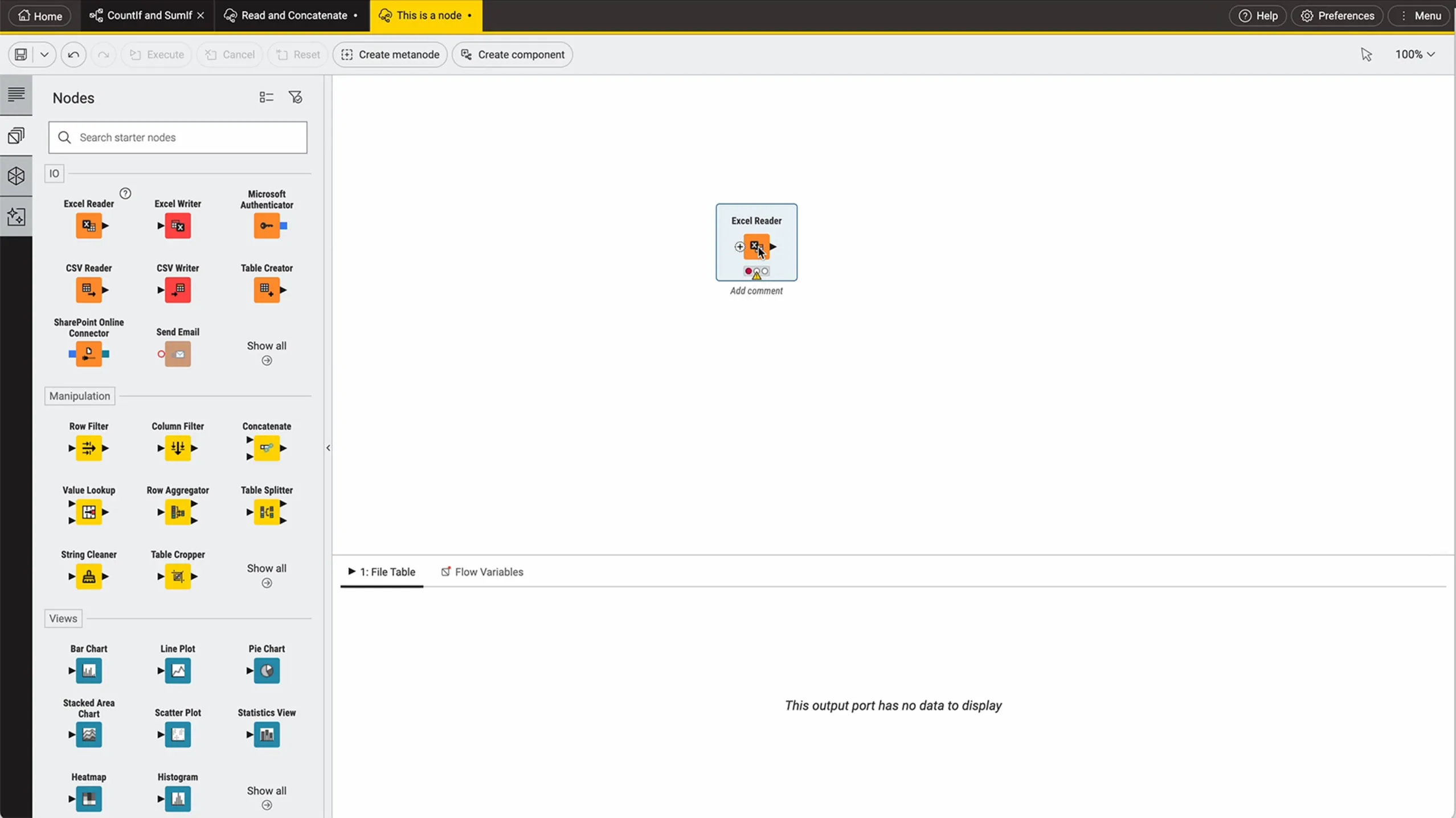
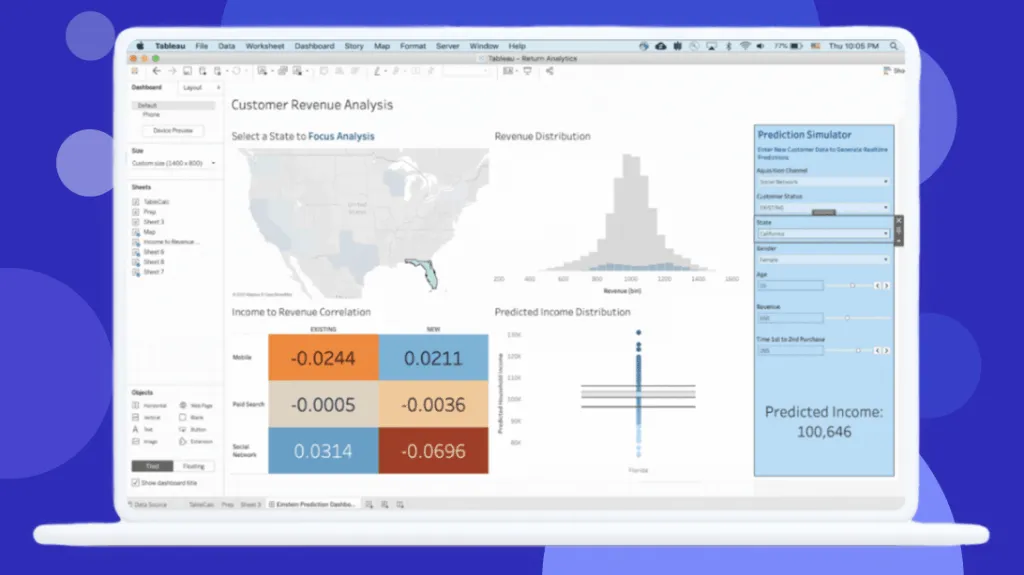
Interface Preview
KNIME
Tableau
Feature Comparison
| Feature | KNIME | Tableau |
|---|---|---|
| Data Integration & Preparation | ||
| Data Connectors | 300+ connectors for any data source including databases, warehouses, and files | Broad connector library with native Salesforce and cloud data source support |
| Data Preparation Tools | Built-in data blending and transformation within workflows at no extra cost | Tableau Prep Builder included with Creator license ($75/user/mo) for data cleaning |
| ETL Pipeline Support | Full ETL pipeline building with automated workflow scheduling and execution | Limited to extract refreshes; complex ETL typically requires separate tools |
| Visualization & Reporting | ||
| Interactive Dashboards | Interactive data views with dozens of chart types within the analytics platform | Industry-leading interactive dashboards with drill-down and visual best practices |
| Self-Service Analytics | Visual workflow builder enables citizen data scientists to perform analysis independently | Drag-and-drop interface with web authoring for Explorer and Creator users |
| Public Sharing | Workflows shared via KNIME Community Hub for collaboration with open source community | Tableau Public available free for unlimited public-facing data visualizations |
| AI & Machine Learning | ||
| ML Model Building | Complete range of ML and AI methods for model training directly within workflows | No native ML model building; relies on integrations with external ML platforms |
| GenAI Capabilities | GenAI assistant for automatic workflow generation and LLM integration for analysis | Agentforce Tableau provides AI-powered agents for data questions and preparation |
| Model Deployment | Deploy workflows as data apps or REST APIs with centralized monitoring | Tableau Next offers API-first architecture for embedding analytics in workflows |
| Collaboration & Governance | ||
| Team Collaboration | Version-controlled workflow sharing across disciplines on KNIME Business Hub | Permission-aware analytics with Slack integration and governed publishing |
| Enterprise Administration | Centralized administration with team-level deployment monitoring and scaling | Enterprise edition adds advanced security, data management, and compliance tools |
| Knowledge Sharing | Reusable workflow components shared as best practices or starter kits for teams | Semantic layer with AI-assisted model creation for consistent data definitions |
| Pricing & Accessibility | ||
| Free Tier | KNIME Analytics Platform is fully free for personal use with no feature restrictions | Tableau Public is free for public data stories; no free tier for private dashboards |
| Entry-Level Paid Plan | Starts at $99 / month €99 / month | $15/user/mo for Viewer (read-only); $75/user/mo for Creator to build dashboards |
| Enterprise Scaling Cost | $99/mo plan for enterprise deployment with cloud-native scaling capabilities | Enterprise Creator at $115/user/mo; costs scale quickly with per-user licensing model |
Data Integration & Preparation
Data Connectors
Data Preparation Tools
ETL Pipeline Support
Visualization & Reporting
Interactive Dashboards
Self-Service Analytics
Public Sharing
AI & Machine Learning
ML Model Building
GenAI Capabilities
Model Deployment
Collaboration & Governance
Team Collaboration
Enterprise Administration
Knowledge Sharing
Pricing & Accessibility
Free Tier
Entry-Level Paid Plan
Enterprise Scaling Cost
Which approach fits
KNIME is the stronger choice for data science teams that need end-to-end analytic workflows, ML model building, and cost-effective scaling, while Tableau is the better fit for organizations focused primarily on interactive data visualization and dashboard delivery across large user bases.
When each approach fits
Choose KNIME if:
We recommend KNIME for data science teams and technical analysts who need to build complete analytic pipelines from data ingestion through model deployment. Its open source core provides full functionality at no cost for individual use, and the visual workflow builder with 300+ connectors lets teams automate complex data processes without writing extensive code. Organizations that prioritize ML model building, GenAI integration, and keeping analytics costs low will find KNIME delivers exceptional value.
Choose Tableau if:
We recommend Tableau for business intelligence teams and organizations where polished, interactive dashboards are the primary deliverable. With an 8.4/10 rating from 2,320 reviewers praising its drag-and-drop interface and visualization quality, Tableau excels at making data accessible to non-technical stakeholders. Teams already invested in the Salesforce ecosystem will benefit from native CRM integration and the Agentforce agentic analytics capabilities available through Tableau Next.
These scenarios reflect the available product evidence. Your requirements, existing stack, and team expertise should guide the final decision.
Frequently Asked Questions
Is KNIME really free to use?
KNIME Analytics Platform is genuinely free for personal use with no feature restrictions on the desktop application. You get access to the full visual workflow builder, 300+ data connectors, ML and AI capabilities, and GenAI assistance without paying anything. This makes KNIME one of the most accessible analytics platforms for individuals and small teams who want powerful data science capabilities without upfront investment.
How does Tableau pricing scale for larger teams?
Tableau uses per-user pricing that can escalate significantly as teams grow. Every deployment requires at least one Creator license at $75/user/month. Standard Cloud pricing runs $15/user/month for Viewers, $42/user/month for Explorers, and $75/user/month for Creators, all billed annually. The Enterprise edition increases costs to $35, $70, and $115 per user/month respectively for Viewers, Explorers, and Creators. Organizations should budget carefully and audit license usage quarterly to avoid overspending on underutilized seats, since costs compound rapidly with each additional user added to the deployment.
Can KNIME replace Tableau for data visualization?
KNIME includes interactive data views with dozens of chart types and can produce meaningful visualizations within its workflow environment. However, Tableau remains the industry leader for polished, interactive dashboard creation and self-service exploration by business users. If your primary need is delivering beautiful dashboards to non-technical stakeholders, Tableau is purpose-built for that use case. If you need visualization as one component of a broader data science pipeline that includes data preparation, ML model building, and automated deployment, KNIME handles the entire workflow in a single platform without requiring additional tools.
Which tool is better for machine learning and advanced analytics?
KNIME is the clear winner for machine learning and advanced analytics. It provides a complete range of ML and AI methods directly within its visual workflow builder, allowing teams to train, validate, and deploy models without leaving the platform. KNIME also supports GenAI and LLM integration for sophisticated analysis tasks. Tableau is primarily a visualization and business intelligence tool that does not offer native ML model building. Tableau can connect to external ML platforms and display model outputs, but the actual model development and training happens elsewhere. Teams that need predictive analytics, classification, clustering, or other ML capabilities as core functionality should choose KNIME.