Decision comparison
Looker vs Qlik Sense
Looker and Qlik Sense both earned Gartner Leader status in 2025, but they serve distinct organizational needs. Looker excels as a governed semantic modeling platform built on Google Cloud, where LookML centralizes business logic and APIs power embedded analytics. Qlik Sense stands out with its unique Associative Engine for free-form data exploration, augmented analytics with AutoML, and flexible deployment options including on-premises installations. The right choice depends on whether you need code-driven governance with deep Google Cloud integration or associative exploration with deployment flexibility.
Direct comparison. These are reviewed substitutes bought for the same job, so the differences below are the ones that decide between them.
All 2 are BI platforms.
Quick Comparison
| Decision factor | Looker | Qlik Sense |
|---|---|---|
| Best For | Enterprise data teams needing centralized semantic modeling with LookML and embedded analytics on Google Cloud | Organizations needing associative data exploration with augmented analytics across on-premises and cloud deployments |
| Architecture | API-first platform with LookML semantic layer that queries warehouses directly with no intermediate storage | Associative Engine indexes all data relationships for free-form exploration beyond query-based limitations |
| Pricing Model | Looker (Google Cloud core) publishes no platform or per-user price. It offers three platform editions — Standard for organisations under 50 users, Enterprise, and Embed — each including one production instance, 10 Standard Users and 2 Developer Users, and each requiring a custom quote. Data-token overages beyond an instance's monthly allocation are published, at $3.00 per 1M input tokens and $20.00 per 1M output tokens. | Contact for pricing |
| Ease of Use | Powerful for governed analytics but steeper learning curve; requires LookML knowledge for data modeling | Self-service platform with drag-and-drop visualization; praised for ease of use but has a learning curve for advanced features |
| Scalability | Enterprise-grade on Google Cloud with robust API coverage, embedding, and native BigQuery integration | Proven enterprise scale with 40,000+ customers; supports on-premises, cloud, and hybrid deployments |
| Community/Support | Rated 8.4/10 across 457 reviews; Google Cloud support ecosystem and Gartner Leader recognition | Rated 8.3/10 across 1,012 reviews; Gartner Leader for 15 consecutive years |
Looker
- Best For:
- Enterprise data teams needing centralized semantic modeling with LookML and embedded analytics on Google Cloud
- Architecture:
- API-first platform with LookML semantic layer that queries warehouses directly with no intermediate storage
- Pricing Model:
- Looker (Google Cloud core) publishes no platform or per-user price. It offers three platform editions — Standard for organisations under 50 users, Enterprise, and Embed — each including one production instance, 10 Standard Users and 2 Developer Users, and each requiring a custom quote. Data-token overages beyond an instance's monthly allocation are published, at $3.00 per 1M input tokens and $20.00 per 1M output tokens.
- Ease of Use:
- Powerful for governed analytics but steeper learning curve; requires LookML knowledge for data modeling
- Scalability:
- Enterprise-grade on Google Cloud with robust API coverage, embedding, and native BigQuery integration
- Community/Support:
- Rated 8.4/10 across 457 reviews; Google Cloud support ecosystem and Gartner Leader recognition
Qlik Sense
- Best For:
- Organizations needing associative data exploration with augmented analytics across on-premises and cloud deployments
- Architecture:
- Associative Engine indexes all data relationships for free-form exploration beyond query-based limitations
- Pricing Model:
- Contact for pricing
- Ease of Use:
- Self-service platform with drag-and-drop visualization; praised for ease of use but has a learning curve for advanced features
- Scalability:
- Proven enterprise scale with 40,000+ customers; supports on-premises, cloud, and hybrid deployments
- Community/Support:
- Rated 8.3/10 across 1,012 reviews; Gartner Leader for 15 consecutive years
Public signals
Verified factual signals only. Bars appear only for like-for-like metrics with five weekly assessments for every tool; missing evidence stays explicit. These signals do not establish enterprise adoption, product quality, or total cost.
| Metric | Looker | Qlik Sense |
|---|---|---|
| Search interest(Market interest) | 2 | 1 |
| Hacker News mentions, 90d(Community interest) | 2 | 0 |
| npm weekly downloads(Developer adoption) | 104.6k | 9.4k |
| Product Hunt comments(Community interest) | 5 | Not available |
| Product Hunt reviews(Community interest) | 0 | Not available |
| Product Hunt votes(Community interest) | 83 | Not available |
| PyPI weekly downloads(Developer adoption) | 2.0M | Not available |
| Stack Overflow questions(Community interest) | 226 | 806 |
| GitHub commits, 90d(Developer adoption) | Not available | 0 |
| GitHub stars(Developer adoption) | Not available | 48 |
As of September 21, 2026 — updated weekly.
Health & risk evidence
Observed public-source checks for mapped package versions and repositories.
Looker
September 21, 2026Package vulnerabilities
npm · @looker/sdk@26.12.0 · PyPI · looker-sdk@26.12.0
0 vulnerabilities
across 2 packages
Repository security score
Not available
Qlik Sense
September 21, 2026Package vulnerabilities
npm · @qlik/api@2.16.0
0 vulnerabilities
across 1 package
Repository security score
Not available
Interface Preview
Looker
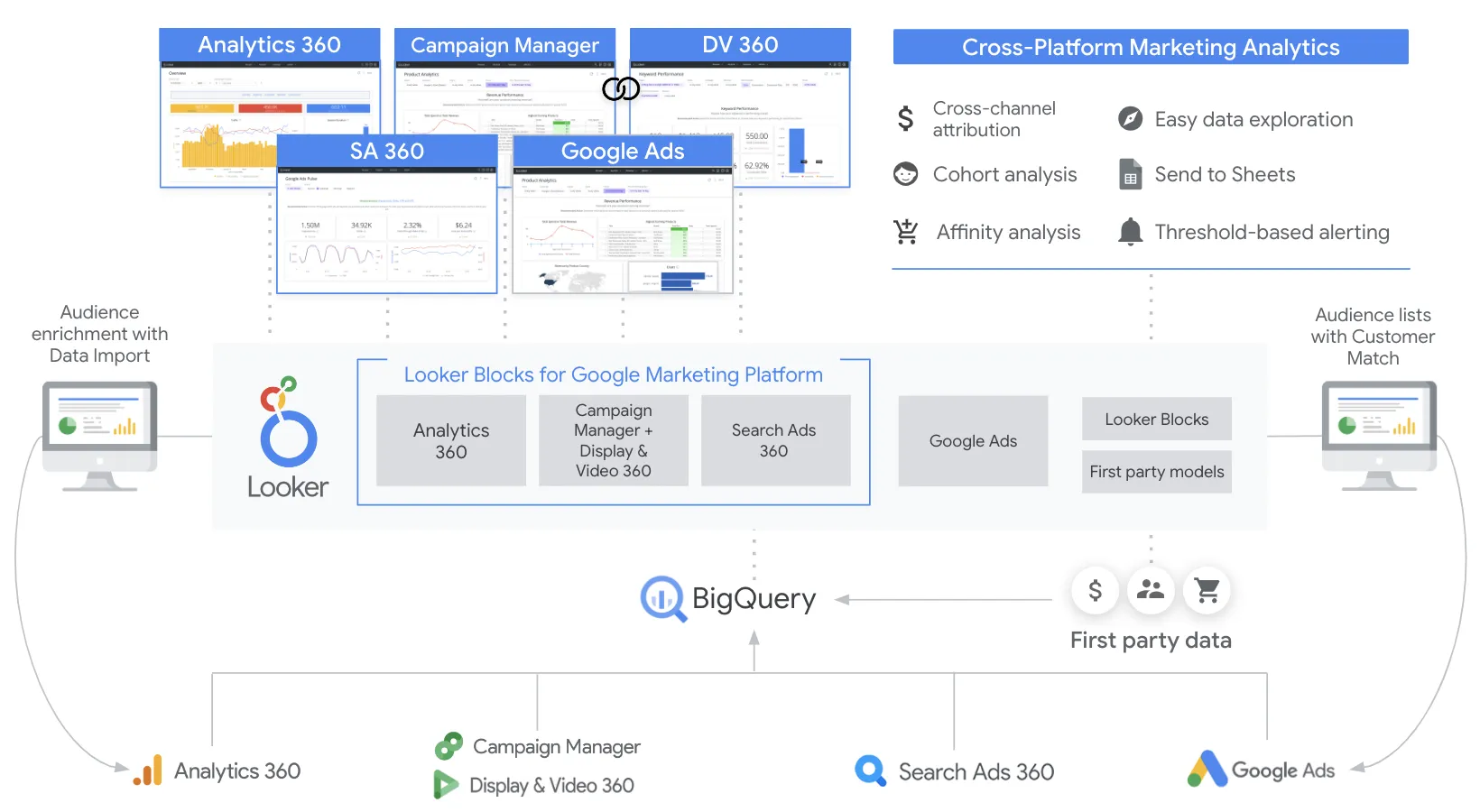
Feature Comparison
| Feature | Looker | Qlik Sense |
|---|---|---|
| Data Modeling & Governance | ||
| Semantic/Data Layer | LookML defines reusable metrics, joins, permissions, and derived tables in version-controlled code | Associative Engine indexes relationships between all data points for governed exploration |
| Version Control | Git-integrated version control for all LookML models and definitions | Application-level versioning; users cite version control as a gap area |
| Data Catalog | Looker Marketplace with blocks, applications, and Data Dictionary extension | Self-service data catalog for analytics-ready data with origin and lineage tracking |
| Data Exploration & Visualization | ||
| Self-Service Analytics | Explores and dashboards for governed self-service exploration on modeled data | Associative selections in any direction across all objects with instant calculations |
| Dashboard Interactivity | Real-time enterprise dashboards with drill-down to row-level detail | Fully interactive dashboards with free-form selections, drill-down, and responsive mobile design |
| AI-Powered Analytics | Conversational Analytics powered by Gemini for natural language queries on governed data | Insight Advisor with NLP-powered analysis suggestions, AutoML, and predictive analytics |
| Reporting | Looker Studio for ad hoc reports with 1,000+ data source connectors and drag-and-drop canvas | Pixel-perfect reporting in Microsoft Office and PDF formats with scheduled distribution |
| Integration & Connectivity | ||
| Data Source Connectivity | Direct query to BigQuery, Redshift, Snowflake, Vertica, and other major warehouses | Hundreds of data source connectors from apps and databases to cloud services and files |
| API & Extensibility | REST APIs, SDKs, and Marketplace ecosystem with blocks, apps, and custom plug-ins | Complete set of open APIs for custom apps, new visualizations, and extensions |
| Embedded Analytics | Robust white-label embedding with full API coverage; Vertex AI extension support | Embedded analytics with custom and white-label options via open APIs |
| Deployment & Architecture | ||
| Deployment Options | Cloud-only SaaS on Google Cloud with private networking and SSO via IAM | On-premises (client-managed), Qlik Cloud Analytics SaaS, or hybrid deployment |
| Query Architecture | Direct query against warehouses with no data storage; always-fresh results | In-memory Associative Engine loads and indexes data for sub-second exploration |
| Mobile Support | Browser-based access with responsive design across devices | Native mobile support with responsive design, touch interaction, and offline analysis |
| Automation & Collaboration | ||
| Alerting & Actions | Scheduled data deliveries and content alerts via Looker Actions ecosystem | Data-driven alerting with event-driven automation that triggers actions across tools |
| Collaboration Features | Sharing via Slack, Google Workspace integration, and Connected Sheets | Notes and discussion threads attached to analytics for team-based decision-making |
| Application Automation | API-driven automation for content, permissions, and embedding workflows | Visual low-code automation builder with broad library of cloud application connectors |
Data Modeling & Governance
Semantic/Data Layer
Version Control
Data Catalog
Data Exploration & Visualization
Self-Service Analytics
Dashboard Interactivity
AI-Powered Analytics
Reporting
Integration & Connectivity
Data Source Connectivity
API & Extensibility
Embedded Analytics
Deployment & Architecture
Deployment Options
Query Architecture
Mobile Support
Automation & Collaboration
Alerting & Actions
Collaboration Features
Application Automation
Which to choose
Looker and Qlik Sense both earned Gartner Leader status in 2025, but they serve distinct organizational needs. Looker excels as a governed semantic modeling platform built on Google Cloud, where LookML centralizes business logic and APIs power embedded analytics. Qlik Sense stands out with its unique Associative Engine for free-form data exploration, augmented analytics with AutoML, and flexible deployment options including on-premises installations. The right choice depends on whether you need code-driven governance with deep Google Cloud integration or associative exploration with deployment flexibility.
Best-fit scenarios
Choose Looker if:
Enterprise teams that need centralized semantic modeling with LookML and embedded analytics on Google Cloud
Choose Qlik Sense if:
Organizations needing associative exploration with flexible deployment and augmented analytics
These scenarios reflect the available product evidence. Your requirements, existing stack, and team expertise should guide the final decision.
Frequently Asked Questions
What is the main difference between Looker and Qlik Sense?
Looker is an API-first platform built on Google Cloud that uses LookML to define a governed semantic modeling layer, querying warehouses directly for always-fresh results. Qlik Sense uses a proprietary Associative Engine that indexes all data relationships in memory, enabling free-form exploration in any direction without pre-defined drill paths. Looker is cloud-only, while Qlik Sense offers on-premises, cloud, and hybrid deployment options.
How do Looker and Qlik Sense compare on pricing?
Both platforms use enterprise contact-sales pricing models. Looker requires an annual commitment with per-seat and usage-based components through Google Cloud. Qlik Sense offers client-managed pricing for on-premises deployments (contact sales) and Qlik Cloud Analytics SaaS pricing listed on their website. Neither platform publishes transparent per-user rates publicly.
Can Qlik Sense be deployed on-premises?
Yes. Qlik Sense offers a client-managed on-premises deployment option specifically designed for highly regulated industries and organizations that prefer to manage their own infrastructure. This is a key differentiator from Looker, which operates exclusively as a cloud SaaS product on Google Cloud. Qlik also offers Qlik Cloud Analytics as a fully managed SaaS alternative.
Which platform has better AI and augmented analytics capabilities?
Both platforms invest heavily in AI. Looker offers Conversational Analytics powered by Gemini for natural language queries and integrates with Vertex AI for custom AI workflows. Qlik Sense provides Insight Advisor for automated insight generation and natural language interaction, Qlik AutoML for predictive analytics and what-if scenarios, and AI-assisted creation and data preparation. Qlik has had augmented analytics built into its foundation for longer, while Looker benefits from Google's Gemini models.
Which tool is better for embedded analytics?
Looker has a stronger embedded analytics story. Its API-first architecture means nearly everything available in the UI can be reproduced programmatically, making it well-suited for SaaS companies that want to embed analytics into their products with white-labeling. Qlik Sense also supports embedded analytics through its open APIs and custom development capabilities, but Looker's embedding features are more mature and deeply integrated.