Decision comparison
Looker vs Power BI
Looker is the stronger choice for data teams that need a governed semantic layer, API-first embedded analytics, and deep Google Cloud integration. Power BI wins on affordability, ease of adoption, and seamless Microsoft 365 interoperability. Both platforms earned Gartner Leader recognition in 2025, so the decision comes down to your existing ecosystem and how much you value centralized data modeling versus broad self-service access at low cost.
Direct comparison. These are reviewed substitutes bought for the same job, so the differences below are the ones that decide between them.
All 2 are BI platforms.
Quick Comparison
| Decision factor | Looker | Power BI |
|---|---|---|
| Best For | Data teams needing governed semantic layers and API-first embedded analytics | Organizations already using Microsoft 365 that need affordable, self-service BI |
| Pricing Model | Looker (Google Cloud core) publishes no platform or per-user price. It offers three platform editions — Standard for organisations under 50 users, Enterprise, and Embed — each including one production instance, 10 Standard Users and 2 Developer Users, and each requiring a custom quote. Data-token overages beyond an instance's monthly allocation are published, at $3.00 per 1M input tokens and $20.00 per 1M output tokens. | A free account is available. Power BI Pro $14.00 per user per month and Power BI Premium Per User $24.00 per user per month, both paid yearly. Power BI Embedded is priced by capacity. |
| Data Modeling | LookML semantic modeling with Git-based version control | DAX calculations and Power Query for data transformation |
| Ecosystem | Google Cloud Platform (BigQuery, Vertex AI, Looker Studio) | Microsoft 365, Azure, Dynamics 365, Power Platform |
| Ease of Use | Steeper learning curve; requires LookML knowledge for model building | Drag-and-drop report builder with AI-generated reports and hundreds of templates |
| Embedded Analytics | Robust white-label embedding with full API coverage and SDKs | Power BI Embedded for customer-facing reports with branded experiences |
Looker
- Best For:
- Data teams needing governed semantic layers and API-first embedded analytics
- Pricing Model:
- Looker (Google Cloud core) publishes no platform or per-user price. It offers three platform editions — Standard for organisations under 50 users, Enterprise, and Embed — each including one production instance, 10 Standard Users and 2 Developer Users, and each requiring a custom quote. Data-token overages beyond an instance's monthly allocation are published, at $3.00 per 1M input tokens and $20.00 per 1M output tokens.
- Data Modeling:
- LookML semantic modeling with Git-based version control
- Ecosystem:
- Google Cloud Platform (BigQuery, Vertex AI, Looker Studio)
- Ease of Use:
- Steeper learning curve; requires LookML knowledge for model building
- Embedded Analytics:
- Robust white-label embedding with full API coverage and SDKs
Power BI
- Best For:
- Organizations already using Microsoft 365 that need affordable, self-service BI
- Pricing Model:
- A free account is available. Power BI Pro $14.00 per user per month and Power BI Premium Per User $24.00 per user per month, both paid yearly. Power BI Embedded is priced by capacity.
- Data Modeling:
- DAX calculations and Power Query for data transformation
- Ecosystem:
- Microsoft 365, Azure, Dynamics 365, Power Platform
- Ease of Use:
- Drag-and-drop report builder with AI-generated reports and hundreds of templates
- Embedded Analytics:
- Power BI Embedded for customer-facing reports with branded experiences
Public signals
Verified factual signals only. Bars appear only for like-for-like metrics with five weekly assessments for every tool; missing evidence stays explicit. These signals do not establish enterprise adoption, product quality, or total cost.
| Metric | Looker | Power BI |
|---|---|---|
| Search interest(Market interest) | 2 | 62 |
| Hacker News mentions, 90d(Community interest) | 2 | 0 |
| npm weekly downloads(Developer adoption) | 104.6k | 241.2k |
| Product Hunt comments(Community interest) | 5 | 0 |
| Product Hunt reviews(Community interest) | 0 | 0 |
| Product Hunt votes(Community interest) | 83 | 2 |
| PyPI weekly downloads(Developer adoption) | 2.0M | Not available |
| Stack Overflow questions(Community interest) | 226 | 20.5k |
| GitHub commits, 90d(Developer adoption) | Not available | 0 |
| GitHub stars(Developer adoption) | Not available | 1,000+ |
As of September 21, 2026 — updated weekly.
Health & risk evidence
Observed public-source checks for mapped package versions and repositories.
Looker
September 21, 2026Package vulnerabilities
npm · @looker/sdk@26.12.0 · PyPI · looker-sdk@26.12.0
0 vulnerabilities
across 2 packages
Repository security score
Not available
Power BI
September 21, 2026Package vulnerabilities
npm · powerbi-client@2.24.1
0 vulnerabilities
across 1 package
Repository security score
github.com/microsoft/PowerBI-JavaScript
7.4/10
Interface Preview
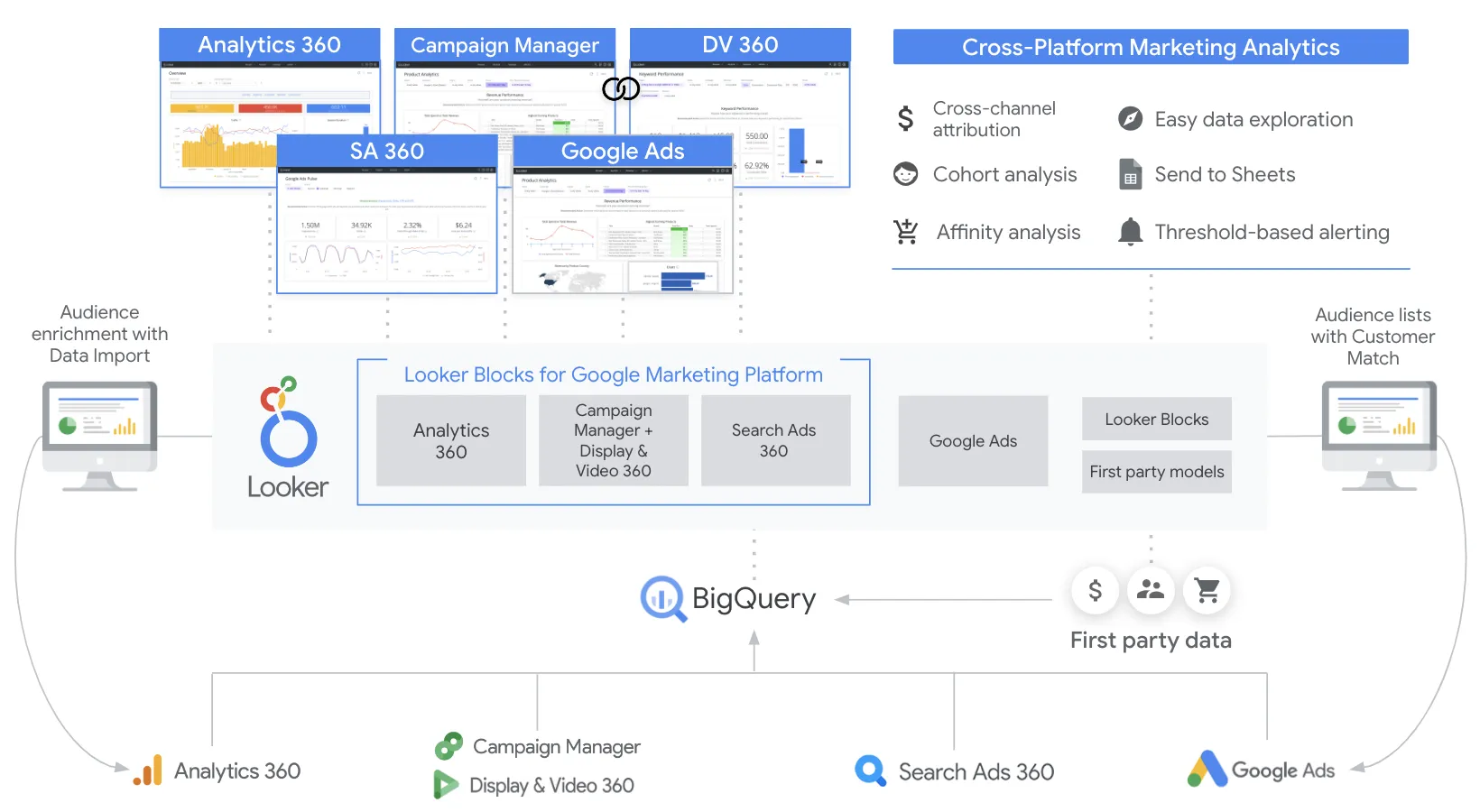
Looker
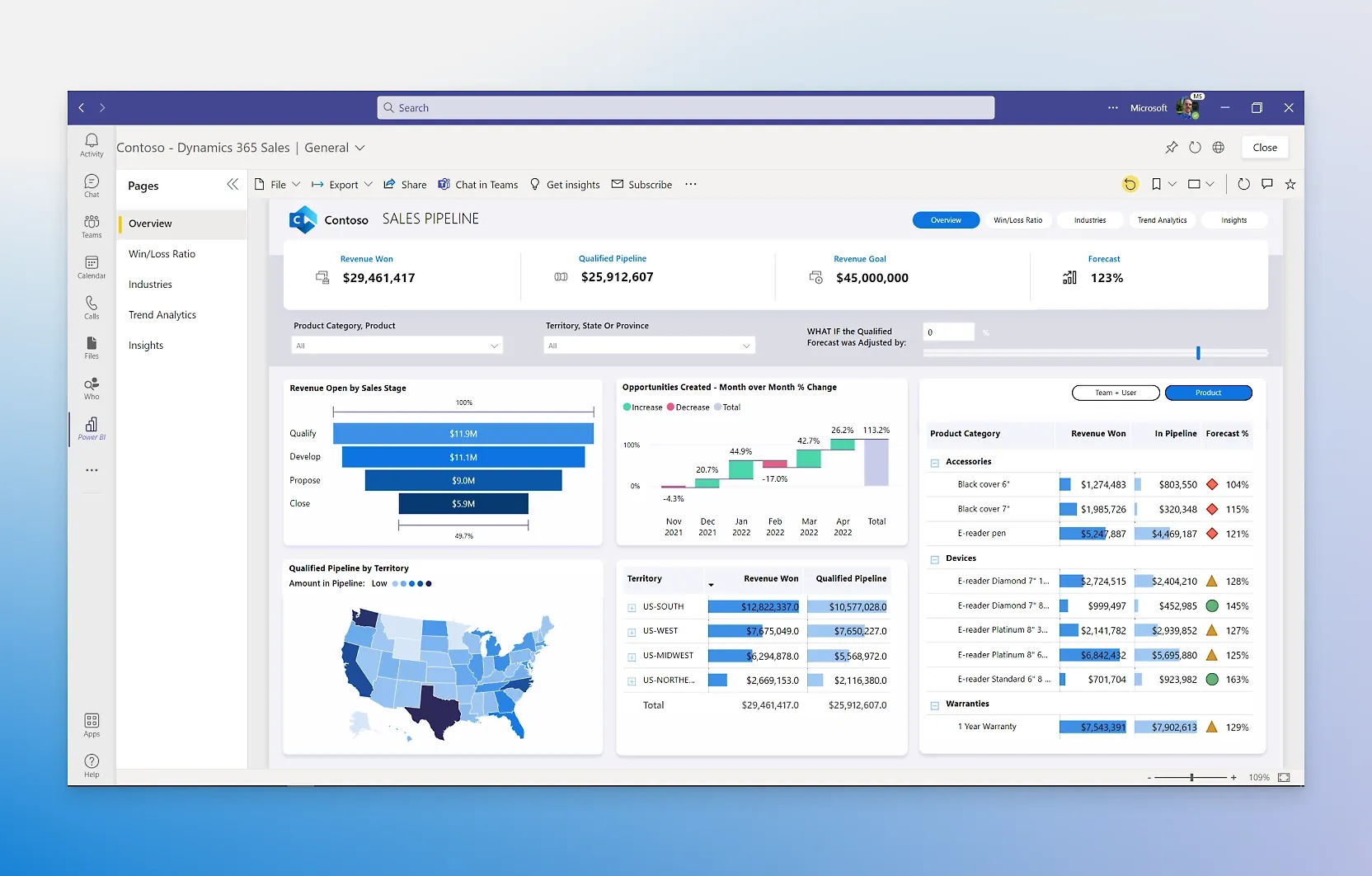
Power BI
Feature Comparison
| Feature | Looker | Power BI |
|---|---|---|
| Data Modeling & Governance | ||
| Semantic Modeling Layer | LookML — reusable metrics, joins, and derived tables in a governed layer | DAX measures and Power Query transformations within datasets |
| Version Control | Native Git integration for LookML models | Git integration available through Power BI Desktop deployment pipelines |
| Row-Level Security | Built-in row-level and column-level security with audit logging | Row-level security through DAX-based role definitions |
| Visualization & Reporting | ||
| Dashboard Authoring | Explore-based dashboards built on governed LookML models | Drag-and-drop canvas with hundreds of built-in and custom visuals |
| Self-Service Exploration | Explores let business users drill into governed data without SQL | Free Desktop app for authoring; AI-generated reports from natural language prompts |
| Report Templates | Looker Blocks marketplace with pre-built data models and dashboards | Hundreds of template apps available in AppSource marketplace |
| AI & Advanced Analytics | ||
| Conversational AI | Conversational Analytics powered by Gemini for natural language data queries | Copilot in Fabric for report creation, DAX generation, and data summarization |
| AI Integrations | Vertex AI extensions for custom ML workflows within Looker | Azure AI services integration and built-in pattern detection |
| Automated Insights | Scheduled alerts and data-driven actions via Looker Actions | Quick Insights feature that automatically finds patterns in datasets |
| Integration & Embedding | ||
| API Coverage | Full REST API and SDKs — nearly every UI action available via API | REST APIs for embedding, automation, and dataset management |
| Embedded Analytics | White-label embedding with SSO, theming, and fine-grained permissions | Power BI Embedded for branded, customer-facing analytics in custom apps |
| Ecosystem Connectors | Direct query against BigQuery, Snowflake, Redshift, and other warehouses | 1,000+ data source connectors including OneLake data hub |
| Deployment & Scalability | ||
| Cloud Architecture | Fully cloud-hosted on Google Cloud with private networking and IAM | Cloud service with Microsoft Fabric capacity for petabyte-scale processing |
| Enterprise Governance | Centralized governance through LookML with role-based access and audit trails | Microsoft Purview integration for data cataloging, sensitivity labels, and compliance |
| Collaboration | Slack integration, scheduled deliveries, and shared Explores | Native embedding in Teams, PowerPoint, Excel, and SharePoint |
Data Modeling & Governance
Semantic Modeling Layer
Version Control
Row-Level Security
Visualization & Reporting
Dashboard Authoring
Self-Service Exploration
Report Templates
AI & Advanced Analytics
Conversational AI
AI Integrations
Automated Insights
Integration & Embedding
API Coverage
Embedded Analytics
Ecosystem Connectors
Deployment & Scalability
Cloud Architecture
Enterprise Governance
Collaboration
Which to choose
Looker is the stronger choice for data teams that need a governed semantic layer, API-first embedded analytics, and deep Google Cloud integration. Power BI wins on affordability, ease of adoption, and seamless Microsoft 365 interoperability. Both platforms earned Gartner Leader recognition in 2025, so the decision comes down to your existing ecosystem and how much you value centralized data modeling versus broad self-service access at low cost.
Best-fit scenarios
Choose Looker if:
We recommend Looker for organizations that run on Google Cloud and need a single source of truth managed through LookML. It is particularly strong when data teams want to enforce consistent metrics across the business, embed governed analytics into SaaS products, or build custom data applications using its comprehensive API. The LookML modeling layer prevents metric drift and ensures every dashboard, API call, and embedded view returns the same numbers. If your company treats data as a product and has engineers who can maintain semantic models, Looker delivers long-term governance that is hard to match.
Choose Power BI if:
We recommend Power BI for teams that prioritize fast time-to-value and low per-user cost, especially if Microsoft 365 is already part of the stack. With a free Desktop authoring tool, Pro licenses at $14 per user per month, and Premium per-user at $24 per user per month, Power BI makes enterprise-grade BI accessible to organizations of any size. The drag-and-drop report builder, Copilot-powered AI features, and native embedding in Teams, Excel, and PowerPoint mean business users can create and consume insights without waiting on a data engineering team. For companies scaling BI across thousands of users on a budget, Power BI is the practical choice.
These scenarios reflect the available product evidence. Your requirements, existing stack, and team expertise should guide the final decision.
Frequently Asked Questions
Can Looker connect to non-Google databases?
Yes. Looker queries data warehouses directly and supports connections to Snowflake, Amazon Redshift, Azure SQL, PostgreSQL, MySQL, and dozens of other databases. While Looker is part of Google Cloud, it is not limited to BigQuery.
Is Power BI really free?
Power BI Desktop is free for individual report authoring. To share reports with colleagues, you need Power BI Pro at $14 per user per month or Power BI Premium at $24 per user per month. A free account can also view content hosted on Premium or Fabric shared capacity.
Which platform is better for embedded analytics?
Looker has the edge for embedded analytics. Its API-first architecture, white-label capabilities, and granular permission controls make it a top choice for SaaS companies that need to embed analytics into their own products. Power BI Embedded is a solid option for customer-facing dashboards but offers less flexibility for deep customization.
Do both tools support AI-powered analytics?
Yes. Looker offers Conversational Analytics powered by Google Gemini for natural language queries and integrates with Vertex AI for machine learning workflows. Power BI includes Copilot in Microsoft Fabric for AI-generated reports, DAX query assistance, and automated data summaries. Both platforms are investing heavily in AI capabilities.