Decision comparison
Snowflake vs Google BigQuery vs Databricks
Snowflake, BigQuery, and Databricks represent three distinct approaches to modern cloud data platforms. Snowflake excels as a SQL-first cloud data warehouse with zero-maintenance operations, predictable scaling, and the strongest cross-cloud data sharing capabilities. BigQuery delivers the lowest friction entry point with its serverless architecture, generous free tier, and tight GCP integration, making it the natural choice for Google Cloud teams. Databricks provides the deepest capabilities for data engineering and machine learning with its lakehouse architecture, native Spark processing, and comprehensive MLflow-based ML lifecycle management. The right choice depends on whether your primary workload is SQL analytics, serverless ad-hoc queries within the Google ecosystem, or unified data engineering and AI development.
These are different kinds of product — Cloud Data Warehouse and Lakehouse Platform. Teams do weigh them against each other, but they are not drop-in substitutes, so read the table as a fit question rather than a feature race.
Quick Comparison
| Decision factor | Snowflake | Google BigQuery | Databricks |
|---|---|---|---|
| Architecture | Separated compute and storage with virtual warehouses sized by credits consumed per hour | Fully serverless with automatic slot allocation and no infrastructure to manage at all | Lakehouse combining data lake flexibility with warehouse structure on cloud object storage |
| Pricing Model | Consumption-based pricing with no monthly or per-user price. Editions: Standard, Enterprise, Business Critical and Virtual Private Snowflake (VPS). The Service Consumption Table (effective October 2, 2026) lists on-demand prices per credit of $2.00 (Standard), $3.00 (Enterprise), $4.00 (Business Critical) and $6.00 (VPS) in AWS US East (Northern Virginia), and $2.60/$3.90/$5.20/$7.80 in AWS EU Dublin. On-demand storage is $23.00 per TB per month in AWS US East. Verified 2026-10-05 against https://www.snowflake.com/legal-files/CreditConsumptionTable.pdf. On-demand Platform Credit prices vary by cloud and region: Standard $2.00 to $3.25, Enterprise $3.00 to $4.90 and Business Critical $4.00 to $6.50 per credit. For example AWS AP Singapore lists $2.50 / $3.70 / $5.00, AWS Canada Central $2.25 / $3.50 / $4.50, and GCP Middle East Central 2 (Dammam) $3.25 / $4.90 / $6.50; on-demand storage in AWS AP Singapore is $25.00 per TB per month. Verified 2026-10-05 against https://www.snowflake.com/legal-files/CreditConsumptionTable.pdf. | BigQuery offers two compute pricing models. On-demand pricing charges for bytes processed by each query, billed per TiB, with the first 1 TiB of query data per month free. Capacity pricing charges for compute capacity per slot-hour instead. Storage is billed separately, and BigQuery also has a free usage tier and free operations. On-demand queries are $6.25 per TiB after the first 1 TiB free each month. BI Engine memory capacity is $0.0416 per GiB per hour in Iowa (us-central1). In the US multi-region, active logical storage is $0.02 per GiB per month and long-term logical storage $0.01 per GiB per month, with the first 10 GiB free. Streaming inserts through the Storage Write API (REST) cost $0.01 per 200 MiB, about $0.05 per GiB. Verified 2026-10-05 (streaming 2026-10-06) against https://cloud.google.com/bigquery/pricing. Capacity (editions) pay-as-you-go prices in the US are $0.04 per slot-hour for Standard, $0.06 for Enterprise and $0.10 for Enterprise Plus, billed per second with no commitment. Verified 2026-10-05 against https://cloud.google.com/bigquery/pricing. | Consumption-based: billed per Databricks Unit (DBU) per second on top of your own cloud compute and storage charges, with no up-front cost and committed-use discounts available. Published per-DBU rates are not machine-readable from the vendor pricing page. Free Edition is available at no cost for non-commercial use only; a 14-day trial with free credits covers paid-platform evaluation. |
| ML/AI Capabilities | Snowpark for Python and Scala workloads plus Snowflake Cortex for LLM-powered features | BigQuery ML trains models directly in SQL plus deep Vertex AI integration for MLOps | Full ML lifecycle with MLflow, Mosaic AI, managed Spark, and LLM fine-tuning support |
| Multi-Cloud Support | Runs natively on AWS, Azure, and GCP with cross-cloud data sharing capabilities | GCP-native only; BigQuery Omni available on Enterprise Plus for cross-cloud queries | Deploys on AWS, Azure, and GCP with portable Delta Lake open format across clouds |
| Best For | SQL-heavy analytics, BI reporting, and data sharing across organizations and clouds | Serverless ad-hoc analytics, Google ecosystem teams, and cost-sensitive sporadic workloads | Data engineering pipelines, ML model development, and teams needing Python and Spark natively |
| Free Tier | No permanent free tier; 30-day free trial available | Generous free tier with 1 TiB queries and 10 GB storage per month permanently | Free Edition at no cost, non-commercial use only; 14-day full-access trial available |
Snowflake
- Architecture:
- Separated compute and storage with virtual warehouses sized by credits consumed per hour
- Pricing Model:
- Consumption-based pricing with no monthly or per-user price. Editions: Standard, Enterprise, Business Critical and Virtual Private Snowflake (VPS). The Service Consumption Table (effective October 2, 2026) lists on-demand prices per credit of $2.00 (Standard), $3.00 (Enterprise), $4.00 (Business Critical) and $6.00 (VPS) in AWS US East (Northern Virginia), and $2.60/$3.90/$5.20/$7.80 in AWS EU Dublin. On-demand storage is $23.00 per TB per month in AWS US East. Verified 2026-10-05 against https://www.snowflake.com/legal-files/CreditConsumptionTable.pdf. On-demand Platform Credit prices vary by cloud and region: Standard $2.00 to $3.25, Enterprise $3.00 to $4.90 and Business Critical $4.00 to $6.50 per credit. For example AWS AP Singapore lists $2.50 / $3.70 / $5.00, AWS Canada Central $2.25 / $3.50 / $4.50, and GCP Middle East Central 2 (Dammam) $3.25 / $4.90 / $6.50; on-demand storage in AWS AP Singapore is $25.00 per TB per month. Verified 2026-10-05 against https://www.snowflake.com/legal-files/CreditConsumptionTable.pdf.
- ML/AI Capabilities:
- Snowpark for Python and Scala workloads plus Snowflake Cortex for LLM-powered features
- Multi-Cloud Support:
- Runs natively on AWS, Azure, and GCP with cross-cloud data sharing capabilities
- Best For:
- SQL-heavy analytics, BI reporting, and data sharing across organizations and clouds
- Free Tier:
- No permanent free tier; 30-day free trial available
Google BigQuery
- Architecture:
- Fully serverless with automatic slot allocation and no infrastructure to manage at all
- Pricing Model:
- BigQuery offers two compute pricing models. On-demand pricing charges for bytes processed by each query, billed per TiB, with the first 1 TiB of query data per month free. Capacity pricing charges for compute capacity per slot-hour instead. Storage is billed separately, and BigQuery also has a free usage tier and free operations. On-demand queries are $6.25 per TiB after the first 1 TiB free each month. BI Engine memory capacity is $0.0416 per GiB per hour in Iowa (us-central1). In the US multi-region, active logical storage is $0.02 per GiB per month and long-term logical storage $0.01 per GiB per month, with the first 10 GiB free. Streaming inserts through the Storage Write API (REST) cost $0.01 per 200 MiB, about $0.05 per GiB. Verified 2026-10-05 (streaming 2026-10-06) against https://cloud.google.com/bigquery/pricing. Capacity (editions) pay-as-you-go prices in the US are $0.04 per slot-hour for Standard, $0.06 for Enterprise and $0.10 for Enterprise Plus, billed per second with no commitment. Verified 2026-10-05 against https://cloud.google.com/bigquery/pricing.
- ML/AI Capabilities:
- BigQuery ML trains models directly in SQL plus deep Vertex AI integration for MLOps
- Multi-Cloud Support:
- GCP-native only; BigQuery Omni available on Enterprise Plus for cross-cloud queries
- Best For:
- Serverless ad-hoc analytics, Google ecosystem teams, and cost-sensitive sporadic workloads
- Free Tier:
- Generous free tier with 1 TiB queries and 10 GB storage per month permanently
Databricks
- Architecture:
- Lakehouse combining data lake flexibility with warehouse structure on cloud object storage
- Pricing Model:
- Consumption-based: billed per Databricks Unit (DBU) per second on top of your own cloud compute and storage charges, with no up-front cost and committed-use discounts available. Published per-DBU rates are not machine-readable from the vendor pricing page. Free Edition is available at no cost for non-commercial use only; a 14-day trial with free credits covers paid-platform evaluation.
- ML/AI Capabilities:
- Full ML lifecycle with MLflow, Mosaic AI, managed Spark, and LLM fine-tuning support
- Multi-Cloud Support:
- Deploys on AWS, Azure, and GCP with portable Delta Lake open format across clouds
- Best For:
- Data engineering pipelines, ML model development, and teams needing Python and Spark natively
- Free Tier:
- Free Edition at no cost, non-commercial use only; 14-day full-access trial available
Public signals
Verified factual signals only. Bars appear only for like-for-like metrics with five weekly assessments for every tool; missing evidence stays explicit. These signals do not establish enterprise adoption, product quality, or total cost.
| Metric | Snowflake | Google BigQuery | Databricks |
|---|---|---|---|
| GitHub commits, 90d(Developer adoption) | 67 | Not available | Not available |
| GitHub stars(Developer adoption) | 731 | Not available | Not available |
| Search interest(Market interest) | 1 | 9 | 33 |
| Hacker News mentions, 90d(Community interest) | 0 | 6 | 55 |
| npm weekly downloads(Developer adoption) | 2.7M | 5.2M | 495.6k |
| PyPI weekly downloads(Developer adoption) | 24.6M | 37.2M | 20.4M |
| Stack Overflow questions(Community interest) | 12.2k | 26.1k | 8.4k |
| GitHub commits, 90d(Ecosystem adoption) | Not available | Not available | 1.4k |
| GitHub stars(Ecosystem adoption) | Not available | Not available | 44,000+ |
| Product Hunt comments(Community interest) | Not available | Not available | 5 |
| Product Hunt rating(Community interest) | Not available | Not available | 5.0/5 |
| Product Hunt reviews(Community interest) | Not available | Not available | 5 |
| Product Hunt votes(Community interest) | Not available | Not available | 86 |
As of October 12, 2026 — updated weekly.
Health & risk evidence
Observed public-source checks for mapped package versions and repositories.
Snowflake
October 12, 2026Package vulnerabilities
PyPI · snowflake-connector-python@4.8.0 · npm · snowflake-sdk@3.4.0
0 vulnerabilities
across 2 packages
Repository security score
github.com/snowflakedb/snowflake-connector-python
4.4/10
Google BigQuery
October 12, 2026Package vulnerabilities
npm · @google-cloud/bigquery@9.2.0 · PyPI · google-cloud-bigquery@3.46.1
0 vulnerabilities
across 2 packages
Repository security score
Not available
Databricks
October 12, 2026Package vulnerabilities
npm · @databricks/sql@2.2.0 · PyPI · databricks-sdk@0.151.0
0 vulnerabilities
across 2 packages
Repository security score
github.com/apache/spark
5.6/10
Interface Preview
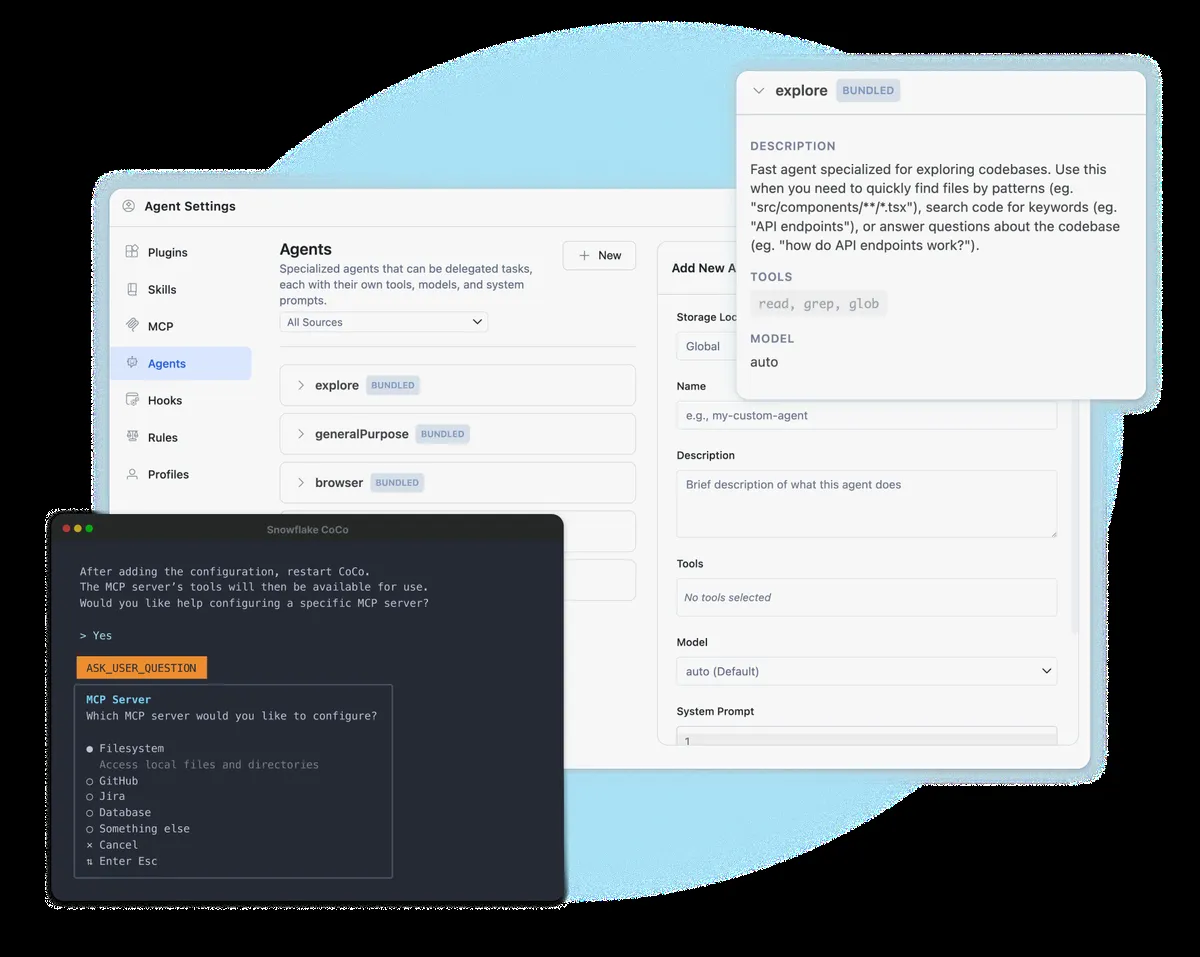
Snowflake
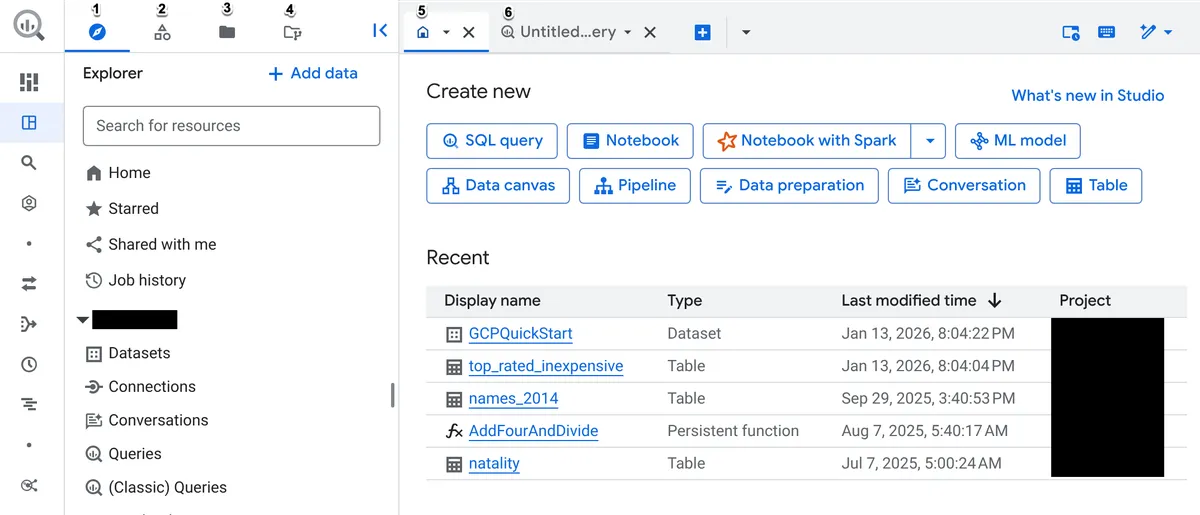
Google BigQuery
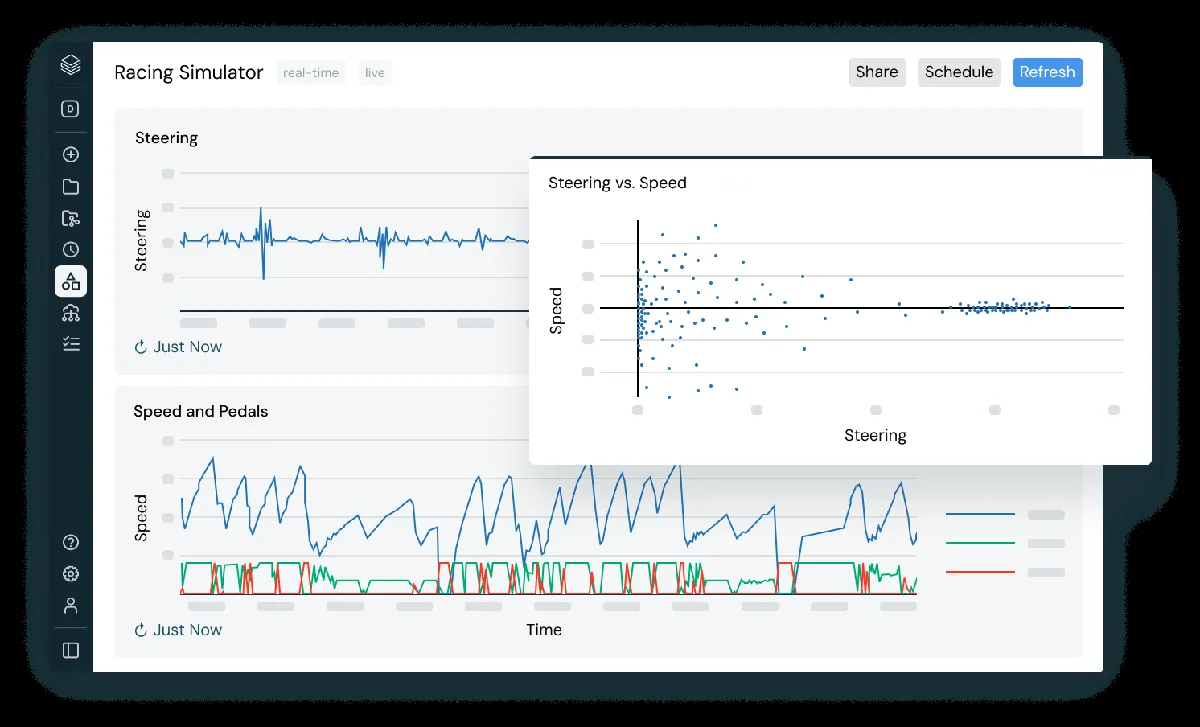
Databricks
Feature Comparison
| Feature | Snowflake | Google BigQuery | Databricks |
|---|---|---|---|
| Query & Analytics | |||
| SQL Analytics Performance | Multi-cluster warehouses with automatic scaling handle high-concurrency BI workloads with consistent performance | Dremel-based engine processes petabyte-scale queries serverlessly with columnar storage and automatic optimization | Databricks SQL warehouses with Photon engine optimizations deliver competitive BI performance on lakehouse data |
| Real-Time Streaming | Snowpipe provides continuous data loading with near-real-time ingestion from cloud storage | Built-in streaming inserts and continuous queries with Managed Service for Apache Kafka integration | Native Apache Spark Structured Streaming with Lakeflow pipelines for end-to-end streaming pipelines |
| Federated Queries | Queries external tables on cloud storage with data sharing across Snowflake accounts without data movement | Federated queries to Cloud SQL, Cloud Storage, Bigtable, and BigQuery Omni for cross-cloud analytics | Delta Sharing provides open-protocol data sharing; federated queries via Spark connectors to external sources |
| Data Engineering | |||
| ETL Pipeline Support | Tasks and Streams for change data capture with Snowpark for multi-language pipeline development | BigQuery Data Transfer Service for batch loads, Datastream for CDC, and Pub/Sub for streaming ingestion | Lakeflow pipelines provide declarative ETL with automatic error handling, monitoring, and pipeline optimization |
| Programming Language Support | SQL-first with Snowpark extending to Python, Java, and Scala for stored procedures and UDFs | SQL-centric with Python support through BigQuery DataFrames and Colab Enterprise notebooks | Full multi-language support with SQL, Python, Scala, and R in collaborative notebooks and jobs |
| Data Format Flexibility | Stores structured and semi-structured data natively with VARIANT column type for JSON, Avro, and Parquet | Managed Apache Iceberg tables via BigLake with support for nested and repeated fields in columnar format | Delta Lake with ACID transactions, schema evolution, and time travel built on open Parquet format |
| AI & Machine Learning | |||
| Built-In ML Training | Snowpark ML for model training and Snowflake Cortex for LLM-powered analytics and intelligence agents | BigQuery ML trains regression, clustering, and time-series models directly using SQL statements | Managed MLflow with full experiment tracking, model registry, and Mosaic AI for LLM fine-tuning |
| Model Deployment | Model registry with Snowpark Container Services for deploying custom models within the platform | Integrates with Vertex AI Model Registry for advanced MLOps and online prediction serving | End-to-end model serving with real-time inference endpoints and batch scoring on production data |
| AI Agent Support | Snowflake Intelligence provides a personalized enterprise agent for natural language data queries | Data Engineering Agent, Data Science Agent, and Conversational Analytics Agent powered by Gemini | Mosaic AI for building and deploying custom AI agents with Lakebase serverless Postgres for agent apps |
| Governance & Security | |||
| Data Governance | Unified governance with data classification, masking, row-level security, and object tagging across accounts | Dataplex Universal Catalog with automatic metadata harvesting, data profiling, quality checks, and lineage | Unity Catalog provides centralized governance for data, analytics, and AI assets with lineage tracking |
| Security Features | Automatic encryption, Tri-Secret Secure on Business Critical, private connectivity, and HIPAA compliance | Column-level security, customer-managed encryption keys, VPC Service Controls, and cross-region disaster recovery | Role-based access control, audit logging, table access controls, and compliance certifications on Premium tier |
| Disaster Recovery | Failover and failback for business continuity on Business Critical with Time Travel for data recovery | Managed cross-region dataset replication for disaster recovery in case of total regional outages | Delta Lake time travel for data versioning and rollback; relies on cloud-provider DR capabilities |
| Ecosystem & Integration | |||
| Cloud Provider Integration | Cloud-agnostic across AWS, Azure, and GCP with consistent experience and cross-cloud data sharing | Deep GCP integration with Looker Studio, Vertex AI, Dataflow, Pub/Sub, and Cloud Functions | Multi-cloud on AWS, Azure, and GCP with Azure Active Directory and Power BI integration on Azure |
| Open Format Support | Interoperability with Apache Iceberg and other open table formats for data portability | Managed Apache Iceberg tables via BigLake with support for running serverless Spark alongside SQL | Built on open-source Delta Lake with Apache Spark; Delta Sharing for cross-platform data exchange |
| Partner Ecosystem | Snowflake Partner Network with marketplace for data apps, datasets, and integrated technology partners | Google Cloud Marketplace and tight integration with the extensive Google Cloud partner ecosystem | Databricks Marketplace for sharing data, models, dashboards, and notebooks across organizations |
Query & Analytics
SQL Analytics Performance
Real-Time Streaming
Federated Queries
Data Engineering
ETL Pipeline Support
Programming Language Support
Data Format Flexibility
AI & Machine Learning
Built-In ML Training
Model Deployment
AI Agent Support
Governance & Security
Data Governance
Security Features
Disaster Recovery
Ecosystem & Integration
Cloud Provider Integration
Open Format Support
Partner Ecosystem
What each one does
Snowflake, BigQuery, and Databricks represent three distinct approaches to modern cloud data platforms. Snowflake excels as a SQL-first cloud data warehouse with zero-maintenance operations, predictable scaling, and the strongest cross-cloud data sharing capabilities. BigQuery delivers the lowest friction entry point with its serverless architecture, generous free tier, and tight GCP integration, making it the natural choice for Google Cloud teams. Databricks provides the deepest capabilities for data engineering and machine learning with its lakehouse architecture, native Spark processing, and comprehensive MLflow-based ML lifecycle management. The right choice depends on whether your primary workload is SQL analytics, serverless ad-hoc queries within the Google ecosystem, or unified data engineering and AI development.
What each one is for
Choose Snowflake if:
Choose Snowflake when your team runs SQL-heavy analytics and BI workloads across multiple cloud providers. Snowflake delivers the most consistent cross-cloud experience with automatic scaling, zero infrastructure management, and strong governance controls. Its credit-based pricing rewards efficient query patterns and auto-suspend keeps idle costs near zero. Organizations in regulated industries benefit from Business Critical edition's Tri-Secret Secure encryption, private connectivity, and HIPAA compliance.
Choose Google BigQuery if:
Choose BigQuery when your organization is invested in the Google Cloud ecosystem and wants the fastest path from zero to production analytics. BigQuery's serverless architecture eliminates all infrastructure management, and its free tier with 1 TiB of monthly queries lets teams experiment without spending a dollar. On-demand pricing at $6.25/TiB keeps costs proportional to actual usage, while capacity-based Editions deliver predictable pricing for heavy workloads. Deep integration with Looker Studio, Vertex AI, and Dataflow creates a seamless analytics pipeline. With 310 reviews averaging 8.8/10, BigQuery is the budget-friendly powerhouse for teams that want maximum simplicity and strong AI integration within Google Cloud.
Choose Databricks if:
Choose Databricks when data engineering, machine learning, and AI are central to your organization's strategy. The lakehouse architecture unifies batch and streaming ETL, SQL analytics, and ML model development in a single platform built on open-source foundations. Native Apache Spark integration, multi-language notebooks, and managed MLflow provide the most comprehensive toolchain for data science teams. Lakeflow pipelines simplify pipeline development, while Unity Catalog delivers unified governance. Jobs compute is billed per DBU per second, which keeps production pipelines cost-efficient. With 109 reviews averaging 8.8/10, Databricks is the platform for organizations that need to go beyond SQL analytics into full-lifecycle AI development.
These scenarios reflect the available product evidence. Your requirements, existing stack, and team expertise should guide the final decision.
Frequently Asked Questions
What is the main difference between Snowflake, BigQuery, and Databricks?
Snowflake is a cloud data warehouse optimized for SQL analytics and BI workloads with a credit-based consumption model. BigQuery is a fully serverless data warehouse tightly integrated with Google Cloud that charges per terabyte scanned or via capacity-based Editions. Databricks is a unified lakehouse platform built on Apache Spark that combines data lake flexibility with warehouse capabilities, optimized for data engineering, streaming, and machine learning workloads. Snowflake and BigQuery focus primarily on structured analytics, while Databricks serves a broader range of workloads including ML model training and production AI.
Which platform is cheapest for small teams getting started with data analytics?
BigQuery offers the lowest barrier to entry with a permanent free tier that includes 1 TiB of queries and 10 GB of storage per month at no cost. Small teams scanning under 1 TiB monthly pay nothing for compute. Snowflake offers a 30-day free trial but has no permanent free tier. Databricks provides a no-cost Free Edition, which replaced the Community Edition retired in 2025; it may not be used for commercial purposes. For small analytics teams with modest query volumes, BigQuery's on-demand pricing of $6.25/TiB is hard to beat.
Can I use Snowflake, BigQuery, or Databricks for machine learning?
All three platforms offer ML capabilities, but the depth varies significantly. Databricks provides the most comprehensive ML tooling with managed MLflow for experiment tracking, a model registry, real-time model serving endpoints, and Mosaic AI for LLM fine-tuning. BigQuery ML allows training regression, clustering, and time-series models directly in SQL and integrates with Vertex AI for advanced MLOps. Snowflake offers Snowpark ML for model training and Cortex for LLM-powered analytics. For teams where ML is a primary workload, Databricks is the strongest choice. For teams that want to train basic models without leaving SQL, BigQuery ML provides the easiest path.
How do the pricing models compare at enterprise scale?
At enterprise scale, all three platforms offer committed-use discounts that significantly reduce costs. Snowflake credits cost $2-$4 each on demand, depending on edition. BigQuery Editions offer one-year and three-year slot commitments with 40-60% savings versus on-demand pricing. Databricks offers committed-use discounts for annual DBU commitments. The total cost depends heavily on workload patterns, data volumes, and optimization practices.
Which platform has the best multi-cloud support?
Snowflake and Databricks both offer strong multi-cloud support. Snowflake runs natively on AWS, Azure, and GCP with a consistent experience across clouds and built-in cross-cloud data sharing. Databricks deploys on all three major clouds with portable Delta Lake open format, though feature completeness varies by provider with AWS being the most complete. BigQuery is GCP-native only, with BigQuery Omni available on Enterprise Plus edition for querying data in AWS S3 and Azure Blob Storage without moving it. For organizations committed to a multi-cloud strategy, Snowflake provides the most seamless cross-cloud experience, while Databricks offers the most flexibility for data engineering workloads across providers.