Decision comparison
Tableau vs Power BI
Tableau delivers extensive visualization depth and exploratory analytics for dedicated data teams, while Power BI offers a low cost with tight Microsoft ecosystem integration that makes it a strong choice for most organizations already invested in Microsoft 365.
Direct comparison. These are reviewed substitutes bought for the same job, so the differences below are the ones that decide between them.
All 2 are BI platforms.
Quick Comparison
| Decision factor | Tableau | Power BI |
|---|---|---|
| Best For | Advanced visual analytics teams needing deep exploration and interactive dashboards | Microsoft-centric organizations wanting affordable, enterprise-scale BI across all teams |
| Pricing | Tableau Cloud Standard Edition: Viewer $15/user/month, Explorer $42/user/month, Creator $75/user/month; Enterprise Edition: Viewer $35/user/month, Explorer $70/user/month, Creator $115/user/month; Tableau+ Bundle requires contact sales for pricing details. | A free account is available. Power BI Pro $14.00 per user per month and Power BI Premium Per User $24.00 per user per month, both paid yearly. Power BI Embedded is priced by capacity. |
| Data Visualization | Industry-leading drag-and-drop visualization with extensive chart types and drill-down capabilities | Strong self-service visualization with drag-and-drop canvas and hundreds of report templates |
| Learning Curve | Steeper learning curve requiring 40+ hours training; certification courses run $1,200-$2,000 | Lower barrier to entry with free training resources and familiar Microsoft interface |
| Ecosystem Integration | Deep Salesforce CRM integration, Agentforce for agentic analytics, Slack integration | Native Microsoft 365, Azure, Teams, Excel, PowerPoint, Dynamics 365, and Power Platform integration |
| AI Capabilities | Agentic analytics via Tableau Next, AI-assisted semantic model creation, Agentforce Tableau | Copilot in Microsoft Fabric for natural language queries, auto-generated reports, DAX assistance |
Tableau
- Best For:
- Advanced visual analytics teams needing deep exploration and interactive dashboards
- Pricing:
- Tableau Cloud Standard Edition: Viewer $15/user/month, Explorer $42/user/month, Creator $75/user/month; Enterprise Edition: Viewer $35/user/month, Explorer $70/user/month, Creator $115/user/month; Tableau+ Bundle requires contact sales for pricing details.
- Data Visualization:
- Industry-leading drag-and-drop visualization with extensive chart types and drill-down capabilities
- Learning Curve:
- Steeper learning curve requiring 40+ hours training; certification courses run $1,200-$2,000
- Ecosystem Integration:
- Deep Salesforce CRM integration, Agentforce for agentic analytics, Slack integration
- AI Capabilities:
- Agentic analytics via Tableau Next, AI-assisted semantic model creation, Agentforce Tableau
Power BI
- Best For:
- Microsoft-centric organizations wanting affordable, enterprise-scale BI across all teams
- Pricing:
- A free account is available. Power BI Pro $14.00 per user per month and Power BI Premium Per User $24.00 per user per month, both paid yearly. Power BI Embedded is priced by capacity.
- Data Visualization:
- Strong self-service visualization with drag-and-drop canvas and hundreds of report templates
- Learning Curve:
- Lower barrier to entry with free training resources and familiar Microsoft interface
- Ecosystem Integration:
- Native Microsoft 365, Azure, Teams, Excel, PowerPoint, Dynamics 365, and Power Platform integration
- AI Capabilities:
- Copilot in Microsoft Fabric for natural language queries, auto-generated reports, DAX assistance
Public signals
Verified factual signals only. Bars appear only for like-for-like metrics with five weekly assessments for every tool; missing evidence stays explicit. These signals do not establish enterprise adoption, product quality, or total cost.
| Metric | Tableau | Power BI |
|---|---|---|
| GitHub commits, 90d(Developer adoption) | 37 | 0 |
| GitHub stars(Developer adoption) | 716 | 1,000+ |
| Search interest(Market interest) | 85 | 62 |
| Hacker News mentions, 90d(Community interest) | 2 | 0 |
| npm weekly downloads(Developer adoption) | 32.2k | 241.2k |
| Product Hunt comments(Community interest) | 3 | 0 |
| Product Hunt rating(Community interest) | 4.2/5 | Unavailable |
| Product Hunt reviews(Community interest) | 5 | 0 |
| Product Hunt votes(Community interest) | 7 | 2 |
| PyPI weekly downloads(Developer adoption) | 965.7k | Not available |
| Stack Overflow questions(Community interest) | 5.4k | 20.5k |
As of September 21, 2026 — updated weekly.
Health & risk evidence
Observed public-source checks for mapped package versions and repositories.
Tableau
September 21, 2026Package vulnerabilities
npm · @tableau/embedding-api@3.16.1 · PyPI · tableauserverclient@0.41
0 vulnerabilities
across 2 packages
Repository security score
github.com/tableau/server-client-python
5.5/10
Power BI
September 21, 2026Package vulnerabilities
npm · powerbi-client@2.24.1
0 vulnerabilities
across 1 package
Repository security score
github.com/microsoft/PowerBI-JavaScript
7.4/10
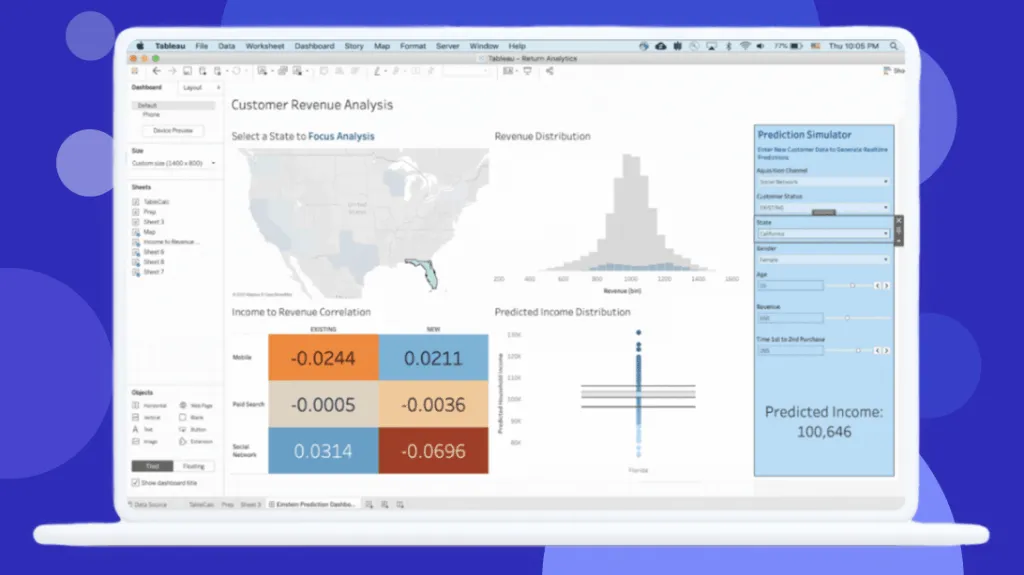
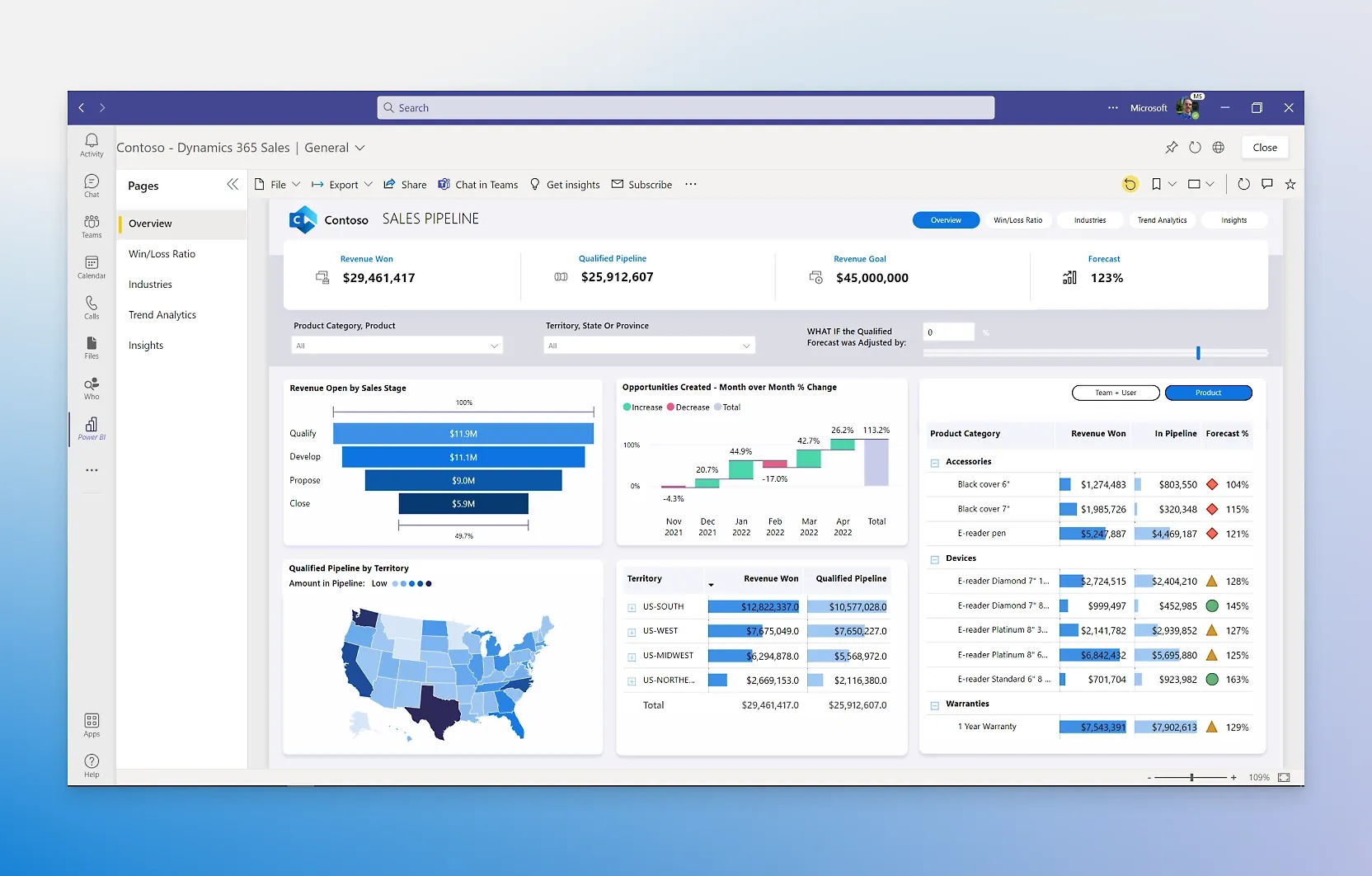
Interface Preview
Tableau
Power BI
Feature Comparison
| Feature | Tableau | Power BI |
|---|---|---|
| Data Visualization | ||
| Dashboard Creation | Full Desktop application with drag-and-drop canvas, extensive chart library, and drill-down capabilities across Cloud, Server, and Desktop deployments | Free Power BI Desktop app with drag-and-drop report canvas, hundreds of built-in visuals, and AI-generated reports via Copilot |
| Interactive Exploration | Advanced filtering, calculated fields, and visual best practices built into the platform for uninterrupted analytical flow | Self-service exploration with natural language Q&A, AI-powered pattern detection, and text summaries with customizable tone and scope |
| Embedding & Sharing | Embedding requires Enterprise edition with additional licensing; Tableau Public available free for public-facing data stories | Power BI Embedded for customer-facing reports; native sharing via Teams, PowerPoint, Excel, and SharePoint included in standard plans |
| Data Connectivity & Preparation | ||
| Data Sources | Broad connector library with most connectors included; some enterprise databases require custom driver installation and IT configuration | OneLake data hub connects disparate sources into a single governed source of truth; native Azure and Microsoft data source integration |
| Data Preparation | Tableau Prep Builder included with Creator license for data cleaning and transformation; complex ETL often still requires separate tools | Power Query built-in for data transformation and modeling; DAX query language for calculations and semantic modeling |
| Data Refresh | Cloud standard allows 10 scheduled extract refreshes per day; high-frequency dashboards require upgrading or architectural workarounds | More frequent refreshes available on Premium Per User tier; enterprise-grade ingestion scaling across thousands of users with Fabric |
| AI & Analytics | ||
| AI Integration | Tableau Next delivers agentic analytics with Agentforce integration, enabling autonomous action from trusted insights across the enterprise | Copilot in Microsoft Fabric creates reports from natural language, generates DAX calculations, and provides data summaries conversationally |
| Semantic Layer | AI-infused Tableau Semantics layer integrated with Data 360 for unified business data; accelerates semantic model creation with AI assistance | Semantic modeling through Power BI datasets and DAX; enterprise-scale modeling with Microsoft Fabric for petabyte-scale data |
| Predictive Analytics | Fully integrated AI/ML capabilities with visual storytelling and governed data management across the Tableau platform | AI features that find patterns in data, create reports instantly, and provide answers; Azure ML integration for advanced analytics |
| Enterprise & Governance | ||
| Deployment Options | Tableau Cloud (fully hosted SaaS), Tableau Server (self-hosted on-premises or private cloud), and Tableau Desktop for offline work | Power BI Service (cloud SaaS), Power BI Desktop (free local app), and Power BI in Microsoft Fabric for unified analytics experience |
| Security & Compliance | Enterprise edition adds advanced security and data management; built on Salesforce Hyperforce with enterprise-grade security and compliance | End-to-end Microsoft governance, security, and compliance; integrates with Microsoft Purview for data discovery and sensitivity labeling |
| Scalability | Scales through license tier upgrades and server infrastructure; core-based licensing available for large-scale embedded analytics deployments | Transforms petabytes with enterprise-grade ingestion; Fabric capacity scales dynamically with pay-as-you-go or reserved pricing |
| Collaboration & Ecosystem | ||
| Team Collaboration | Permission-aware analytics sharing in Slack channels, direct messages, and canvases; Tableau Community with millions of members worldwide | Native embedding in Microsoft Teams, PowerPoint, and Excel; self-service BI enables teams to publish and share reports organization-wide |
| Platform Integration | Salesforce CRM integration, API-first composable architecture with Tableau Next, and unified data layer via Data 360 platform | Deep integration with Microsoft 365, Azure, Dynamics 365, Power Platform, and Microsoft Purview for a unified Microsoft analytics stack |
| Developer Experience | API-first architecture enabling composable analytics; Tableau Public for free public data visualizations and community sharing | Power BI Embedded APIs for custom applications; low-code integration via Power Platform; free Desktop app for report authoring |
Data Visualization
Dashboard Creation
Interactive Exploration
Embedding & Sharing
Data Connectivity & Preparation
Data Sources
Data Preparation
Data Refresh
AI & Analytics
AI Integration
Semantic Layer
Predictive Analytics
Enterprise & Governance
Deployment Options
Security & Compliance
Scalability
Collaboration & Ecosystem
Team Collaboration
Platform Integration
Developer Experience
Which to choose
Tableau delivers extensive visualization depth and exploratory analytics for dedicated data teams, while Power BI offers a low cost with tight Microsoft ecosystem integration that makes it a strong choice for most organizations already invested in Microsoft 365.
Best-fit scenarios
Choose Tableau if:
We recommend Tableau for organizations with dedicated analytics teams that need advanced visual exploration, complex calculated fields, and deep drill-down capabilities. Tableau excels when your team has the budget for Creator licenses at $75/user/month and the training investment of $3,000-$5,000 per analyst. It is the stronger platform when Salesforce CRM integration matters, and its Tableau Next agentic analytics platform represents a forward-looking investment for enterprises seeking autonomous data-driven actions.
Choose Power BI if:
We recommend Power BI for organizations already running Microsoft 365 or Azure, where the cost advantage is decisive. At $14/user/month for Pro with a free tier for individual use, Power BI costs roughly one-fifth of Tableau for comparable functionality. The native integration with Teams, Excel, PowerPoint, and Dynamics 365 eliminates friction for business users. Power BI is the clear winner for companies that need to scale BI access across hundreds of users without the per-seat economics that make Tableau prohibitively expensive at that scale.
These scenarios reflect the available product evidence. Your requirements, existing stack, and team expertise should guide the final decision.
Frequently Asked Questions
Is Power BI really free, and what are its limitations compared to Tableau?
Power BI Desktop is genuinely free for individual report authoring and data visualization. The free account lets you create rich, interactive reports with visual analytics. However, sharing reports with colleagues requires Power BI Pro at $14/user/month or Power BI Premium Per User at $24/user/month. Tableau has no equivalent free tier for dashboard creation. Tableau Public is free but only supports public data stories visible to everyone. For individual analysts exploring data privately, Power BI Desktop provides full authoring capability at zero cost, which is a significant advantage over Tableau's minimum $75/month Creator license requirement.
How do Tableau and Power BI compare on total cost for a mid-size team?
The cost difference is substantial. For a mid-size analytics team of 5 creators, 15 intermediate users, and 50 viewers, Tableau Cloud Standard costs approximately $60,900/year when including training and infrastructure. The same team on Power BI Pro at $14/user/month totals roughly $11,760/year for 70 users. Even with Power BI Premium Per User at $24/month for the 5 power users, the total stays under $15,000/year. Tableau's Enterprise edition nearly doubles the standard pricing, with Creator jumping to $115/user/month. Organizations must also budget $1,200-$2,000 per analyst for Tableau certification training, adding further to the total cost of ownership.
Which platform has better AI capabilities in 2026?
Both platforms have made major AI investments, but they take different approaches. Tableau launched Tableau Next with agentic analytics powered by Agentforce, enabling autonomous insights and actions from trusted data. It includes an AI-infused semantic layer called Tableau Semantics that accelerates model creation. Power BI counters with Copilot in Microsoft Fabric, which creates reports from natural language descriptions, generates DAX calculations, and provides conversational data summaries. We find Power BI's Copilot more immediately useful for everyday business users, while Tableau's agentic approach targets enterprise teams seeking autonomous, workflow-integrated analytics. Both platforms were recognized as Gartner Magic Quadrant Leaders.
Can Tableau and Power BI connect to the same data sources?
Both platforms support a wide range of data connectors including SQL databases, cloud warehouses, spreadsheets, and APIs. Tableau includes most connectors in its standard offering, though some enterprise databases require custom driver installation and IT configuration. Power BI connects natively to Azure services and Microsoft data sources through OneLake, its unified data hub. Tableau offers Tableau Prep Builder for data cleaning, included with Creator licenses. Power BI includes Power Query for data transformation and DAX for calculations at no additional cost. The key difference is ecosystem alignment: Tableau integrates tightly with Salesforce and has an API-first architecture, while Power BI connects seamlessly to Microsoft 365, Azure, and Dynamics 365.
Which tool is easier to learn for non-technical business users?
Power BI has a lower barrier to entry for non-technical users. Microsoft provides free training resources, and the interface follows familiar Microsoft design patterns that most business users already understand. Power BI's drag-and-drop canvas and hundreds of report templates enable quick starts. Tableau users consistently report that the platform is easy to use once learned, with user reviews highlighting its intuitive drag-and-drop interface. However, Tableau has a steeper initial learning curve, with full proficiency requiring 40+ hours of dedicated learning time according to user reviews. Tableau certification courses cost $1,200-$2,000 per analyst. For organizations wanting broad BI adoption across non-technical teams, Power BI's familiar Microsoft interface and free learning resources make it the more accessible choice.