Decision comparison
Tableau vs Apache Superset
Choose Tableau when business users need refined self-service dashboards, commercial support, governed sharing, and Salesforce-connected agentic analytics without operating the platform themselves. Choose Apache Superset when an engineering team can run and customize a self-hosted analytics layer over its existing SQL estate, prioritizing open-source control over turnkey business-user experience.
Direct comparison. These are reviewed substitutes bought for the same job, so the differences below are the ones that decide between them.
All 2 are BI platforms.
Quick Comparison
| Decision factor | Tableau | Apache Superset |
|---|---|---|
| Best For | Business teams needing polished self-service dashboards, governed analytics, Slack workflows, and Salesforce-oriented agentic analytics across cloud or self-hosted deployments. | Engineering-led teams wanting self-hosted, customizable SQL analytics over existing cloud-native databases without proprietary per-user software licensing. |
| Architecture | Cloud-hosted Tableau Cloud or self-hosted Tableau Server, with API-first composable architecture, Data 360 unified layer, semantic modeling, and enterprise workflows. | Lightweight open-source visualization layer connecting to SQL databases; uses existing data infrastructure, SQL Lab, pluggable charts, caching, RBAC, and dashboard embedding. |
| Pricing Model | Tableau Cloud Standard Edition: Viewer $15/user/month, Explorer $42/user/month, Creator $75/user/month; Enterprise Edition: Viewer $35/user/month, Explorer $70/user/month, Creator $115/user/month; Tableau+ Bundle requires contact sales for pricing details. | Free and open-source under Apache License 2.0 |
| Ease of Use | Strong drag-and-drop visual analysis and user-friendly interface; real-user feedback also identifies calculated fields, data cleaning, and onboarding as friction points. | Offers a no-code visualization builder for analysts and SQL Lab IDE for technical users; deployment and customization require engineering capability. |
| Scalability | Tableau Cloud removes infrastructure management; Tableau Server provides deployment control, while large datasets and desktop workflows are reported user pain points. | Designed for highly scalable deployments and petabyte-scale SQL engines, leveraging connected databases rather than adding an ingestion layer. |
| Community/Support | Commercial enterprise product with Tableau Cloud and Server offerings, Salesforce ecosystem integrations, and 8.4/10 user rating across 2,320 reviews. | Apache open-source community with user, administrator, and developer documentation; GitHub repository has 74,670 stars and Apache-2.0 licensing. |
Tableau
- Best For:
- Business teams needing polished self-service dashboards, governed analytics, Slack workflows, and Salesforce-oriented agentic analytics across cloud or self-hosted deployments.
- Architecture:
- Cloud-hosted Tableau Cloud or self-hosted Tableau Server, with API-first composable architecture, Data 360 unified layer, semantic modeling, and enterprise workflows.
- Pricing Model:
- Tableau Cloud Standard Edition: Viewer $15/user/month, Explorer $42/user/month, Creator $75/user/month; Enterprise Edition: Viewer $35/user/month, Explorer $70/user/month, Creator $115/user/month; Tableau+ Bundle requires contact sales for pricing details.
- Ease of Use:
- Strong drag-and-drop visual analysis and user-friendly interface; real-user feedback also identifies calculated fields, data cleaning, and onboarding as friction points.
- Scalability:
- Tableau Cloud removes infrastructure management; Tableau Server provides deployment control, while large datasets and desktop workflows are reported user pain points.
- Community/Support:
- Commercial enterprise product with Tableau Cloud and Server offerings, Salesforce ecosystem integrations, and 8.4/10 user rating across 2,320 reviews.
Apache Superset
- Best For:
- Engineering-led teams wanting self-hosted, customizable SQL analytics over existing cloud-native databases without proprietary per-user software licensing.
- Architecture:
- Lightweight open-source visualization layer connecting to SQL databases; uses existing data infrastructure, SQL Lab, pluggable charts, caching, RBAC, and dashboard embedding.
- Pricing Model:
- Free and open-source under Apache License 2.0
- Ease of Use:
- Offers a no-code visualization builder for analysts and SQL Lab IDE for technical users; deployment and customization require engineering capability.
- Scalability:
- Designed for highly scalable deployments and petabyte-scale SQL engines, leveraging connected databases rather than adding an ingestion layer.
- Community/Support:
- Apache open-source community with user, administrator, and developer documentation; GitHub repository has 74,670 stars and Apache-2.0 licensing.
Public signals
Verified factual signals only. Bars appear only for like-for-like metrics with five weekly assessments for every tool; missing evidence stays explicit. These signals do not establish enterprise adoption, product quality, or total cost.
| Metric | Tableau | Apache Superset |
|---|---|---|
| GitHub commits, 90d(Developer adoption) | 37 | Not available |
| GitHub stars(Developer adoption) | 716 | Not available |
| Search interest(Market interest) | 85 | 0 |
| Hacker News mentions, 90d(Community interest) | 2 | 0 |
| npm weekly downloads(Developer adoption) | 32.2k | 13.8k |
| Product Hunt comments(Community interest) | 3 | 0 |
| Product Hunt rating(Community interest) | 4.2/5 | Unavailable |
| Product Hunt reviews(Community interest) | 5 | 0 |
| Product Hunt votes(Community interest) | 7 | 69 |
| PyPI weekly downloads(Developer adoption) | 965.7k | Not available |
| Stack Overflow questions(Community interest) | 5.4k | 1.3k |
| Docker Hub pulls(Product adoption) | Not available | 605.5M |
| GitHub commits, 90d(Product adoption) | Not available | 2.3k |
| GitHub stars(Product adoption) | Not available | 74,000+ |
| PyPI weekly downloads(Product adoption) | Not available | 87.1k |
As of September 21, 2026 — updated weekly.
Health & risk evidence
Observed public-source checks for mapped package versions and repositories.
Tableau
September 21, 2026Package vulnerabilities
npm · @tableau/embedding-api@3.16.1 · PyPI · tableauserverclient@0.41
0 vulnerabilities
across 2 packages
Repository security score
github.com/tableau/server-client-python
5.5/10
Apache Superset
September 21, 2026Package vulnerabilities
npm · @superset-ui/core@0.20.4 · PyPI · apache-superset@6.1.0
0 vulnerabilities
across 2 packages
Repository security score
github.com/apache/superset
5.4/10
Interface Preview
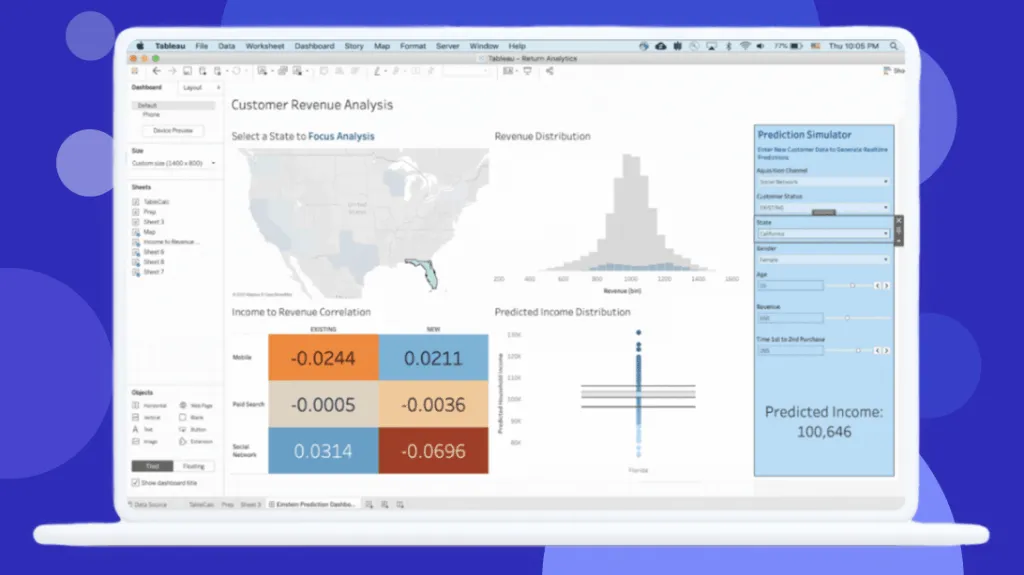
Tableau
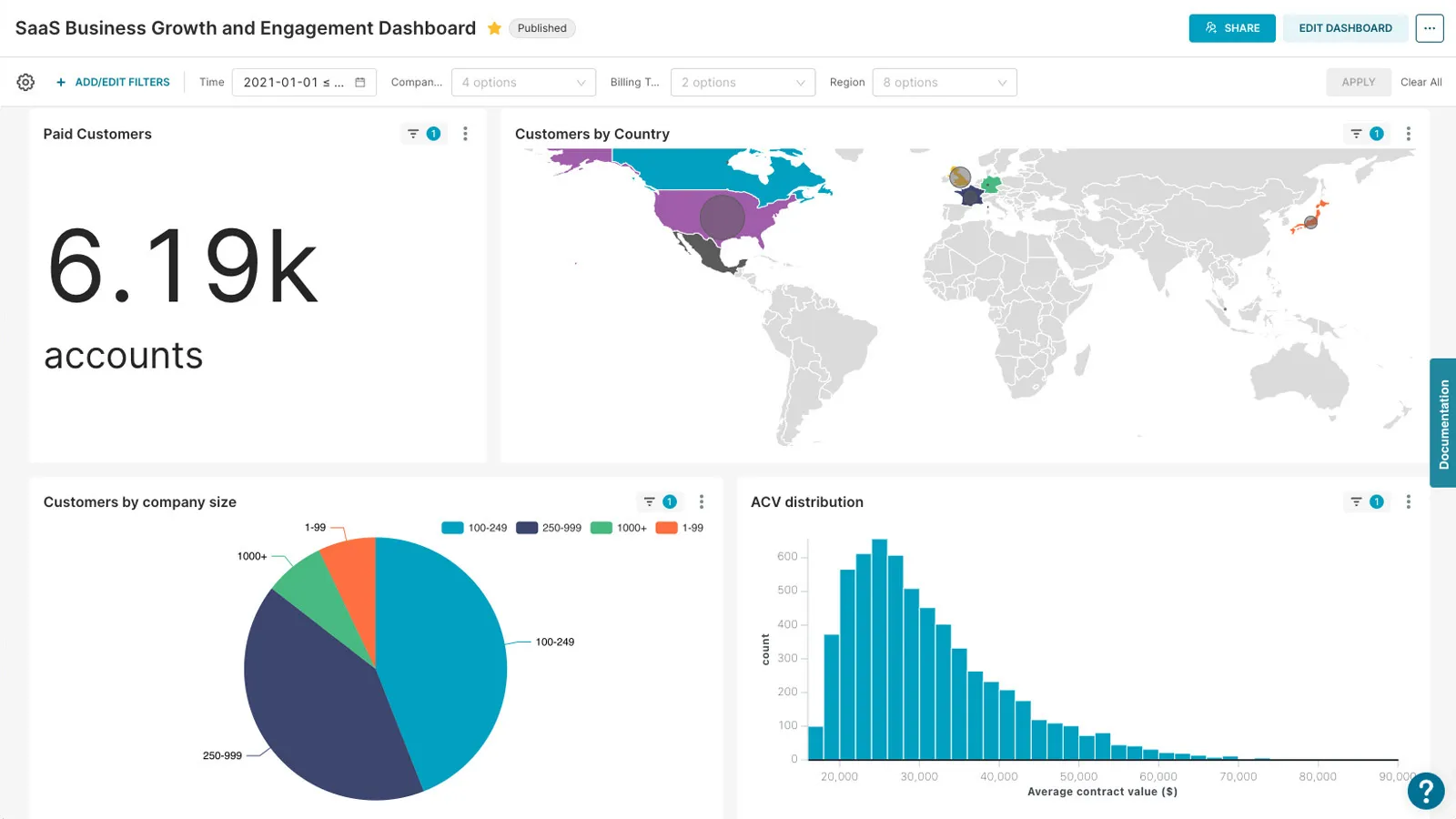
Apache Superset
Feature Comparison
| Feature | Tableau | Apache Superset |
|---|---|---|
| Analytics authoring | ||
| Visual analysis workflow | Drag-and-drop visual analytics for interactive dashboard authoring. | No-code visualization builder for exploring connected SQL data. |
| SQL exploration | Uses visual analysis alongside calculated fields and connected data sources. | SQL Lab IDE lets users write and execute exploration queries. |
| Semantic modeling | Semantic layer supports AI-assisted model creation through Tableau architecture. | Semantic layer defines reusable metrics and dimensions for charts. |
| Visualization and dashboards | ||
| Chart library | Interactive visual analytics supports polished business dashboards and data storytelling. | Ships with 40-plus pre-installed visualization types and custom plugins. |
| Custom visualizations | Builds interactive visualizations through Tableau's dashboard authoring environment. | Plug-in architecture enables teams to build custom visualization types. |
| Dashboard delivery | Shares insights securely through Tableau Cloud or Tableau Server deployments. | Creates interactive dashboards and supports dashboard embedding. |
| Data platform integration | ||
| Data connectivity | Connects organizational data through Tableau Cloud and Server analytics platforms. | Connects to SQL databases, including cloud-native petabyte-scale engines. |
| Data-layer approach | Data 360 provides a unified data layer for governed analytics. | Queries existing infrastructure without requiring another ingestion layer. |
| Performance approach | Cloud-hosted or self-hosted platform manages analytics deployment choices. | Caching layer improves repeated-query performance on connected databases. |
| Governance and security | ||
| Access control | Permission-aware analytics integrates with Slack for governed insight sharing. | Role-based access control uses an extensible security model. |
| Identity integration | Enterprise analytics deployments provide secure insight-sharing controls. | Security integrations support OAuth, OpenID, and LDAP authentication providers. |
| Deployment control | Tableau Server enables self-hosted deployment with full data-control ownership. | Self-hosted open-source deployment gives operators control of configuration. |
| Automation and extensibility | ||
| AI-assisted analytics | Tableau Next and Agentforce support agentic analytics and autonomous action. | Provided data describes no native agentic analytics capability. |
| Workflow integration | Built-in enterprise workflows turn analytics insights into actionable processes. | REST API, extensions, and embedding support engineering-led integrations. |
| Platform extensibility | API-first composable design supports integration with enterprise application ecosystems. | Open-source plug-in architecture supports visualization and platform customization. |
Analytics authoring
Visual analysis workflow
SQL exploration
Semantic modeling
Visualization and dashboards
Chart library
Custom visualizations
Dashboard delivery
Data platform integration
Data connectivity
Data-layer approach
Performance approach
Governance and security
Access control
Identity integration
Deployment control
Automation and extensibility
AI-assisted analytics
Workflow integration
Platform extensibility
Which to choose
Choose Tableau when business users need refined self-service dashboards, commercial support, governed sharing, and Salesforce-connected agentic analytics without operating the platform themselves. Choose Apache Superset when an engineering team can run and customize a self-hosted analytics layer over its existing SQL estate, prioritizing open-source control over turnkey business-user experience.
Best-fit scenarios
Choose Tableau if:
Choose Tableau for enterprise BI programs that need Tableau Cloud or Server, drag-and-drop dashboard authoring, secure business distribution, and Agentforce, Slack, or Data 360 integration. It is especially suitable when licensing per Viewer, Explorer, and Creator is preferable to staffing a platform engineering function.
Choose Apache Superset if:
Choose Apache Superset for data-platform teams with strong SQL and operations skills that need flexible database connectivity, self-hosting, custom chart extensions, embedded dashboards, and Apache-2.0 licensing. Budget for infrastructure, authentication, caching, upgrades, and any required engineering customization.
These scenarios reflect the available product evidence. Your requirements, existing stack, and team expertise should guide the final decision.
Frequently Asked Questions
What is the main difference between Tableau and Apache Superset?
Tableau is a commercial visual analytics platform delivered as hosted Tableau Cloud or self-hosted Tableau Server. It emphasizes drag-and-drop business intelligence, governed sharing, enterprise workflows, Data 360, Slack integration, and Tableau Next agentic analytics. Apache Superset is an Apache-2.0 open-source visualization and exploration platform that sits over SQL databases. It emphasizes SQL Lab, a no-code chart builder, pluggable visualizations, database flexibility, and operator-managed deployment.
Which is better for small teams?
For a small team without dedicated platform engineers, Tableau can be the more direct route to shared dashboards because Tableau Cloud is fully hosted and its interface is widely associated with drag-and-drop visualization. Its Cloud Standard annual-billing rates begin at $15 per Viewer, $42 per Explorer, and $75 per Creator per month. For a technically capable small team with existing database infrastructure, Superset eliminates proprietary license fees under Apache License 2.0, but the team must own deployment, security, upgrades, caching, and support.
Can I migrate from Tableau to Apache Superset?
Yes, but it should be treated as dashboard redevelopment rather than a simple file conversion. Inventory Tableau data sources, calculated fields, permissions, dashboards, and refresh behavior first. Recreate reusable metrics and dimensions in Superset's semantic layer, rebuild visualizations using its chart types or custom plugins, and migrate SQL logic into SQL Lab or the underlying database. Validate row-level access and performance carefully; supplied review material notes that multi-tenant deployments may require manually configured row-level security for each client workspace.
What are the pricing differences?
Tableau publishes per-user monthly prices billed annually. Tableau Cloud Standard costs $15 per Viewer, $42 per Explorer, and $75 per Creator; Enterprise costs $35, $70, and $115 respectively. Tableau+ is a Tableau Cloud bundle with Tableau Next and agentic analytics capabilities, priced through sales. Apache Superset is free to self-host under Apache License 2.0, so there is no published proprietary seat price in the supplied data. Its real production budget is infrastructure plus engineering for security, caching, customizations, integrations, maintenance, and upgrades.