Sentry: product and architecture
This Sentry review covers the application monitoring and error-tracking platform that's become nearly universal in modern dev shops. Sentry started as an open-source error-reporting tool and has grown into a full application observability platform with error tracking, performance monitoring, distributed tracing, session replay, and profiling. We evaluated it against the broader observability stack (Datadog, New Relic, Grafana Cloud) to answer the question every team asks: is Sentry enough on its own, or do we need it in addition to something else?
Overview
Sentry is an application monitoring platform positioned at the developer end of the Observability & Monitoring category. Unlike infrastructure-focused tools like Amazon CloudWatch or Azure Monitor, Sentry is built for developers who write application code — it groups errors by stack trace, surfaces the exact commit that introduced a bug, and links back to the source line in GitHub or GitLab. It's open-source at its core, with a commercial SaaS layer that most teams ultimately adopt for managed infrastructure and advanced features.
The service matters because it solved the one observability problem every software team has: when production breaks, where's the error, who deployed it, and how do I reproduce it? Tools like Datadog and Sumo Logic can answer those questions too, but they price for the whole stack, whereas Sentry prices specifically for error-tracking shape. For teams that write code as their primary output, Sentry sits in every modern engineering toolchain alongside GitHub and a CI/CD platform. The company has broadened into session replay and profiling in recent years, putting it closer to full APM — but error tracking remains the core and strongest use case.
Key Features and Architecture
Sentry's core is the SDK + event ingestion pipeline. You install a Sentry SDK in your application (available for 100+ languages and frameworks), configure a DSN, and any unhandled exception flows to Sentry automatically. The SDK captures the full stack trace, local variables, breadcrumbs (recent user actions), environment metadata, release version, and user context.
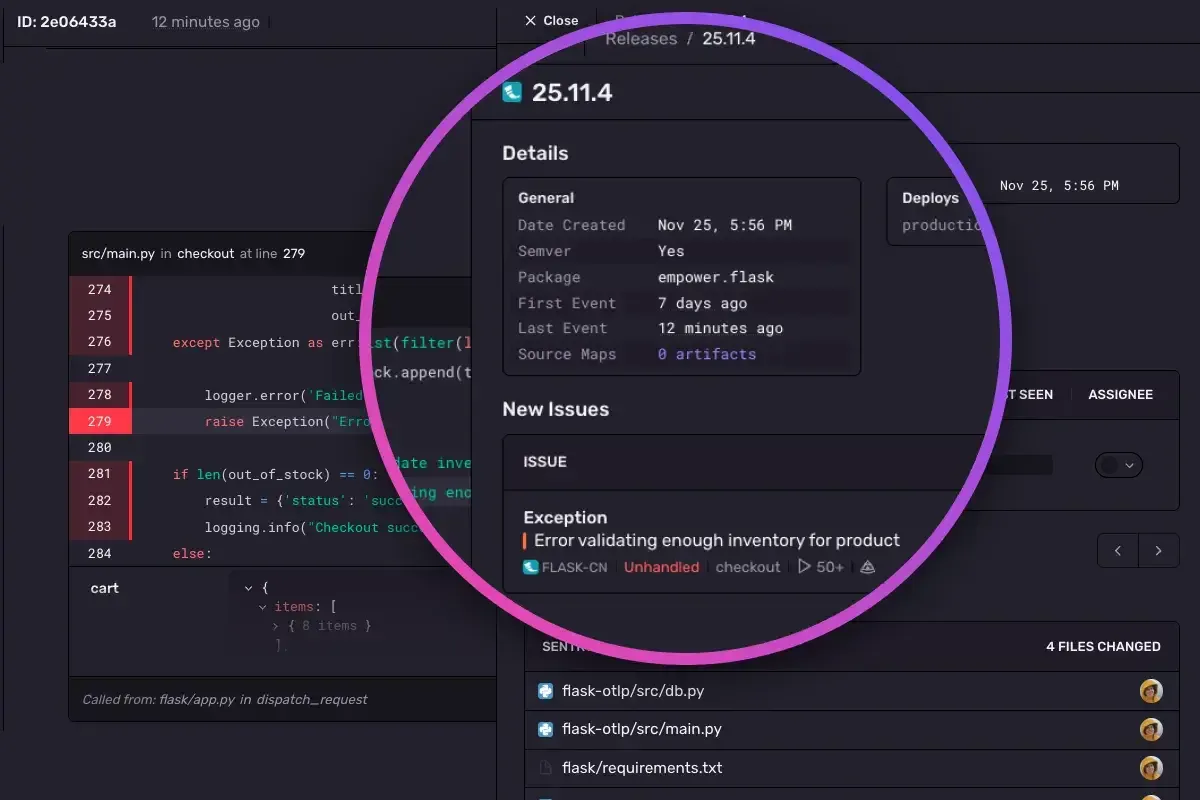
The platform groups events into issues based on stack-trace similarity — so 10,000 occurrences of the same bug appear as one issue with a count, not 10,000 notifications. This grouping is the single most important feature and the one Sentry invented. Issues are then assigned, commented on, and closed like tickets, with GitHub/Jira/Linear integration built in. Release tracking connects issues to deployments: Sentry knows which commit introduced a regression and which commit fixed it, enabling "suspect commits" identification.
Beyond error tracking, Sentry now offers Performance Monitoring (transaction tracing similar to Datadog APM), Session Replay (records user sessions leading up to errors, scrubbing PII), Profiling (production-safe CPU and memory profiling for Python, Node, Go, PHP, and others), and Crons (scheduled-job failure detection). These layers share the same event-ingestion pipeline and the same issue-grouping UX. Self-hosted Sentry is available as open source, which matters for teams with data-residency constraints — most SaaS competitors don't offer this.
Ideal Use Cases
Best for:
- Software engineering teams of any size who need to catch production errors and connect them to the commit that caused them. Sentry is borderline-universal in modern web dev, mobile, and backend stacks — if you write code, you probably want this.
- Startups and mid-size teams on the Developer (free) or Team plan — the free tier covers 5,000 errors/month per user, which is genuinely enough for side projects and early-stage apps.
- Teams with strict data-residency or compliance needs who need self-hosted error tracking. Sentry's open-source version is a real product, not a crippled teaser.
- Frontend-heavy teams needing session replay to debug user-visible bugs. Sentry's session replay is the most cost-effective offering in this category.
Not suitable for:
- Infrastructure-first observability — Sentry doesn't replace CloudWatch, Datadog, or Grafana for metrics on VMs, containers, and databases. It's an application layer, not an infra layer.
- Teams needing rich log search — Sentry has log-adjacent features (breadcrumbs, extra context) but isn't a log management platform. Pair with Datadog Logs, Grafana Loki, or Splunk for serious log search.
- Small teams on tight budgets who already have a full APM tool — if you're paying for Datadog APM or New Relic, the error-tracking overlap is significant. Sentry is additive, not substitutive.
Pros and Cons
Pros:
- Error grouping by stack trace is the feature Sentry is known for — it still has the cleanest UX in the category.
- Transparent, published pricing with real dollar amounts (rare in observability).
- Open-source self-hosted option is a real product, not a placeholder.
- SDK ecosystem is exhaustive — 100+ languages and frameworks, including obscure and embedded platforms.
- Release-to-error mapping via "suspect commits" shortens the path from error report to fix.
- Session Replay is cost-effective compared to standalone tools like FullStory or LogRocket.
Cons:
- Event-based billing can surprise teams during incidents — a release that generates 100,000 errors/day for a weekend creates a noticeable bill spike.
- Not a replacement for APM in the full sense — transaction-level performance data is not as rich as Datadog APM or New Relic.
- No log management — you'll still need a separate tool for log search at scale.
- Self-hosted deployment is operationally heavy — realistically requires a dedicated platform engineer.