Decision comparison
Mode Analytics vs Metabase
Mode Analytics and Metabase serve different segments of the BI market. Mode targets data teams needing SQL, Python, and R in one collaborative platform with enterprise pricing. Metabase targets teams wanting open-source, self-hosted BI with a no-code query builder and transparent tiered pricing starting at $100 per month.
Direct comparison. These are reviewed substitutes bought for the same job, so the differences below are the ones that decide between them.
All 2 are BI platforms.
Quick Comparison
| Decision factor | Mode Analytics | Metabase |
|---|---|---|
| Primary Purpose | Collaborative analytics platform combining SQL, Python, R, and visual exploration for data teams | Open-source BI tool for fast, no-code data exploration and embedded analytics |
| Pricing Model | Contact for pricing | Community Edition is free, open-source and self-hosted, with unlimited users. Paid Metabase Cloud plans start with Starter at $100/month, or $90/month billed annually, including the first 5 users, then $6 per user/month. Pro is $575/month, or $517.50/month annually, including the first 10 users, then $12 per user/month. Enterprise is custom pricing starting at $20,000/year. Both paid plans offer a 14 days free trial. |
| Deployment Options | Cloud-hosted SaaS platform with embedded analytics and programmatic APIs | Self-hosted open-source or Metabase Cloud; supports Docker deployment and air-gapped installs |
| GitHub Stars | N/A (closed-source commercial platform) | 46,919 (Clojure, actively maintained, latest release v0.59.6) |
| User Rating | 9/10 (19 reviews) | 8.4/10 (66 reviews) |
| Best For | Data teams needing SQL, Python, and R notebooks alongside self-service dashboards | Startups and teams wanting open-source, self-hosted BI with a no-code query builder |
Mode Analytics
- Primary Purpose:
- Collaborative analytics platform combining SQL, Python, R, and visual exploration for data teams
- Pricing Model:
- Contact for pricing
- Deployment Options:
- Cloud-hosted SaaS platform with embedded analytics and programmatic APIs
- GitHub Stars:
- N/A (closed-source commercial platform)
- User Rating:
- 9/10 (19 reviews)
- Best For:
- Data teams needing SQL, Python, and R notebooks alongside self-service dashboards
Metabase
- Primary Purpose:
- Open-source BI tool for fast, no-code data exploration and embedded analytics
- Pricing Model:
- Community Edition is free, open-source and self-hosted, with unlimited users. Paid Metabase Cloud plans start with Starter at $100/month, or $90/month billed annually, including the first 5 users, then $6 per user/month. Pro is $575/month, or $517.50/month annually, including the first 10 users, then $12 per user/month. Enterprise is custom pricing starting at $20,000/year. Both paid plans offer a 14 days free trial.
- Deployment Options:
- Self-hosted open-source or Metabase Cloud; supports Docker deployment and air-gapped installs
- GitHub Stars:
- 46,919 (Clojure, actively maintained, latest release v0.59.6)
- User Rating:
- 8.4/10 (66 reviews)
- Best For:
- Startups and teams wanting open-source, self-hosted BI with a no-code query builder
Public signals
Verified factual signals only. Bars appear only for like-for-like metrics with five weekly assessments for every tool; missing evidence stays explicit. These signals do not establish enterprise adoption, product quality, or total cost.
| Metric | Mode Analytics | Metabase |
|---|---|---|
| Search interest(Market interest) | 1 | Not available |
| Hacker News mentions, 90d(Community interest) | 1 | 12 |
| Product Hunt comments(Community interest) | 9 | 30 |
| Product Hunt rating(Community interest) | Unavailable | 4.9/5 |
| Product Hunt reviews(Community interest) | 0 | 24 |
| Product Hunt votes(Community interest) | 105 | 310 |
| Stack Overflow questions(Community interest) | 14 | 374 |
| Docker Hub pulls(Product adoption) | Not available | 272.7M |
| GitHub commits, 90d(Product adoption) | Not available | 2.0k |
| GitHub stars(Product adoption) | Not available | 49,000+ |
| npm weekly downloads(Developer adoption) | Not available | 36.8k |
As of September 21, 2026 — updated weekly.
Health & risk evidence
Observed public-source checks for mapped package versions and repositories.
Mode Analytics
Package vulnerabilities
Not available
Repository security score
Not available
Metabase
September 21, 2026Package vulnerabilities
npm · @metabase/embedding-sdk-react@0.63.1
0 vulnerabilities
across 1 package
Repository security score
github.com/metabase/metabase
7.1/10
Interface Preview
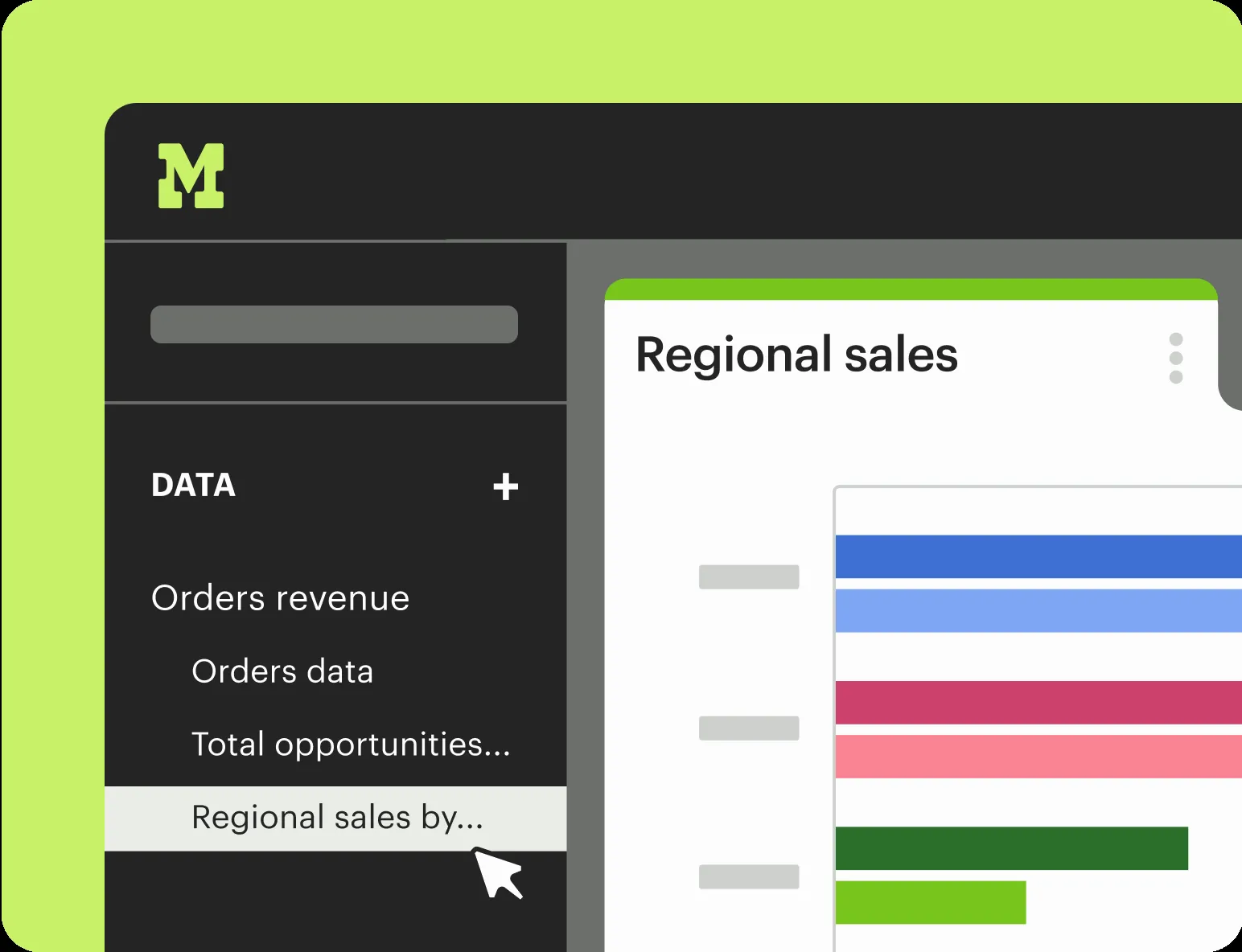
Mode Analytics
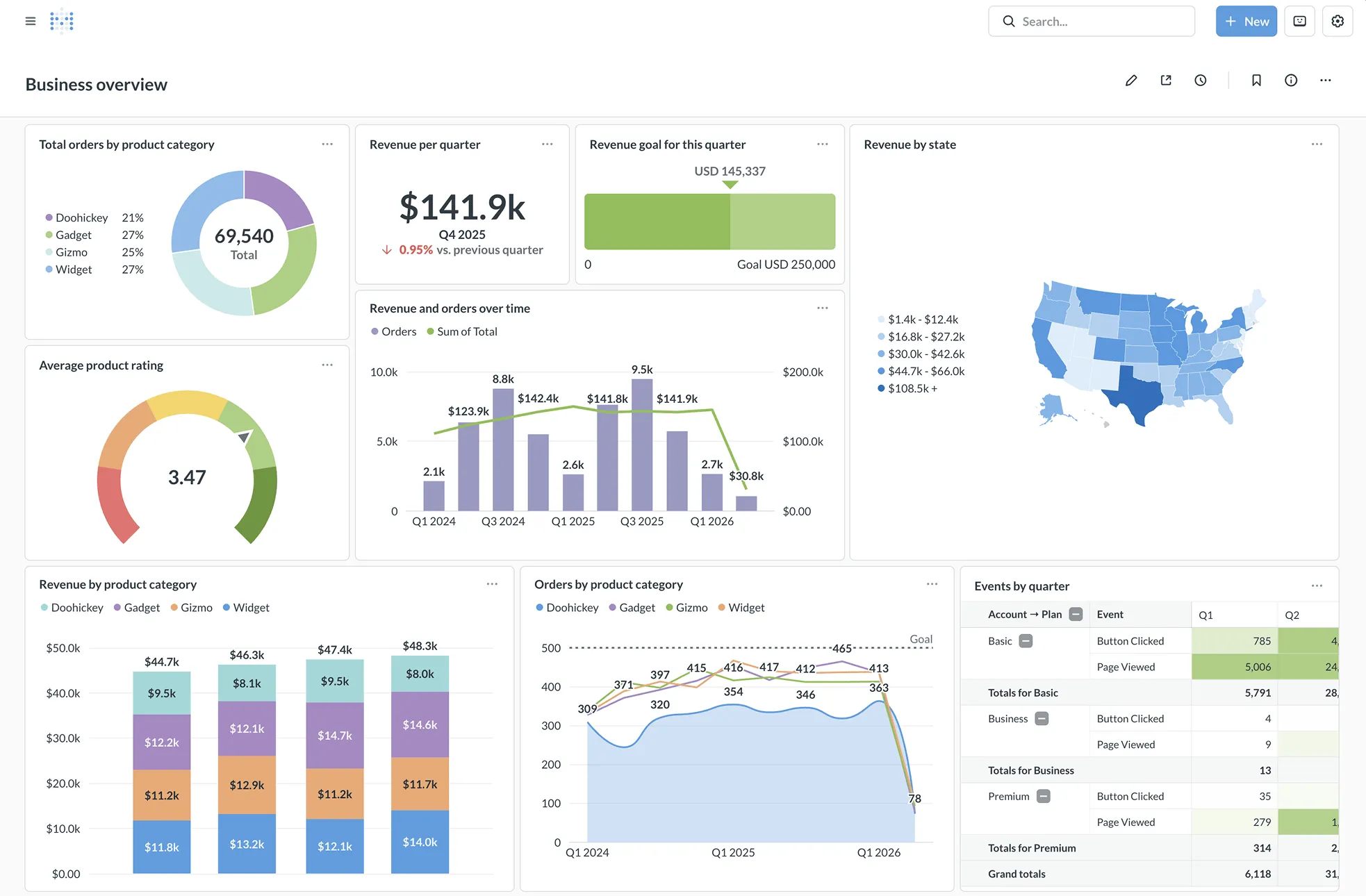
Metabase
Feature Comparison
| Feature | Mode Analytics | Metabase |
|---|---|---|
| Query and Analysis | ||
| SQL Editing | Full SQL editor for ad hoc analysis with rapid query iteration and result delivery to connected notebooks | Native SQL editor for power users alongside a visual query builder that lets non-technical users run queries without writing SQL |
| Advanced Analytics | Python and R notebooks connected directly to SQL results, supporting 60+ popular Python and R libraries for statistical analysis | No native Python or R support; analytics capabilities focused on SQL queries, Metabot AI for natural language single-shot SQL generation |
| No-Code Query Builder | Drag-and-drop visual exploration for exploring 100K+ datapoints in the browser, designed as a complement to SQL workflows | Purpose-built no-code visual query builder that makes asking data questions intuitive; templates recurring questions with models and metrics |
| Dashboards and Visualization | ||
| Interactive Dashboards | Interactive dashboards where anyone can click Explore to dive into underlying data without submitting tickets to the data team | Dashboards with drill-through menus configured out of the box, letting users click charts to filter, group, and explore underlying data |
| Custom Themes and Branding | Custom themes importing organization colors and fonts for on-brand metrics reporting across internal dashboards | White-labeling support with dynamic styling for embedded analytics; custom branding removes Metabase branding on Pro and Enterprise tiers |
| Scheduled Reporting | Scheduled report runs with automatic email and Slack updates delivered at configured intervals to stakeholders | Scheduled delivery and alerts via email and Slack with custom filters; PDF export and downloads in .png, .csv, .xlsx, and .json formats |
| Embedded Analytics | ||
| Embedding Options | Embedded analytics via programmatic APIs, allowing reports to be embedded in existing internal tools with complete customization using HTML, CSS, and JavaScript | Production-grade embedding via iframes or React SDK with white-labeling, dynamic styling, and interactive controls from view-only to full data discovery |
| Multi-Tenant Support | Granular access controls with identity management and provisioning, collections for content management, and query-level search | Native multi-tenant data segregation with row-level and column-level permissions, database-managed row-level security, and one-database-per-tenant support |
| Custom Data Applications | Custom data apps built with HTML, CSS, JavaScript, APIs, and custom themes to create internal tools that power business processes | Data Studio workbench for curating datasets and defining reusable logic with SQL and Python transforms, glossary, measures, and segments |
| Data Connectivity and Architecture | ||
| Database Connectors | Connects to most major data warehouses; designed as the intelligence layer sitting on top of the modern data stack without building connectors to SaaS tools | 20+ database connectors supporting everything from startup production databases to massive data warehouses; live querying without data ingestion |
| Data Modeling | Reusable datasets built and maintained by the data team to power explorations across the organization; integrates with dbt Semantic Layer for governed metrics | Automatic data model discovery with Data Studio for defining segments, measures, glossary terms, and dependency graphs across curated datasets |
| Deployment Flexibility | Cloud-hosted SaaS platform with teams up and running in 30 minutes or less; no self-hosted option available | Self-hosted via Docker, cloud-hosted on Metabase Cloud, or air-gapped deployment; open-source edition freely deployable on any infrastructure |
| Security and Governance | ||
| Access Controls | Identity management and provisioning with granular access controls and collections for organizing and managing analytical content | SSO integration with SAML, LDAP, JWT, and Google with role-based visibility mapped to Metabase groups; API keys for programmatic access |
| Compliance and Security | Secure by design with a strong foundation of data security and privacy; award-winning support team available via quick chat | Enterprise-grade security with SOC1, SOC2, GDPR, and CCPA compliance; usage analytics to track data access, downloads, and dashboard activity |
| Content Governance | Central hub for organizational analysis that eliminates lost analysis, mismatched metrics, and out-of-date data models across teams | Official and verified collections with moderated questions, verified models, automatic dependency checks, and content trustworthiness markers |
Query and Analysis
SQL Editing
Advanced Analytics
No-Code Query Builder
Dashboards and Visualization
Interactive Dashboards
Custom Themes and Branding
Scheduled Reporting
Embedded Analytics
Embedding Options
Multi-Tenant Support
Custom Data Applications
Data Connectivity and Architecture
Database Connectors
Data Modeling
Deployment Flexibility
Security and Governance
Access Controls
Compliance and Security
Content Governance
Which to choose
Mode Analytics and Metabase serve different segments of the BI market. Mode targets data teams needing SQL, Python, and R in one collaborative platform with enterprise pricing. Metabase targets teams wanting open-source, self-hosted BI with a no-code query builder and transparent tiered pricing starting at $100 per month.
Best-fit scenarios
Choose Mode Analytics if:
We recommend Mode Analytics for organizations with dedicated data teams that rely on SQL, Python, and R for ad hoc analysis alongside self-service reporting. Mode combines a SQL editor, Python and R notebooks with 60+ libraries, visual exploration, and interactive dashboards in a single platform. This makes it the stronger choice when analysts need to perform statistical analysis, build custom data apps using HTML, CSS, and JavaScript, and deliver curated, reusable datasets that business teams can explore on their own. Mode integrates with the dbt Semantic Layer for governed metrics and connects to major data warehouses as the intelligence layer of the modern data stack. The platform gets teams operational in 30 minutes, and its central hub approach eliminates duplicated analysis and mismatched metrics across departments.
Choose Metabase if:
We recommend Metabase for teams that want an open-source BI platform with transparent pricing and the flexibility to self-host or use managed cloud. Metabase's no-code visual query builder makes data accessible to non-technical teammates without SQL knowledge, while the SQL editor gives power users full control. With 46,919 GitHub stars and an active open-source community, Metabase offers 20+ database connectors, built-in drill-through menus, and enterprise-grade security including SOC1, SOC2, GDPR, and CCPA compliance. The Starter plan at $100 per month and Pro plan at $575 per month provide clear cost predictability. Metabase also excels at embedded analytics with its React SDK and white-labeling capabilities, making it a strong fit for SaaS products that need customer-facing analytics without heavy engineering overhead.
These scenarios reflect the available product evidence. Your requirements, existing stack, and team expertise should guide the final decision.
Frequently Asked Questions
Is Metabase truly free to use?
Metabase offers a fully open-source edition that is free to self-host with no licensing fees. You can spin up an instance using a single Docker command (docker run -d -p 3000:3000 metabase/metabase) and start querying within minutes. The open-source edition includes the visual query builder, SQL editor, dashboards, charts, and unlimited visualizations. However, features like granular caching, Data Studio with SQL and Python transforms, staging environments, and priority support require paid plans. Metabase Cloud Starter costs $100 per month with cloud deployment and 3-day support, while Pro at $575 per month adds self-hosted deployment options. Enterprise is custom pricing starting at $20,000 per year with priority support.
Can Mode Analytics handle non-technical business users?
Mode Analytics is designed to serve both data teams and business teams on the same platform. While its core strength lies in SQL, Python, and R capabilities for data analysts, Mode provides drag-and-drop visual exploration and interactive dashboards that let business users explore curated datasets without writing code. Data teams build and maintain reusable datasets that serve as trusted, governed sources for self-service reporting. Business users can click Explore on any dashboard to dive into underlying data and answer follow-up questions without submitting requests to the data team. Mode positions this as turning the data team into a force multiplier for business growth by curating data that inspires confident self-serve reporting.
Which tool is better for embedded analytics in a SaaS product?
Both tools support embedded analytics, but Metabase provides a more mature offering for customer-facing SaaS embedding. Metabase offers a React SDK for deep customization alongside iframe embedding for quick implementation, with white-labeling that removes Metabase branding, dynamic styling to match your product, and interactive controls ranging from view-only dashboards to full data discovery. Metabase also supports native multi-tenant data segregation with row-level and column-level permissions and one-database-per-tenant architecture. Mode offers embedded analytics through programmatic APIs and supports embedding reports into internal tools using HTML, CSS, and JavaScript with custom themes, but its embedding capabilities are geared more toward internal analytics rather than customer-facing product integration.
How do Mode and Metabase compare on data source connectivity?
Metabase connects to 20+ data sources and acts as a visualization and querying layer that sits directly on top of your database without ingesting or storing your data. It supports live queries against the production database or warehouse. Mode connects to most major data warehouses and positions itself as the intelligence layer for the modern data stack, integrating with your warehouse, ingestion, and transformation layers. Mode does not build connectors to SaaS tools by design, focusing instead on warehouse connectivity. Both tools support scheduled queries and result caching, but Metabase provides model caching without requiring external schedulers or pipelines, while Mode supports reusable datasets curated by the data team.