Decision comparison
Preset vs Tableau
Preset and Tableau serve different segments of the BI market. Preset delivers a modern, cost-effective analytics platform built on open-source Apache Superset, making it the stronger choice for data teams that value transparency, flexibility, and AI-native workflows without enterprise pricing overhead. Tableau remains the industry standard for advanced visual analytics and is the natural fit for organizations already invested in the Salesforce ecosystem that need deep governance, polished storytelling capabilities, and a mature enterprise support structure.
Direct comparison. These are reviewed substitutes bought for the same job, so the differences below are the ones that decide between them.
All 2 are BI platforms.
Quick Comparison
| Decision factor | Preset | Tableau |
|---|---|---|
| Best For | Data teams wanting managed Apache Superset with AI-powered analytics | Enterprise teams needing advanced visual analytics and Salesforce integration |
| Pricing Model | Starter $0 forever for up to 5 users and 1 workspace. Professional $20 per user per month billed annually, or $25 per user per month billed monthly, with unlimited users and 3 workspaces. Enterprise is quote-only. Dashboard viewer licences are listed at $500 per month for 50 viewers. | Tableau Cloud Standard Edition: Viewer $15/user/month, Explorer $42/user/month, Creator $75/user/month; Enterprise Edition: Viewer $35/user/month, Explorer $70/user/month, Creator $115/user/month; Tableau+ Bundle requires contact sales for pricing details. |
| Starting Price | Free for up to 5 users; Professional at $20/user/month (annual) | Viewer at $15/user/month; Creator at $75/user/month (billed annually) |
| Deployment | Cloud-hosted SaaS, managed private cloud, or on-prem | Tableau Cloud (SaaS), Tableau Server (self-hosted), or Tableau Desktop |
| Learning Curve | Moderate — familiar for SQL-savvy analysts, no-code option for business users | Steep — expect 40+ hours of training per analyst for proficiency |
| Open Source Foundation | Built on Apache Superset with 75%+ of upstream commits from the Preset team | Proprietary platform owned by Salesforce |
Preset
- Best For:
- Data teams wanting managed Apache Superset with AI-powered analytics
- Pricing Model:
- Starter $0 forever for up to 5 users and 1 workspace. Professional $20 per user per month billed annually, or $25 per user per month billed monthly, with unlimited users and 3 workspaces. Enterprise is quote-only. Dashboard viewer licences are listed at $500 per month for 50 viewers.
- Starting Price:
- Free for up to 5 users; Professional at $20/user/month (annual)
- Deployment:
- Cloud-hosted SaaS, managed private cloud, or on-prem
- Learning Curve:
- Moderate — familiar for SQL-savvy analysts, no-code option for business users
- Open Source Foundation:
- Built on Apache Superset with 75%+ of upstream commits from the Preset team
Tableau
- Best For:
- Enterprise teams needing advanced visual analytics and Salesforce integration
- Pricing Model:
- Tableau Cloud Standard Edition: Viewer $15/user/month, Explorer $42/user/month, Creator $75/user/month; Enterprise Edition: Viewer $35/user/month, Explorer $70/user/month, Creator $115/user/month; Tableau+ Bundle requires contact sales for pricing details.
- Starting Price:
- Viewer at $15/user/month; Creator at $75/user/month (billed annually)
- Deployment:
- Tableau Cloud (SaaS), Tableau Server (self-hosted), or Tableau Desktop
- Learning Curve:
- Steep — expect 40+ hours of training per analyst for proficiency
- Open Source Foundation:
- Proprietary platform owned by Salesforce
Public signals
Verified factual signals only. Bars appear only for like-for-like metrics with five weekly assessments for every tool; missing evidence stays explicit. These signals do not establish enterprise adoption, product quality, or total cost.
| Metric | Preset | Tableau |
|---|---|---|
| GitHub commits, 90d(Developer adoption) | 2 | 37 |
| GitHub stars(Developer adoption) | 46 | 716 |
| Search interest(Market interest) | Unavailable | 85 |
| PyPI weekly downloads(Ecosystem adoption) | 87.1k | Not available |
| Hacker News mentions, 90d(Community interest) | Not available | 2 |
| npm weekly downloads(Developer adoption) | Not available | 32.2k |
| Product Hunt comments(Community interest) | Not available | 3 |
| Product Hunt rating(Community interest) | Not available | 4.2/5 |
| Product Hunt reviews(Community interest) | Not available | 5 |
| Product Hunt votes(Community interest) | Not available | 7 |
| PyPI weekly downloads(Developer adoption) | Not available | 965.7k |
| Stack Overflow questions(Community interest) | Not available | 5.4k |
As of September 21, 2026 — updated weekly.
Health & risk evidence
Observed public-source checks for mapped package versions and repositories.
Preset
September 21, 2026Package vulnerabilities
PyPI · apache-superset@6.1.0
0 vulnerabilities
across 1 package
Repository security score
Not available
Tableau
September 21, 2026Package vulnerabilities
npm · @tableau/embedding-api@3.16.1 · PyPI · tableauserverclient@0.41
0 vulnerabilities
across 2 packages
Repository security score
github.com/tableau/server-client-python
5.5/10
Interface Preview
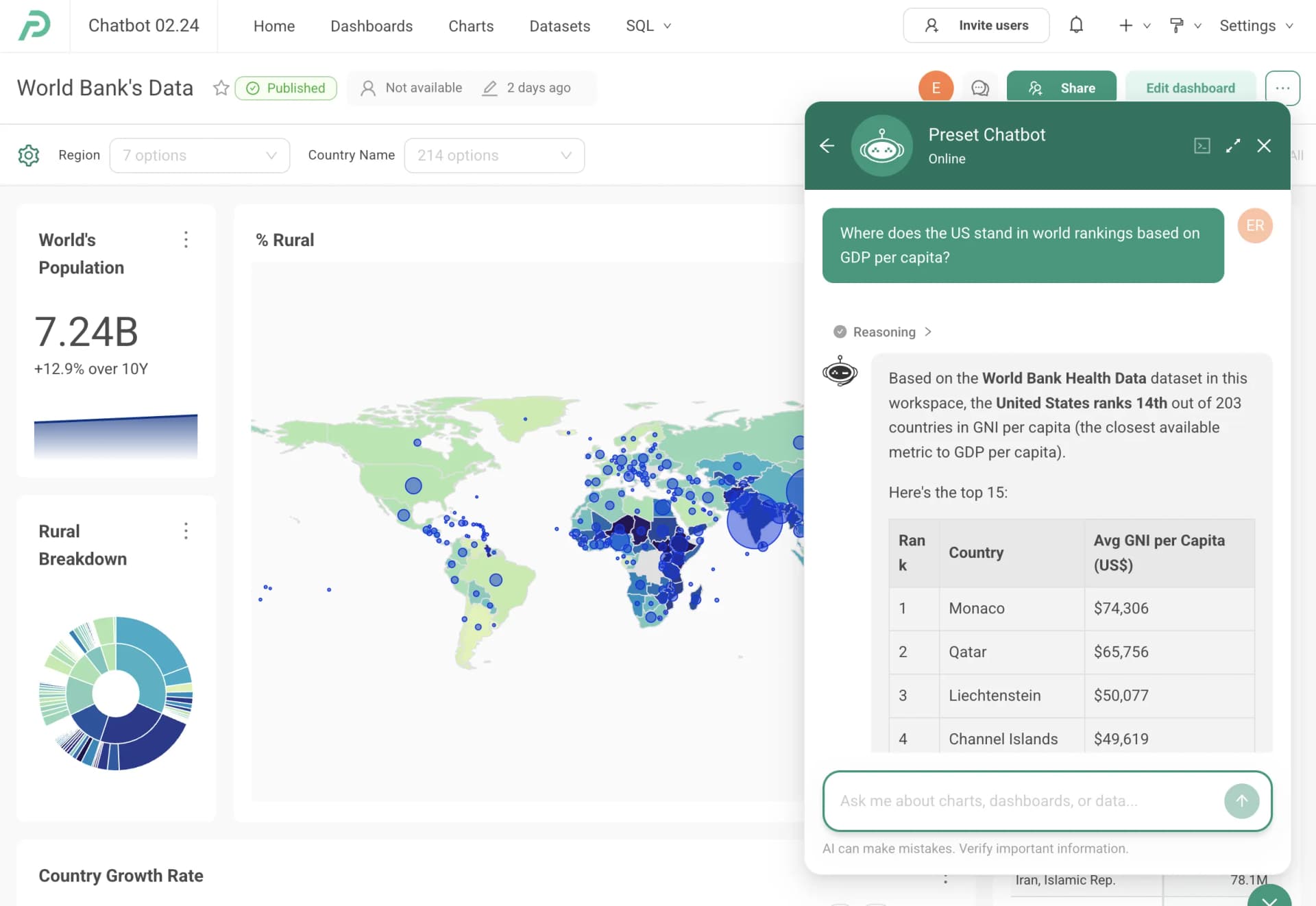
Preset
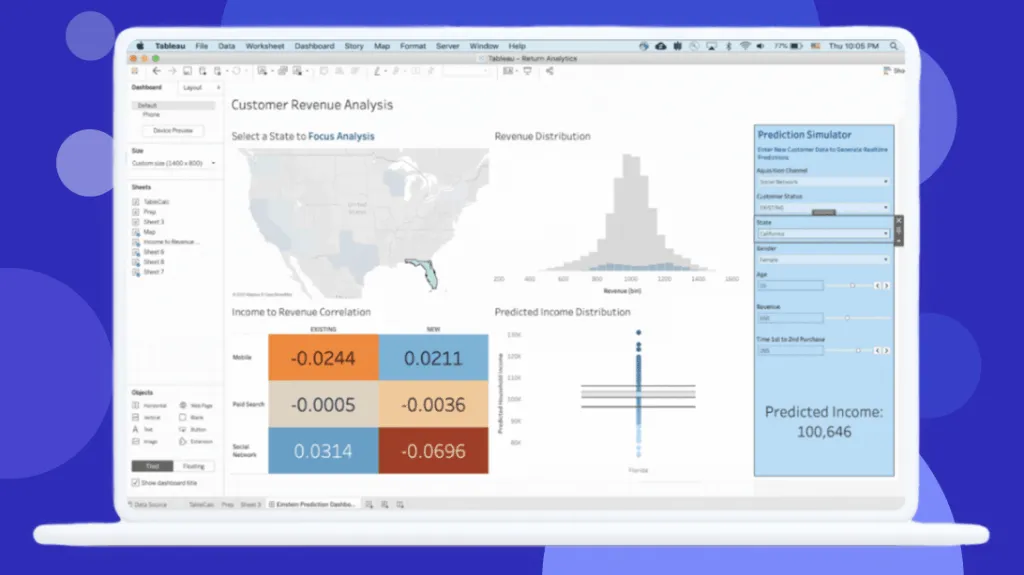
Tableau
Feature Comparison
| Feature | Preset | Tableau |
|---|---|---|
| Data Visualization & Exploration | ||
| No-code chart builder | Yes — drag-and-drop with 40+ visualization types | Yes — drag-and-drop with advanced chart types |
| SQL IDE | Built-in collaborative SQL editor with semantic layer | Limited — Creator license includes Prep Builder for data wrangling |
| Interactive dashboards | Fully interactive with caching and Jinja templating | Fully interactive with drill-down and storytelling |
| AI & Automation | ||
| Conversational AI | Preset Chatbot turns natural language into charts and dashboards | Agentforce Tableau provides agentic analytics with proactive insights |
| MCP / AI tool integration | MCP service connects Claude, Cursor, and other AI tools directly to data | Slack integration for permission-aware analytics via Agentforce |
| Semantic layer | Dataset-centric semantic layer with unified metric definitions | Tableau Semantics with AI-assisted model creation via Data 360 |
| Security & Governance | ||
| Row-level security | Yes — RLS enforced across dashboards and AI queries | Yes — available in Enterprise edition |
| SSO support | Enterprise plan | Enterprise edition with SAML/OAuth |
| Role-based access control | RBAC available on Professional plan and above | Built into Creator/Explorer/Viewer license model |
| Deployment & Integration | ||
| Embedded analytics | Add-on for embedded dashboard viewer licenses ($500/month for 50 viewers) | Requires Enterprise edition with additional per-user licensing |
| Multiple workspaces | One-click deployment of separate workspaces per team | Supported via Tableau Cloud sites or Server projects |
| Database connectivity | Connects to most SQL databases; agnostic to data architecture | Broad connector library including Salesforce CRM native integration |
| Pricing & Licensing | ||
| Free tier | Yes — Starter plan is free forever for up to 5 users | No free tier; 14-day free trial only |
| Vendor lock-in risk | Low — charts and dashboards can migrate to open-source Apache Superset | Higher — proprietary format, increasing Salesforce integration ties |
| Annual cost for 50-user team | Significantly lower — Professional at $20/user/month (roughly $20/user/month across 50 seats annually for 50 users) | Standard Cloud mix of 5 Creators, 15 Explorers, 30 Viewers runs approximately $21,060/year in licenses alone |
Data Visualization & Exploration
No-code chart builder
SQL IDE
Interactive dashboards
AI & Automation
Conversational AI
MCP / AI tool integration
Semantic layer
Security & Governance
Row-level security
SSO support
Role-based access control
Deployment & Integration
Embedded analytics
Multiple workspaces
Database connectivity
Pricing & Licensing
Free tier
Vendor lock-in risk
Annual cost for 50-user team
Which to choose
Preset and Tableau serve different segments of the BI market. Preset delivers a modern, cost-effective analytics platform built on open-source Apache Superset, making it the stronger choice for data teams that value transparency, flexibility, and AI-native workflows without enterprise pricing overhead. Tableau remains the industry standard for advanced visual analytics and is the natural fit for organizations already invested in the Salesforce ecosystem that need deep governance, polished storytelling capabilities, and a mature enterprise support structure.
Best-fit scenarios
Choose Preset if:
We recommend Preset for data teams that want a modern, open-source-backed BI platform with strong AI capabilities and predictable costs. Preset stands out with its free Starter tier for up to 5 users, making it accessible for small teams that need to move fast without procurement overhead. The Professional plan at $20/user/month (billed annually) undercuts Tableau significantly, and the dataset-centric approach with a built-in SQL editor appeals to analysts who prefer working close to the data. The MCP integration with tools like Claude and Cursor positions Preset well for teams already adopting AI-assisted workflows. Preset also eliminates vendor lock-in risk because everything runs on Apache Superset, so you can self-host if your needs change.
Choose Tableau if:
We recommend Tableau for enterprise organizations that need the broadest visualization capabilities and deep Salesforce CRM integration. Tableau is a 2025 Gartner Magic Quadrant Leader for a reason: its visual analytics engine handles complex drill-downs, geospatial charts, and data storytelling at a level that few competitors match. The Creator/Explorer/Viewer license model lets large organizations scale consumption affordably through Viewer seats at $15/user/month, though Creator licenses at $75/user/month add up quickly. With Tableau Next and Agentforce integration, Salesforce-native organizations gain agentic analytics embedded directly into their existing workflows. Budget for Enterprise edition pricing if you need SSO, advanced data management, or embedded analytics, as the Standard-to-Enterprise jump (from $75 to $115/month for Creator) catches many teams off guard at renewal.
These scenarios reflect the available product evidence. Your requirements, existing stack, and team expertise should guide the final decision.
Frequently Asked Questions
Is Preset really free, and what are the limitations of the free tier?
Yes, Preset offers a Starter plan that is free forever for up to 5 users. It includes unlimited dashboards and charts, a no-code chart builder, a collaborative SQL editor, over 40 visualization types, chart and dashboard caching, a semantic layer, and 1 workspace. The main limitations are the 5-user cap, a single workspace, and no RBAC or scheduled reports. For teams that outgrow these limits, the Professional plan starts at $20/user/month billed annually.
How does Tableau's total cost compare to Preset for a mid-size team?
For a team of 50 users, Preset Professional costs approximately roughly $20/user/month across 50 seats annually ($20/user/month billed annually). A comparable Tableau Cloud Standard deployment with a typical license mix of 5 Creators ($75/month each), 15 Explorers ($42/month each), and 30 Viewers ($15/month each) costs approximately $21,060/year in license fees alone — before factoring in training, certification, and potential infrastructure costs. Tableau Enterprise edition nearly doubles per-user prices, with Creator at $115/month and Explorer at $70/month.
Can we migrate from Tableau to Preset without losing our dashboards?
There is no direct one-click migration path from Tableau to Preset because they use different visualization formats. However, Preset's strength lies in its dataset-centric approach — you connect Preset to your existing SQL databases and rebuild dashboards using the same underlying data. Since Preset runs on Apache Superset, your investment is portable: if you ever want to leave Preset's managed cloud, you can export and run everything on self-hosted Superset. Tableau's proprietary .twb/.twbx format makes outbound migration more difficult.
Which platform has better AI capabilities for analytics?
Both platforms have invested heavily in AI, but they take different approaches. Preset offers a chatbot that turns natural-language questions into visualizations and an MCP service that connects AI tools like Claude and Cursor directly to your data with full row-level security enforcement. Tableau has introduced Agentforce integration through Tableau Next, delivering agentic analytics with proactive insights and Slack-based conversational analytics. Preset's AI is more open and developer-friendly through MCP, while Tableau's AI is tightly integrated with the Salesforce ecosystem and Agentforce platform.