Decision comparison
Redash vs Tableau
Redash delivers a free, SQL-centric query and visualization platform ideal for technical teams who want open source flexibility, while Tableau provides enterprise-grade visual analytics with AI-powered features at premium per-user pricing.
Redash is maintained by volunteers, not by its owner
Databricks acquired Redash in June 2020 and shut the hosted Redash Cloud service down on 30 November 2021. Databricks-funded development on the open-source project wound down afterwards, and since late 2023 it has been maintained by a small group of volunteers. It still ships: v26.3.0 was released on 2 March 2026, at roughly one release a year. Redash remains free, Apache-2.0 and self-hostable; what changed is who decides its direction and how fast it follows the databases it connects to.
Direct comparison. These are reviewed substitutes bought for the same job, so the differences below are the ones that decide between them.
All 2 are BI platforms.
Quick Comparison
| Decision factor | Redash | Tableau |
|---|---|---|
| Pricing | Self-hosted free (BSD-2-Clause license) | Tableau Cloud Standard Edition: Viewer $15/user/month, Explorer $42/user/month, Creator $75/user/month; Enterprise Edition: Viewer $35/user/month, Explorer $70/user/month, Creator $115/user/month; Tableau+ Bundle requires contact sales for pricing details. |
| Ease of Use | SQL-first approach with powerful online query editor, auto-complete, and snippet reuse for technical users | Drag-and-drop visual interface rated easy to learn with built-in visual best practices for business users |
| Data Sources | Supports SQL, NoSQL, Big Data, and API sources including PostgreSQL, MySQL, Redshift, BigQuery, and MongoDB | Connects to cloud and on-premises data with full Salesforce CRM integration and enterprise database connectors |
| Visualization | Charts, cohort, pivot table, boxplot, map, counter, sankey, sunburst, word cloud, and funnel visualization types | Advanced interactive dashboards with drill-down capabilities, visual storytelling, and Tableau Public for sharing |
| Deployment | Self-hosted via Docker requiring Redis and PostgreSQL infrastructure, community-maintained with BSD-2-Clause license | Available as Tableau Cloud (fully hosted SaaS), Tableau Server (self-hosted), and Tableau Desktop application |
| Community & Support | Open source project with 28,000+ GitHub stars, Python-based codebase, active community contributions since Databricks acquisition | Named 2025 Gartner Magic Quadrant Leader with millions of community members, certified training, and enterprise support |
Redash
- Pricing:
- Self-hosted free (BSD-2-Clause license)
- Ease of Use:
- SQL-first approach with powerful online query editor, auto-complete, and snippet reuse for technical users
- Data Sources:
- Supports SQL, NoSQL, Big Data, and API sources including PostgreSQL, MySQL, Redshift, BigQuery, and MongoDB
- Visualization:
- Charts, cohort, pivot table, boxplot, map, counter, sankey, sunburst, word cloud, and funnel visualization types
- Deployment:
- Self-hosted via Docker requiring Redis and PostgreSQL infrastructure, community-maintained with BSD-2-Clause license
- Community & Support:
- Open source project with 28,000+ GitHub stars, Python-based codebase, active community contributions since Databricks acquisition
Tableau
- Pricing:
- Tableau Cloud Standard Edition: Viewer $15/user/month, Explorer $42/user/month, Creator $75/user/month; Enterprise Edition: Viewer $35/user/month, Explorer $70/user/month, Creator $115/user/month; Tableau+ Bundle requires contact sales for pricing details.
- Ease of Use:
- Drag-and-drop visual interface rated easy to learn with built-in visual best practices for business users
- Data Sources:
- Connects to cloud and on-premises data with full Salesforce CRM integration and enterprise database connectors
- Visualization:
- Advanced interactive dashboards with drill-down capabilities, visual storytelling, and Tableau Public for sharing
- Deployment:
- Available as Tableau Cloud (fully hosted SaaS), Tableau Server (self-hosted), and Tableau Desktop application
- Community & Support:
- Named 2025 Gartner Magic Quadrant Leader with millions of community members, certified training, and enterprise support
Public signals
Verified factual signals only. Bars appear only for like-for-like metrics with five weekly assessments for every tool; missing evidence stays explicit. These signals do not establish enterprise adoption, product quality, or total cost.
| Metric | Redash | Tableau |
|---|---|---|
| Docker Hub pulls(Product adoption) | 100.1M | Not available |
| GitHub commits, 90d(Product adoption) | 14 | Not available |
| GitHub stars(Product adoption) | 28,000+ | Not available |
| Search interest(Market interest) | 0 | 85 |
| Hacker News mentions, 90d(Community interest) | 2 | 2 |
| Product Hunt comments(Community interest) | 1 | 3 |
| Product Hunt rating(Community interest) | Unavailable | 4.2/5 |
| Product Hunt reviews(Community interest) | 0 | 5 |
| Product Hunt votes(Community interest) | 9 | 7 |
| PyPI weekly downloads(Developer adoption) | 6.9k | 965.7k |
| Stack Overflow questions(Community interest) | 133 | 5.4k |
| GitHub commits, 90d(Developer adoption) | Not available | 37 |
| GitHub stars(Developer adoption) | Not available | 716 |
| npm weekly downloads(Developer adoption) | Not available | 32.2k |
As of September 21, 2026 — updated weekly.
Health & risk evidence
Observed public-source checks for mapped package versions and repositories.
Redash
September 21, 2026Package vulnerabilities
PyPI · redash-toolbelt@0.1.9
0 vulnerabilities
across 1 package
Repository security score
github.com/getredash/redash
6.1/10
Tableau
September 21, 2026Package vulnerabilities
npm · @tableau/embedding-api@3.16.1 · PyPI · tableauserverclient@0.41
0 vulnerabilities
across 2 packages
Repository security score
github.com/tableau/server-client-python
5.5/10
Interface Preview
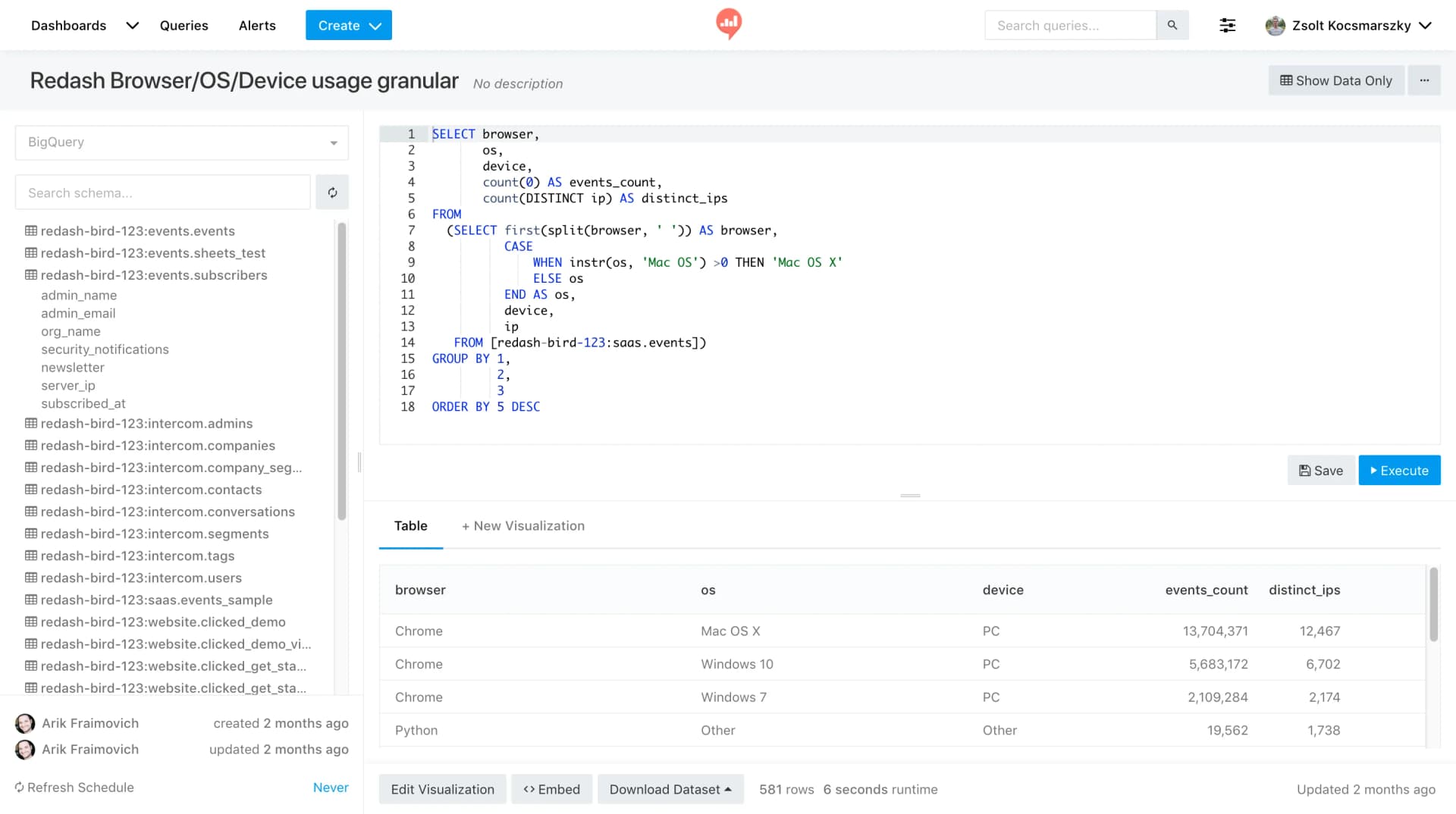
Redash
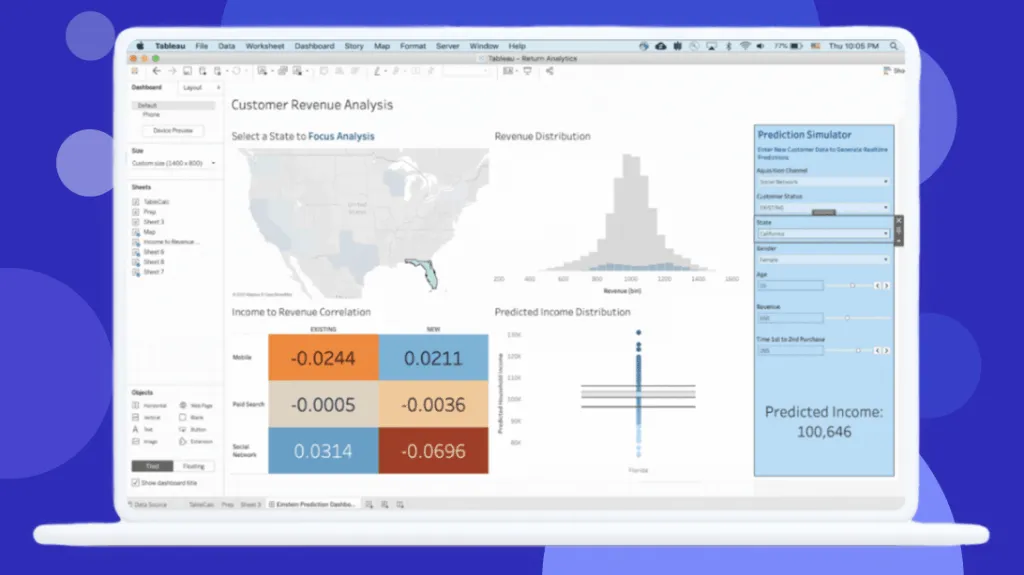
Tableau
Feature Comparison
| Feature | Redash | Tableau |
|---|---|---|
| Query & Data Access | ||
| Query Editor | Powerful online SQL editor with live auto-complete, keyboard shortcuts, schema browsing, and click-to-insert functionality | Visual query builder with drag-and-drop interface plus calculated fields for custom expressions without writing SQL |
| Data Source Connectivity | Native connectors for PostgreSQL, MySQL, Redshift, BigQuery, MongoDB, Snowflake, Athena, MariaDB, and Spark SQL | Enterprise connectors for cloud and on-premises databases with Salesforce CRM native integration and Data 360 unified layer |
| Cross-Database Queries | Query results can serve as data sources to join data from different databases within Redash interface | Built-in data blending and cross-database joins with Tableau Prep Builder for complex data preparation workflows |
| Visualization & Dashboards | ||
| Chart Types | Line, bar, area, pie, scatter, boxplot, cohort, sunburst, word cloud, sankey, map, counter, pivot table, and funnel | Advanced interactive charts with drill-down, hierarchies, maps, scatter plots, heat maps, and custom visual best practices |
| Dashboard Building | Drag and drop dashboard builder with resizable visualizations and scheduled refresh from connected data sources | Full-featured dashboard authoring with interactive filters, parameter actions, and visual storytelling capabilities |
| Dashboard Sharing | Share dashboards via secret URL with one click to peers or clients, or embed widgets anywhere needed | Governed publishing with role-based access, Tableau Public for public sharing, and Slack integration for team analytics |
| Collaboration & Sharing | ||
| Team Collaboration | Create and reuse SQL snippets across the team with cloud-based collaborative query editing environment | Web-based collaboration with comments, subscriptions, and permission-aware analytics directly within Slack channels |
| Access Control | SSO support and basic user management with access control features for enterprise-friendly workflow | Three-tier licensing model with Creator, Explorer, and Viewer roles providing granular permission management |
| API Access | Full REST API for programmatic query creation, execution, and dashboard management with API key authentication | API-first architecture with composable design in Tableau Next, enabling embedded analytics and custom integrations |
| Automation & Intelligence | ||
| Data Refresh | Schedule automatic refresh times for query results with cached results for minimal running times | Scheduled extract refreshes with 10 per day on standard Cloud plans, real-time connections available for live data |
| Alerts & Notifications | Set up alerts to get notified on certain data events with configurable thresholds and conditions | Tableau Pulse delivers proactive AI-powered insights with alerts, subscriptions, and Agentforce integration |
| AI Capabilities | No built-in AI features; relies on SQL expertise and manual query optimization for data analysis | Agentic analytics with Agentforce integration, AI-assisted semantic model creation, and natural language queries |
| Deployment & Extensibility | ||
| Deployment Options | Self-hosted only via Docker containers requiring Redis and PostgreSQL infrastructure setup and maintenance | Tableau Cloud (fully managed SaaS), Tableau Server (self-hosted), and Tableau Desktop for offline analysis |
| Customization | Open source BSD-2-Clause license allows full code customization, feature additions, and community contributions | Closed source with extensibility through API-first architecture, embedded analytics, and enterprise workflow integration |
| Ecosystem Integration | Python-based with GitHub-hosted development, integrates with data warehouses like Databricks, Snowflake, and Spark | Deep Salesforce ecosystem integration with Agentforce, Slack, Data 360, and Hyperforce enterprise infrastructure |
Query & Data Access
Query Editor
Data Source Connectivity
Cross-Database Queries
Visualization & Dashboards
Chart Types
Dashboard Building
Dashboard Sharing
Collaboration & Sharing
Team Collaboration
Access Control
API Access
Automation & Intelligence
Data Refresh
Alerts & Notifications
AI Capabilities
Deployment & Extensibility
Deployment Options
Customization
Ecosystem Integration
Which to choose
Redash delivers a free, SQL-centric query and visualization platform ideal for technical teams who want open source flexibility, while Tableau provides enterprise-grade visual analytics with AI-powered features at premium per-user pricing.
Best-fit scenarios
Choose Redash if:
Choose Redash if your team consists primarily of SQL-proficient analysts and engineers who need a lightweight, cost-effective way to query multiple data sources and build operational dashboards. Redash excels as a self-hosted solution with zero licensing fees under its BSD-2-Clause license, making it particularly attractive for startups and data-driven organizations that want full control over their analytics infrastructure. With support for PostgreSQL, MySQL, BigQuery, Redshift, MongoDB, Snowflake, and dozens of other connectors, Redash provides broad data access through its powerful online SQL editor with auto-complete and snippet reuse. The open source nature with 28,511 GitHub stars means active community development and the ability to customize the platform to your exact needs.
Choose Tableau if:
Choose Tableau if your organization requires enterprise-grade visual analytics with advanced interactive dashboards, AI-powered insights, and governed data sharing across technical and non-technical users. Tableau's drag-and-drop interface makes it accessible to business users who may not know SQL, while its Creator tier provides full Desktop application access for power analysts. As a 2025 Gartner Magic Quadrant Leader, Tableau delivers a mature platform with Tableau Cloud starting at $15/user/month for Viewers, $42/user/month for Explorers, and $75/user/month for Creators. The Salesforce integration brings Agentforce agentic analytics, Slack-based permission-aware dashboards, and Data 360 unified data layer capabilities that justify the investment for organizations already in the Salesforce ecosystem.
These scenarios reflect the available product evidence. Your requirements, existing stack, and team expertise should guide the final decision.
Frequently Asked Questions
Is Redash truly free compared to Tableau?
Redash is free and open source under a BSD-2-Clause license, meaning there are no per-user fees or licensing costs for the software itself. You self-host it using Docker with Redis and PostgreSQL, so your costs are limited to infrastructure and maintenance. Tableau, by contrast, charges per user per month: Viewer at $15, Explorer at $42, and Creator at $75 on the Standard Cloud edition. A mid-sized team of 5 Creators, 15 Explorers, and 50 Viewers would pay approximately $60,900 per year with Tableau. Redash with equivalent infrastructure might cost a fraction of that, though you need internal DevOps capacity to manage the deployment.
Which tool is better for non-technical business users?
Tableau is the stronger choice for non-technical business users thanks to its drag-and-drop interface, built-in visual best practices, and Explorer license tier designed specifically for users who modify existing dashboards without writing code. Tableau is widely rated as easy to learn with an intuitive user interface, and its Viewer tier provides read-only dashboard access with filtering and export capabilities. Redash, on the other hand, is SQL-first and requires users to write queries to retrieve and visualize data. While Redash has a simple UI that technical users appreciate, it assumes familiarity with SQL syntax and database schema, making it less suitable for business stakeholders who prefer point-and-click analytics.
How do Redash and Tableau compare on data source support?
Both tools support a wide range of data sources, but with different strengths. Redash natively connects to SQL databases like PostgreSQL, MySQL, MariaDB, and Redshift, NoSQL stores like MongoDB, big data platforms including BigQuery, Snowflake, Athena, Spark SQL, and Databricks, plus API-based data sources. Tableau connects to similar databases plus offers deep native Salesforce CRM integration, Data 360 as a unified data layer, and enterprise connectors that may require IT configuration. Redash allows using query results as data sources to join across different databases, while Tableau provides built-in data blending and Tableau Prep Builder for more sophisticated data preparation workflows.
Can Redash replace Tableau for enterprise analytics?
Redash can serve as a functional analytics tool for technical teams but lacks several enterprise features that Tableau provides. Tableau offers governed publishing with Creator, Explorer, and Viewer roles, enterprise-grade security and compliance via Hyperforce, AI-powered agentic analytics through Agentforce, certified training programs, and official Salesforce ecosystem integration. Redash provides SSO and basic user management but does not include advanced governance, AI capabilities, or tiered user licensing. For organizations with primarily SQL-proficient teams that need operational dashboards and direct database querying, Redash works well. However, enterprises requiring broad user adoption across non-technical departments, compliance certifications, and vendor-backed support will find Tableau more appropriate.