How to Build a Modern Data Stack in 2026: A Practitioner's Guide
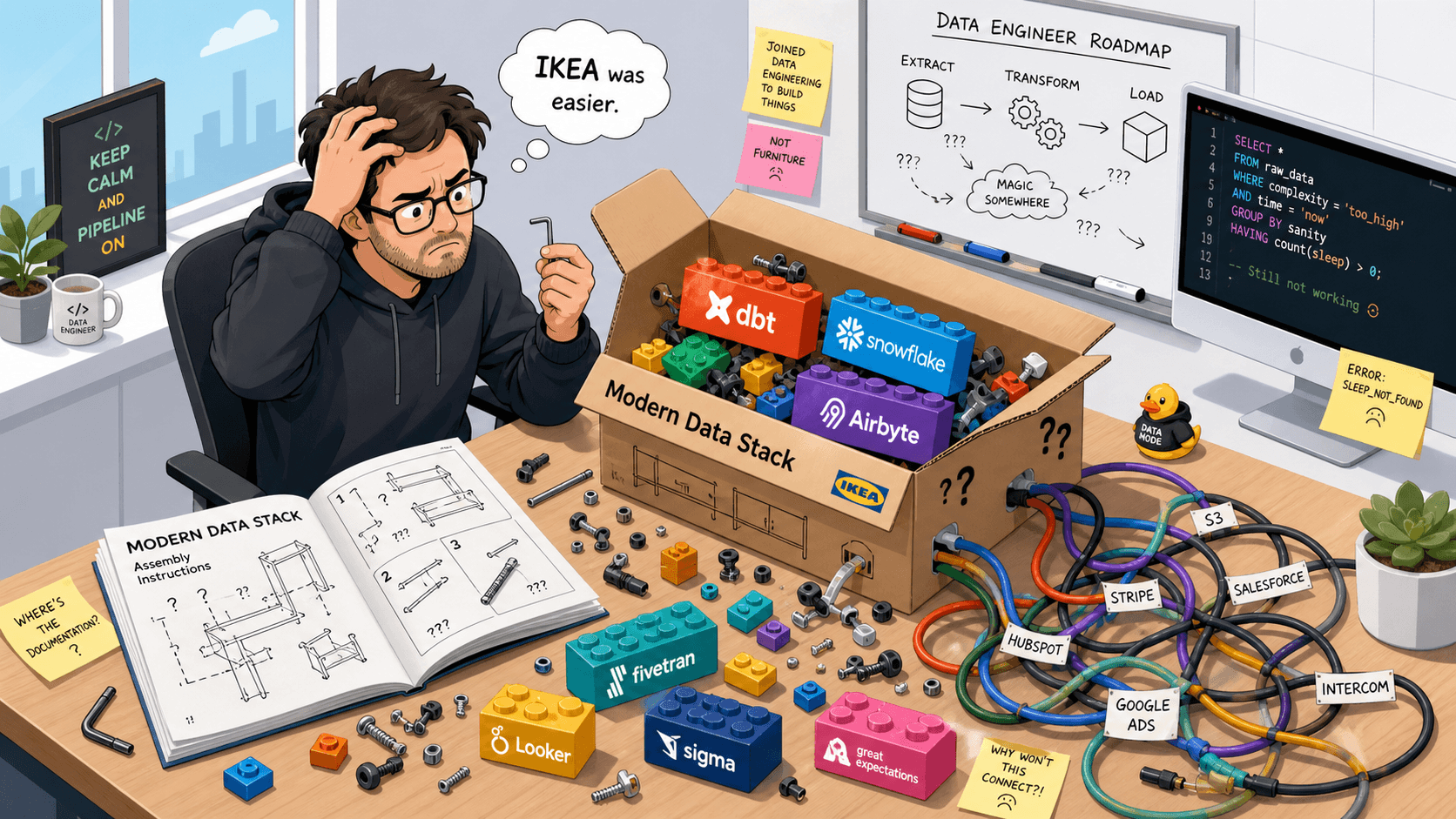
The modern data stack promised simplicity, but in practice it often feels like IKEA furniture. Here’s how to build one that actually works, layer by layer.
EB
Egor Burlakov
••9 min read
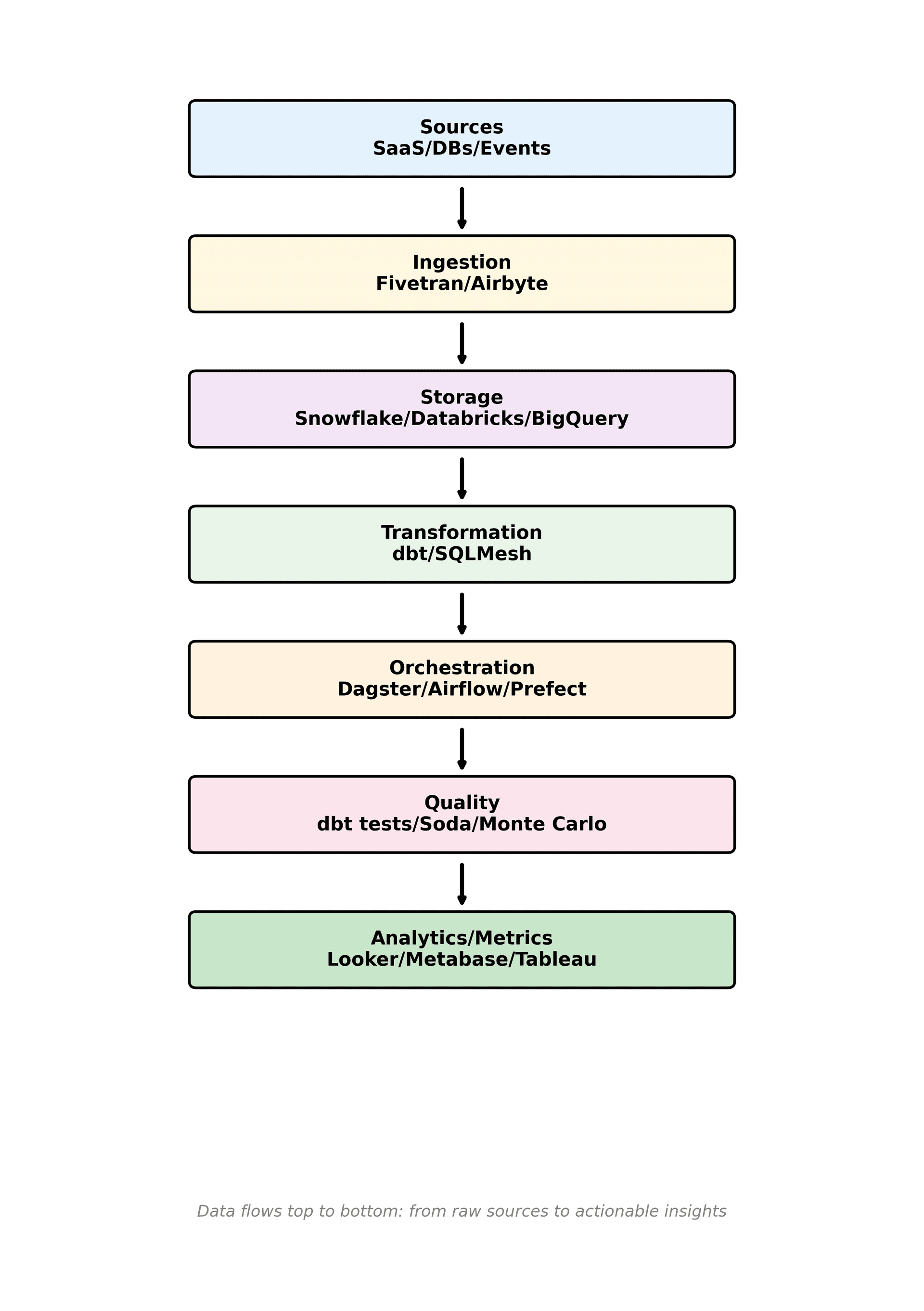
When the term "modern data stack" first gained traction around 2020, the promise was simple: replace your monolithic data infrastructure with a collection of best-in-class cloud tools that snap together like Lego blocks. Each layer — ingestion, warehousing, transformation, orchestration, quality, analytics — handled by a specialized SaaS product that does one thing well.
Six years later, I can confirm that the Lego metaphor was aspirational. What you actually get is more like an IKEA flat-pack where the instruction manual is written in three different languages, two screws are missing, and the allen key doesn't quite fit. The individual pieces are excellent, but nobody warned you about the integration work.
Still, the core idea was right. A well-assembled modern data stack in 2026 is genuinely more capable, more cost-effective, and more maintainable than anything we had a decade ago. The trick is knowing which tools to pick at each layer, which layers you can skip entirely, and how to keep the whole thing sane in an AI-heavy world where “modern” increasingly means “AI-ready” as much as “cloud-native”.
This guide is written for teams with a handful of data engineers or analytics engineers — not hyperscalers with 200-person platform teams. I'm assuming you’re on a major cloud (AWS, GCP, Azure), you care about cost, and you’d rather ship something boring that works than build a fragile Rube Goldberg machine.
Here's what I'd build today, layer by layer, based on fifteen years of doing this professionally.
Layer 1: Ingestion — Get the Data Moving
Your first job is extracting data from source systems (APIs, databases, SaaS platforms) and loading it into your warehouse or lakehouse. This is the plumbing, and like real plumbing, it's boring until it breaks.
Fivetran remains the market leader for managed ELT, with hundreds of pre-built connectors that mostly just work. Its pricing model (based on monthly active rows) can get expensive at scale, but the engineering time it saves is worth it for most teams up to mid-market size.
Airbyte is the strongest open-source alternative, and it has matured significantly over the past two years. If your team has the engineering capacity to self-host (or you use their cloud offering), Airbyte gives you similar connector coverage at a lower cost, plus the ability to build custom connectors using their CDK.
For most teams, I'd pick one of these two and move on. The ingestion layer is a mostly solved problem in 2026 — don’t over-engineer it. The exceptions are when you have heavy streaming needs or strict compliance constraints; then you may need more custom work, but that’s the edge case, not the default.
The short version: Snowflake for SQL-first teams that want the most mature ecosystem, Databricks for teams that mix data engineering with ML and want the lakehouse architecture, BigQuery for Google Cloud shops and teams that value simplicity.
One thing I will add: the lakehouse concept — treating your data lake storage (S3/GCS) as the single source of truth, with a query engine on top — has moved from a Databricks-specific pitch to an industry-wide pattern. Open table formats like Delta Lake, Apache Iceberg, and Apache Hudi mean you're less locked into any single vendor's storage format than you were even two years ago, and that's genuinely good for the entire ecosystem.
If you're mostly doing BI on structured data, you can treat this layer as “pick a cloud warehouse and move on.” If you’re doing heavy ML/AI, working with large amounts of events or semi-structured data, or you need open data sharing, it’s worth leaning into lakehouse patterns early.
Layer 3: Transformation — dbt and Its Discontents
dbt (data build tool) dominates this layer so thoroughly that it barely needs introduction. The idea — write your transformation logic as SQL SELECT statements and let dbt handle the dependency graph, testing, and documentation — was genuinely transformative for the data engineering profession. Most data teams should use dbt, and most data teams already do.
That said, dbt has limitations worth acknowledging. It's SQL-only, which means anything requiring Python (ML feature engineering, complex string processing, API calls) needs a separate tool. The dbt Cloud pricing model has also become a point of friction, as the company has moved features from the open-source Core to the paid Cloud offering. And the "everything is a SQL model" philosophy, taken to extremes, can produce dependency graphs so complex that they'd make a bowl of spaghetti look organized.
By 2026, SQLMesh has emerged as the most credible alternative for teams that like dbt’s ideas but have been burned by incremental models, environment sprawl, or expensive dev setups. It offers a syntax compatible with dbt while adding things like virtual data environments, safer incremental model semantics, and built-in scheduling. Independent comparisons generally frame it as: dbt wins on ecosystem and hiring pool, SQLMesh wins on environment management, long-term scalability, and smarter execution. Tobiko Data, the company behind SQLMesh, was acquired by Fivetran in 2025, which is worth knowing from a vendor-risk and roadmap perspective.
My view: if you’re starting from scratch and want the safest bet, use dbt. If you already have a large dbt project that’s creaking under its own weight, or you know you’ll have complex environments and long-lived incrementals, SQLMesh is worth a serious evaluation.
Layer 4: Orchestration — Keeping Everything on Schedule
Orchestration is about ensuring that your data pipelines run in the right order, at the right time, with proper error handling and monitoring. This is where the tool landscape has gotten crowded.
Apache Airflow is the incumbent, used by thousands of companies, and it works. It remains the industry standard, with managed offerings like MWAA and Airflow 3 bringing a more modern UI and event-driven workflows, but it still carries the burden of a design philosophy built around task-centric DAGs rather than data-centric assets. If you already have Airflow running and it meets your needs, there's no urgent reason to switch.
For greenfield projects in 2026, Dagster is often a more pleasant choice. Its software-defined assets paradigm is more intuitive than Airflow's DAG-of-tasks model, the local development experience is significantly better, and the built-in data lineage makes debugging pipeline failures much less painful. The trade-off is a smaller community and ecosystem compared to Airflow, but it's growing fast and aligns well with how modern data teams actually think about assets.
Prefect occupies a similar space to Dagster with a different philosophy — more Pythonic, less opinionated about asset definitions. It's a solid choice, particularly if your orchestration needs are simpler and you want something lightweight, and many teams report success using it as a “batteries included, but not too opinionated” orchestrator.
You don’t need to agonize here: pick Airflow if you’re in a very traditional or AWS-heavy environment, Dagster if you want asset-centric thinking and lineage out of the box, or Prefect if you want something lightweight and Python-first.
Layer 5: Data Quality — The Layer Everyone Skips
This is the layer that separates professional data operations from "we'll fix it when someone complains." Data quality tools monitor your pipelines for anomalies, schema changes, freshness issues, and data drift, alerting you before bad data reaches your dashboards.
Great Expectations pioneered the space as an open-source testing framework. Soda offers a more accessible syntax for writing data checks. Monte Carlo provides an end-to-end data observability platform with automated anomaly detection.
My honest assessment: most small-to-mid teams should start with dbt's built-in tests (unique, not_null, accepted_values, relationships), then add Great Expectations or Soda for more sophisticated checks as they grow, and only consider a full observability platform like Monte Carlo once the pipeline volume makes manual monitoring impossible.
The common mistake is either skipping quality entirely ("we'll add it later," which means never) or over-investing in a sophisticated platform before you have the pipeline volume to justify it. Both are expensive mistakes, just in different ways.
Layer 6: Analytics, BI, and the Metrics Layer — Making It Useful
The final layer is where your carefully engineered data stack meets the humans who actually need to make decisions with it.
Looker (now part of Google Cloud) remains strong for teams that want a semantic modeling layer and governed metrics. Tableau is still the visualization powerhouse that business users love. Metabase is the best open-source BI tool and strikes an excellent balance between ease of use and analytical power. Apache Superset is another open-source option with more advanced features but a steeper learning curve.
For most teams, I'd recommend Metabase if you're cost-conscious or want self-hosted, and Looker or Tableau if you need enterprise governance and your budget allows it.
What’s changed by 2026 is the recognition of a separate metrics or semantic layer that sits between transformation and BI — whether that’s LookML in Looker, a headless BI tool, or metrics defined in dbt and exposed via APIs. The goal is the same: a single, consistent definition of “revenue,” “active user,” or “churn” that every dashboard and AI application can trust.
If you plan to feed AI/ML models, LLM applications, or reverse ETL into SaaS tools, investing in this semantic layer early pays off. It’s much easier to build one well-governed metrics layer than to retroactively unpick five different definitions of “active.”
The Meta-Lesson: Don't Over-Stack
The biggest mistake I see data teams make isn't choosing the wrong tool at any individual layer — it's adopting too many layers at once. A startup with three data engineers does not need a separate tool for ingestion, transformation, orchestration, quality monitoring, cataloging, and analytics. That's seven tools to integrate, seven vendor relationships to manage, and seven potential points of failure.
Start with the minimum viable stack: an ingestion tool, a warehouse, dbt (or SQLMesh), and a BI tool. Add orchestration when your pipelines get complex enough to need scheduling. Add quality monitoring when you start getting burned by data issues in production. Add a data catalog or metrics layer when your team grows large enough that people can't keep the schema and definitions in their heads.
If you’re doing AI/ML, keep the same philosophy: start with a solid warehouse or lakehouse and a small, well-modeled core that feeds both BI and models. Don’t let “AI infrastructure” be an excuse to bolt on five more tools you don’t really need yet.
The best data stack is the simplest one that solves your actual problems. Every additional tool should earn its place by solving a pain you're already feeling, not a pain you might theoretically feel someday. I know this sounds obvious, but after fifteen years in this field, I can tell you that the graveyards of data platforms are filled with stacks that were architecturally perfect and operationally impossible.
Build small, add deliberately, and remember that the goal was never to have a beautiful architecture diagram — it was to help people make better decisions with data.
Not sure which stack is right for you? Try our recommendation wizard — answer a few questions about your team, budget, and technical requirements, and get a personalized stack recommendation backed by live data on 300+ tools.
EB
Written by Egor Burlakov
Engineering and Science Leader with experience building scalable data infrastructure, data pipelines and science applications. Sharing insights about data tools, architecture patterns, and best practices.
Explore Further
Dive deeper into the tools and categories mentioned in this article.