Buying snapshot
Scroll sideways to see all columns. With a keyboard, focus this table and use the arrow keys.
| Decision point | What Neo4j states |
|---|---|
Deployment | AuraDB runs on AWS, Microsoft Azure and Google Cloud in over 60 regions. Self-managed editions run on premises or in your own cloud. |
Licensing | Community Edition is open source under GPLv3. Enterprise Edition adds closed-source components and needs a commercial license. |
Query model | Property graph queried with GQL-compliant Cypher, with ACID transactions. Full-text and vector indexing are listed in every self-managed edition. |
Developer access | Neo4j Desktop includes an unlimited free developer license for Enterprise Edition for Developers. |
Our take
Choose Neo4j when your application or analysis depends on following relationships between records, such as fraud detection, recommendations or knowledge graphs. Pick AuraDB if you want Neo4j to run the database for you; pick a self-managed edition when your regulatory or infrastructure requirements mean you must run it yourself.
Evaluate Neo4j
Comparisons
Where it stands out
A graph-native engine. Neo4j lists native graph processing and storage, the property graph model and Cypher in every self-managed edition, so relationships are stored and queried directly rather than rebuilt from tables.
One toolset for managed and self-managed. Neo4j's graph tools work with both AuraDB and self-managed databases, and Fleet Manager manages all Neo4j deployments from one place.
Graph analytics beyond the database. Aura Graph Analytics runs 65+ graph algorithms on AuraDB, relational databases or CSVs without ETL, scaling compute separately. A Snowflake Marketplace version runs on data in Snowflake tables.
Agent building in the managed plans. Aura Agent is included on AuraDB Free, Professional and Business Critical, but not on Virtual Dedicated Cloud.
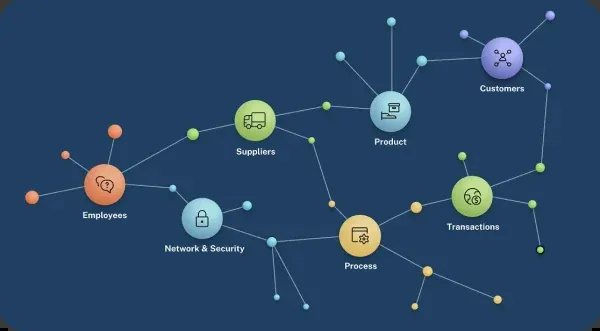
Product screenshot
Trade-offs to weigh
Idle capacity still costs money. Paid AuraDB plans bill provisioned capacity by the hour, not by query, so an unused instance keeps running up cost. Pausing a database saves 80% of its running cost while keeping data and backups.
Governance controls start at Business Critical. SSO, role-based and fine-grained access control, IP filtering, security log forwarding and change data capture are not on Free or Professional. Customer-managed keys and private endpoints are listed only on Virtual Dedicated Cloud.
Community Edition stops short of production operations. Neo4j positions it for projects that do not need automatic high availability, horizontal scalability or beyond-basic security; clustering, hot backups, multiple databases and role-based security need Enterprise or Infinigraph Edition. Graph Data Science community edition is limited to 4 CPU cores and 3 models.
Pricing and plan conditions
The paid AuraDB plans (Professional, Business Critical and Virtual Dedicated Cloud) use capacity-based pricing: you pay per GB of provisioned capacity per hour, and storage, IO, backups and data transfer are included. Listed rates are starting prices, and the Professional free trial is available only in some geographies.
Scroll sideways to see all columns. With a keyboard, focus this table and use the arrow keys.
| Plan | Starting price | Memory per instance | Availability, backups and support |
|---|---|---|---|
AuraDB Free | $0; no credit card required | Limits on node and relationship counts | Single zone, no SLA; backups not included; auto-pause and resume; community support. |
AuraDB Professional | From $0.09 per GB per hour (1GB minimum instance) | Up to 128GB | Single zone, no SLA; daily backups kept 7 days; best-effort support; pay as you go by credit card. |
AuraDB Business Critical | From $0.20 per GB per hour (2GB minimum instance) | Up to 2TB on Google Cloud; up to 512GB on AWS and Azure | Multi-zone with a 99.95% uptime SLA; daily backups kept 30 days plus hourly point-in-time restore; 24x7 premium support with one-hour response; pay as you go or prepaid. |
AuraDB Virtual Dedicated Cloud | Talk to sales | Up to 2TB on Google Cloud; up to 512GB on AWS and Azure | Dedicated VPC infrastructure; 99.95% uptime SLA; hourly backups kept 60 days; 24x7 premium support; prepaid contract terms. |
Self-managed editions: Community Edition is free and community-supported; Enterprise Edition and Infinigraph Edition (automatic sharding, with Graph Data Science included) are priced through sales.
Aura Graph Analytics: $0.40 per GB per hour, up to 512GB of memory, pay as you go or prepaid.
Public signals
About these signals
Verified factual signals from public sources. They indicate observable activity or interest, not total adoption, product quality, or cost.
544 GitHub commits 90d17.4k GitHub stars0 vulnerabilities across 2 packages
See all signals from 9 sources
PyPI · neo4j@6.4.1 · npm · neo4j-driver@6.2.0
Alternatives to Neo4j
The reviewed substitutes for Neo4j among the graph databases, and what would make each one the better answer.
Other approaches
A different approach to the same problem. Each substitutes only for the workload named beside it.
- PostgreSQL
- PostgreSQL can carry graph-shaped data with recursive queries, so it substitutes for Neo4j on lighter connected-data work — not universally.Applies to: Connected-data workloads whose traversals are shallow and bounded. Deep or variable-length traversal is where the graph database is not replaceable.
- MongoDB
- MongoDB and Neo4j can each be the main database behind an application. MongoDB stores records as flexible JSON-like documents, while Neo4j stores nodes and the relationships between them, so it is the better pick when queries follow many links, as in fraud detection, recommendations or knowledge graphs.Applies to: Deciding how the stack is shaped, where both products can be part of the answer.
Related technologies
Normally used together rather than chosen between, so these are not alternatives.
- Elasticsearch
- A graph database and a search engine answer different questions, and the documented pattern uses both: Elasticsearch for full-text and vector search over documents, Neo4j for relationship traversal and knowledge graphs. Published guides cover graph-powered search built on the pair rather than a choice between them.Applies to: Whether connected data needs a graph store, or whether search over documents is enough.
See detailed alternatives analysis
If you are evaluating Neo4j alternatives, you are likely looking for a database that better fits your workload, whether that means stronger SQL support, different scaling characteristics, or a pricing model that aligns with your budget. Neo4j is the leading graph database, excelling at traversing deeply connected data through its native graph storage engine and the Cypher query language. However, not every project requires a graph-first approach, and teams sometimes find that relational, search-oriented, or analytical databases can handle their use cases with less architectural complexity.
The alternatives listed here span several categories: distributed search engines, cloud-native analytical databases, data lakehouse platforms, and time-series specialists. Each brings distinct strengths depending on whether your priority is full-text search, real-time analytics, federated querying, or cost efficiency at scale.
Top Alternatives Overview
Elasticsearch is a distributed, RESTful search and analytics engine built on Apache Lucene. It handles full-text search, vector search, log analytics, and security analytics. With over 76,000 GitHub stars and a community rating of 8.7/10 based on 217 reviews, it has a sizable ecosystem among data tools. Elasticsearch supports deployment as a fully managed serverless offering, a hosted cloud service on AWS, Google Cloud, and Azure, or as a self-managed on-premises installation. Its query DSL and ES|QL language provide flexible search capabilities, and it includes built-in machine learning features for anomaly detection.
Dremio is a data lakehouse platform designed for SQL-based analytics directly on data lakes, including Apache Iceberg and Parquet formats, without requiring data movement or ETL pipelines. Dremio uses an Arrow-based query engine with LLVM code generation for CPU efficiency and features Autonomous Reflections that automatically pre-compute aggregations and materializations to accelerate common query patterns. It supports federated queries across object storage, relational databases, and NoSQL systems through a unified semantic layer.
Firebolt is an analytical database built for sub-second query performance on terabyte-scale datasets. It features a vectorized runtime, specialized indexes for joins and aggregations, and a decoupled metadata, storage, and compute architecture. Firebolt supports Postgres-compliant SQL extended with modern analytics features including array processing, schema inference, and vector search. It offers both a fully managed cloud deployment and a self-hosted option called Firebolt Core that is free to use.
MotherDuck is a cloud analytics platform powered by DuckDB that uses a dual execution architecture, running queries across both local machines and the cloud. This hybrid approach allows analysts to work with data locally for fast iteration while scaling to cloud resources when needed. MotherDuck is designed for serverless SQL analytics with no infrastructure to manage.
Starburst is an enterprise analytics platform built on Trino that enables federated queries across data lakes, warehouses, and databases. It provides a single access point to distributed data without requiring data movement. Starburst offers a free tier with up to three clusters, a Pro tier, and an Enterprise tier with advanced autoscaling and fine-grained access controls.
Trino (formerly PrestoSQL) is a distributed SQL query engine designed for fast analytic queries against data of any size. As an open-source project with over 12,700 GitHub stars, Trino can query data from multiple sources including data lakes and warehouses. Trino is free under Apache License 2.0; managed services are separate vendor offerings.
Architecture and Approach Comparison
The fundamental architectural difference between Neo4j and its alternatives lies in the data model. Neo4j uses a property graph model where data is stored as nodes and relationships, with the Cypher query language designed specifically for graph traversal. This architecture excels when queries need to explore multi-hop relationships, such as fraud detection networks, recommendation engines, or knowledge graphs. Neo4j is written in Java, licensed under GPL-3.0, and offers both self-hosted and fully managed cloud deployments through AuraDB.
Elasticsearch takes an inverted index approach optimized for search and analytics. Where Neo4j excels at relationship traversal, Elasticsearch excels at full-text search, filtering, and aggregation across large volumes of unstructured or semi-structured data. Its distributed architecture automatically handles shard allocation, replication, and rebalancing across cluster nodes. Elasticsearch also supports vector search for semantic and hybrid retrieval patterns, making it relevant for AI-powered search applications.
Dremio and Starburst both focus on federated query execution, allowing teams to query data where it lives without moving it into a centralized store. Dremio builds on Apache Arrow for in-memory columnar processing and contributes to Apache Iceberg for open table formats. Starburst builds on Trino and provides additional enterprise features like governance and access controls on top of the open-source query engine. Both platforms are well-suited for organizations that have data spread across multiple storage systems and want a unified SQL interface.
Firebolt differentiates through its focus on extreme query performance for analytical workloads. Its architecture decouples metadata, storage, and compute to allow independent scaling of each layer. The vectorized query engine combined with specialized indexes delivers sub-second latency even at high concurrency. Firebolt also offers ACID transactions with snapshot isolation, bridging some capabilities traditionally associated with OLTP systems.
MotherDuck and DuckDB represent the embedded analytics approach. Rather than running a distributed cluster, DuckDB operates as an in-process analytical database. MotherDuck extends this with cloud capabilities, allowing queries to execute partially on the local machine and partially in the cloud. This architecture is particularly effective for data exploration and ad-hoc analysis where the overhead of a full distributed system is unnecessary.
Timescale extends PostgreSQL specifically for time-series data, adding automatic partitioning, compression, and continuous aggregates. SingleStore combines transactional and analytical capabilities in a single distributed SQL database. StarRocks focuses on real-time OLAP with sub-second MPP query execution for multi-dimensional analytics.
Pricing Comparison
Neo4j offers a freemium model with several tiers. The AuraDB Free tier requires no credit card and provides access to graph tools for learning and small projects. AuraDB Professional pricing starts at $0.09 per GB per hour, with a minimum 1GB instance, and provides up to 128GB memory per database instance, scalable on demand, with daily backups and 7-day retention across AWS, Azure, and Google Cloud. AuraDB Business Critical pricing starts at $0.20 per GB per hour, with a minimum 2GB instance, and includes a highly available 3-zone cluster, 30-day backup retention with hourly point-in-time restore, role-based access control, and 24x7 support. The Community Edition is free and self-hosted. Enterprise and Infinigraph editions require contacting sales. Aura Graph Analytics is priced at $0.40 per GB per hour with pay-as-you-go billing.
Dremio uses usage-based pricing starting at $0.20 per unit. It offers a Community Edition that can be deployed with Docker at no cost, a Standard tier, and an Enterprise tier. The platform provides a free trial for cloud deployment.
Firebolt's managed service bills compute per second, and its pricing page lists one Small (S) node at $0.92 per hour in US East (N. Virginia). The Enterprise tier adds AWS PrivateLink, multi-clusters, auto-scaling for concurrency, and compliance features like HIPAA. Firebolt Core, the self-hosted option, is free forever with community support. A Dedicated tier with fully isolated single-tenant infrastructure requires contacting sales.
MotherDuck offers a free Lite plan for up to 3 users, a Business plan at $250 per organization per month plus usage, and a custom Enterprise plan.
Starburst provides a free tier with up to three clusters, a Pro tier starting at $0.50 per credit, and an Enterprise tier starting at $0.75 per credit with advanced autoscaling and fine-grained access controls.
Trino is free under Apache License 2.0. Budget infrastructure, source-system charges and operating work separately; the Trino project does not sell a $12/month cloud plan.
TimescaleDB is free to self-host, and Tiger Cloud's Performance plan starts at $30 per month for compute, plus storage, with a 30-day free trial. SingleStore bills by the hour, starting at $0.99 per hour for Managed Standard and $1.49 per hour for Managed Enterprise, with a free Shared tier for non-production use.
When to Consider Switching
Consider switching from Neo4j when your primary workload does not involve deep relationship traversal. If your queries are mostly tabular aggregations, full-text search, or time-series analysis, a graph database adds architectural complexity without proportional benefit. Teams running standard business intelligence dashboards or log analytics may find that SQL-based analytical databases deliver faster results with simpler query patterns.
If full-text search and log analytics are your core requirements, Elasticsearch provides a mature, well-documented ecosystem with native support for text search, vector search, and observability use cases. Its distributed architecture handles horizontal scaling for search-heavy workloads more naturally than a graph database configured for the same purpose.
Organizations with data distributed across multiple storage systems should evaluate Dremio or Starburst. These platforms allow querying data in place through federation, avoiding the need to replicate data into a single database. This is particularly relevant when data governance requires keeping data in specific locations or when the cost of data movement is prohibitive.
For teams that need real-time analytical performance on large datasets with high concurrency, Firebolt offers specialized indexing and a vectorized engine designed specifically for that workload pattern. Its Postgres-compatible SQL also reduces the learning curve for teams already familiar with PostgreSQL.
If your analytics workload is moderate in scale and you want to avoid managing infrastructure, MotherDuck provides a lightweight path to cloud analytics powered by DuckDB. The hybrid local-cloud execution model works well for data analysts who prefer working with local tools while occasionally scaling to cloud resources.
Timescale is the natural choice when your data is primarily time-series, such as IoT sensor data, DevOps metrics, or financial tick data. Its PostgreSQL foundation means existing PostgreSQL knowledge and tooling transfer directly.
However, if your workload genuinely involves graph patterns, such as social network analysis, fraud ring detection, supply chain mapping, or knowledge graph construction, Neo4j remains the strongest option in this category. The Cypher query language makes multi-hop traversals significantly more readable and efficient than attempting equivalent operations in SQL.
Migration Considerations
Migrating away from Neo4j requires rethinking your data model. Graph data stored as nodes and relationships must be translated into the target system's data model, whether that is relational tables, JSON documents, or key-value pairs. Relationships that are first-class citizens in Neo4j become foreign keys or join tables in relational systems, which may require significant query rewriting.
Cypher queries do not have direct equivalents in SQL or other query languages. Multi-hop traversals expressed concisely in Cypher (such as variable-length path queries) may require recursive CTEs or multiple self-joins in SQL, which can be both harder to read and slower to execute. Evaluate whether your most critical queries can be expressed efficiently in the target system before committing to migration.
For organizations using Neo4j's Graph Data Science library for algorithms like PageRank, community detection, or pathfinding, verify that equivalent capabilities exist in the target platform or through external libraries. Most analytical databases do not include native graph algorithm support.
Data export from Neo4j can be performed using the neo4j-admin dump tool for full database exports, or through Cypher queries that output CSV or JSON for selective exports. Neo4j also supports APOC procedures for exporting to various formats. Plan for data transformation as an intermediate step, mapping nodes to rows and relationships to foreign key references or denormalized columns.
Consider a phased migration approach. Many organizations run Neo4j alongside other databases, keeping graph-specific workloads in Neo4j while moving tabular analytics to a SQL-based system. Neo4j's Connectors and Integrations support data synchronization with other systems, and its Kafka connector enables streaming data between Neo4j and other platforms.
Test query performance in the target system with realistic data volumes before decommissioning Neo4j. Graph traversal patterns that complete in milliseconds in Neo4j may perform differently when translated to joins in a relational system, particularly at depth. Run benchmarks with your actual query patterns, not just synthetic tests.